<div></div>태그
block형식의 공간을 수직으로 분할하는 영역 태그로 페이지의 한 개 라인 전체를 차지한다. 넓이, 높이를 지정 가능하다.
<h3>div 태그 이용</h3>
<div id="testdiv">div 태그
    <p>태그</p>
    <h1>h1태그</h1>
</div>
<div id="testdiv">div 태그2
    <p>태그</p>
    <h1>h1태그</h1>
</div>
div태그 활용 예시
<style>
     div#header,div#section,div#footer{
         border: 1px solid rgb(22, 48, 1);
     }
     div#header{
         height: 100px;
         background-color: darkkhaki;
         display: flex;
         /* 양쪽 끝에 구역을 두고 그 사이에 중간 구역을 배치 */
         justify-content: space-between;
         /* 로그인 같은 구역이 위나 아래로 치우치지않게 가운데로 배치 */
         align-items: center;
     }
     /* 이미지가 삐져나가지 않게함 */
  div#logo>h4{
      margin: 0;
      padding: 0;
      /* 회사 라는 텍스트를 구역 가운데로 배치 */
      text-align: center;
     }
</style>
<div id="header">
     <div id="logo">
         <img src="" width="200" height="50">
         <h4>회사 이름</h4>
     </div>
     <div id="title">
         <h1>Company</h1>
     </div>
     <div id="loginForm">
         <table>
             <tr>
                 <td>아이디</td>
                 <td><input type="text"></td>
                 <td rowspan="2"><button>로그인</button></td>
             </tr>
             <tr>
                 <td>패스워드</td>
                 <td><input type="password"></td>
             </tr>
             <tr>
                 <td colspan="3">
                     <a href="">회원가입</a>
                     <a href="">아이디 찾기</a>
                     <a href="">비밀번호 찾기</a>
                 </td>
             </tr>
         </table>
     </div>
</div>
<div id="section"></div>
<div id="footer"></div>
<span></span>태그
inline형식을 갖는 태그로 페이지의 한 개 라인 일부를 차지한다. 특정 부분을 구분하기 위해서 사용한다. 보통 라인 안에 특정 태그를 지정하여 style, script를 적용할 때 사용하며 라인에 종속되기 때문에 태그에 width, height값이 적용되지 않는다.
<h3>span</h3>
<p>라인 안에 특정 태그를 지정하여 style, script를 적용할 때 사용</p>
<p>
	라인에 종속되기 때문에 태그에 <span class="strong">width, height값이 적용되지 않는다.</span>
</p>
<style>
    .strong{
        color:darkorange;
        background-color: gold;
    }
</style>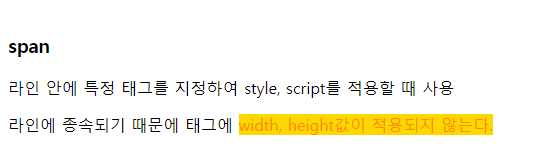
<iframe></iframe>태그
웹 문서 안에 다른 html 코드를 불러와서 내 페이지(html)에 사용하는 것으로 피싱 사이트를 만들 수 있기 때문에 보안에 취약하다는 단점이 있다. iframe<>는 속성들(width, height, src)을 이용해서 설정한다.
<h2>iframe 태그 이용</h2>
<p>iframe 태그는 속성들을 이용해서 설정한다</p>
<p>속성 : width, height, src</p>
<iframe src="./04_테이블태그.html" width="900" height="800"></iframe>
<iframe src="http://www.naver.com" width="100%" height="900"></iframe>
<iframe src="http://www.gdu.co.kr" width="100%" height="900"></iframe>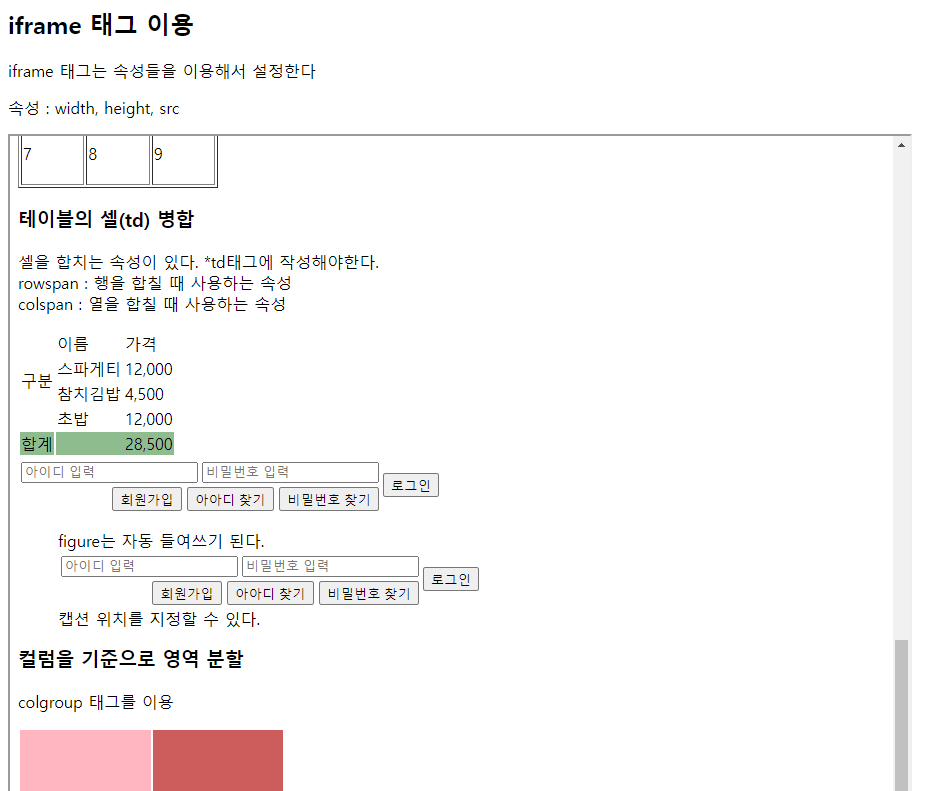
내가 만든 html 파일을 설정한 크기로 집어넣어서 하나의 페이지로 불러올 수 있다.

천천히 기록해보는 비비로그