
Firebase SDK 추가
% npm install firebase터미널 창에서 입력하면 된다.
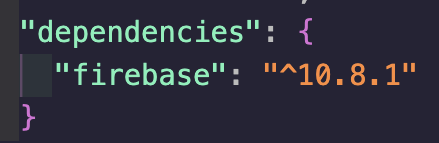
firebase가 다운된것을 확인할수 있다. - package.json
package.json이 안보이는데요?package.json이 안보이면
$ npm init터미널 창에 입력하면 된다.
firebase Authentication
firebase에서 Authentication을 이용하여 로그인기능을 사용할수 있다.
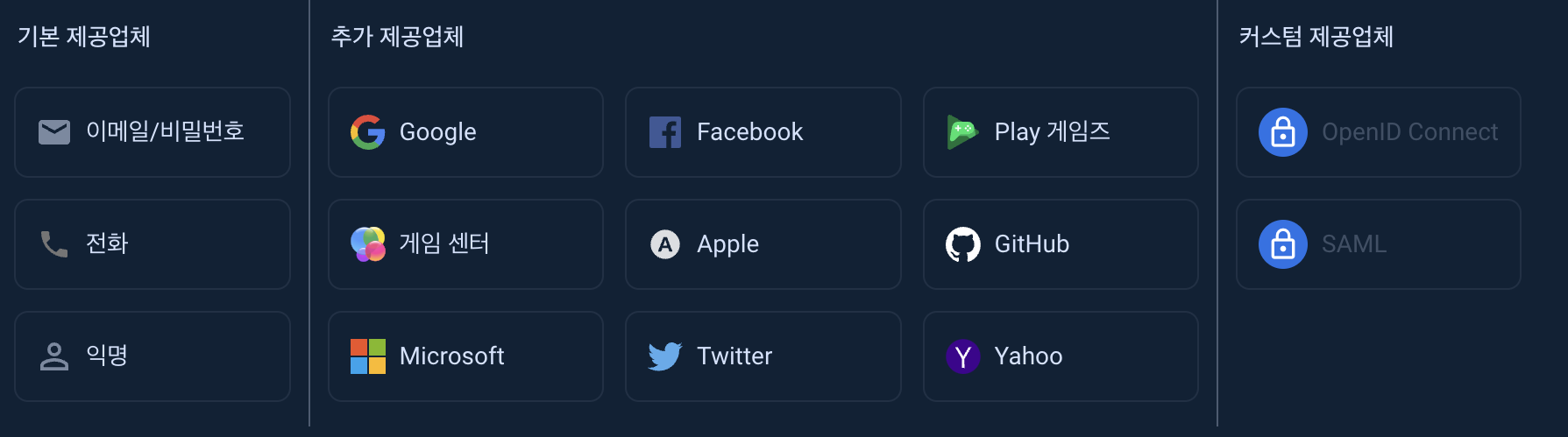
위 사진 말고도 SMS 다중 인증 기능도 있다.

구글을 사용해 볼것이다.
우선 구글 제공업체 객체의 인스턴스 생성 코드를 js에다가 입력한다.
[웹 모듈식이다!]
import { GoogleAuthProvider } from "firebase/auth";

const provider = new GoogleAuthProvider();OAuth(로그인할때 사용되는 보안 프로토콜)의 범위를 지정, addScope호출
provider.addScope('https://www.googleapis.com/auth/contacts.readonly');OAuth과정에서 사용자가 선호하는 언어로 현지화
import { getAuth } from "firebase/auth";
const auth = getAuth();
auth.languageCode = 'it';
제공업체 매개변수 추가 저장, setCustomParameters 호출
provider.setCustomParameters({
  'login_hint': 'user@example.com'
});
추가 세팅(안해도됨)-----------
Google 객체 사용하여 Firebase 인증
팝업 창을 띄우고, 로그인 할수도 있는 기능
- signInWithPopup 호출
import { getAuth, signInWithPopup, GoogleAuthProvider } from "firebase/auth";

const auth = getAuth();
signInWithPopup(auth, provider)
  .then((result) => {
    const credential = GoogleAuthProvider.credentialFromResult(result);
    const token = credential.accessToken;
    const user = result.user;
    getAdditionalUserInfo(result)
  }).catch((error) => {
    const errorCode = error.code;
    const errorMessage = error.message;
    const email = error.customData.email;
    const credential = GoogleAuthProvider.credentialFromError(error);
  });
!developer