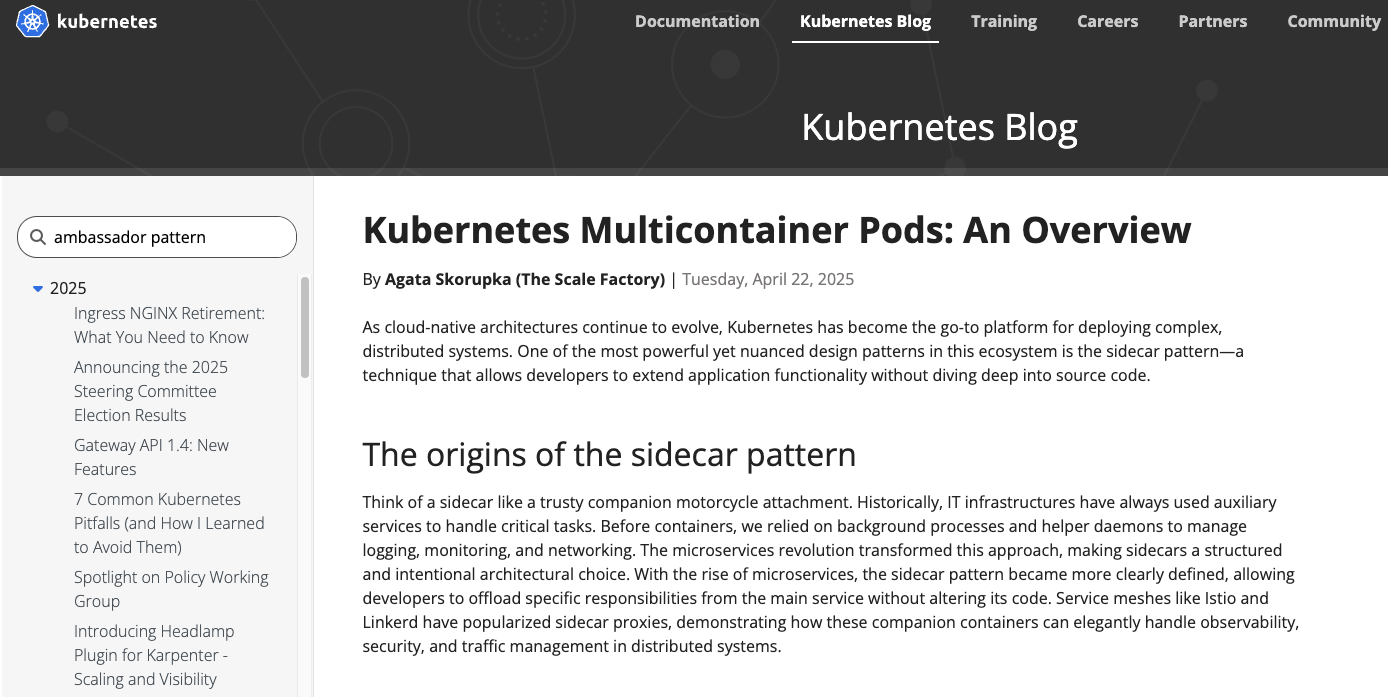
왜 멀티 컨테이너 패턴이 필요할까?
하나의 Pod 안에 여러 컨테이너를 넣는 이유는 보통 앱 코드 건드리지 않고 기능을 붙이고 싶어서이다.
쿠버네티스 공식 블로그에서도 대표적인 패턴으로 Sidecar / Ambassador / Adapter 패턴을 소개하고 있다.
모두 하나의 Pod안에서 메인 컨테이너를 도와주는 보조 컨테이너라는 공통점이 있다.
Sidecar 패턴
사이드카 패턴은 위 세가지 중 가장 많이 사용되는 패턴이다.
메인 애플리케이션 컨테이너 옆에서 같이 돌아가는 “붙박이 도우미”같은 컨테이너 라고 보면 된다 .
쿠버네티스 공식 홈페이지에서는 "사이드카는 믿음직한 동반자" 라고 소개하고 있다.
언제 사용할까
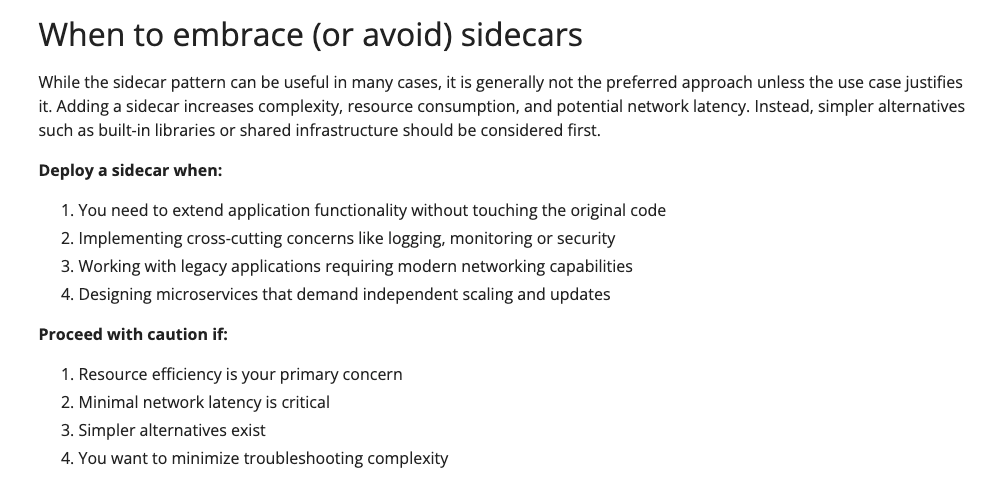
공식 홈페이지에서는 위와 같이 나와있다.
해석해보자면,
- 원래 코드를 건드리지 않고 애플리케이션 기능을 확장하고 싶을 때
- 로깅, 모니터링 또는 보안과 같은 교차적 문제 구현하고 싶을 때
- 최신 네트워킹 기능이 필요한 레거시 애플리케이션 작업을 할 때
- 독립적인 확장 및 업데이트를 요구하는 마이크로서비스 설계 시
라고 해석할 수 있다.
Sidecar yaml 예시
apiVersion: v1
kind: Pod
metadata:
  name: sidecar-logging-pod
spec:
  volumes:
    - name: app-logs
      emptyDir: {}               # 앱과 사이드카가 같이 쓰는 볼륨

  containers:
    # 1) 메인 애플리케이션
    - name: app
      image: nginx:1.27
      volumeMounts:
        - name: app-logs
          mountPath: /var/log/app

    # 2) 사이드카 컨테이너 (로그 수집기라고 가정)
    - name: log-shipper
      image: busybox
      command: ["sh", "-c", "tail -F /var/log/app/access.log"]
      volumeMounts:
        - name: app-logs
mountPath: /var/log/app- containers 아래에 메인 컨테이너 + log-shipper 컨테이너가 같이 들어간다.
- 둘이 같은 emptyDir 볼륨을 마운트해서 파일을 공유한다.
Ambassador 패턴
앰버서더 패턴에 대해서는 공식 홈페이지에 다음과 같이 소개되어 있다.
"An ambassador container provides Pod-local helper services that expose a simple way to access a network service. Commonly, ambassador containers send network requests on behalf of a an application container and take care of challenges such as service discovery, peer identity verification, or encryption in transit."
해석하자면,
- 애플리케이션 컨테이너 대신 엠버서더 컨테이너가 외부 네트워크 요청을 대신 보내주고
- 그 과정에서 서비스 디스커버리, 암호화(TLS), 인증, 재시도 같은 복잡한 네트워크 처리를 맡아주는 패턴이다.
- 앱 입장에서는 그냥 로컬(예: localhost:8080)에 붙는 느낌으로 단순하게 쓰면 되고,
엠버서더가 “진짜 어디로 나가야 할지”를 알아서 처리해주는 구조이다.
Ambassador yaml 예시
apiVersion: v1
kind: Pod
metadata:
  name: ambassador-redis-pod
spec:
  containers:
    # 1) 메인 애플리케이션
    - name: app
      image: busybox
      command: ["sh", "-c", "while true; do nc -z localhost 6379 && echo 'ping ok'; sleep 5; done"]

    # 2) Ambassador 컨테이너 (외부 Redis 로 요청을 보낸다고 가정)
    - name: redis-ambassador
      image: alpine/socat
      # localhost:6379 로 들어온 요청을 외부 Redis 로 전달한다고 가정
      command:
        ["sh", "-c", "socat TCP-LISTEN:6379,fork TCP:my-redis.example.com:6379"]
여기서 핵심은
- 애플리케이션 컨테이너는 항상 localhost:6379에만 붙는다고 생각하고 개발해도 되고
- 실제로는 redis-ambassador 컨테이너가 my-redis.example.com:6379 같은 외부 Redis 서버와 통신을 대신 처리한다는 점이다.
(socat이 Pod 안에서 6379 포트를 열고 (TCP-LISTEN:6379)
거기로 들어온 트래픽을
바깥의 my-redis.example.com:6379 로 그대로 보낸다.(TCP:my-redis.example.com:6379))
즉, redis-ambassador 컨테이너는
“이 Pod 안에서 localhost:6379 로 오는 걸
진짜 Redis 서버(my-redis.example.com:6379)로 중계해주는 프록시”
역할을 하는 것이다.
정리
- Pod 안에서 localhost:6379 = 앰버서더 컨테이너가 열어놓은 포트다.
- 앱은 “나에겐 localhost가 곧 Redis야” 라고 믿고 쓰고,
- 실제 외부 Redis 주소로 바꿔주는 건 redis-ambassador 컨테이너가 대신 해주는 것이다.
Adapter 패턴
이제 세 번째 패턴인 Adapter 패턴이다.
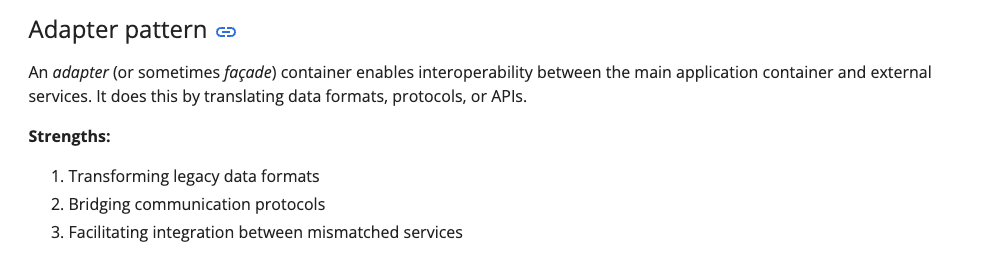
공식 블로그에서는 Adapter(또는 façade) 컨테이너가
메인 애플리케이션이 사용하는 데이터 형식·프로토콜·API를
외부 시스템이 이해할 수 있는 형태로 변환해 주는 역할
이라고 설명하고 있다.
즉, 형식변환기 역할을 하는 보조 컨테이너라고 생각하면 된다.
언제 사용할까
- 레거시 앱이 텍스트 로그만 남기는데 모니터링 시스템은 JSON / metrics 포맷만 받을 때
- 앱은 내부 포맷으로만 이벤트를 찍고,
외부로 나갈 때는 다른 API 스펙에 맞춰야 할 때 - 애플리케이션 코드는 건드리기 싫고, “밖으로 나가는 형식”만 살짝 바꾸고 싶을 때
이럴 때 Adapter 컨테이너를 하나 더 붙여서 해결할 수 있다.
Adapter yaml
apiVersion: v1
kind: Pod
metadata:
  name: adapter-logs-pod
spec:
  volumes:
    - name: shared-logs
      emptyDir: {}          # 앱과 어댑터가 함께 쓰는 임시 디렉터리

  containers:
    # 1) 메인 애플리케이션 (레거시 로그만 찍는다고 가정)
    - name: legacy-app
      image: busybox
      command: ["sh", "-c", "while true; do echo 'raw_log_line' >> /logs/app.log; sleep 5; done"]
      volumeMounts:
        - name: shared-logs
          mountPath: /logs

    # 2) Adapter 컨테이너 – 로그를 다른 포맷으로 변환한다고 가정
    - name: log-adapter
      image: busybox
      command:
        ["sh", "-c", "tail -F /logs/app.log | awk '{print \"{\\\"msg\\\":\\\"\" $0 \"\\\"}\"}'"]
      volumeMounts:
        - name: shared-logs
          mountPath: /logs
-legacy-app 이 /logs/app.log 에 그냥 raw_log_line 을 계속 쌓고
-log-adapter 가 그 파일을 따라가면서(tail -F)
JSON 형태로 포맷을 바꿔서 다른 곳으로 내보내는 역할을 한다고 보면 된다.
세 가지 패턴 정리
| 패턴 이름 | 핵심 역할 | 언제 쓰는지 | 구조/예시 한 줄 요약 | 키 포인트 |
|---|---|---|---|---|
| Sidecar | 메인 컨테이너 옆에서 공통 기능을 담당하는 도우미 컨테이너 |
- 로깅, 모니터링, 보안 에이전트 붙일 때 - 앱 코드는 안 건드리고 기능만 확장하고 싶을 때 |
앱 + 사이드카가 볼륨 공유해서 로그/파일 같이 사용 | 교차 관심사(cross-cutting concern)를 분리하는 패턴이다. |
| Ambassador | 외부 서비스와 통신을 대신 처리해주는 프록시/게이트웨이 |
- 앱은 항상 localhost만 보게 두고 싶을 때- 서비스 디스커버리, TLS, 재시도 등을 따로 빼고 싶을 때 |
앱은 localhost:포트로 붙고, Ambassador가 외부 주소로 중계 |
“외부 세계와의 통신 복잡도”를 Ambassador 컨테이너에 몰아넣는 패턴이다. |
| Adapter | 데이터/프로토콜/포맷을 변환해주는 변환기 컨테이너 |
- 레거시 앱 로그/데이터를 다른 포맷(JSON, metrics 등)으로 바꿔야 할 때 - 외부 시스템 API 스펙에 맞춰야 할 때 |
앱이 남긴 로그/데이터를 Adapter가 읽어서 다른 형식으로 재가공 | 앱은 그대로 두고 “밖으로 나가는 모양새”만 바꾸는 데 쓰는 패턴이다. |
참고자료:
[쿠버네티스 공식 홈페이지 - Kubernetes Multicontainer Pods: An Overview]
https://kubernetes.io/blog/2025/04/22/multi-container-pods-overview/?utm_source=chatgpt.com