문제
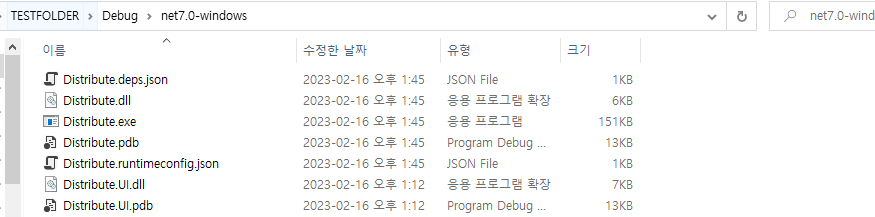
window .net core 프레임워크로 빌드를 하게 되면 출력의 기본 출력 경로은 bin\임에도 불구하고 빌드를 하게되면 항상 위와 같이 Debug와 net7.0-windows라는 프레임워크 버전의 폴더와 함께 생긴 후 출력된다.
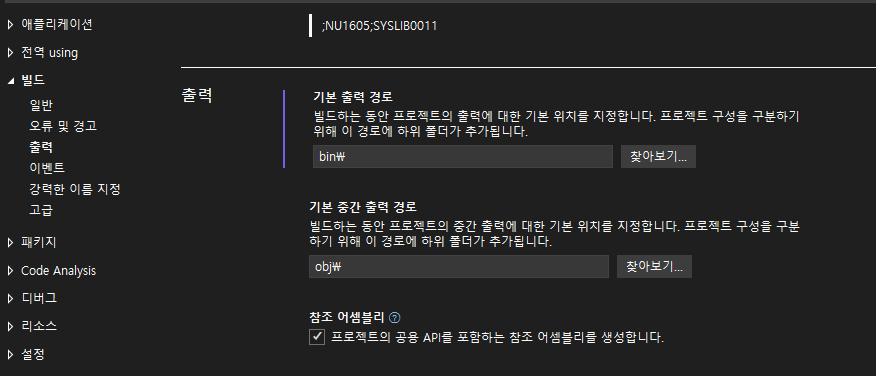

찾아보기를 통해 위치를 변경한다고 해도 Debug\net7.0-windows 라는 경로 밑으로 출력

공통사항
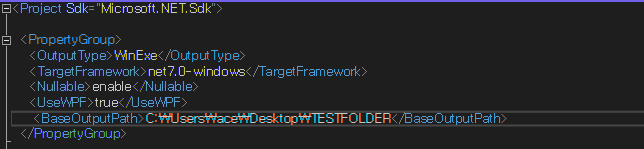
프로젝트를 더블클릭하게되면 아래 이미지와 같이 출력되는 것을 볼 수 있다.
1. Debug 폴더만 지우기
<OutPath> 추가하기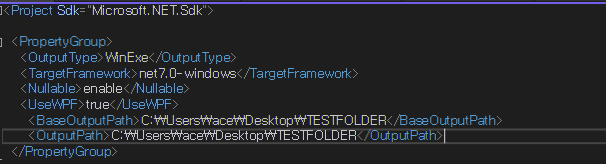
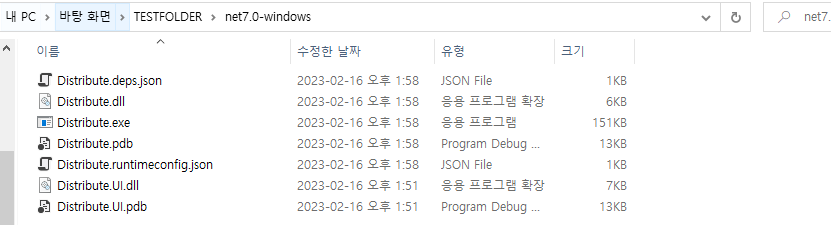
경로\Debug
2. 프레임워크 버전 폴더만 지우기
<AppendTargetFrameworkToOutputPath>false</AppendTargetFrameworkToOutputPath> 추가하기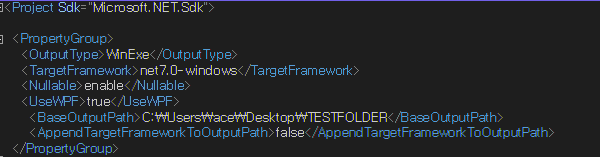
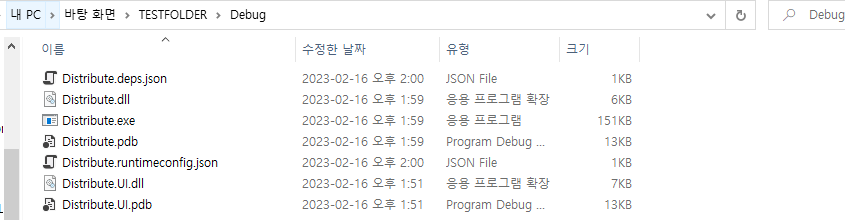
3. 합쳐서!
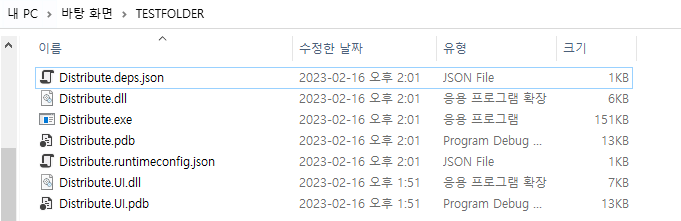
<OutputPath>C:\Users\ace\Desktop\TESTFOLDER</OutputPath>
<AppendTargetFrameworkToOutputPath>false</AppendTargetFrameworkToOutputPath>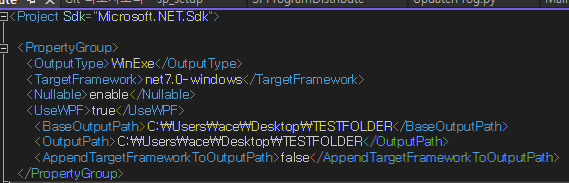
[참고]
https://learn.microsoft.com/ko-kr/dotnet/core/project-sdk/msbuild-props

C#개발자