배열의 선언과 생성
배열은 같은 타입의 변수를 사용하기 편하게 하나로 묶어둔 것
int [] students; //배열 변수를 선언
students = new int [5]; //배열 생성
//변수 값 대입
students[0] = 90;
students[1] = 80;
students[2] = 70;
students[3] = 60;
students[4] = 50;
//변수 값 사용
System.out.println("학생1 점수: " + students[0]);
System.out.println("학생2 점수: " + students[1]);
System.out.println("학생3 점수: " + students[2]);
System.out.println("학생4 점수: " + students[3]);
System.out.println("학생4 점수: " + students[4]);
1. 배열 변수 선언
int [] studens; //배열 변수 선언
- 배열을 사용하려면, int [] students;와 같이 배열 변수를 선언해야 한다.
- 배열 변수를 선언한다고 해서 아직 사용할 수 있는 배열을 만든 것은 아님!
--> int[] students 와 같은 배열 변수에는 배열을 담을 수 있다.
2. 배열 생성
student = new int [5]; //배열 생성

- new int [5]라고 입력하면 오른쪽 그림과 같이 총 5개의 int형 변수가 만들어진다!
- new 는 새로 생성한다는 뜻이고, int [5]는 int형 변수 5개라는 뜻,
- 따라서 int형 변수 5개를 다룰 수 있는 배열을 새로 만든다는 의미
배열의 초기화
- new int [5] 라고 하면 총 5개의 int형 변수가 만들어진다.
- 배열을 생성할 때 그 내부값을 자동으로 초기화한다!
- 숫자는 o, boolean은 false, String은 null(없다는 뜻)로 초기화 한다.
배열의 참조값 보관

- new int [5]로 배열을 생성하면, 배열의 크기만큼 메모리를 확보한다.
--> int 형을 5개 사용하면 4byte * 5 20byte 를 확보한다. - 배열을 생성하고 나면 자바는 메모리 어딘가에 있는 이 배열에 접근할 수 있는 참조값(주소)( x001 )을 반환한다.
--> 여기서 x001 이라고 표현한 것이 참조값이다. (실제로 x001 처럼 표현되는 것은 아니고 이해를 돕기 위한 예시) - 앞에서 선언한 배열 변수인 int [] students에 생성된 배열의 참조값 (x001)을 보관함.
- int [] students 변수는 new int [5] 로 생성한 배열의 참조값을 가지고 있음!
- 이 변수는 참조값을 가지고 있다. 이 참조값을 통해 배열을 참조할 수 있다. 쉽게 이야기해서 참조값을 통해 메모리에 있는 실제 배열에 접근하고 사용할 수 있다
int[] students = new int[5]; //1. 배열 생성
int[] students = x001; //2. new int[5]의 결과로 x001 참조값 반환
students = x001 //3. 최종 결과
배열의 사용
인덱스
배열은 변수와 사용 방법이 비슷한데, 차이점이 있다면 다음과 같이 [] 사이에 숫자 번호를 넣어주면 된다! 배열의 위치를 나타내는 숫자를 인덱스 (index) 라고 한다.
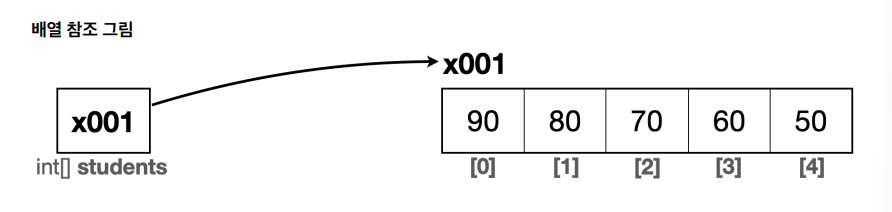
배열은 0부터 시작한다 !!
new int [5]와 같이 5개의 요소를 가지는 int형 배열을 만들었다면, 인덱스는 0,1,2,3,4가 존재한다. 여기서 주의해야 할 점은 인덱스는 0부터 시작한다는 점!
배열의 요소를 5개를 생성했지만, 인덱스는 0부터 시작이 된다! 따라서 사용이 가능한 인덱스의 범위는 0~(n-1)이 된다
배열의 값 대입
배열에 값을 대입하던, 배열의 값을 사용하든 간에 일반적인 변수와 사용법은 같다
- 추가로 인덱스 []만 넣어주면 된다 !
students[0] = 90; // 배열에 값을 대입
x001[0] = 90; // 변수에 있는 참조값을 통해 실제 배열에 접근하고, 인덱스를 사용해서 해당 위치의 요소에 접근 , 값을 대입한다.
배열 값 읽기
System.out.println("학생1 점수: " + students[0]);
// 변수에 있는 참조값을 통해 실제 배열에 접근. 인덱스를 사용해서 해당 위치의 요소에 접근
System.out.println("학생1 점수: " + x001[0]);
// 배열의 값을 읽어옴
System.out.println("학생1 점수: " + 90)
배열을 사용하면, 이렇게 참조값을 통해서 실제 배열에 접근하고, 인덱스를 통해서 원하는 요소를 찾는다.
(참고) 기본형과 참조형
- 기본형(Primitive Type): 우리가 지금까지 봤던 int , long , double , boolean 처럼 변수에 사용할 값을 직접 넣을 수 이쓴 데이터 타입
- 참조형(Reference Type): int[] students 와 같이 데이터에 접근하기 위한 참조(주소)를 저장하는 데이터 타입
기본형은 선언과 동시에 크기가 정해진다 즉 동적으로 바꾸거나 할 수 없다.
반면, 배열과 같은 참조형은 크기를 동적으로 할당할 수 있다.
배열 리펙토링
배열 리펙토링 - 변수 값 사용
System.out.println("학생1 점수: " + students[0]);
System.out.println("학생2 점수: " + students[1]);
System.out.println("학생3 점수: " + students[2]);
System.out.println("학생4 점수: " + students[3]);
System.out.println("학생4 점수: " + students[4]);
여기서 변수 명이 students로 같기 때문에, 숫자가 반복되는 부분만 해결되면 for문을 사용하면 될 것 같다!
리펙토링이란?
리펙토링(Refactoring)은 기존의 코드 기능은 유지하면서 내부 구조를 개선하여 가독성을 높이고, 유지보수를 용이하게 하는 과정을 말한다.
중복 제거, 복잡성을 줄이고, 이해하기 쉬운 코드로 만들기 위해서 수행된다.
for문 사용해서 변경하기
package array;

public class Array1Ref2 {
 	public static void main(String[] args) {
 		int[] students; //배열 변수 선언
 		students = new int[5]; //배열 생성
 //변수 값 대입
 		students[0] = 90;
 		students[1] = 80;
 		students[2] = 70;
		students[3] = 60;
 		students[4] = 50;

		for (int i = 0 ; i <students.lenght; i ++){
			System.out.println("학생" + (i + 1) + "점수 : " + students[i]);
}- 반복문을 사용해서 배열을 통해 값을 사용하는 부분을 효과적으로 변경함.
- 배열의 인덱스는 0부터 시작하기 때문에, 반복문에서 i = 0을 초기값으로 사용함
- students.length
- 배열의 길이를 제공하는 특별한 기능
- 현재 배열의 값은 5이기 때문에 5가 출력된다.
- for문의 조건이 i < students.length이기 떄문에 i는 0,1,2,3,4 까지만 반복한다.
- i가 5가 되면 5<5가 되면서 조건이 거짓이 되고, 반복을 종료한다.
배열 리펙토링 - 초기화
int [] students;
int [] students = new int [] {90,80,70,60,50};
package array;

public class Array1Ref3 {
 	public static void main(String[] args) {
 		int[] students;
 		students = new int[]{90, 80, 70, 60, 50}; //배열 생성과 초기화

 		for (int i = 0; i < students.length; i++) {
 			System.out.println("학생" + (i + 1) + " 점수: " + students[i]);
 		}
 	}
}
int [] students = new int[]{90,80,70,60,50}; 으로 한줄로 사용 가능함.
배열 리펙토링 - 간단한 배열 생성
int [] students = {90, 80, 70, 60, 50};
와 같이 {}만 사용해서 생성과 동시에 편리하게 초기화 하는 기능을 제공한다.
package array;
public class Array1Ref4 {
 	public static void main(String[] args) {

    int [] students = {90,80,70,60,50};

    for (int i = 0; i <students.length; i ++) {
    	System.out.println("학생+ + (i + 1)+ "점수 : " + students[i]);
        }
    }
}
배열을 사용해 프로그램을 전체적으로 잘 구조화 함.
2차원 배열 - 시작
2차원 배열은 행과 열로 구성이 된다.

2차원 배열은 int[][] arr = new int [2][3]와 같이 선언하고 생성한다.
그리고 arr[1][2]와 같이 사용하는데, 행을 먼저 찾고, 열번호를 찾는다.
- arr[행][열]
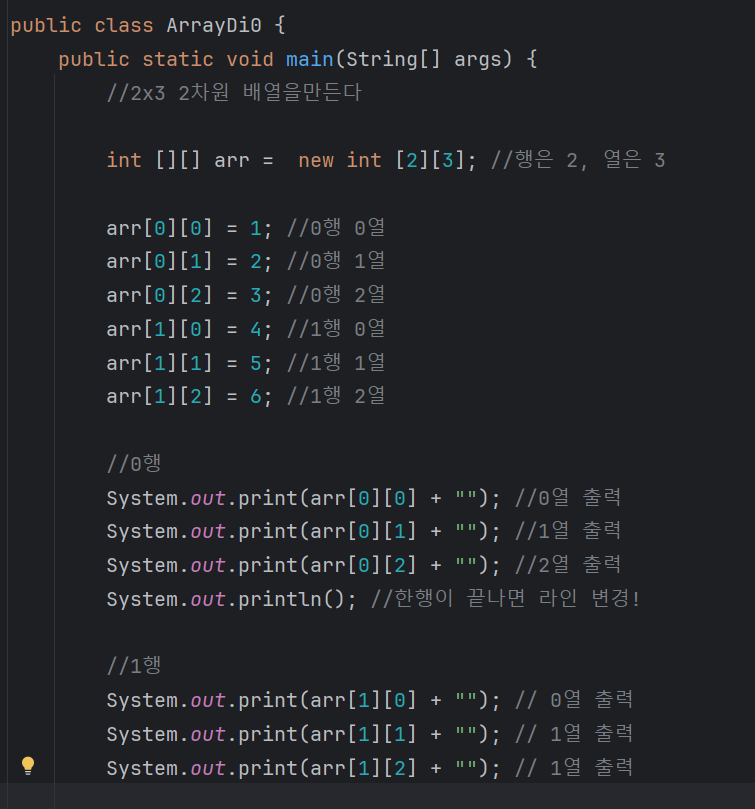
- 2차원 배열을 만들고, 배열에 값을 1부터 6까지 순서대로 직접 입력을 한다.
2차원 배열- 리펙토링 1
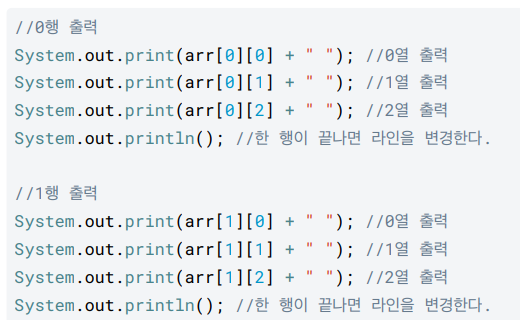
코드를 살펴보면 비슷한 부분이 계속 반복이 된다.
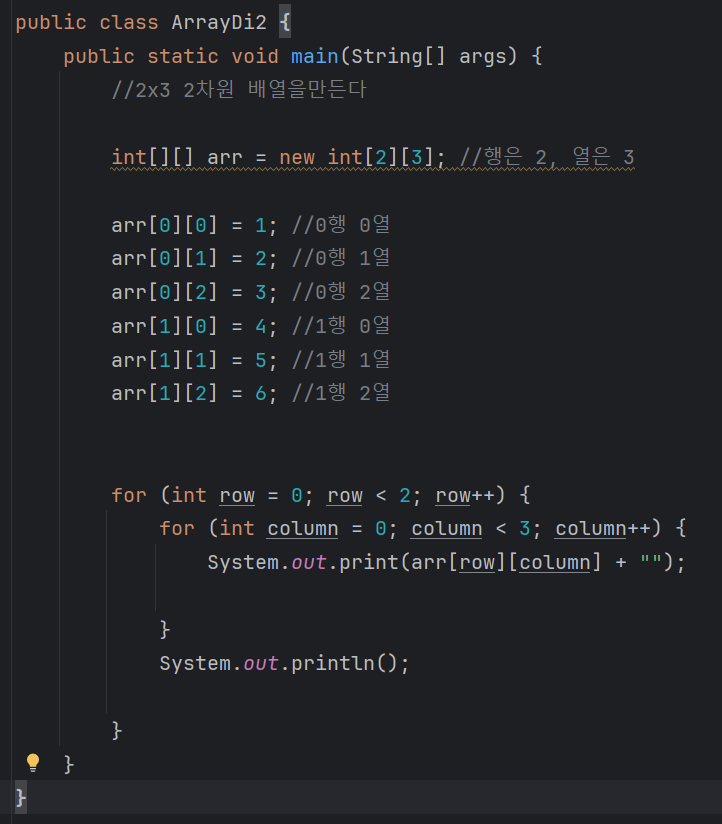
- for 문을 중첩해서 사용하는데, 첫번째 for문은 행을 먼저 탐색하고, 두번째 for 문은 열을 탐색한다.
2차원 배열 - 리펙토링 2
구조 개선 - 초기화 , 배열의 길이
-
2차원 배열의 초기화는 밖이 행이 되고, 안이 열이 된다.
int [][] arr = {
{1,2,3},
{4,5,6}
}; -
배열의 길이

for 문에서 2차원 배열의 길이를 활용해보자
- arr.length는 행의 길이를 뜻한다 여기서는 2가 출력된다.
-->{{},{}} 를 생각해보면 arr 배열은 {} , {} 2개의 배열 요소를 가진다 - arr[row].length 는 열의 길이를 뜻한다. 여기서는 3이 출력된다.
arr에 속해있는 row 안의 길이 = 열
arr[0].length는 arr[0]은 {1,2,3} 배열을 뜻한다. 즉 3개의 요소가 있다고 생각하면 된다.
구조 개선 - 값 입력
배열의 크기와 상관 없이 배열에 순서대로 1씩 증가하는 값을 입력하도록 변경해보자
int [][] arr = new int [3][4]; //3행 4열
int i = 1;
for (int row = 0; row < arr.lenght < row ++){
for (int column = 0; column < arr[row].lenght < column ++){
arr[row][column] = i ++;
}
}
- 중첩된 for문을 사용해서 값을 순서대로 입력한다.
- arr[row][column] = i ++ 후의 증감 연산자 (++)를 사용해서 값을 먼저 대입한 다음에 증가한다.
향상된 for문
int [] numbers = {1,2,3,4,5};
- 일반 for문
for (int i = 0; i <numbers.length; i++){
int number = numbers[i];
System.out.println(number);
}
- 향상된 for문, for - each문
for (int number : numbers){
System.out.println(number);
}
- for-each문을 사용할 수 없는 경우, 증가하는 index값이 필요할 때
for (int i = 0; i < numbers.lenght; i++){
System.out.println("number" +i+ "번의 결과는: "+ numbers[i]);
}
1. 일반 for문

배열에 있는 값을 순서대로 읽어서 number 변수에 넣고 출력한다.
배열의 값을 읽으려면 int i와 같은 인덱스를 탐색할 수 있는 변수를 선언해야 함.
또한 i <numbers.lenght와 같이 배열의 끝 조건을 지정해주어야 함.
2. 향상된 for문
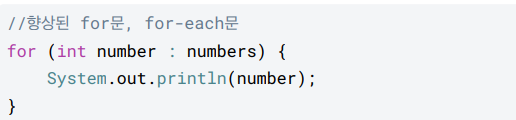
- 향상된 for문은 배열의 인덱스를 사용하지 않고, 종료 조건을 주지 않아도 된다. 단순히 해당 배열을 처음부터 끝까지 탐색한다.
- : 오른쪽에 numbers와 같이 탐색할 배열을 선택하고 , 왼쪽에는 int number 와 같이 반복할 때마다 찾은 값을 저장할 변수를 선언한다.
- 배열의 값을 하나씩 꺼내서 왼쪽에 있는 number에 담고, for문을 수행한다.
3. for-each문을 사용할 수 없는 경우
향상된 for문에는 증가하는 인덱스 값이 감추어져 있다. 따라서 int i 와 같은 증가하는 인덱스 값을 직접 사용해야 하는 경우에는 향상된 for문을 사용할 수 없다

- 증가하는 i값을 출력해야 하므로, 향상된 for문 대신에 일반 for문을 사용해야 한다.