
CSS, JavaScript
오늘 실습은 1월 8일에 작성한 login.html을 기반으로 진행
CSS
-
Cascading Style Sheets의 약자로, HTML을 꾸며주는 언어
-
문서를 통째로 한번에 꾸며주는 것이 아니라, HTML 태그를 하나하나 꾸며줌
-
인라인 (inline)
- HTML 태그 안에 같이 작성
//태그 안에 style="속성: 값;" 형태로 작성
<!DOCTYPE html>
<html>
    <head>
      {1월 8일 login.html과 동일}
    </head>
    <body>
        <h2 style="color:blue; text-align:center">Login</h2>
        <form>
            ID : <input type="text" style="font-size:1rem" placeholder="아이디를 입력하세요"> <br>
            PW : <input type="password" placeholder="비밀번호를 입력하세요"> <br>
            <input type="button" value="Login" class="login-btn"
            style="font-size:1rem; width : 60%; height : 80px"
            onclick ="alert('로그인 버튼이 클릭되었습니다.')">
        </form>
    </body>
</html>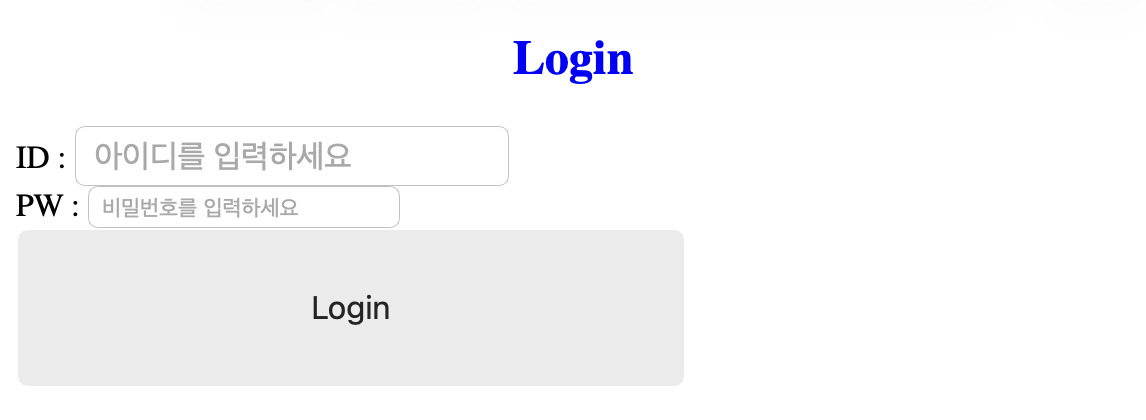
- 내부 스타일 시트 (internal style sheet)
- HTML 문서 안에 같이 작성
//head 태그 안에 style 태그를 만들어 작성
<!DOCTYPE html>
<html>
    <head>
        <meta charset="UTF-8">
        <title>Login_Screen</title>
        <style>
            h2 {
                color: red;
                text-align: center;
            }

            .login-btn {
                font-size: 20px;
                width: 100px;
                height: 50px;
            }
        </style>
    </head>
    <body>
      {1월 8일 login.html과 동일}
    </body>
</html>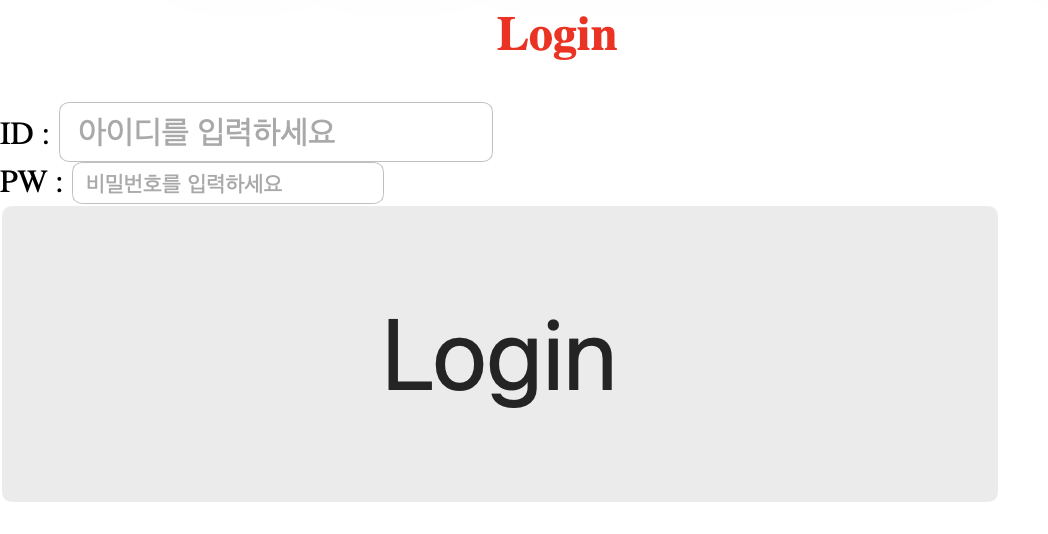
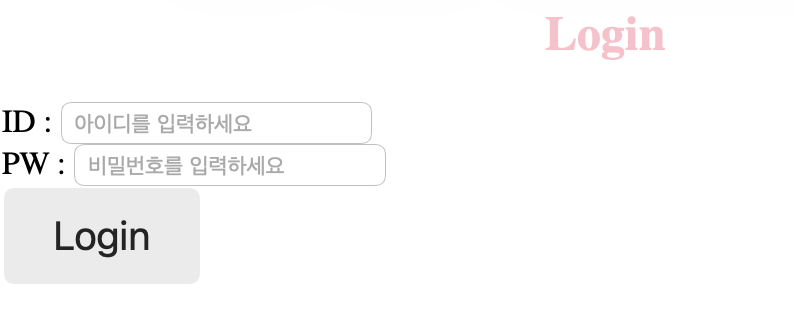
- 외부 스타일 시트 (external style sheet)
- HTML 문서 밖에 작성하고 연결
//head 태그 안에 link 태그로 연결 (.css 생성)
<!DOCTYPE html>
<html>
    <head>
        <meta charset="UTF-8">
        <title>Login_Screen</title>
      	<link rel="stylesheet" href="login.css">
    </head>
    <body>
      {1월 8일 login.html과 동일}
    </body>
</html>
//login.css
h2 {
color: pink;
text-align: center;
}
.login-btn {
font-size: 20px;
width: 100px;
height: 50px;
}
JavaScript
- 특정 HTML 요소를 선택하여 제어할 수 있는 스크립트 언어
- 스크립트 언어란?
- 독립적인 프로그램을 개발할 수 있는 프로그래밍 언어가 아닌 "(프로그램 내부의 구성 요소 중 하나로) 프로그램을 제어하는 스크립트 역할을 하는 언어"
- 최근 빠르게 발전하는 런타임 환경 덕분에 스크립트 언어 만으로도 충분히 프로그래밍이 가능해져, 역할이 확장되고 있음
- 스크립트 언어란?
- 인라인 (inline)
- 사용자와의 상호작용을 있을 때만 가능
- ex) 버튼 클릭, 키보드 누를 때
- 사용자와의 상호작용을 있을 때만 가능
//태그의 속성 자리에 자바스크립트 코드를 직접 작성
<!DOCTYPE html>
<html>
    <head>
      {...}
    </head>
    <body>
        <form>
            <input type="button" value="Login" class="login-btn"
            style="font-size:1rem; width : 60%; height : 80px"
            onclick ="alert('로그인 버튼이 클릭되었습니다.')">
        </form>
    </body>
</html>- 내부 스크립트 (internal script)
- HTML 문서 안에 같이 작성
- 조건문, 변수 실습 포함
- 변수
let 상자 이름 = 상자에 담을 데이터;(숫자, 문자, element,...)
//"</body>" 태그가 끝나기 직전에 "<script> 태그를 만들어 작성
<!DOCTYPE html>
<html>
    <head>
        <style>
        </style>
    </head>
    <body>
        <h2>Login</h2>
        <form>
            ID : <input  id ="txt_id" type="text" style="font-size:1rem" placeholder="아이디를 입력하세요"> <br>
            PW : <input type="password" placeholder="비밀번호를 입력하세요"> <br>
            <input type="button" value="Login" class="login-btn" onclick="myfn()">
        </form>

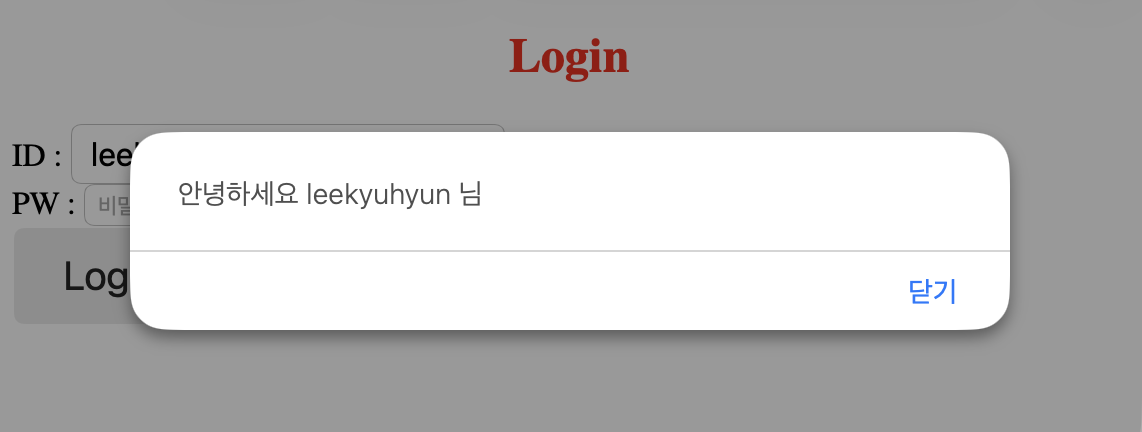
        <script>
            function myfn() {
                let user_id = document.getElementById("txt_id").value;
                if (user_id == "") {
                    alert("아이디를 입력하세요");
                } else {
                    alert("안녕하세요" + user_id + "님");
                }
            }
        </script>
    </body>
</html>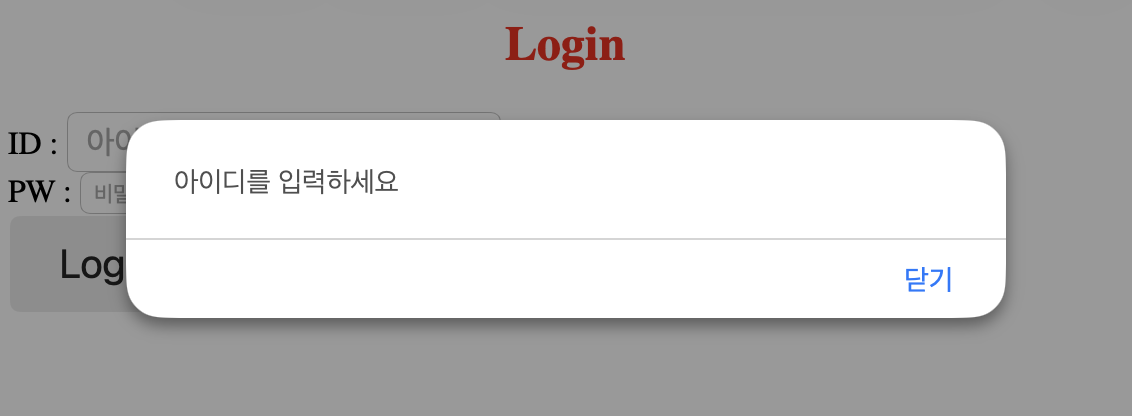
- 외부 스크립트 (external script)
- HTML 문서 밖에 작성하고 연결
//head 태그 안에 script 태그로 연결 (.js 생성)
<!DOCTYPE html>
<html>
    <head>
      {...}
        <script src="login.js"></script>
    </head>
    <body>
        <h2>Login</h2>
        <form>
          {...}
        </form>
    </body>
</html>
function myfn() {
let user_id = document.getElementById("txt_id").value;
if (user_id == "") {
alert("아이디를 입력하세요");
} else {
alert("안녕하세요 " + user_id + " 님");
}
}오늘 배운 점
-
역할 분담
- HTML은 뼈대, CSS는 디자인, JS는 동작을 담당하며 각각의 파일을 나누어 관리하는 것이 효율적
-
함수와 이벤트
- HTML 태그의 onclick 속성과 JS의 function을 연결하여 클릭 시 알림창이 뜨는 상호작용을 만듬
-
데이터 검증
- value == "" 조건식을 활용해 사용자가 필수 항목(아이디 등)을 빠뜨렸는지 확인하는 유효성 검사의 기초를 익혔음

안녕하세요 매일의 배움을 기록으로 자산화하는 개발자 이규현입니다 😊