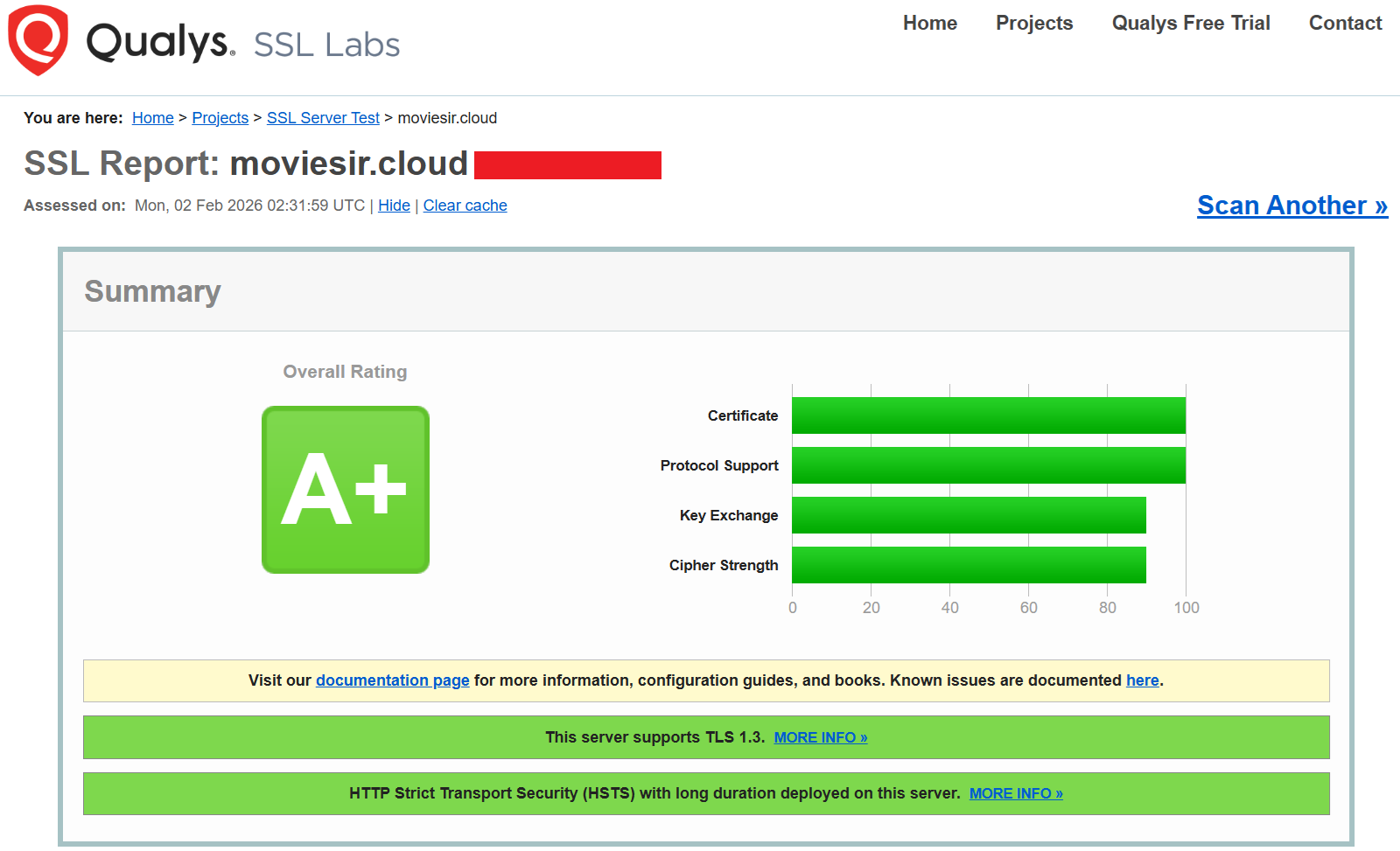
TL;DR
- Nginx로 4개 서브도메인(landing, demo, console, api)을 하나의 서버에서 운영한다.
- 리버스 프록시로 Backend를 연결하고, Let's Encrypt로
SSL 인증서를 발급받아 HTTPS를 적용했다.- CORS 중복 헤더 이슈와 SPA 라우팅 문제를 해결한 과정을 정리한다.
📚 클라우드 인프라 구축기 시리즈
1. KakaoCloud 2-Tier 아키텍처 설계
2. GitHub Actions로 CI/CD 구축하기
3. SSH 브루트포스 5,227건 대응기
4. Nginx 심화 설정 ⬅️ 현재 글
5. 서버 자동화 스크립트
1. 들어가며
1.1 왜 Nginx인가?
웹 서버 선택에서 트래픽 특성과 리소스 효율을 중점적으로 분석했다.
| 웹 서버 | 아키텍처 | 메모리 사용 | 동시 연결 | 판단 |
|---|---|---|---|---|
| Nginx | 이벤트 기반, 비동기 | 낮음 | 수만 개 | ✅ 채택 |
| Apache | 프로세스/스레드 기반 | 높음 | 수천 개 | 리소스 부담 |
| Caddy | 이벤트 기반 | 중간 | 수만 개 | 자동 SSL 편리하지만 커스텀 어려움 |
Nginx를 선택한 이유는 세 가지다.
첫째, 이벤트 기반 아키텍처로 적은 메모리로도 많은 동시 연결을 처리할 수 있다.
서버 한 대로 여러 서비스를 운영해야 하는 상황에서 리소스 효율이 중요했다.
둘째, 리버스 프록시 성능이 뛰어나다.
FastAPI와의 연동에서 안정적인 프록시 역할을 수행한다.
셋째, 풍부한 레퍼런스가 있다. 문제 발생 시 해결책을 찾기 쉽다.
1.2 요구사항
| 요구사항 | 구현 방식 |
|---|---|
| 멀티 도메인 | 서브도메인별 server 블록 분리 |
| SSL/HTTPS | Let's Encrypt + Certbot |
| API 프록시 | FastAPI(:8000)로 리버스 프록시 |
| SPA 라우팅 | React Router 지원 (try_files) |
2. 도메인 구조
2.1 서브도메인 설계
moviesir.cloud
├── moviesir.cloud         → 랜딩 페이지
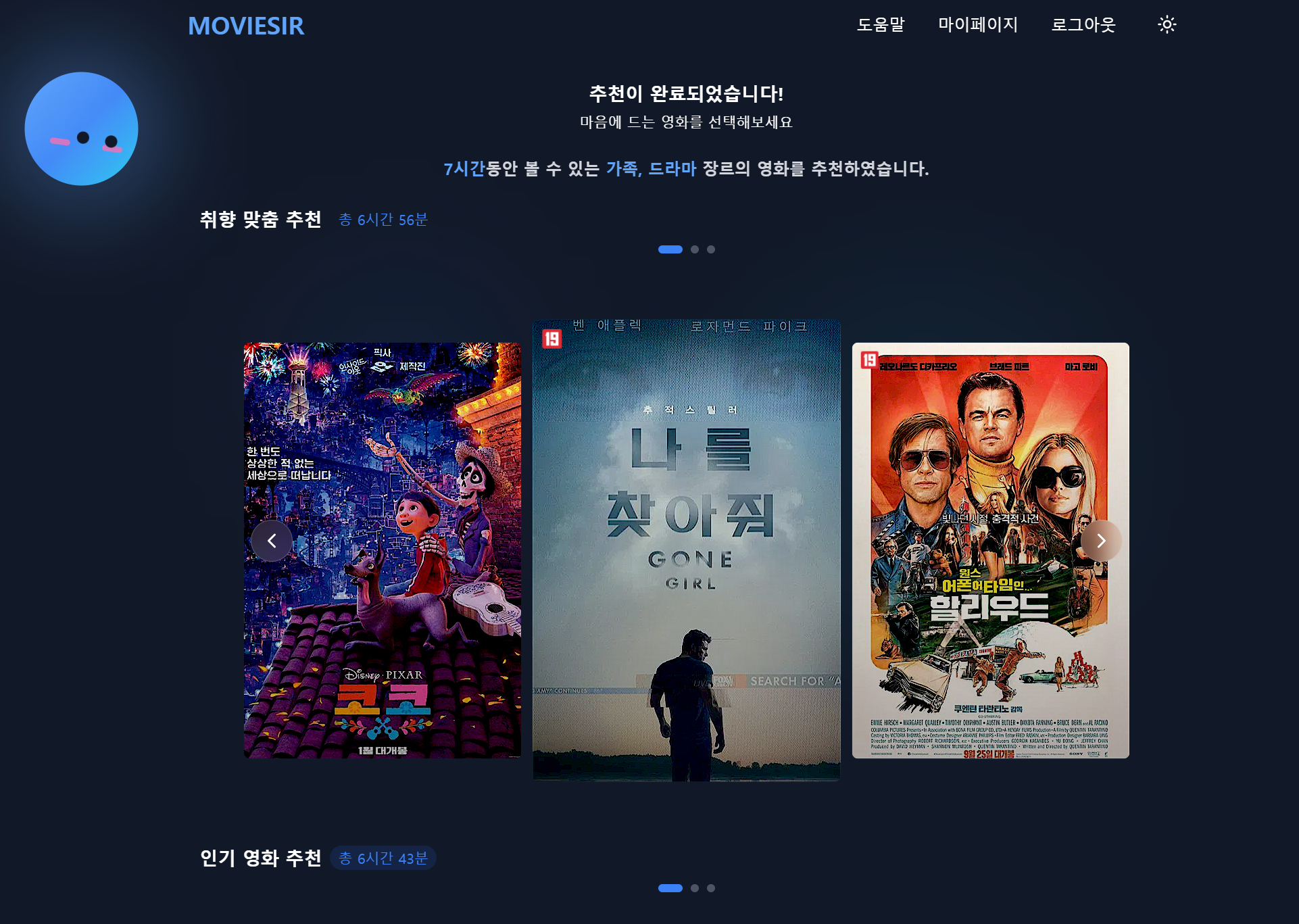
├── demo.moviesir.cloud    → Demo App (B2C)
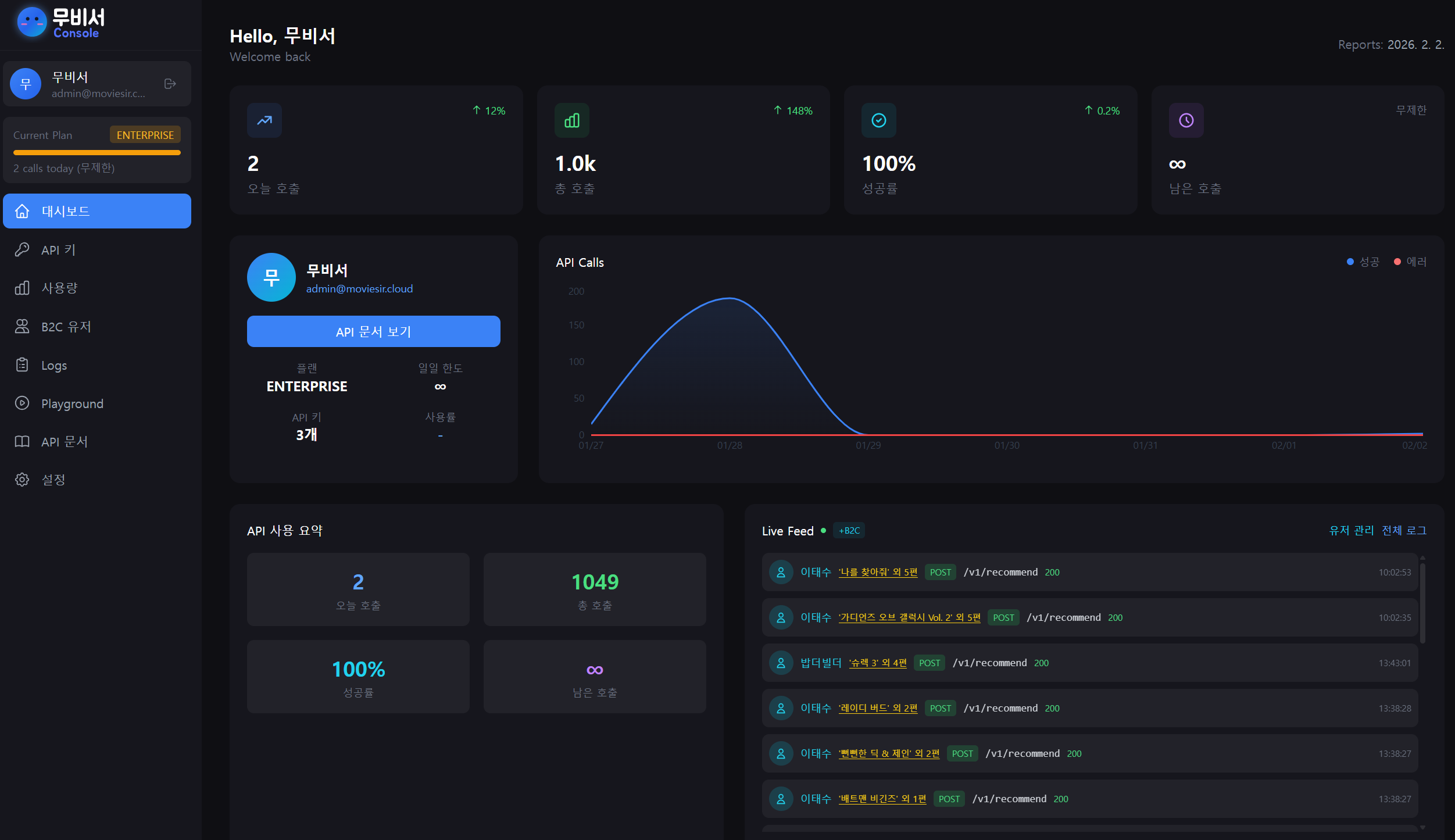
├── console.moviesir.cloud → B2B Console
└── api.moviesir.cloud → B2B API 소개 + External API| 도메인 | 용도 | 서빙 방식 |
|---|---|---|
| moviesir.cloud | 서비스 소개 | 정적 파일 |
| demo.moviesir.cloud | 영화 추천 앱 (B2C) | 정적 파일 (SPA) + API 프록시 |
| console.moviesir.cloud | 기업 관리 콘솔 (B2B) | 정적 파일 (SPA) + API 프록시 |
| api.moviesir.cloud | B2B API 소개 + External API | 정적 파일 (SPA) + API 프록시 |
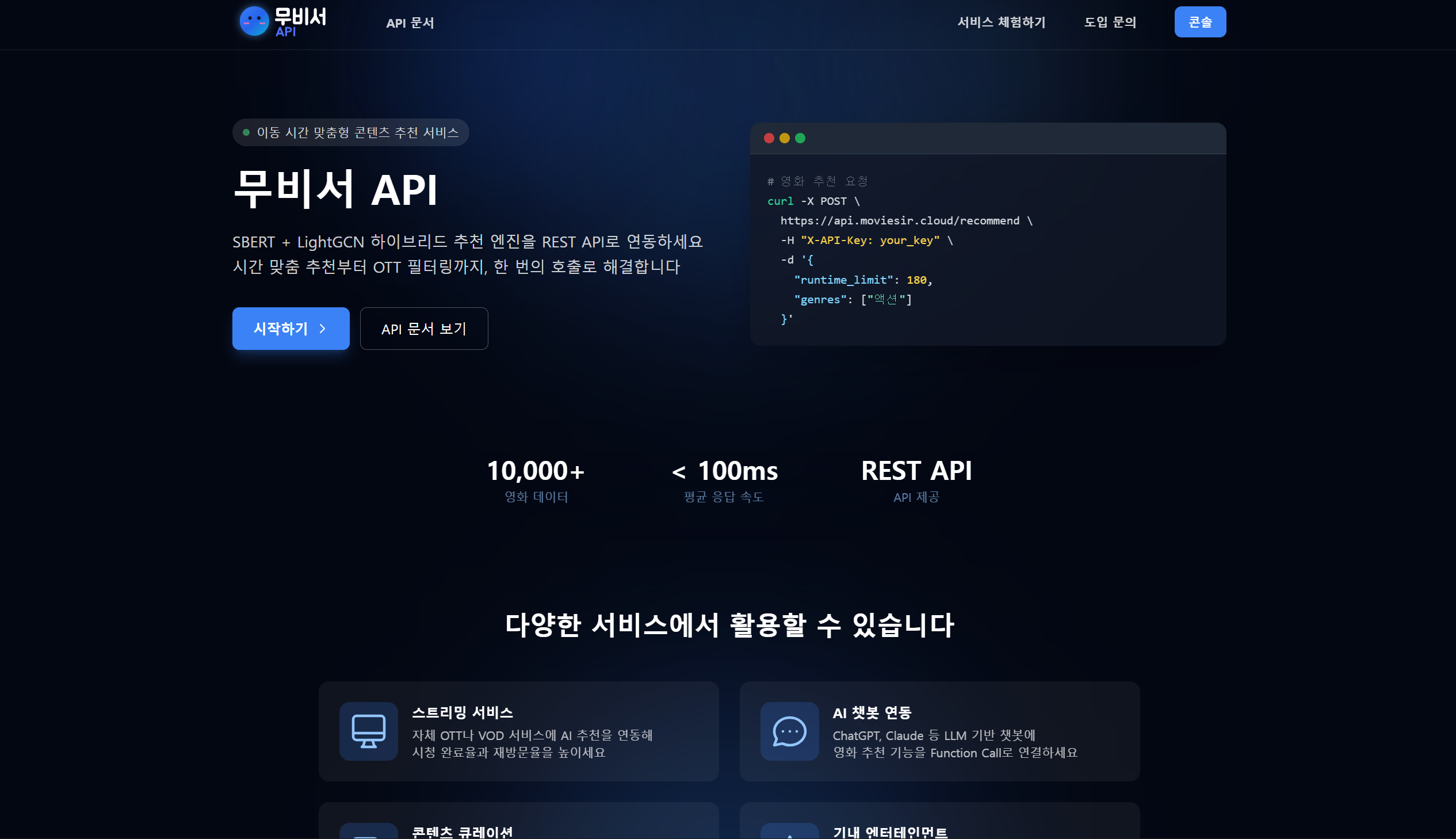
moviesir.cloud

demo.moviesir.cloud
console.moviesir.cloud
api.moviesir.cloud
2.2 왜 서브도메인으로 분리했는가?
| 방식 | 예시 | 장점 | 단점 |
|---|---|---|---|
| 서브도메인 | api.moviesir.cloud | 역할 명확, SSL 관리 용이 | DNS 레코드 추가 필요 |
| 경로 기반 | moviesir.cloud/api | DNS 간단 | Nginx 설정 복잡, CORS 처리 어려움 |
서브도메인 방식을 선택한 이유:
- 각 서비스의 역할이 명확히 구분됨
- 와일드카드 SSL 인증서로 한 번에 관리
- 향후 서비스별 서버 분리 시 DNS만 변경하면 됨
3. 디렉토리 구조
3.1 Nginx 설정 파일
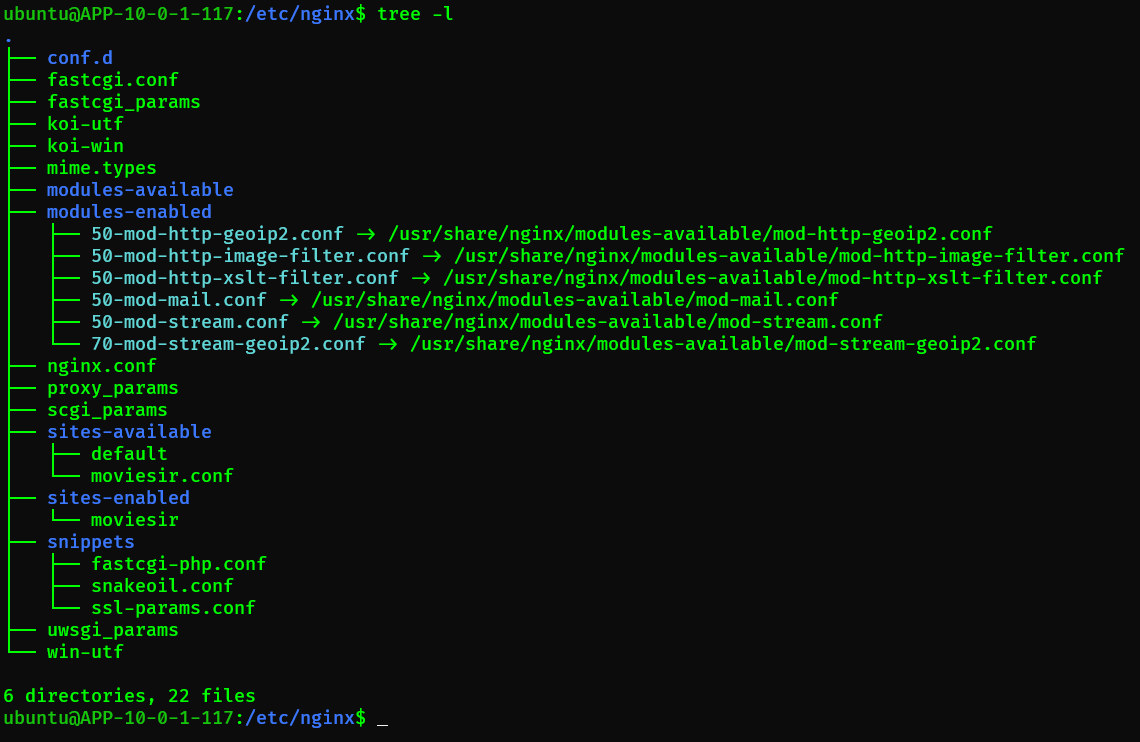
/etc/nginx/
├── nginx.conf                    # 메인 설정
├── sites-available/
│   └── moviesir                  # 서비스 설정 (원본)
├── sites-enabled/
│   └── moviesir → ../sites-available/moviesir  # 심볼릭 링크
└── snippets/
    └── ssl-params.conf           # SSL 공통 설정
ssl-params.conf:
SSL 설정을 별도 파일로 분리하면 여러 server 블록에서 재사용할 수 있다.
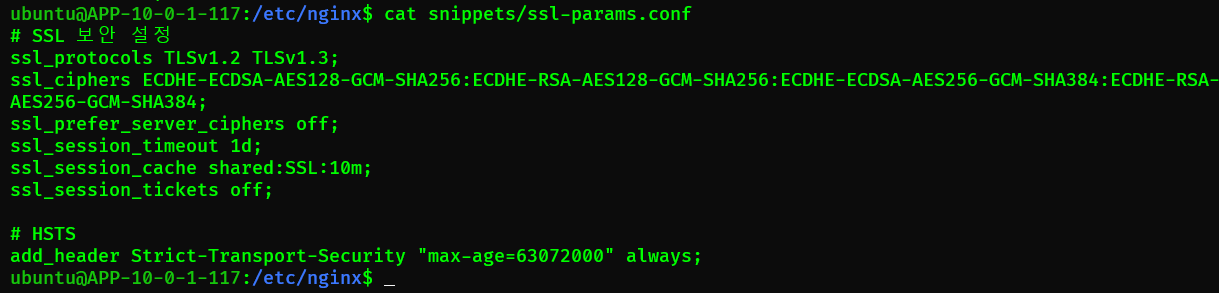
# /etc/nginx/snippets/ssl-params.conf
ssl_protocols TLSv1.2 TLSv1.3;
ssl_ciphers ECDHE-ECDSA-AES128-GCM-SHA256:ECDHE-RSA-AES128-GCM-SHA256:ECDHE-ECDSA-AES256-GCM-SHA384:ECDHE-RSA-AES256-GCM-SHA384;
ssl_prefer_server_ciphers off;
ssl_session_timeout 1d;
ssl_session_cache shared:SSL:10m;
ssl_session_tickets off;

# HSTS
add_header Strict-Transport-Security "max-age=63072000" always;
각 server 블록에서 include /etc/nginx/snippets/ssl-params.conf;로 포함한다.
3.2 정적 파일 디렉토리
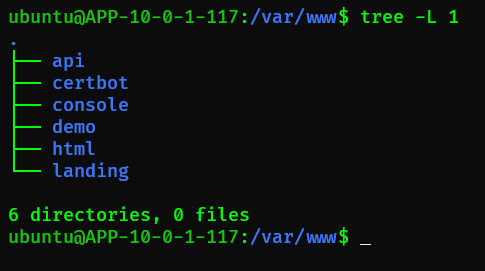
/var/www/
├── landing/     # moviesir.cloud
├── demo/        # demo.moviesir.cloud
├── console/     # console.moviesir.cloud
└── api/         # api.moviesir.cloud (B2B API 소개 페이지)
디렉토리 생성 및 권한 설정:
sudo mkdir -p /var/www/{landing,demo,console,api}
sudo chown -R www-data:www-data /var/www/
sudo chmod -R 755 /var/www/
4. SSL 인증서 발급
4.1 Let's Encrypt와 Certbot
| 항목 | 설명 |
|---|---|
| 발급 기관 | Let's Encrypt (무료) |
| 발급 도구 | Certbot |
| 인증서 유형 | 와일드카드 (*.moviesir.cloud) |
| 유효 기간 | 90일 |
| 갱신 방식 | Cron 자동 갱신 |
4.2 Certbot 설치
sudo apt update
sudo apt install certbot python3-certbot-nginx -y
4.3 인증서 발급
방법 1: 개별 도메인 발급
sudo certbot --nginx -d moviesir.cloud -d www.moviesir.cloud \
  -d demo.moviesir.cloud -d console.moviesir.cloud -d api.moviesir.cloud
방법 2: 와일드카드 발급 (DNS 인증 필요)
sudo certbot certonly --manual --preferred-challenges dns \
  -d moviesir.cloud -d *.moviesir.cloud
와일드카드 인증서는 DNS TXT 레코드를 추가해야 하므로,
도메인 관리자 접근 권한이 필요하다.
4.4 인증서 파일 위치
/etc/letsencrypt/live/moviesir.cloud/
├── fullchain.pem    # 인증서 + 중간 인증서
├── privkey.pem      # 개인 키
├── cert.pem         # 인증서만
└── chain.pem # 중간 인증서만| 파일 | Nginx 설정 |
|---|---|
| fullchain.pem | ssl_certificate |
| privkey.pem | ssl_certificate_key |
4.5 자동 갱신 설정
Certbot은 설치 시 자동으로 systemd timer를 등록한다.
# 타이머 상태 확인
sudo systemctl status certbot.timer

# 수동 갱신 테스트
sudo certbot renew --dry-run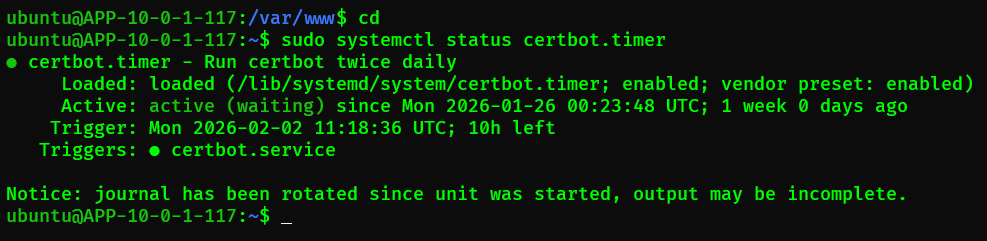
갱신 후 Nginx 리로드:
내 경우에는 --nginx 플러그인으로 Certbot을 설치했기 때문에,
인증서 갱신 시 Nginx reload가 자동으로 처리된다.
별도 훅 스크립트를 만들 필요가 없었다.
# 갱신 설정 확인
$ sudo cat /etc/letsencrypt/renewal/moviesir.cloud.conf | grep installer
installer = nginx  # nginx 플러그인 사용 중
참고:
--standalone모드로 설치한 경우에만/etc/letsencrypt/renewal-hooks/deploy/디렉토리에 reload 스크립트를 추가해야 한다.
5. Nginx 설정
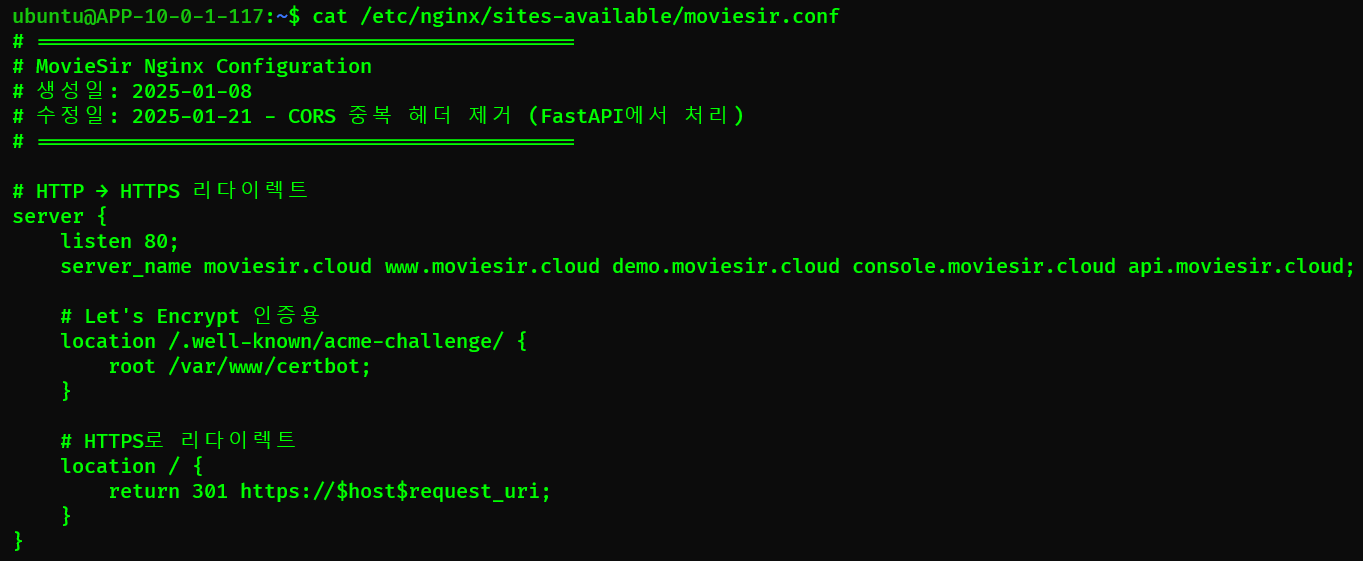
5.1 기본 구조
# /etc/nginx/sites-available/moviesir.conf

# HTTP → HTTPS 리다이렉트 (모든 도메인)
server {
    listen 80;
    server_name moviesir.cloud *.moviesir.cloud;
    return 301 https://$host$request_uri;
}

# 랜딩 페이지
server {
    listen 443 ssl http2;
    server_name moviesir.cloud www.moviesir.cloud;
    # ...
}

# Demo App
server {
    listen 443 ssl http2;
    server_name demo.moviesir.cloud;
    # ...
}

# B2B Console
server {
    listen 443 ssl http2;
    server_name console.moviesir.cloud;
    # ...
}

# API 서버
server {
    listen 443 ssl http2;
    server_name api.moviesir.cloud;
    # ...
}
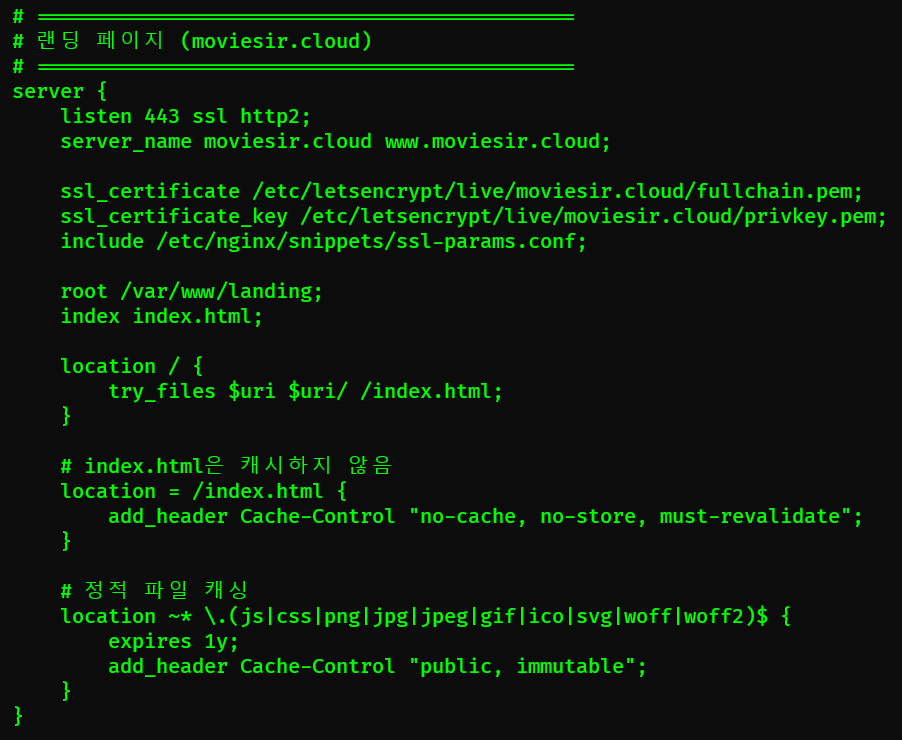
5.2 정적 파일 서빙 (Landing)
server {
    listen 443 ssl http2;
    server_name moviesir.cloud www.moviesir.cloud;

    # SSL 인증서
    ssl_certificate /etc/letsencrypt/live/moviesir.cloud/fullchain.pem;
    ssl_certificate_key /etc/letsencrypt/live/moviesir.cloud/privkey.pem;
    include /etc/nginx/snippets/ssl-params.conf;  # SSL 공통 설정

    # 정적 파일 경로
    root /var/www/landing;
    index index.html;

    location / {
        try_files $uri $uri/ /index.html;
    }

    # index.html은 캐시하지 않음 (새 배포 즉시 반영)
    location = /index.html {
        add_header Cache-Control "no-cache, no-store, must-revalidate";
    }

    # 정적 파일 캐싱 (JS, CSS, 이미지)
    location ~* \.(js|css|png|jpg|jpeg|gif|ico|svg|woff|woff2)$ {
        expires 1y;
        add_header Cache-Control "public, immutable";
    }
}
index.html 캐시 무효화:
SPA에서 index.html은 JS/CSS 파일 경로를 포함하고 있다.
배포 시 새 버전이 즉시 반영되어야 하므로 캐시하지 않는다.
반면 JS/CSS 파일은 빌드 시 해시가 붙어(app.a1b2c3.js)
파일명이 바뀌므로 1년 캐싱해도 된다.
| 설정 | 값 | 설명 |
|---|---|---|
listen 443 ssl http2 | - | HTTPS + HTTP/2 활성화 |
ssl_protocols | TLSv1.2 TLSv1.3 | 구버전 TLS 차단 |
gzip on | - | 전송 크기 30~70% 감소 |
expires 1y | - | 정적 파일 1년 캐싱 |
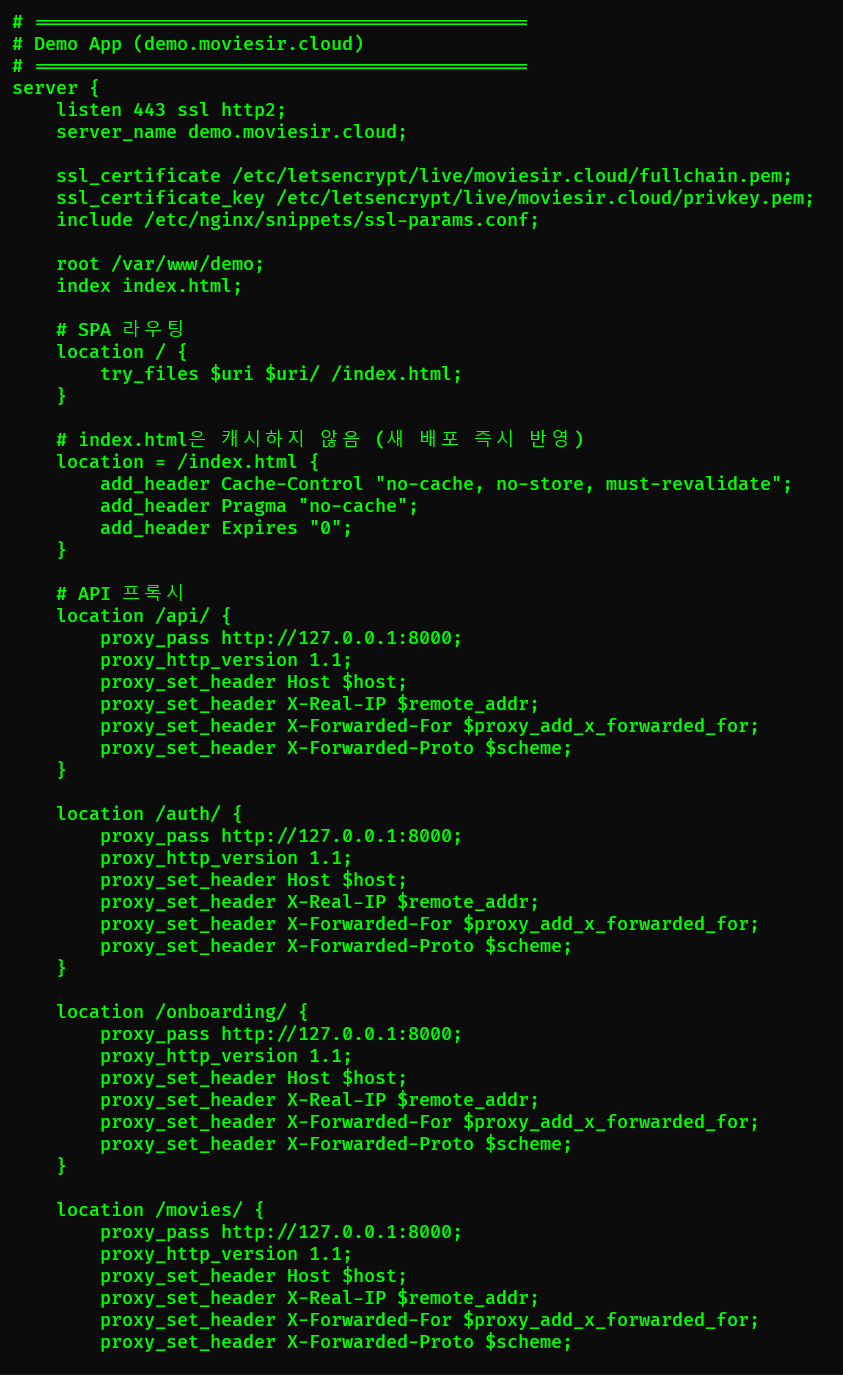
5.3 SPA 라우팅 + API 프록시 (Demo App)
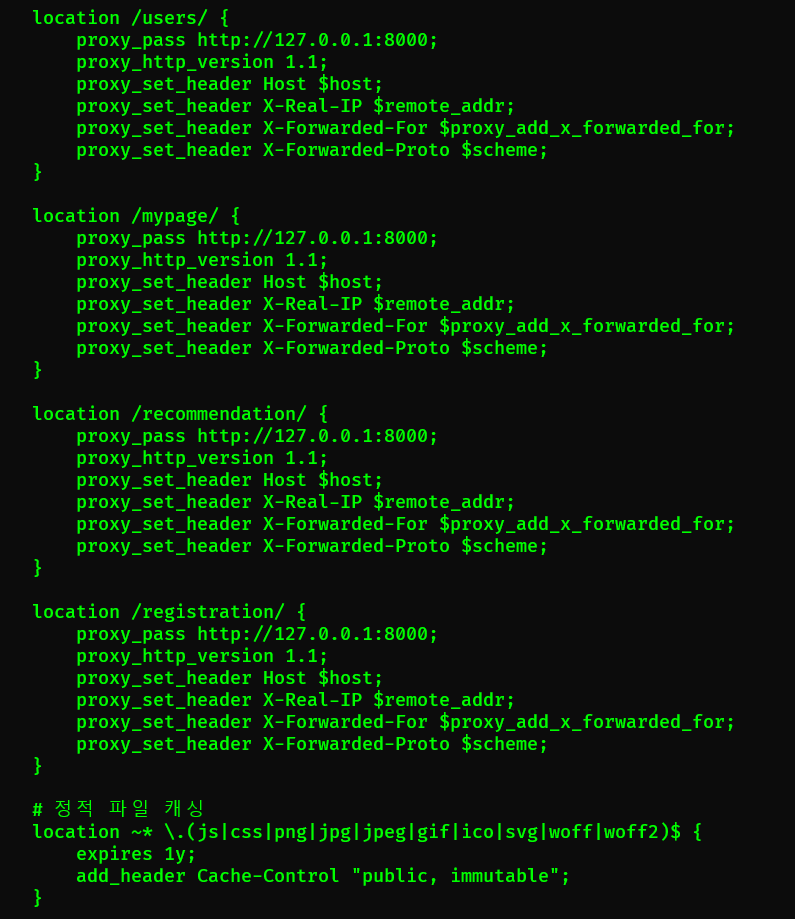
Demo App은 정적 파일 서빙과 API 프록시를 함께 처리한다.
server {
    listen 443 ssl http2;
    server_name demo.moviesir.cloud;

    ssl_certificate /etc/letsencrypt/live/moviesir.cloud/fullchain.pem;
    ssl_certificate_key /etc/letsencrypt/live/moviesir.cloud/privkey.pem;
    include /etc/nginx/snippets/ssl-params.conf;

    root /var/www/demo;
    index index.html;

    # SPA 라우팅 핵심 설정
    location / {
        try_files $uri $uri/ /index.html;
    }

    # index.html은 캐시하지 않음
    location = /index.html {
        add_header Cache-Control "no-cache, no-store, must-revalidate";
    }

    # API 프록시 (8개 경로)
    location /api/ {
        proxy_pass http://127.0.0.1:8000;
        proxy_http_version 1.1;
        proxy_set_header Host $host;
        proxy_set_header X-Real-IP $remote_addr;
        proxy_set_header X-Forwarded-For $proxy_add_x_forwarded_for;
        proxy_set_header X-Forwarded-Proto $scheme;
    }

    location /auth/ { proxy_pass http://127.0.0.1:8000; /* 생략 */ }
    location /onboarding/ { proxy_pass http://127.0.0.1:8000; /* 생략 */ }
    location /movies/ { proxy_pass http://127.0.0.1:8000; /* 생략 */ }
    location /users/ { proxy_pass http://127.0.0.1:8000; /* 생략 */ }
    location /mypage/ { proxy_pass http://127.0.0.1:8000; /* 생략 */ }
    location /recommendation/ { proxy_pass http://127.0.0.1:8000; /* 생략 */ }
    location /registration/ { proxy_pass http://127.0.0.1:8000; /* 생략 */ }
}
Demo App API 프록시 경로:
| 경로 | 용도 |
|---|---|
/api/ | 공통 API |
/auth/ | 인증 (로그인/로그아웃) |
/onboarding/ | 온보딩 플로우 |
/movies/ | 영화 정보 |
/users/ | 사용자 정보 |
/mypage/ | 마이페이지 |
/recommendation/ | AI 추천 |
/registration/ | 회원가입 |
try_files 동작 원리:
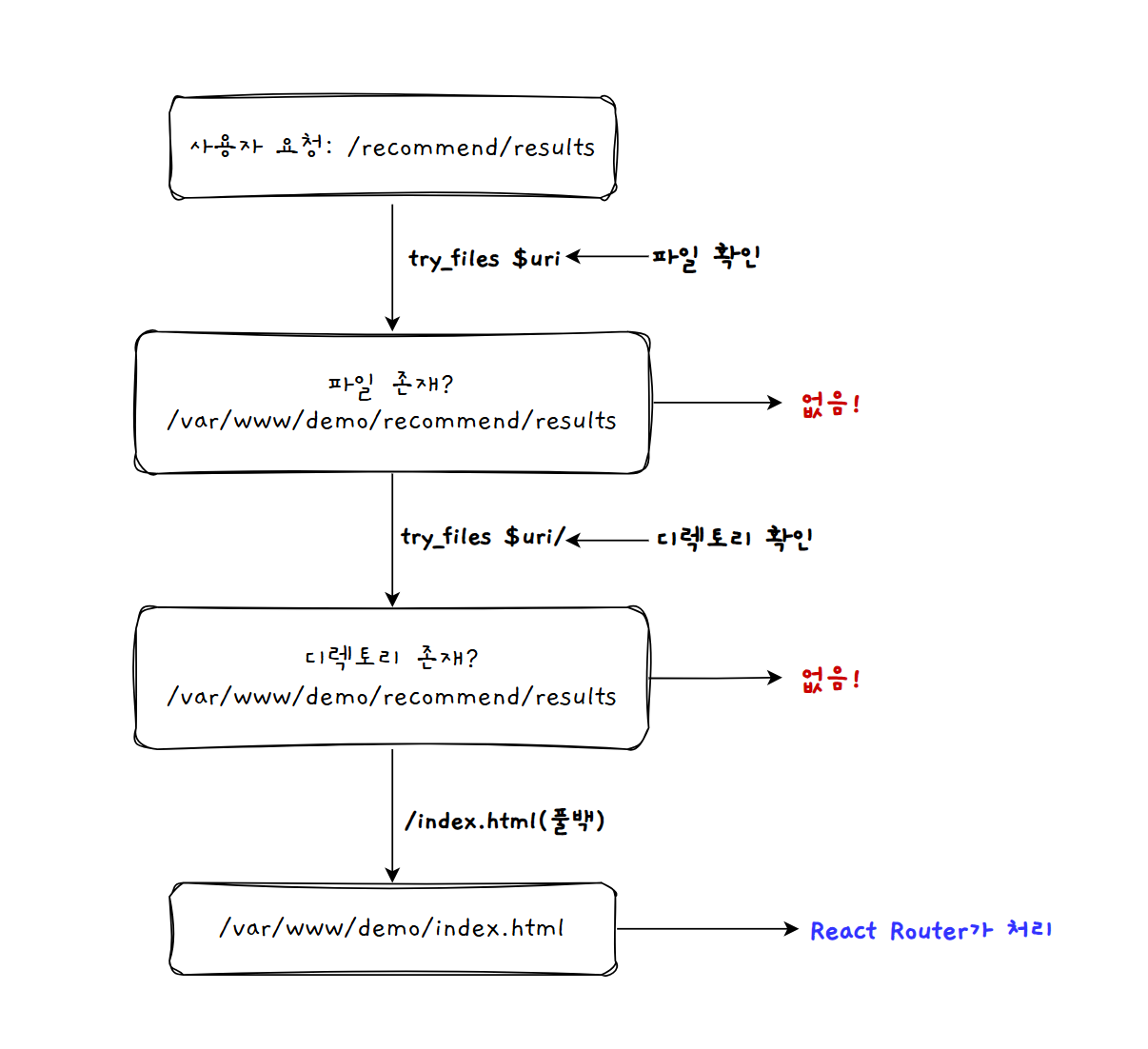
| 순서 | 시도 | 설명 |
|---|---|---|
| 1 | $uri | 요청 경로와 일치하는 파일 |
| 2 | $uri/ | 디렉토리의 index.html |
| 3 | /index.html | SPA 진입점으로 폴백 |
5.4 SPA 라우팅 + API 프록시 (B2B Console)
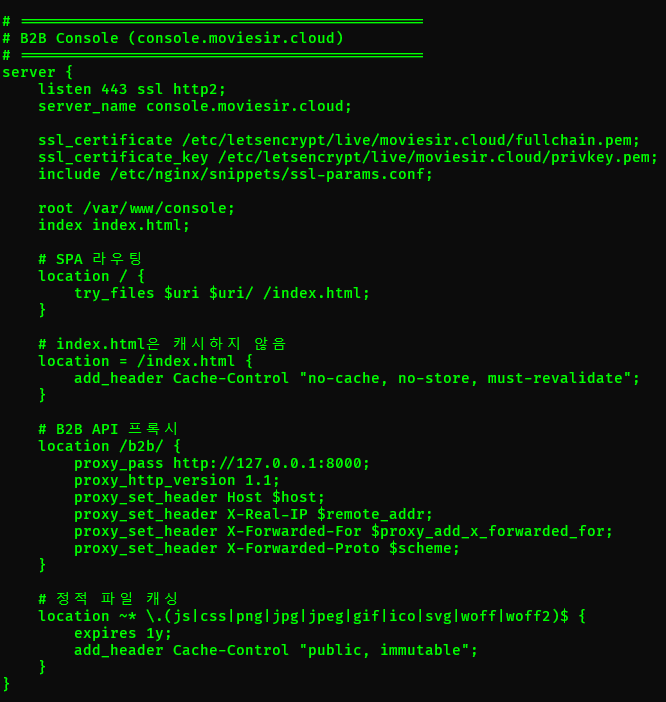
B2B Console은 기업 고객이 API 키를 관리하고 사용량을 확인하는 대시보드다. Demo App과 마찬가지로 SPA + API 프록시 구조다.
server {
    listen 443 ssl http2;
    server_name console.moviesir.cloud;

    ssl_certificate /etc/letsencrypt/live/moviesir.cloud/fullchain.pem;
    ssl_certificate_key /etc/letsencrypt/live/moviesir.cloud/privkey.pem;
    include /etc/nginx/snippets/ssl-params.conf;

    root /var/www/console;
    index index.html;

    # SPA 라우팅
    location / {
        try_files $uri $uri/ /index.html;
    }

    # index.html 캐시 무효화
    location = /index.html {
        add_header Cache-Control "no-cache, no-store, must-revalidate";
    }

    # B2B API 프록시
    location /b2b/ {
        proxy_pass http://127.0.0.1:8000;
        proxy_http_version 1.1;
        proxy_set_header Host $host;
        proxy_set_header X-Real-IP $remote_addr;
        proxy_set_header X-Forwarded-For $proxy_add_x_forwarded_for;
        proxy_set_header X-Forwarded-Proto $scheme;
    }

    # 정적 파일 캐싱
    location ~* \.(js|css|png|jpg|jpeg|gif|ico|svg|woff|woff2)$ {
        expires 1y;
        add_header Cache-Control "public, immutable";
    }
}
B2B Console API 경로:
| 경로 | 용도 |
|---|---|
/b2b/auth/ | 기업 인증 (로그인/회원가입) |
/b2b/api-keys | API 키 관리 |
/b2b/dashboard | 대시보드 데이터 |
/b2b/usage | 사용량 조회 |
5.5 리버스 프록시 (API)
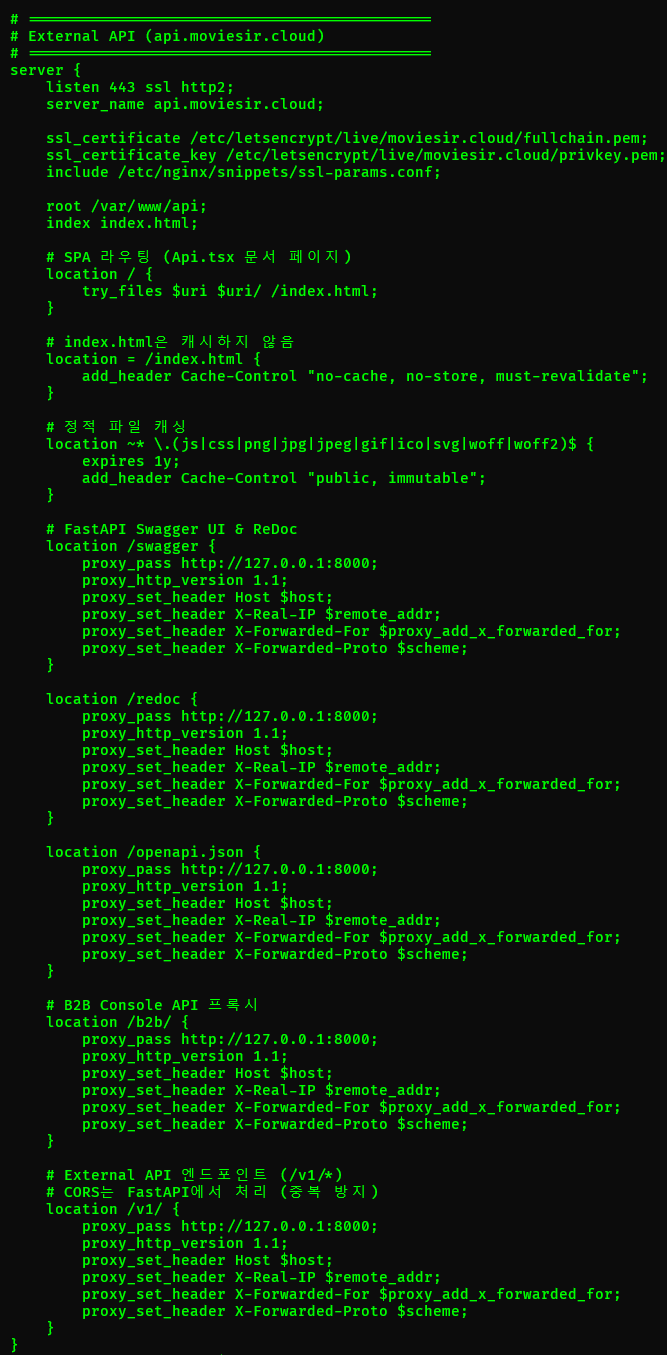
api.moviesir.cloud는 B2B API 소개 페이지(SPA)와 External API를 함께 서빙한다.
server {
    listen 443 ssl http2;
    server_name api.moviesir.cloud;

    ssl_certificate /etc/letsencrypt/live/moviesir.cloud/fullchain.pem;
    ssl_certificate_key /etc/letsencrypt/live/moviesir.cloud/privkey.pem;
    include /etc/nginx/snippets/ssl-params.conf;

    # 정적 파일 경로 (B2B API 소개 페이지)
    root /var/www/api;
    index index.html;

    # SPA 라우팅
    location / {
        try_files $uri $uri/ /index.html;
    }

    # index.html 캐시 무효화
    location = /index.html {
        add_header Cache-Control "no-cache, no-store, must-revalidate";
    }

    # External API 프록시
    # CORS는 FastAPI에서 처리 (중복 방지)
    location /v1/ {
        proxy_pass http://127.0.0.1:8000;
        proxy_http_version 1.1;
        proxy_set_header Host $host;
        proxy_set_header X-Real-IP $remote_addr;
        proxy_set_header X-Forwarded-For $proxy_add_x_forwarded_for;
        proxy_set_header X-Forwarded-Proto $scheme;
    }

    # B2B Console API 프록시
    location /b2b/ {
        proxy_pass http://127.0.0.1:8000;
        proxy_http_version 1.1;
        proxy_set_header Host $host;
        proxy_set_header X-Real-IP $remote_addr;
        proxy_set_header X-Forwarded-For $proxy_add_x_forwarded_for;
        proxy_set_header X-Forwarded-Proto $scheme;
    }

    # API 문서 프록시 (Swagger, ReDoc)
    location /swagger {
        proxy_pass http://127.0.0.1:8000;
        proxy_set_header Host $host;
    }

    location /redoc {
        proxy_pass http://127.0.0.1:8000;
        proxy_set_header Host $host;
    }

    location /openapi.json {
        proxy_pass http://127.0.0.1:8000;
        proxy_set_header Host $host;
    }
}
프록시 헤더 설명:
| 헤더 | 값 | 용도 |
|---|---|---|
Host | 원본 호스트 | FastAPI에서 도메인 확인 |
X-Real-IP | 클라이언트 IP | 로그에 실제 IP 기록 |
X-Forwarded-For | 프록시 체인 IP | 다중 프록시 환경 |
X-Forwarded-Proto | https | FastAPI에서 프로토콜 확인 |
5.6 보안 헤더
# 공통 보안 헤더
add_header X-Content-Type-Options nosniff;
add_header X-Frame-Options DENY;
add_header X-XSS-Protection "1; mode=block";
add_header Strict-Transport-Security "max-age=31536000; includeSubDomains" always;
add_header Referrer-Policy "strict-origin-when-cross-origin";| 헤더 | 값 | 방어 대상 |
|---|---|---|
| X-Content-Type-Options | nosniff | MIME 스니핑 공격 |
| X-Frame-Options | DENY | 클릭재킹 |
| X-XSS-Protection | 1; mode=block | XSS (구형 브라우저) |
| HSTS | max-age=31536000 | SSL 스트립 공격 |
| Referrer-Policy | strict-origin-when-cross-origin | 리퍼러 정보 누출 |
⚠️ 주의: add_header 상속 문제
nginx의
add_header는 상속되지 않는다. location 블록에add_header가 하나라도 있으면, 상위 server 블록의 모든add_header가 무시된다.server { add_header X-Frame-Options DENY; # 이 헤더가... location = /index.html { add_header Cache-Control "no-cache"; # 여기서 무시됨! } }해결: 보안 헤더를 별도 snippet으로 분리하고, 각 location에서 include한다.
# /etc/nginx/snippets/security-headers.conf
add_header X-Content-Type-Options nosniff always;
add_header X-Frame-Options DENY always;
# ...

# 각 location에서 include
location = /index.html {
    include /etc/nginx/snippets/security-headers.conf;
    add_header Cache-Control "no-cache";
}
6. 트러블슈팅
6.1 CORS 중복 헤더 이슈
문제:
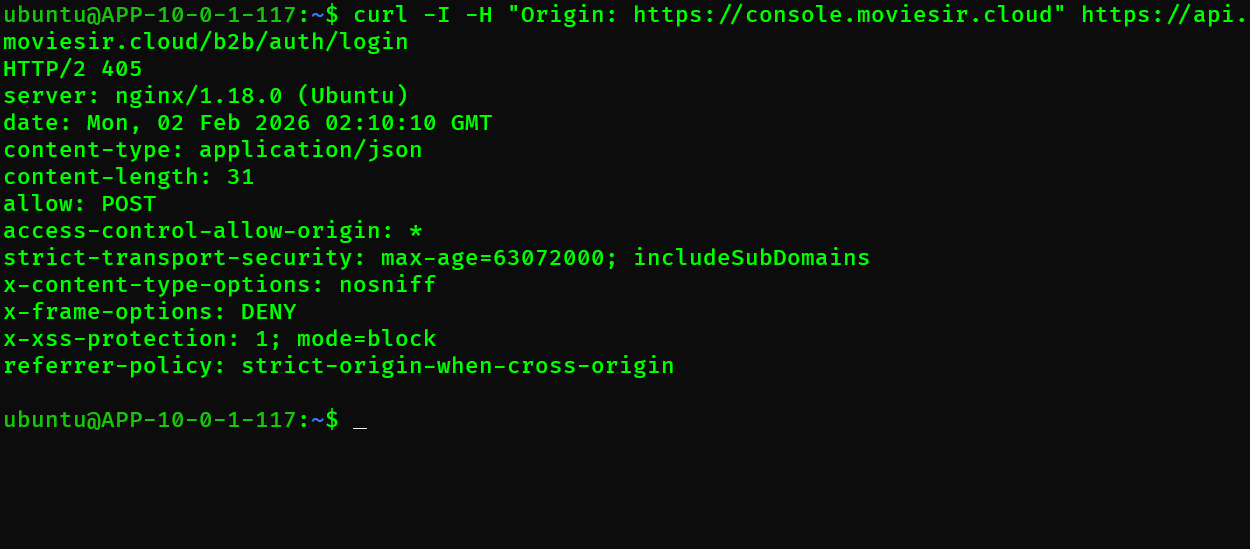
Access to XMLHttpRequest at 'https://api.moviesir.cloud/b2b/auth/login'
has been blocked by CORS policy:
The 'Access-Control-Allow-Origin' header contains multiple values
브라우저 Network 탭에서 Response Headers를 확인하니:
Access-Control-Allow-Origin: https://console.moviesir.cloud
Access-Control-Allow-Origin: https://console.moviesir.cloud
원인: Nginx와 FastAPI 둘 다 CORS 헤더를 추가하고 있었다.
# nginx.conf - CORS 헤더 추가
location /b2b/ {
    add_header 'Access-Control-Allow-Origin' $http_origin;
    add_header 'Access-Control-Allow-Credentials' 'true';
    proxy_pass http://127.0.0.1:8000;
}
# main.py - FastAPI CORS 미들웨어
app.add_middleware(
CORSMiddleware,
allow_origins=["https://console.moviesir.cloud"],
allow_credentials=True,
)해결: CORS는 한 곳에서만 처리해야 한다.
FastAPI에서 처리하도록 통일했다.
# nginx.conf - CORS 헤더 제거
location /b2b/ {
    # add_header 제거
    proxy_pass http://127.0.0.1:8000;
    proxy_set_header Host $host;
    proxy_set_header X-Real-IP $remote_addr;
    proxy_set_header X-Forwarded-For $proxy_add_x_forwarded_for;
    proxy_set_header X-Forwarded-Proto $scheme;
}
교훈:
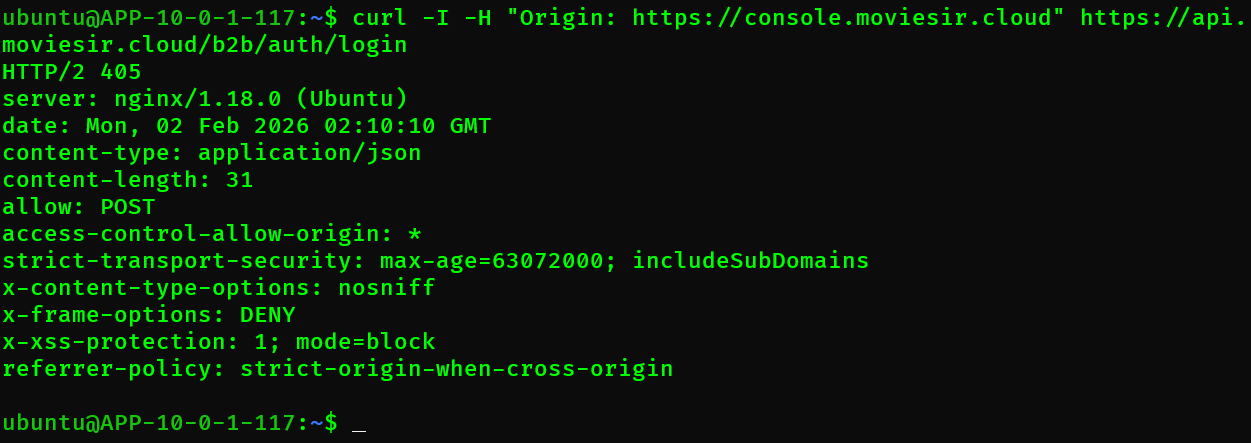
| 구성 | CORS 처리 위치 | 권장 |
|---|---|---|
| Nginx + Backend | Backend에서만 | ✅ 권장 (유연함) |
| Nginx Only (정적) | Nginx에서 | CDN 환경 |
6.2 SPA 새로고침 시 404
문제: /recommend/results 경로에서 새로고침하면 404
원인: Nginx가 /recommend/results 파일을 찾으려 함
해결: try_files로 모든 경로를 index.html로 폴백
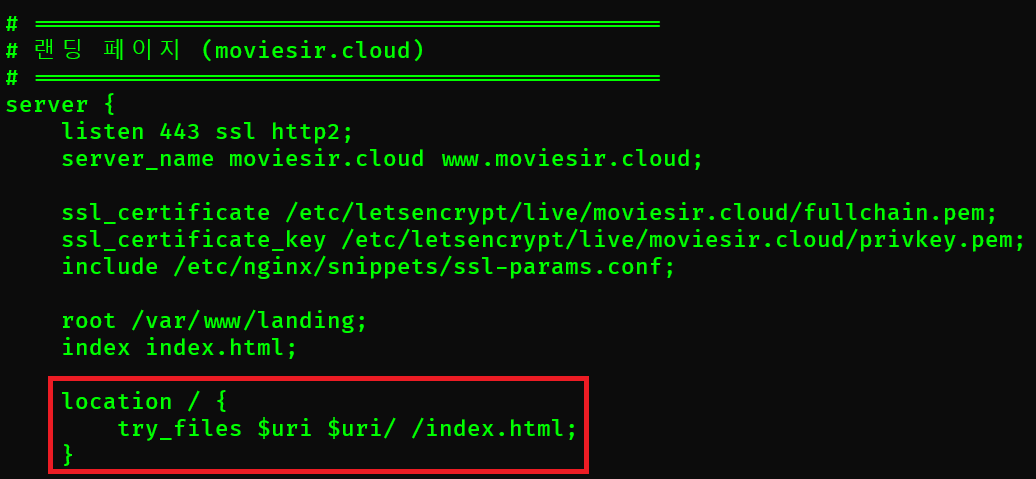
location / {
    try_files $uri $uri/ /index.html;
}
6.3 Mixed Content 에러
문제: HTTPS 페이지에서 HTTP API 호출 시 차단
Mixed Content: The page was loaded over HTTPS,
but requested an insecure resource 'http://api.moviesir.cloud/...'
원인: 프론트엔드 API URL이 HTTP로 하드코딩
해결:
1. 환경변수로 API URL 관리
2. HTTP → HTTPS 리다이렉트 적용
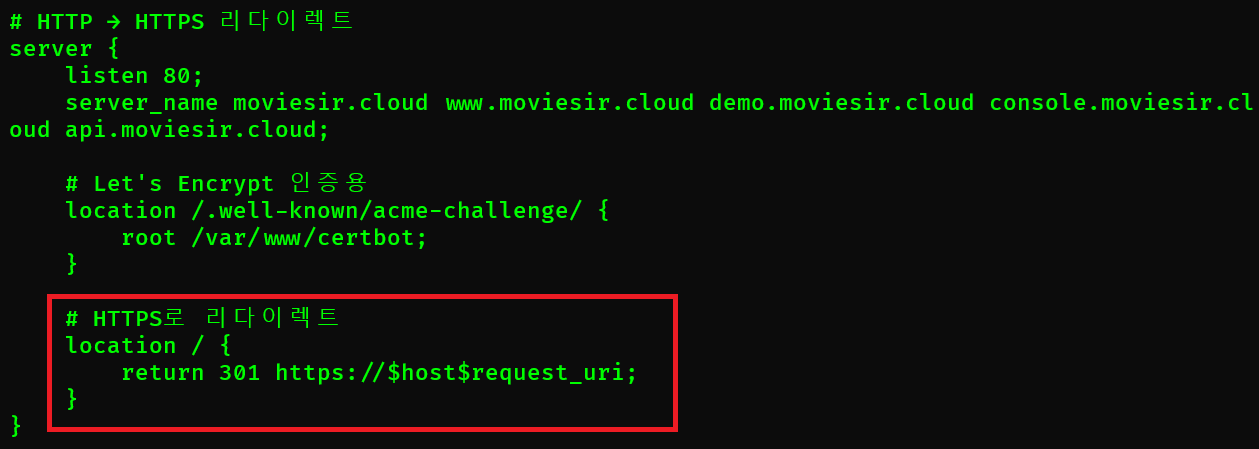
server {
    listen 80;
    server_name api.moviesir.cloud;
    return 301 https://$host$request_uri;
}
6.4 Let's Encrypt 갱신 실패
문제: 인증서 자동 갱신 실패
Certbot failed to authenticate some domains원인: 80번 포트에서 HTTP 챌린지를 처리할 location이 없음
해결: HTTP 서버 블록에 /.well-known/acme-challenge/ location 추가 (전체 설정은 8번 섹션 참고)
7. 설정 검증
7.1 문법 검사
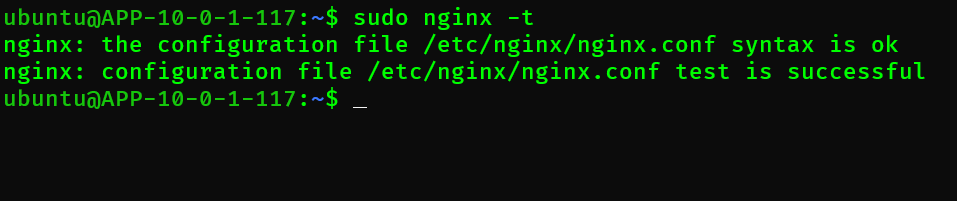
sudo nginx -tnginx: the configuration file /etc/nginx/nginx.conf syntax is ok
nginx: configuration file /etc/nginx/nginx.conf test is successful7.2 설정 적용
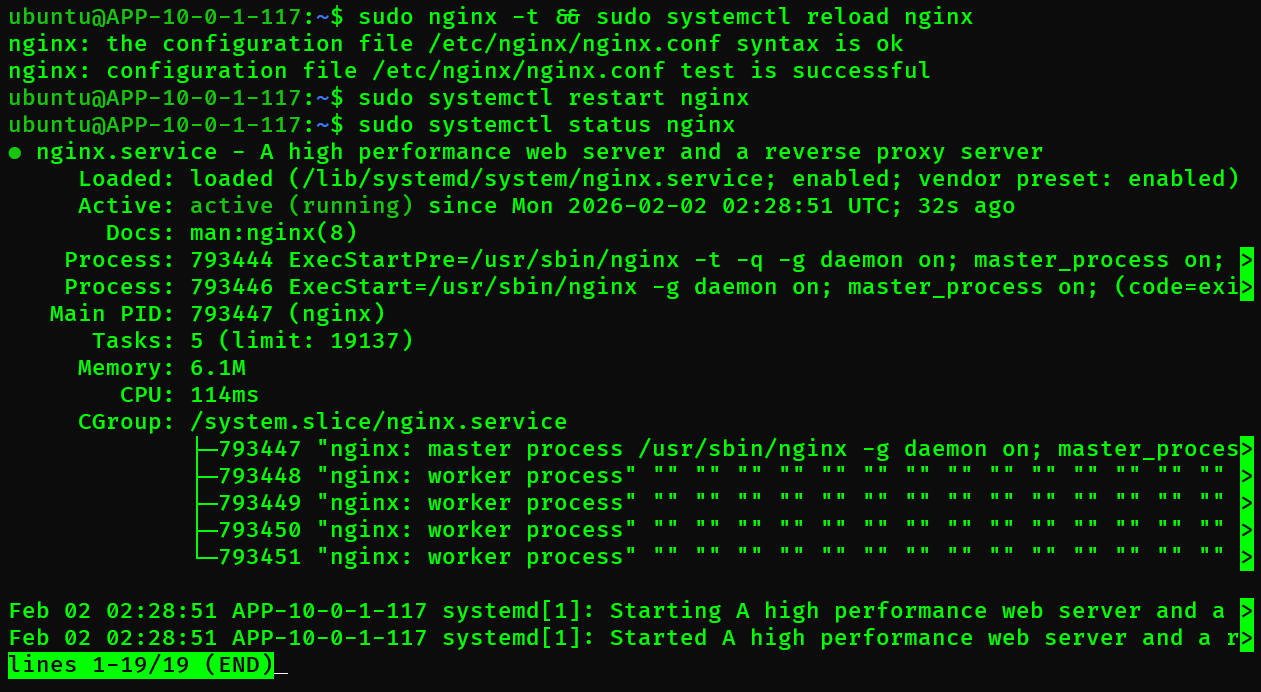
# 문법 검사 후 리로드 (무중단)
sudo nginx -t && sudo systemctl reload nginx

# 또는 재시작 (중단 있음)
sudo systemctl restart nginx| 명령 | 동작 | 다운타임 |
|---|---|---|
reload | 설정만 리로드 | 없음 |
restart | 프로세스 재시작 | 있음 (수초) |
7.3 SSL 검증
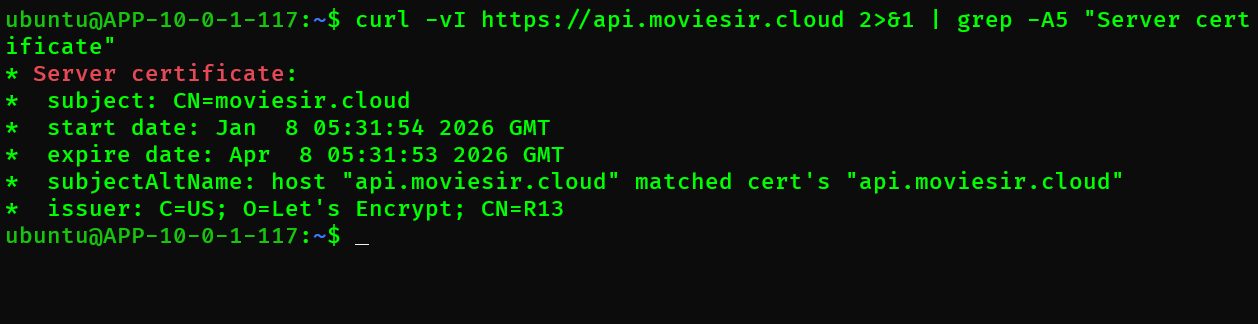
# SSL 인증서 확인
curl -vI https://api.moviesir.cloud 2>&1 | grep -A5 "Server certificate"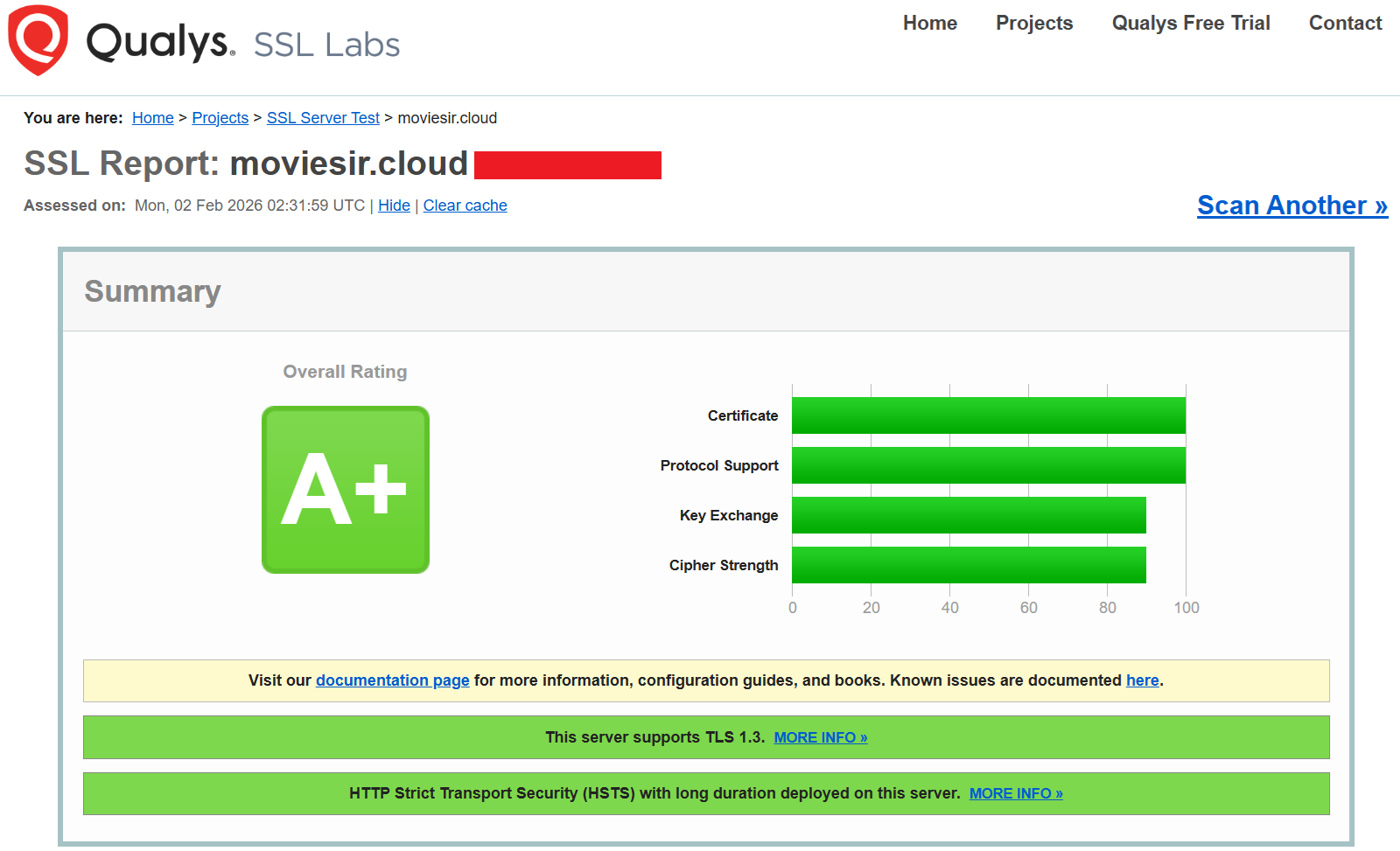
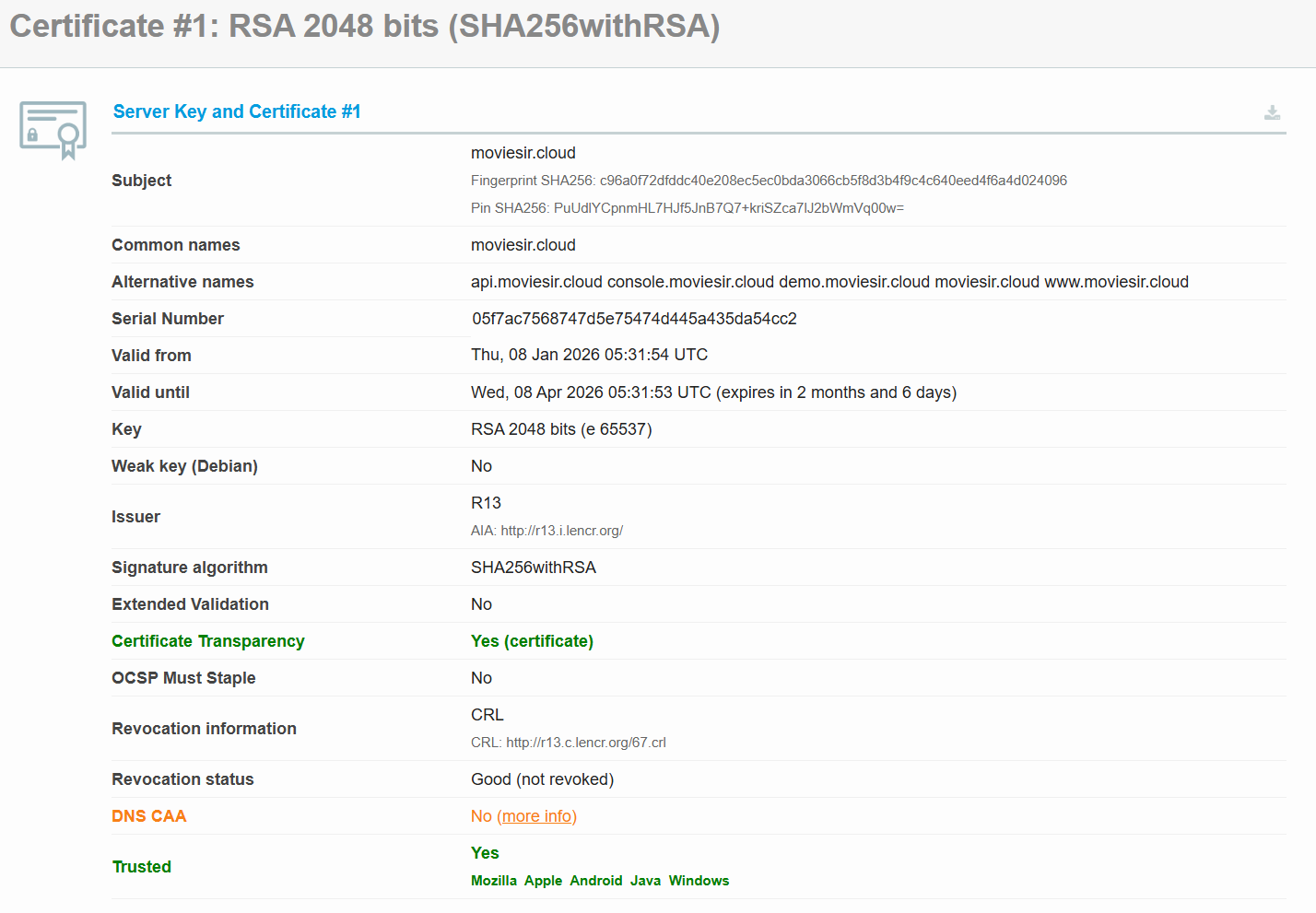
# SSL Labs 테스트 (온라인)
# https://www.ssllabs.com/ssltest/
7.4 응답 헤더 확인
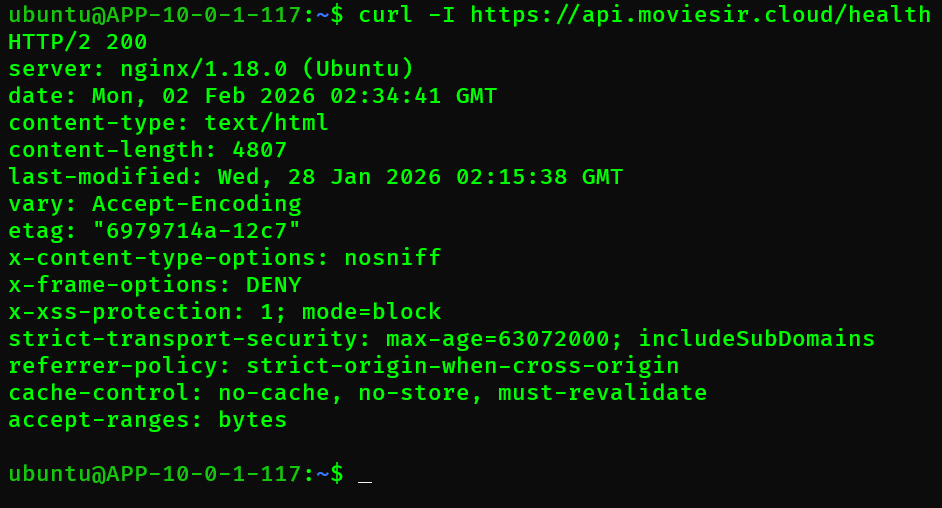
curl -I https://api.moviesir.cloud/healthHTTP/2 200
server: nginx
x-content-type-options: nosniff
x-frame-options: DENY
x-xss-protection: 1; mode=block
strict-transport-security: max-age=63072000; includeSubDomains
referrer-policy: strict-origin-when-cross-origin8. 전체 설정 파일
/etc/nginx/sites-available/moviesir
# HTTP → HTTPS 리다이렉트
server {
    listen 80;
    server_name moviesir.cloud www.moviesir.cloud demo.moviesir.cloud console.moviesir.cloud api.moviesir.cloud;

    # Let's Encrypt 인증용
    location /.well-known/acme-challenge/ {
        root /var/www/certbot;
    }

    # HTTPS로 리다이렉트
    location / {
        return 301 https://$host$request_uri;
    }
}

# 랜딩 페이지
server {
    listen 443 ssl http2;
    server_name moviesir.cloud www.moviesir.cloud;

    ssl_certificate /etc/letsencrypt/live/moviesir.cloud/fullchain.pem;
    ssl_certificate_key /etc/letsencrypt/live/moviesir.cloud/privkey.pem;
    include /etc/nginx/snippets/ssl-params.conf;

    root /var/www/landing;
    index index.html;

    location / {
        try_files $uri $uri/ /index.html;
    }

    location = /index.html {
        add_header Cache-Control "no-cache, no-store, must-revalidate";
    }

    location ~* \.(js|css|png|jpg|jpeg|gif|ico|svg|woff|woff2)$ {
        expires 1y;
        add_header Cache-Control "public, immutable";
    }
}

# Demo App
server {
    listen 443 ssl http2;
    server_name demo.moviesir.cloud;

    ssl_certificate /etc/letsencrypt/live/moviesir.cloud/fullchain.pem;
    ssl_certificate_key /etc/letsencrypt/live/moviesir.cloud/privkey.pem;
    include /etc/nginx/snippets/ssl-params.conf;

    root /var/www/demo;
    index index.html;

    location / {
        try_files $uri $uri/ /index.html;
    }

    location = /index.html {
        add_header Cache-Control "no-cache, no-store, must-revalidate";
    }

    # API 프록시 (8개 경로)
    location /api/ {
        proxy_pass http://127.0.0.1:8000;
        proxy_http_version 1.1;
        proxy_set_header Host $host;
        proxy_set_header X-Real-IP $remote_addr;
        proxy_set_header X-Forwarded-For $proxy_add_x_forwarded_for;
        proxy_set_header X-Forwarded-Proto $scheme;
    }
    # /auth/, /onboarding/, /movies/, /users/, /mypage/,
    # /recommendation/, /registration/ 동일한 프록시 설정

    location ~* \.(js|css|png|jpg|jpeg|gif|ico|svg|woff|woff2)$ {
        expires 1y;
        add_header Cache-Control "public, immutable";
    }
}

# B2B Console
server {
    listen 443 ssl http2;
    server_name console.moviesir.cloud;

    ssl_certificate /etc/letsencrypt/live/moviesir.cloud/fullchain.pem;
    ssl_certificate_key /etc/letsencrypt/live/moviesir.cloud/privkey.pem;
    include /etc/nginx/snippets/ssl-params.conf;

    root /var/www/console;
    index index.html;

    location / {
        try_files $uri $uri/ /index.html;
    }

    location = /index.html {
        add_header Cache-Control "no-cache, no-store, must-revalidate";
    }

    # B2B API 프록시
    location /b2b/ {
        proxy_pass http://127.0.0.1:8000;
        proxy_http_version 1.1;
        proxy_set_header Host $host;
        proxy_set_header X-Real-IP $remote_addr;
        proxy_set_header X-Forwarded-For $proxy_add_x_forwarded_for;
        proxy_set_header X-Forwarded-Proto $scheme;
    }

    location ~* \.(js|css|png|jpg|jpeg|gif|ico|svg|woff|woff2)$ {
        expires 1y;
        add_header Cache-Control "public, immutable";
    }
}

# B2B API 소개 + External API
server {
    listen 443 ssl http2;
    server_name api.moviesir.cloud;

    ssl_certificate /etc/letsencrypt/live/moviesir.cloud/fullchain.pem;
    ssl_certificate_key /etc/letsencrypt/live/moviesir.cloud/privkey.pem;
    include /etc/nginx/snippets/ssl-params.conf;

    root /var/www/api;
    index index.html;

    # SPA 라우팅 (B2B API 소개 페이지)
    location / {
        try_files $uri $uri/ /index.html;
    }

    location = /index.html {
        add_header Cache-Control "no-cache, no-store, must-revalidate";
    }

    location ~* \.(js|css|png|jpg|jpeg|gif|ico|svg|woff|woff2)$ {
        expires 1y;
        add_header Cache-Control "public, immutable";
    }

    # FastAPI Swagger UI & ReDoc
    location /swagger {
        proxy_pass http://127.0.0.1:8000;
        proxy_http_version 1.1;
        proxy_set_header Host $host;
        proxy_set_header X-Real-IP $remote_addr;
        proxy_set_header X-Forwarded-For $proxy_add_x_forwarded_for;
        proxy_set_header X-Forwarded-Proto $scheme;
    }

    location /redoc {
        proxy_pass http://127.0.0.1:8000;
        proxy_set_header Host $host;
    }

    location /openapi.json {
        proxy_pass http://127.0.0.1:8000;
        proxy_set_header Host $host;
    }

    # B2B Console API 프록시
    location /b2b/ {
        proxy_pass http://127.0.0.1:8000;
        proxy_http_version 1.1;
        proxy_set_header Host $host;
        proxy_set_header X-Real-IP $remote_addr;
        proxy_set_header X-Forwarded-For $proxy_add_x_forwarded_for;
        proxy_set_header X-Forwarded-Proto $scheme;
    }

    # External API 엔드포인트 (/v1/*)
    # CORS는 FastAPI에서 처리 (중복 방지)
    location /v1/ {
        proxy_pass http://127.0.0.1:8000;
        proxy_http_version 1.1;
        proxy_set_header Host $host;
        proxy_set_header X-Real-IP $remote_addr;
        proxy_set_header X-Forwarded-For $proxy_add_x_forwarded_for;
        proxy_set_header X-Forwarded-Proto $scheme;
    }
}
9. 마무리
9.1 구성 요약
| 도메인 | 서빙 방식 | 프록시 경로 |
|---|---|---|
moviesir.cloud | 정적 파일 | - |
demo.moviesir.cloud | SPA + API 프록시 | /api/, /auth/, /movies/ 등 8개 |
console.moviesir.cloud | SPA + API 프록시 | /b2b/ |
api.moviesir.cloud | SPA + API 프록시 | /v1/, /b2b/, /swagger, /redoc |
9.2 성과
| 항목 | 결과 |
|---|---|
| HTTPS | 전체 도메인 SSL 적용 |
| HTTP/2 | 멀티플렉싱으로 로딩 속도 개선 |
| Gzip | 전송 크기 30~70% 감소 |
| 캐싱 | 정적 파일 1년 캐싱 |
9.3 개선 가능한 점
| 영역 | 현재 | 개선안 |
|---|---|---|
| 캐싱 | 로컬 캐시만 | CDN (CloudFlare, AWS CloudFront) |
| 로드밸런싱 | 단일 서버 | upstream으로 다중 Backend |
| 모니터링 | 수동 확인 | Nginx Amplify, Prometheus |
| 압축 | Gzip | Brotli (더 높은 압축률) |

이 글은 스나이퍼팩토리 카카오클라우드 AIaaS 마스터 클래스 2기 프로젝트 경험을 바탕으로 작성되었습니다.