Checking Public SSL Certificate
Overview
Most of the cases, we need to check the ssl stream if the connection is funtioning properly or not.
To do this, I suggest the two options below.
In this post, I will use my exchange server certificate issued to "mail.cake.run.place"
0. Index
- Using browser
1.1. Chrome
1.2 Edge - Using command
2.1 Curl
2.2 OpenSSL
2.3 PowerShell
1. Using browser
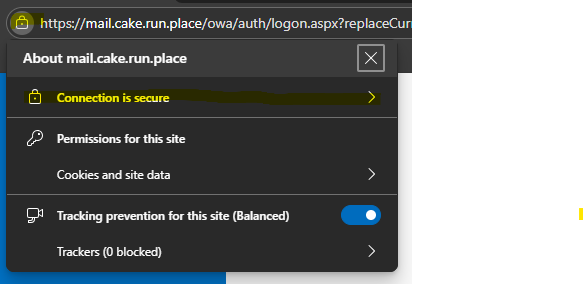
1.1 Chrome
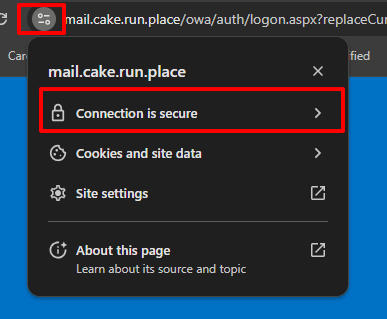
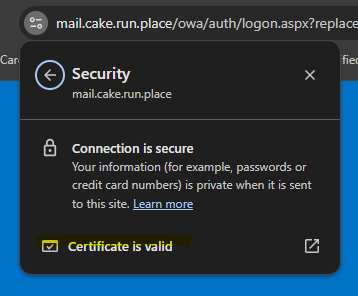
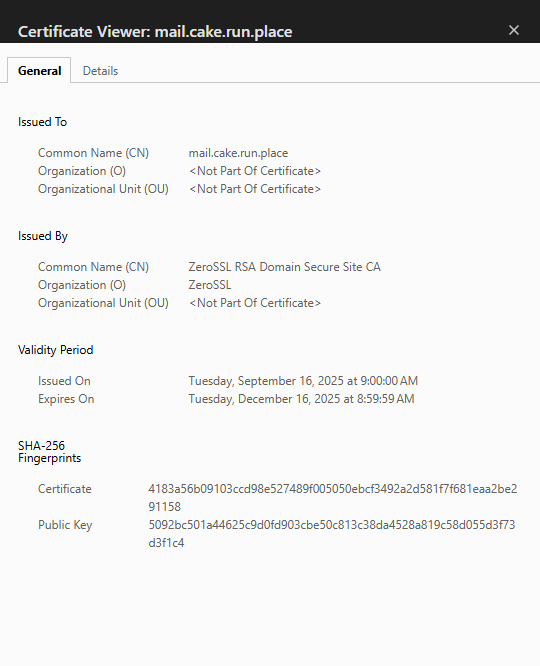
1.2 Edge


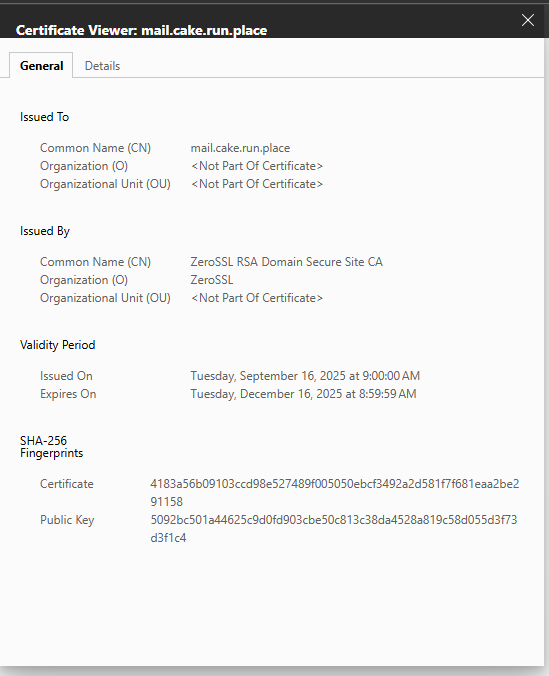
2. Using command
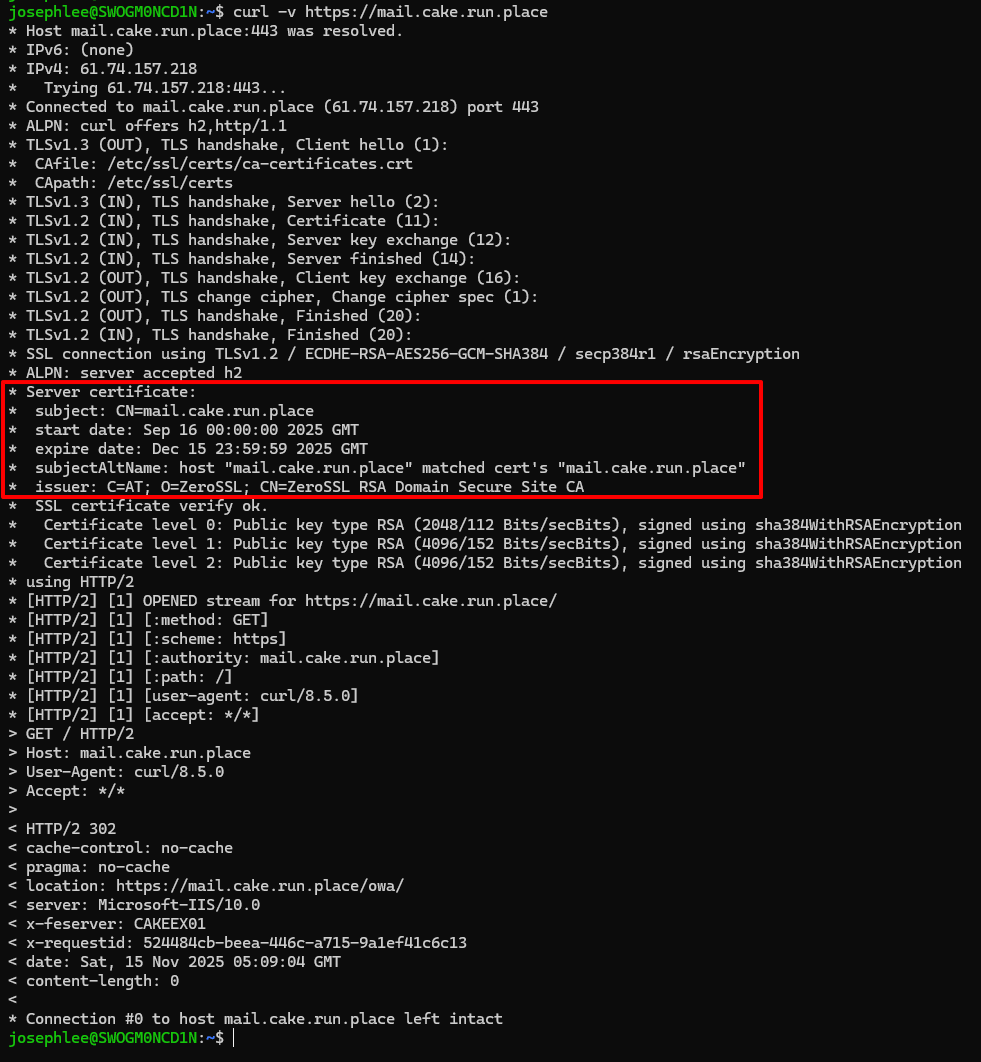
2.1 Curl
Just simply execute this command from the terminal.
curl -v https://mail.cake.run.placee.g.,
2.2 OpenSSL
openssl s_client -connect mail.cake.run.place:443 </dev/null 2>/dev/null \
  | openssl x509 -noout -subject -issuer -dates -fingerprint
e.g.,

2.3 PowerShell
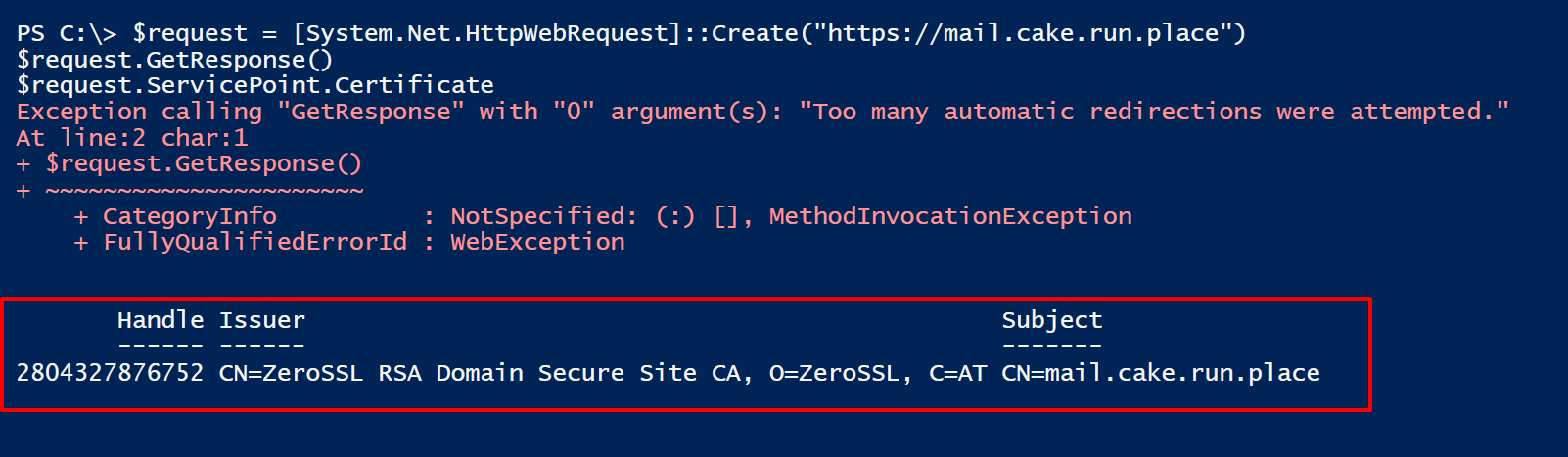
- More simple way
$request = [System.Net.HttpWebRequest]::Create("https://mail.cake.run.place")
$request.GetResponse()
$request.ServicePoint.Certificate.Issuer
e.g.,
- Ref: Requirements for AIP
https://learn.microsoft.com/en-us/purview/rights-management-requirements#firewalls-and-network-infrastructure - Ref: HttpWebRequest Class
https://learn.microsoft.com/en-us/dotnet/api/system.net.httpwebrequest?view=net-9.0
- More Classic way
$url = "mail.cake.run.place"
$port = 443

$tcp = [System.Net.Sockets.TcpClient]::new($url,$port)
$ssl = [System.Net.Security.SslStream]::new($tcp.GetStream(), $false, ({$true}))
$ssl.AuthenticateAsClient($url)

$cert = [System.Security.Cryptography.X509Certificates.X509Certificate2]::new($ssl.RemoteCertificate)
$cert | fl

$tcp.Close()
$ssl.Close()
e.g.,

- Ref: TcpClient Class
https://learn.microsoft.com/en-us/dotnet/api/system.net.sockets.tcpclient?view=net-9.0 - Ref: SslStream Class
https://learn.microsoft.com/en-us/dotnet/api/system.net.security.sslstream?view=net-9.0 - Ref:SslStream.AuthenticateAsClient Method
https://learn.microsoft.com/en-us/dotnet/api/system.net.security.sslstream.authenticateasclient?view=net-8.0 - Ref: X509Certificate2 Class
https://learn.microsoft.com/en-us/dotnet/api/system.security.cryptography.x509certificates.x509certificate2?view=net-9.0
Result
For the AIP or entra id hybrid joined devices, you should bypass some urls from the ssl inspection. Or you might struggle to troubleshoot to resolve it.
I hope you guys can debug using the options I suggest in this post.