오늘은 Admob을 Unity에 연동하는 방법에 대해 구현해보았습니다.
준비물
Admob 10.0.0 버전을 사용하였습니다.
설정
사용자 등록
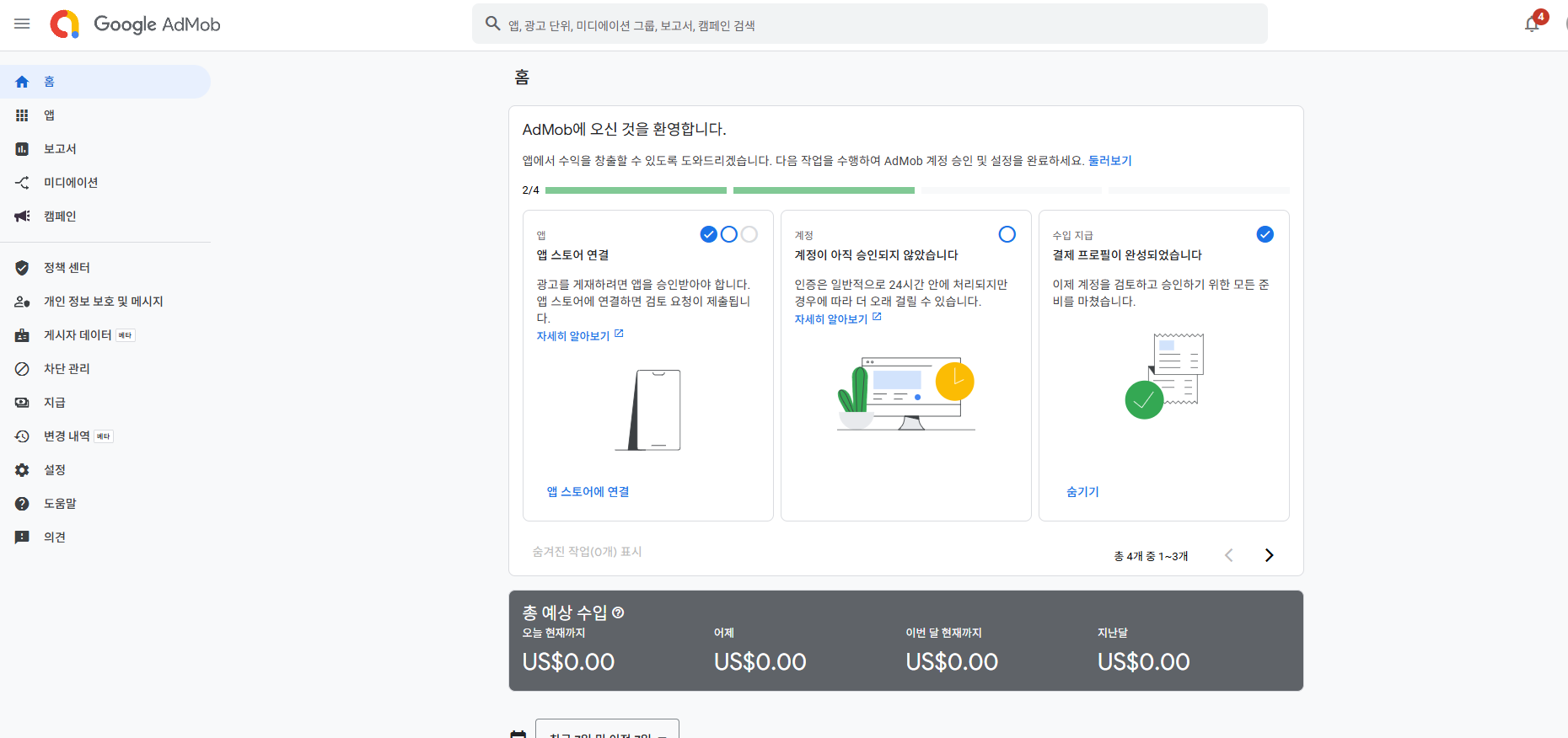
- 우선 사용자 추가를 합니다.
앱 등록
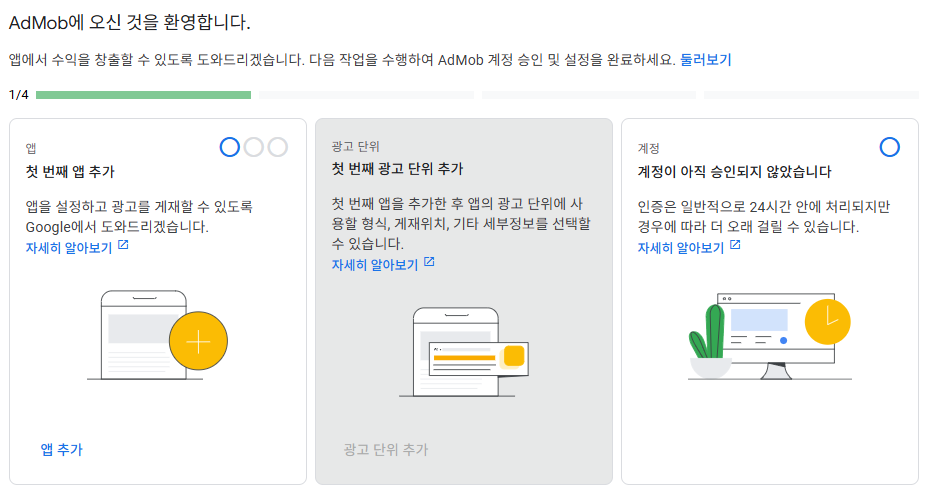
- 앱 추가를 자신의 프로젝트 설정에 따라 정한 뒤 추가합니다.
- 이후 앱 ID를 복사하거나 기억하고 계시면 됩니다.
광고 단위 만들기
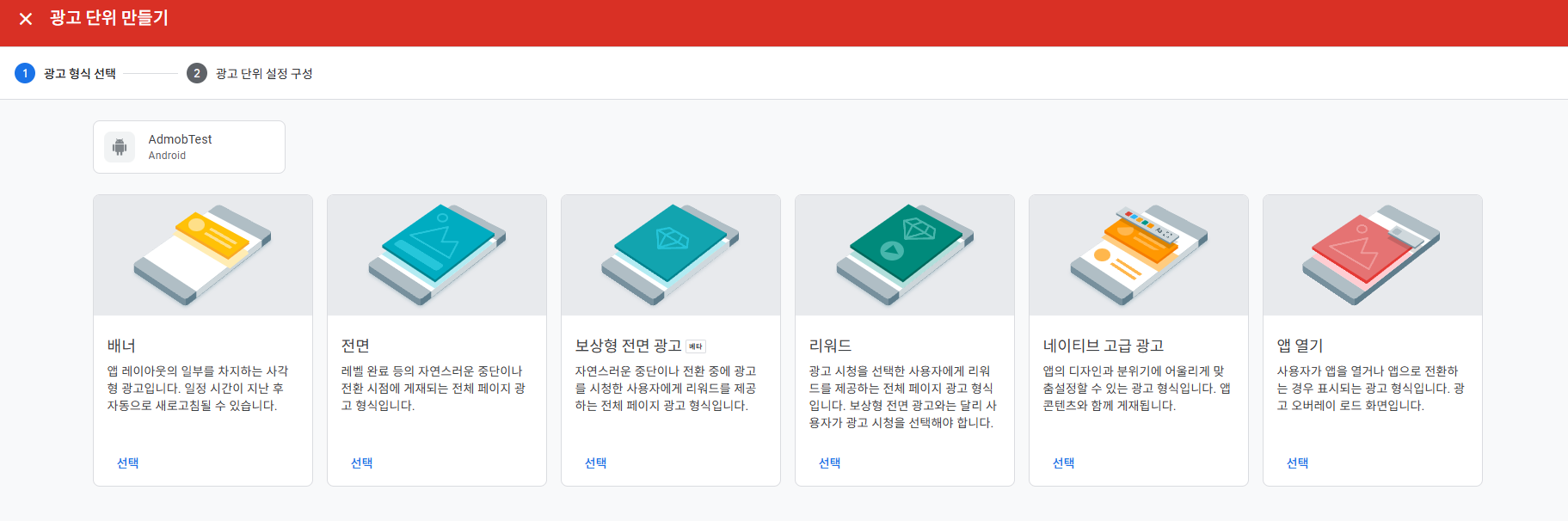
- 자신의 프로젝트에 원하는 광고 종류를 설정하여 선택합니다.
- 저 같은 경우에는 전면광고로 설정하였습니다.
- 만들게 되면 Ad Unit ID를 볼 수 있습니다. 이거 역시 앱 ID 처럼 기억하거나 복사하시면 됩니다.
- 앱 ID와 Ad Unit ID의 차이
- App ID는 앱 전체에 하나입니다.
- Ad Unit ID는 광고 종류별로 여러 개 생성 가능합니다.
-테스트할 땐 꼭 테스트 광고 ID 나 테스트 앱 ID를 사용해야 합니다.
코드 구현
using GoogleMobileAds.Api;
using UnityEngine;
using UnityEngine.UI;

public class InterstitialAdManager : MonoBehaviour
{
    // 전면 광고
    private InterstitialAd interstitialAd;

    // 리워드 광고
    private RewardedAd rewardedAd;

    // 전면 보상 광고
    private RewardedInterstitialAd interstitialAds;

    // 테스트용 전면 광고 ID
    private string adUnitId = "ca-app-pub-3940256099942544/1033173712";


    public Button showAdButton;

    void Start()
    {
        // Google Mobile Ads SDK 초기화
        MobileAds.Initialize(initStatus =>
        {
            Debug.Log("AdMob 초기화 완료: " + initStatus);

            // 초기화 후 광고 로드
            LoadInterstitialAd();
        });

        if (showAdButton != null)
        {
            showAdButton.onClick.AddListener(ShowInterstitialAd);
        }
    }

    // 전면 광고 로드 메서드
    public void LoadInterstitialAd()
    {
        // 광고 단위 ID (Android용 테스트 광고 ID)
        adUnitId = "ca-app-pub-3940256099942544/1033173712";

        // 전면 광고 요청
        AdRequest adRequest = new AdRequest();

        // 전면 광고 로드
        InterstitialAd.Load(adUnitId, adRequest, (InterstitialAd ad, LoadAdError error) =>
        {
            if (error != null || ad == null)
            {
                Debug.LogError("광고 로드 실패: " + error);
                return;
            }

            Debug.Log("광고 로드 성공!");
            interstitialAd = ad;

            // 리워드 보상 처리
            // RewardedAd.Load(adUnitId, adRequest, OnAdLoaded);

            // 광고 닫힘 이벤트 처리
            interstitialAd.OnAdFullScreenContentClosed += () =>
            {
                Debug.Log("광고 닫힘. \n 재로드 시도 중...");
                LoadInterstitialAd();  // 광고가 닫히면 새로 로드 시도
            };

            // 광고 실패 이벤트 처리
            interstitialAd.OnAdFullScreenContentFailed += (AdError adError) =>
            {
                Debug.LogError("광고 실행 실패: " + adError.GetMessage());
            };
        });
    }

    private void OnAdLoaded(RewardedAd ad, LoadAdError error)
    {
        if (error != null)
        {
            Debug.LogError("불러오지 못했습니다.: " + error.GetMessage());
            return;
        }

        rewardedAd = ad;

        // 리워드 보상 이벤트 등록
        rewardedAd.Show((Reward reward) =>
        {
            // 여기에 보상 처리
        });

        // -> 전면 광고 리워드 보상 등록
        // interstitialAds.OnAdFullScreenContentClosed += 보상 함수;
    }

    // 전면 광고 표시 메서드
    public void ShowInterstitialAd()
    {
        if (interstitialAd != null && interstitialAd.CanShowAd())
        {
            interstitialAd.Show();  // 광고 표시
        }
    }
}
- 전면 코드만 있던 부분에서 테스트를 위해 리워드와 전면 리워드 광고에 대해 구현하였습니다.
결과
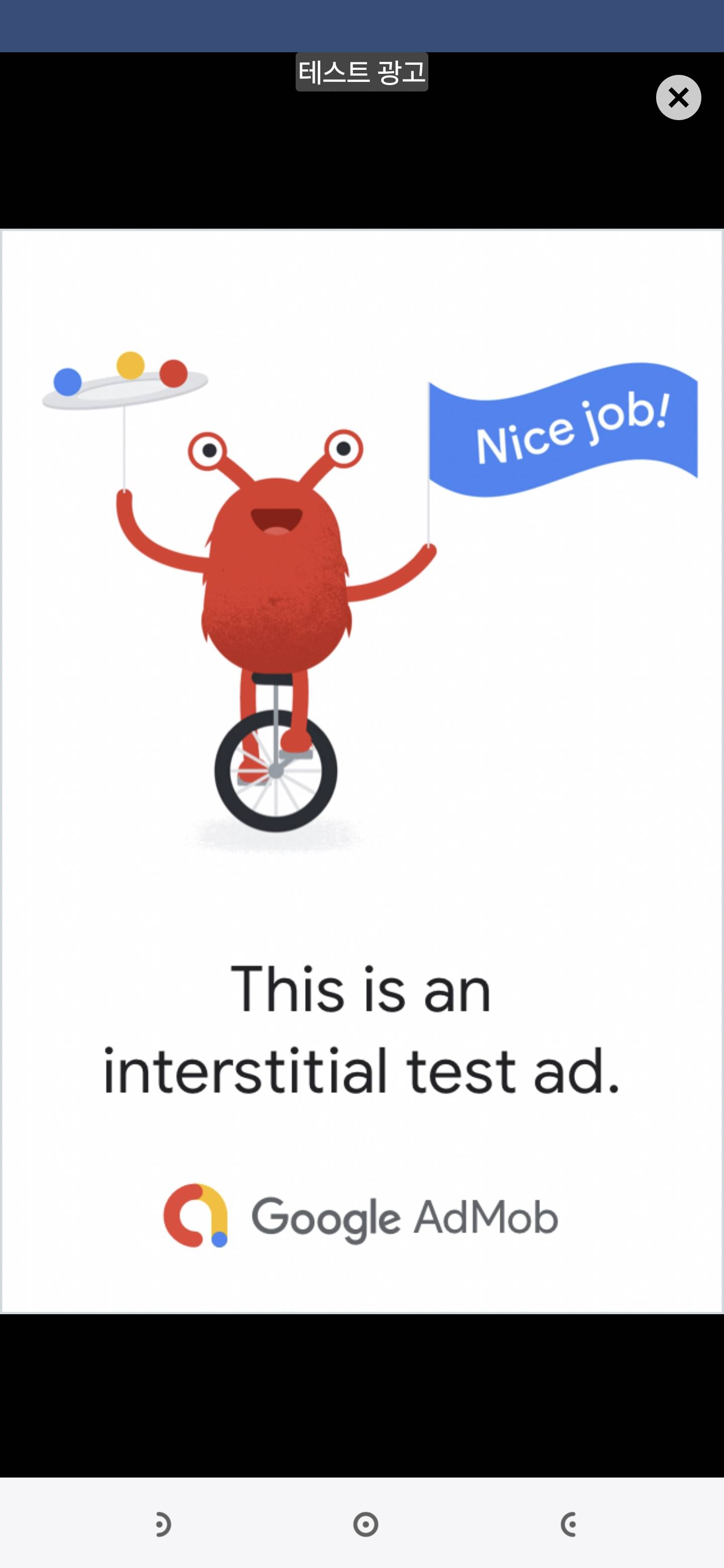
빌드 시 주의사항
- Admob 10.0.0 버전의 경우
Minimum API Level은 23부터 Target API Level은 34부터 사용 가능합니다. - 다른 Gradle을 사용하고 있다면 이에 맞게 변경해주어야 할 듯 합니다.
MainTemplate.gradle
apply plugin: 'com.android.library'
**APPLY_PLUGINS**

dependencies {
    implementation fileTree(dir: 'libs', include: ['*.jar'])
// Android Resolver Dependencies Start
    implementation 'androidx.constraintlayout:constraintlayout:2.1.4' // Assets/GoogleMobileAds/Editor/GoogleMobileAdsDependencies.xml:12
    implementation 'com.google.android.gms:play-services-ads:24.1.0' // Assets/GoogleMobileAds/Editor/GoogleMobileAdsDependencies.xml:7
    implementation 'com.google.android.ump:user-messaging-platform:3.1.0' // Assets/GoogleMobileAds/Editor/GoogleUmpDependencies.xml:7
// Android Resolver Dependencies End
**DEPS**}

// Android Resolver Exclusions Start
android {
  packagingOptions {
      exclude ('/lib/armeabi/*' + '*')
      exclude ('/lib/armeabi-v7a/*' + '*')
      exclude ('/lib/mips/*' + '*')
      exclude ('/lib/mips64/*' + '*')
      exclude ('/lib/x86/*' + '*')
      exclude ('/lib/x86_64/*' + '*')
  }
}
// Android Resolver Exclusions End
android {
    ndkPath "**NDKPATH**"
    namespace "com.unity3d.player"

    compileSdkVersion 34
    buildToolsVersion '**BUILDTOOLS**'

    compileOptions {
        sourceCompatibility JavaVersion.VERSION_11
        targetCompatibility JavaVersion.VERSION_11
    }

    defaultConfig {
        minSdkVersion **MINSDKVERSION**
        targetSdkVersion **TARGETSDKVERSION**
        ndk {
            abiFilters **ABIFILTERS**
        }
        versionCode **VERSIONCODE**
        versionName '**VERSIONNAME**'
        consumerProguardFiles 'proguard-unity.txt'**USER_PROGUARD**
**DEFAULT_CONFIG_SETUP**
    }

    lintOptions {
        abortOnError false
    }

    aaptOptions {
        noCompress = **BUILTIN_NOCOMPRESS** + unityStreamingAssets.tokenize(', ')
        ignoreAssetsPattern = "!.svn:!.git:!.ds_store:!*.scc:!CVS:!thumbs.db:!picasa.ini:!*~"
    }**PACKAGING_OPTIONS**
}
**IL_CPP_BUILD_SETUP**
**SOURCE_BUILD_SETUP**
**EXTERNAL_SOURCES**
느낀 점
- Admob을 실제로 연동해본 건 처음이라 재미있는 경험이었던 것 같습니다.
나중에 간단한 프로젝트를 만들어 플레이 스토어에 올리는 경우 적용하여 올려보고 싶네요

Unity 게임 개발자를 준비하는 취업준비생입니다..