개요
vsc코드에서 Material Theme 에서 원하는 테마를 쓰다가 변수 색상을 바꾸고 싶어져서 커스텀 하는 방법을 찾아봤다. 이전 포스트들이 작성된 후 업데이트가 된 것인지, 일단 코드를 수정할 수 있는 곳을 찾기가 어려웠지만 어찌저찌 잘 찾아서 수정한 내용을 적어보려 한다.
1. 설정 > Color customization > Edit in setting.json
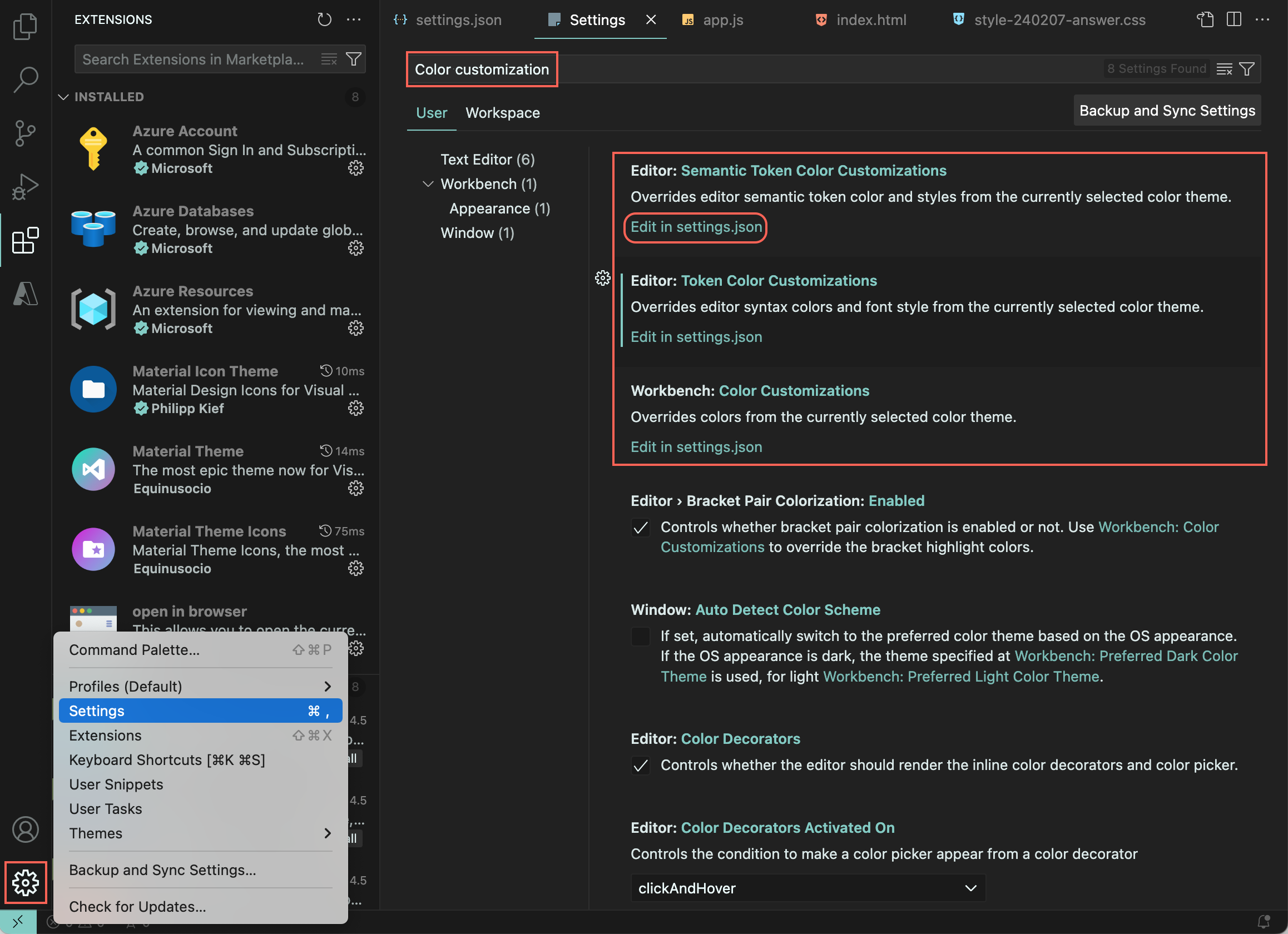
settings.json 파일로 들어가면 아래 화면이 디폴트로 나오는데 아래에 내용을 추가하여 변수 설정을 변경할 수 있다.
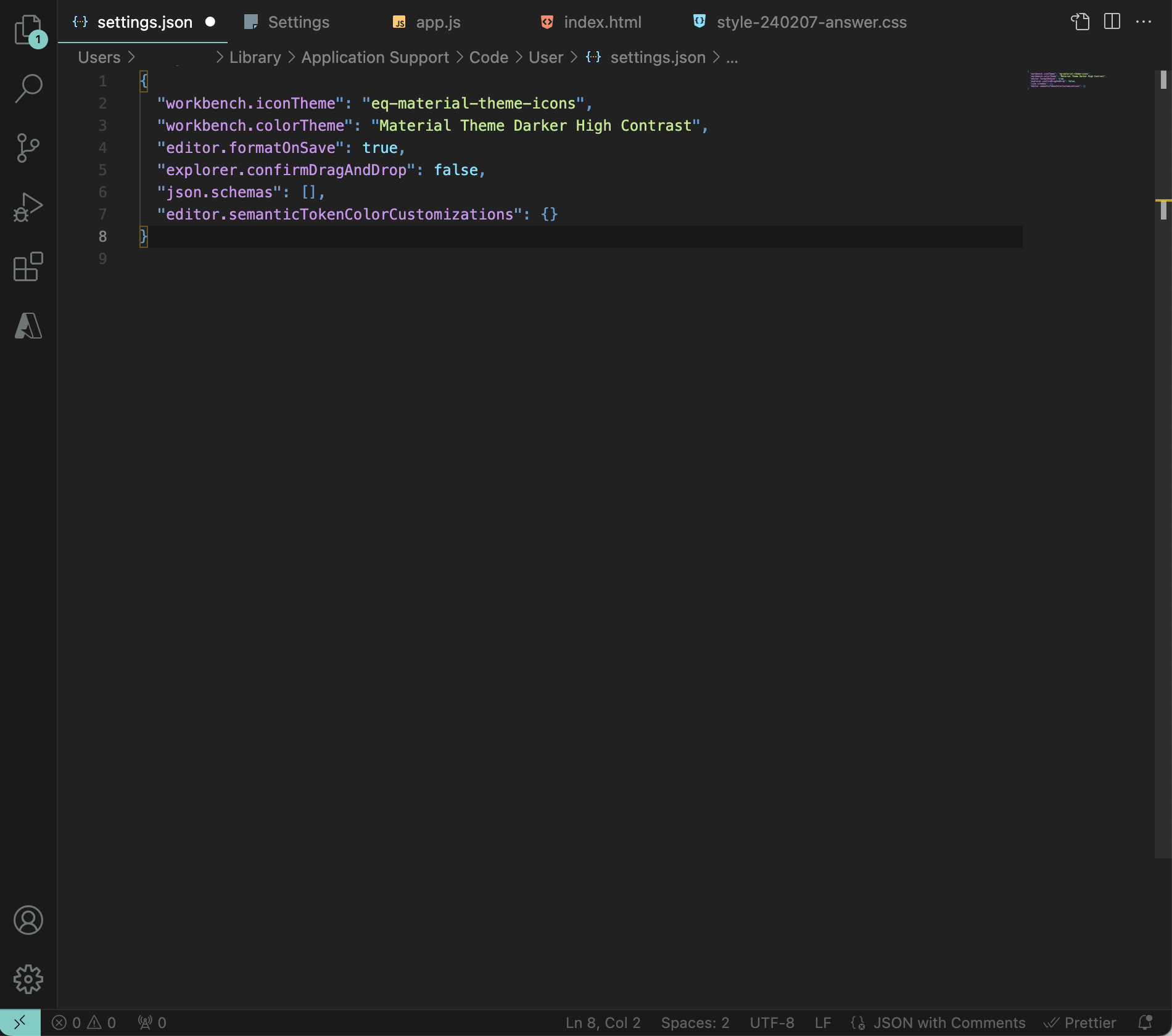
2. 속성 적용
"editor.tokenColorCustomizations": {
    "textMateRules": [
            {
                "scope": "스코프 범위",
                "settings": {
                    "foreground": "색상",
                    "fontStyle" : "글씨체"
                }
            }
        ],
}
변수의 색상과 글씨를 변경해주기 위해서는 editor.tokenColorCustomizations의 속성을 변경해줘야한다.
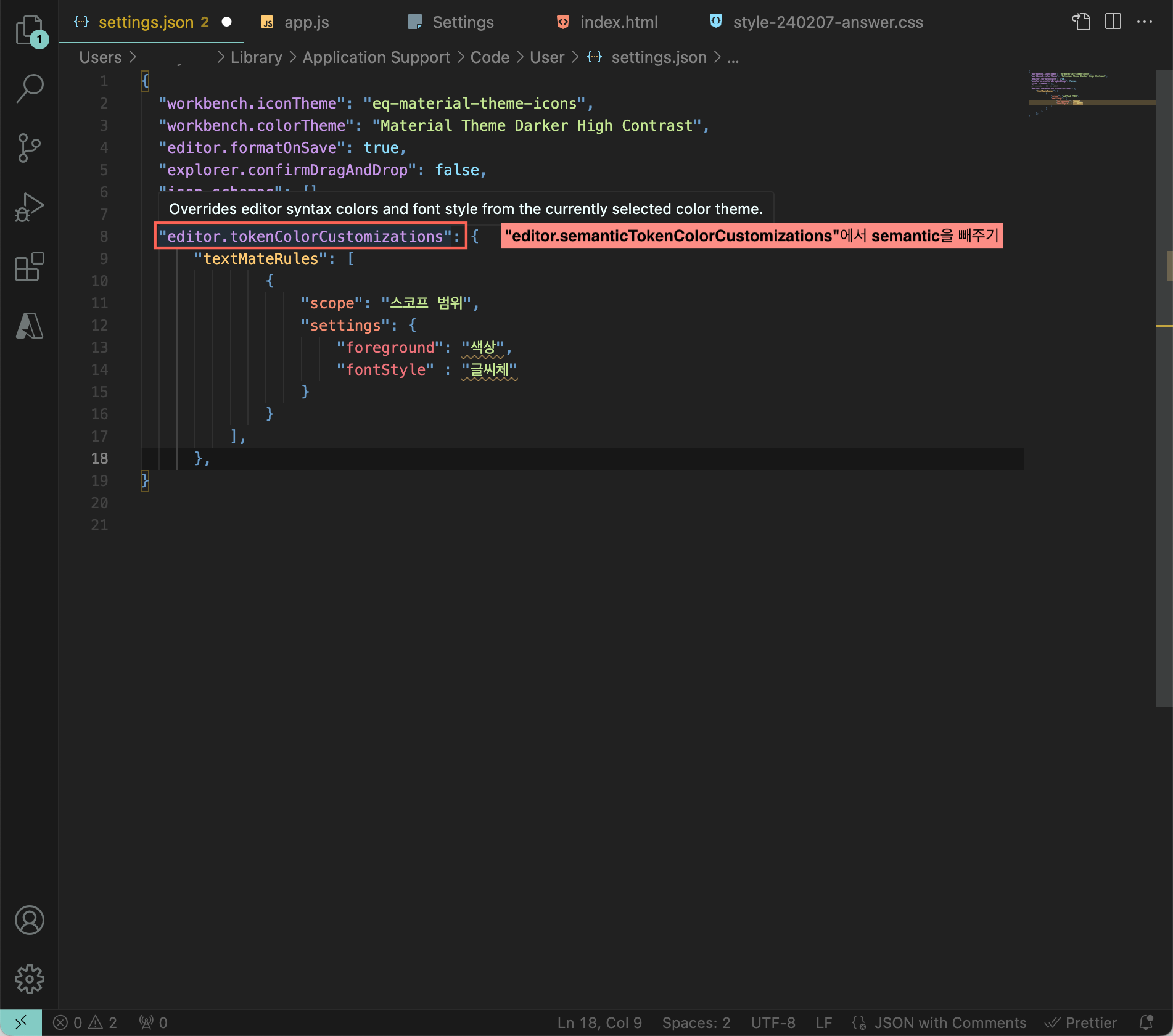
다만, 해당 코드를 넣기 전에 기존에 "editor.semanticTokenColorCustomizations"에서 semantic을 뺀 "editor.TokenColorCustomizations"로 변경해주어야 위의 코드가 작동한다.
3. scope 범위 찾기
코드 작성 화면에서 ctrl shift p (mac: command shift p)를 누르거나 상단 검색창에 inspect editor tokens and scopes를 검색하면 이름, 지정된 색상 정보들이 뜬다.
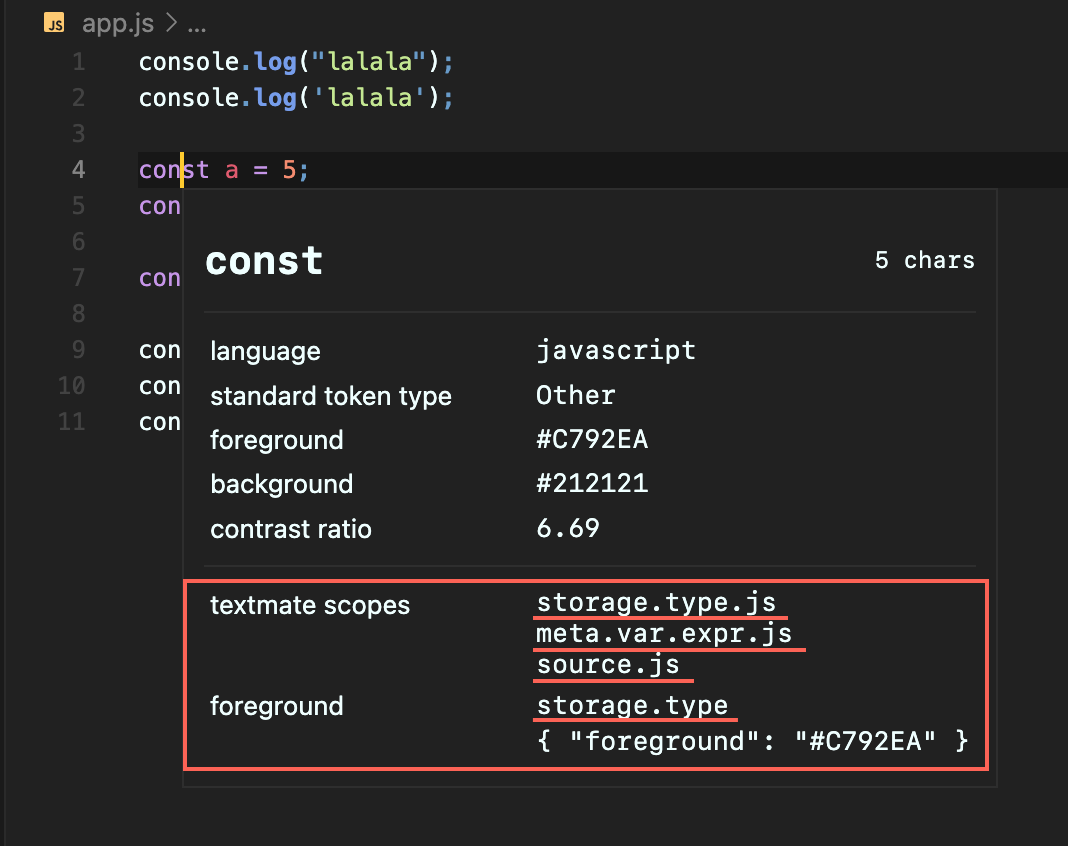
textmate scopes에 해당하는 부분이 scope 범위이고, 해당 부분이 없거나 이상한 경우 foreground에 있는 부분을 적어주면 된다.
4. 결과 보기
<변경 전>
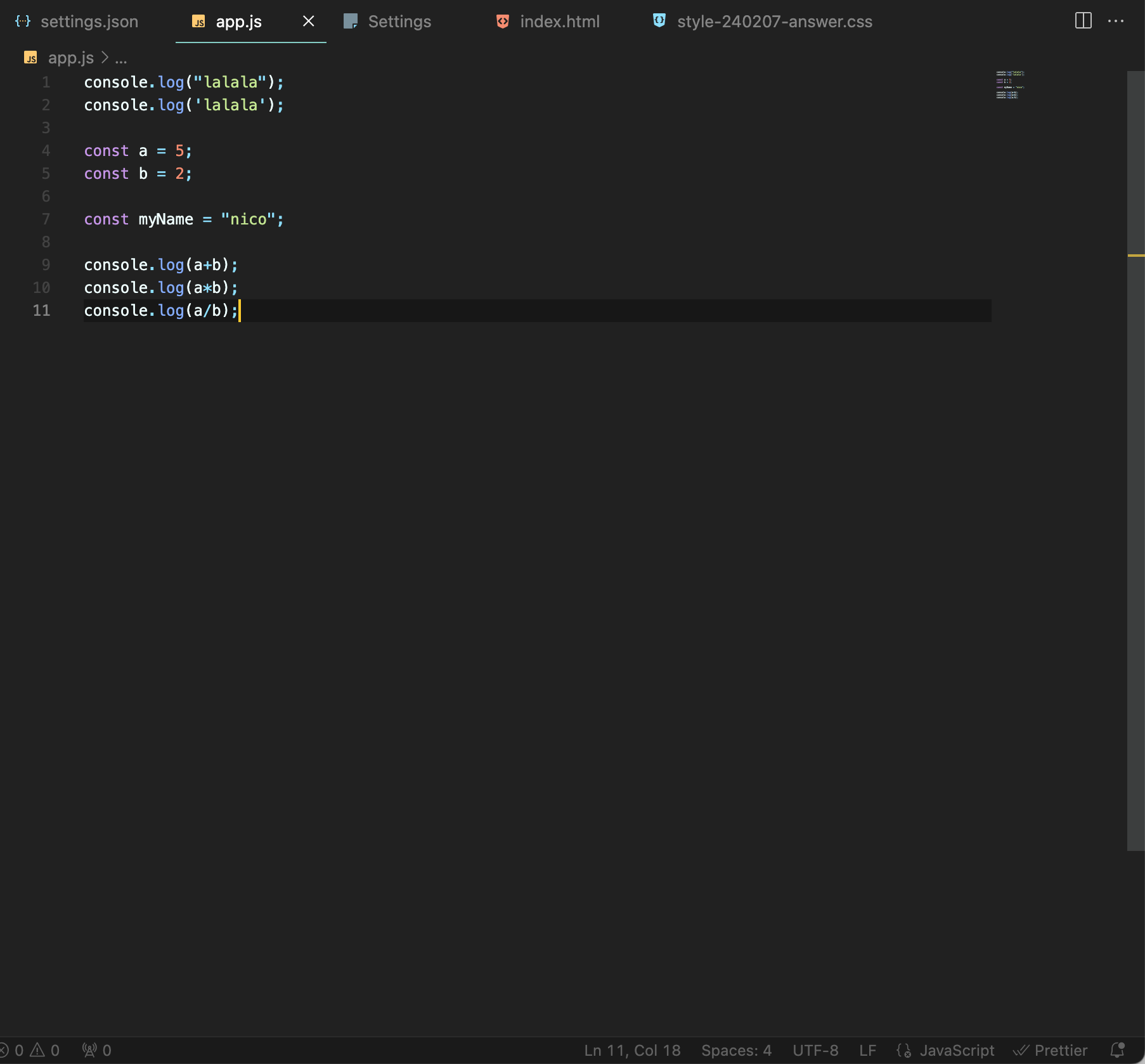
<변경 후>
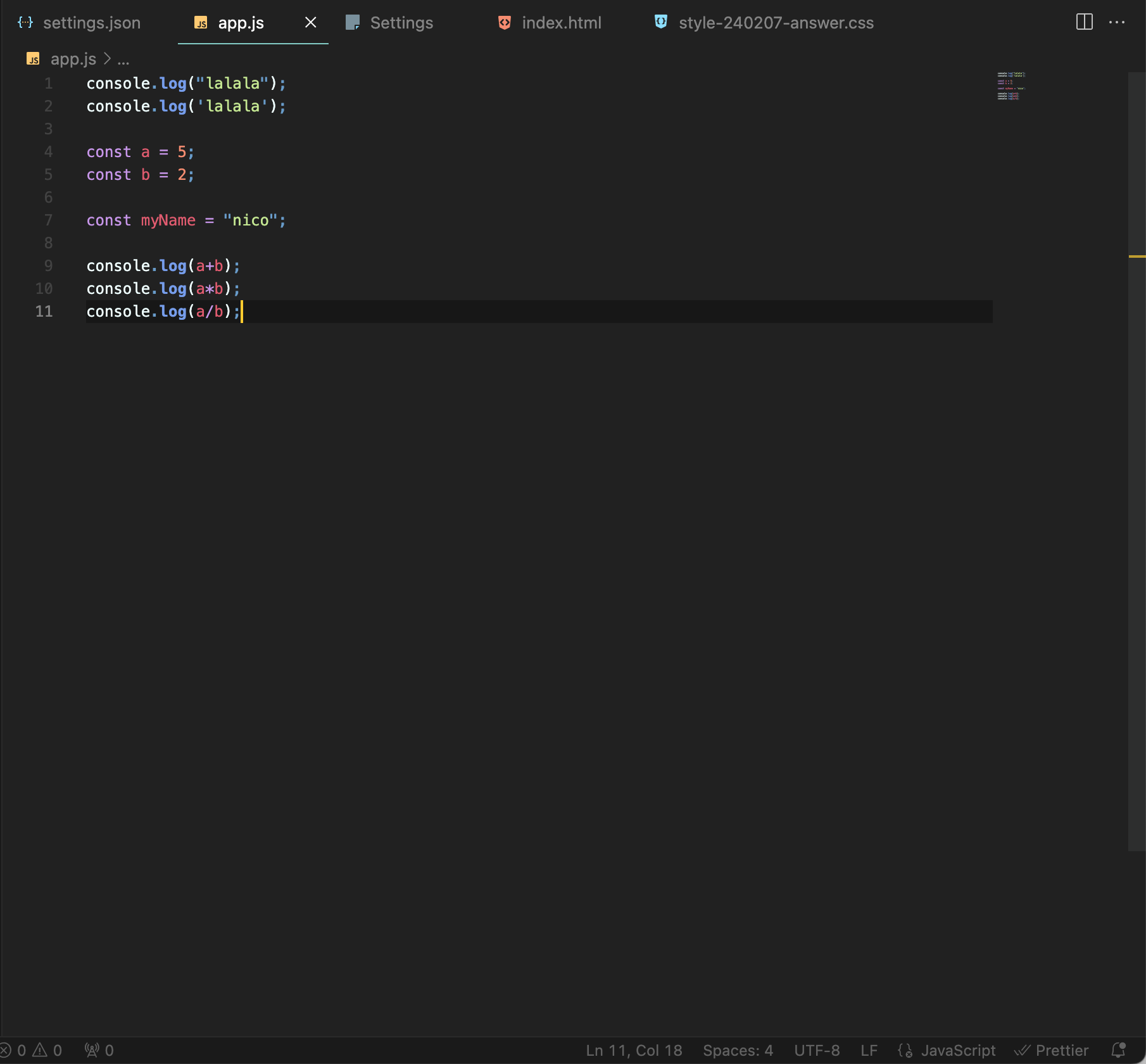
<변경 전>
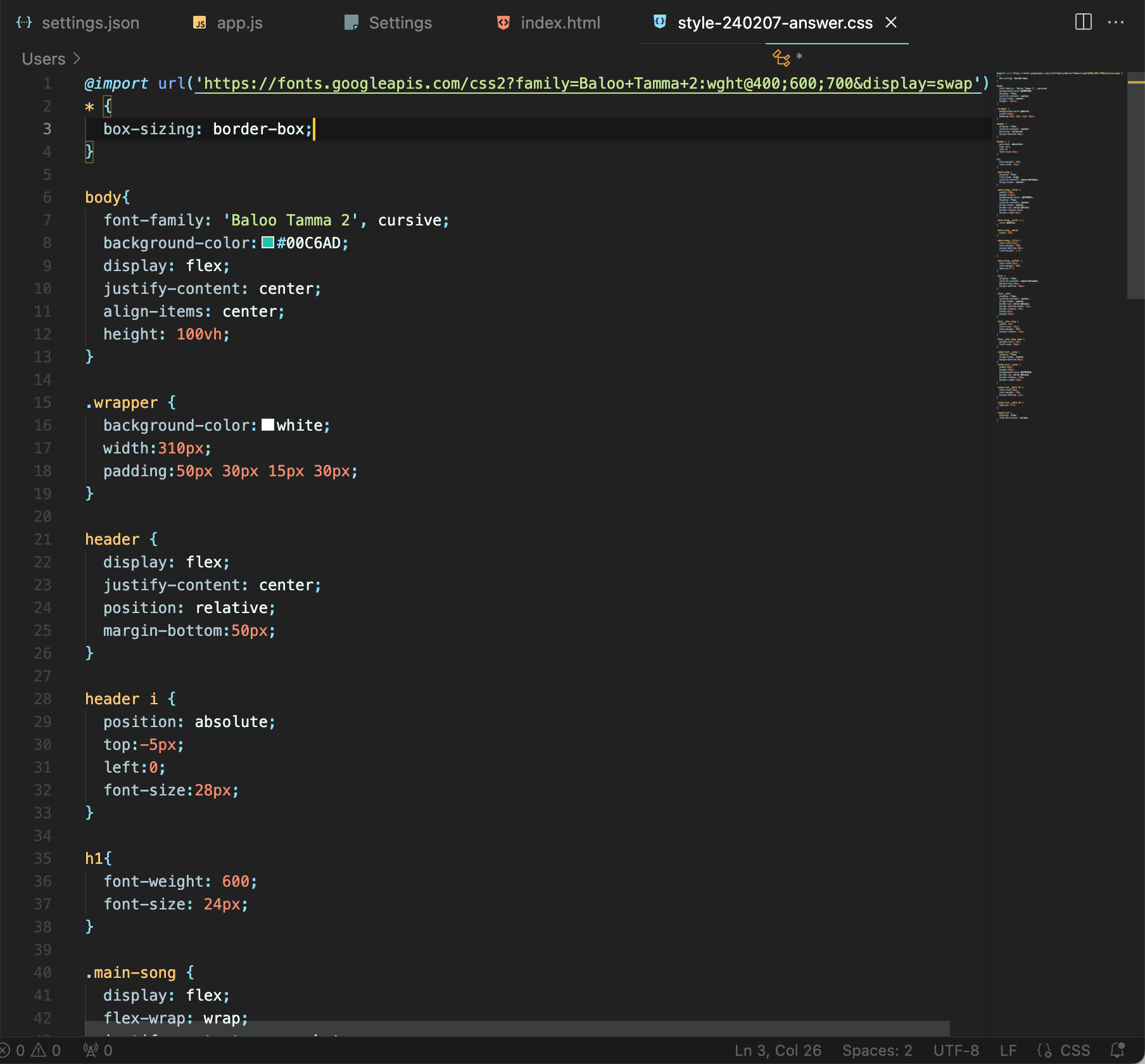
<변경 후>

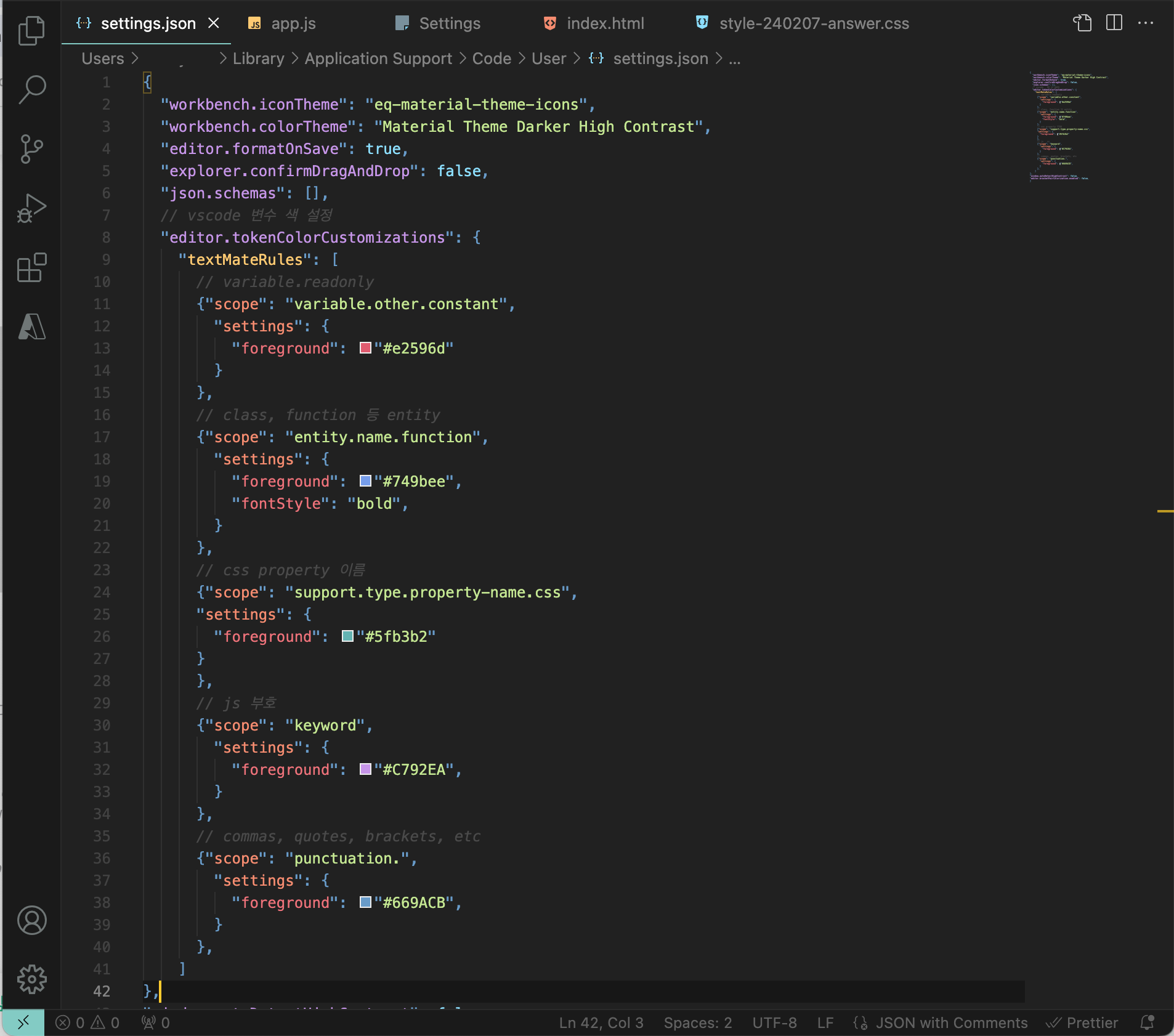
변경한 코드 참고
  "editor.tokenColorCustomizations": {
    "textMateRules": [
      // variable.readonly
      {"scope": "variable.other.constant",
        "settings": {
          "foreground": "#e2596d"
        }
      },
      // class, function 등 entity
      {"scope": "entity.name.function",
        "settings": {
          "foreground": "#749bee",
          "fontStyle": "bold",
        }
      },
      // css property 이름
      {"scope": "support.type.property-name.css",
      "settings": {
        "foreground": "#5fb3b2"
      }
      },
      // js 부호
      {"scope": "keyword",
        "settings": {
          "foreground": "#C792EA",
        }
      },
      // commas, quotes, brackets, etc
      {"scope": "punctuation.",
        "settings": {
          "foreground": "#669ACB",
        }
      },
    ]
  }
참고 자료
- 시맨틱 색상 바꾸기 VSC - Semantic Highlight Guide 참고
- 토큰 컬러 테마 확인 VSC - Theming
- 참고 사이트

웹 프론트엔드 UXUI