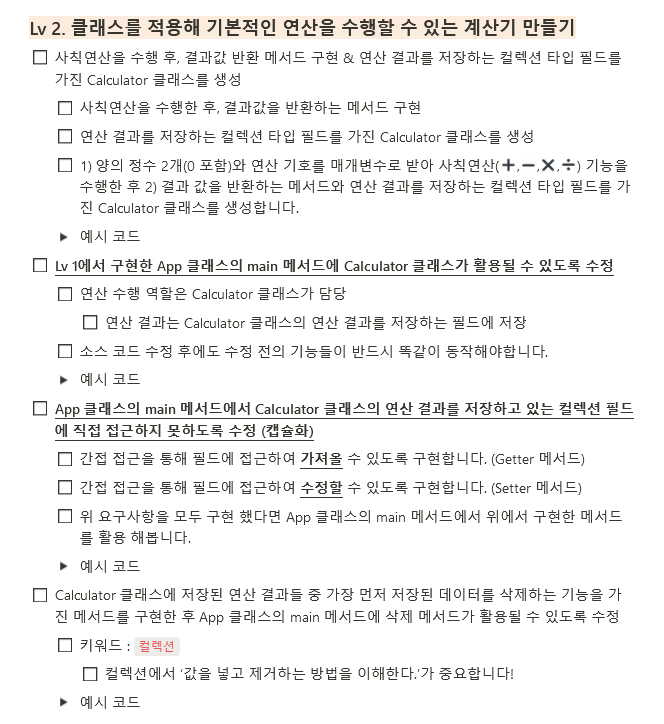
필수기능
사용기술
- JAVA
- Git, Github
진행과정
-
main Class, Calculator Class 분리
-
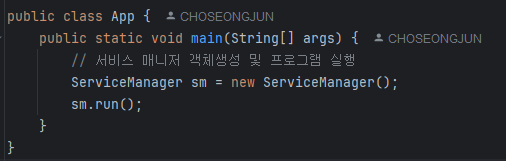
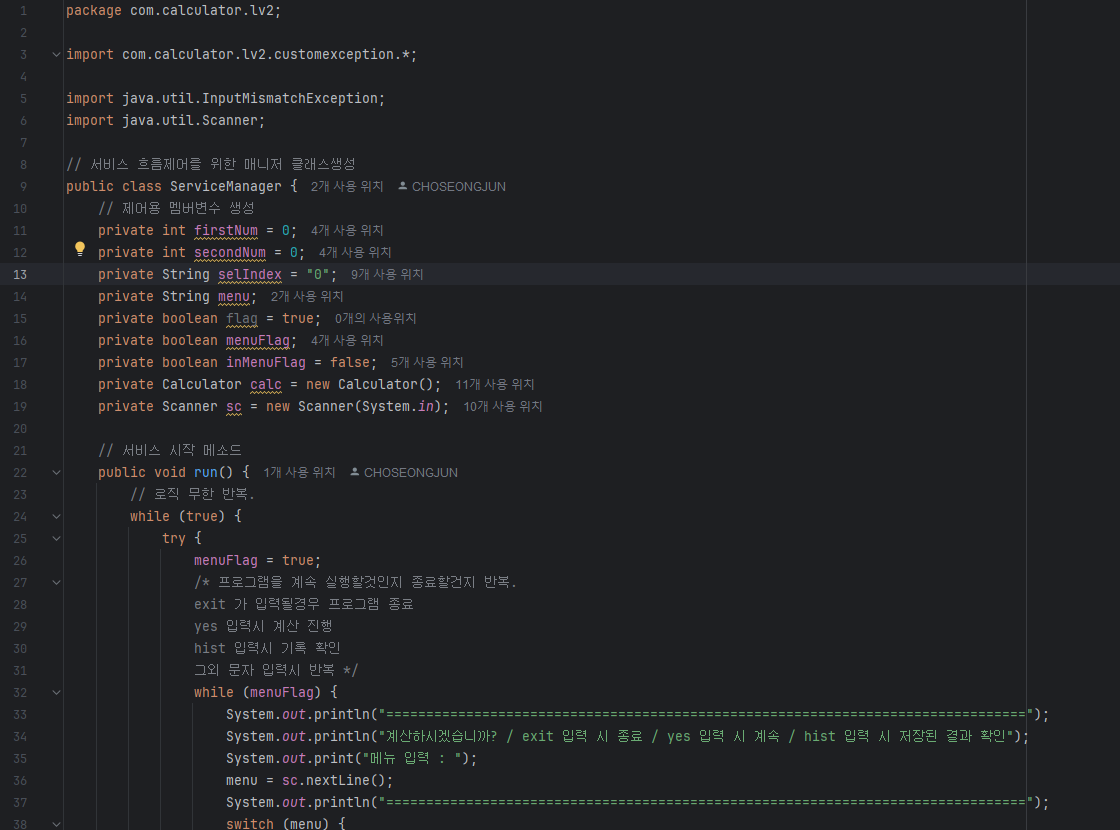
main() 메소드에 구동부나 변수가 있는걸 싫어하기에 ServiceManager 클래스를 두어 흐름을 제어하게끔 하고 main() 은 프로그램실행만 하는 역할로 변경.
-
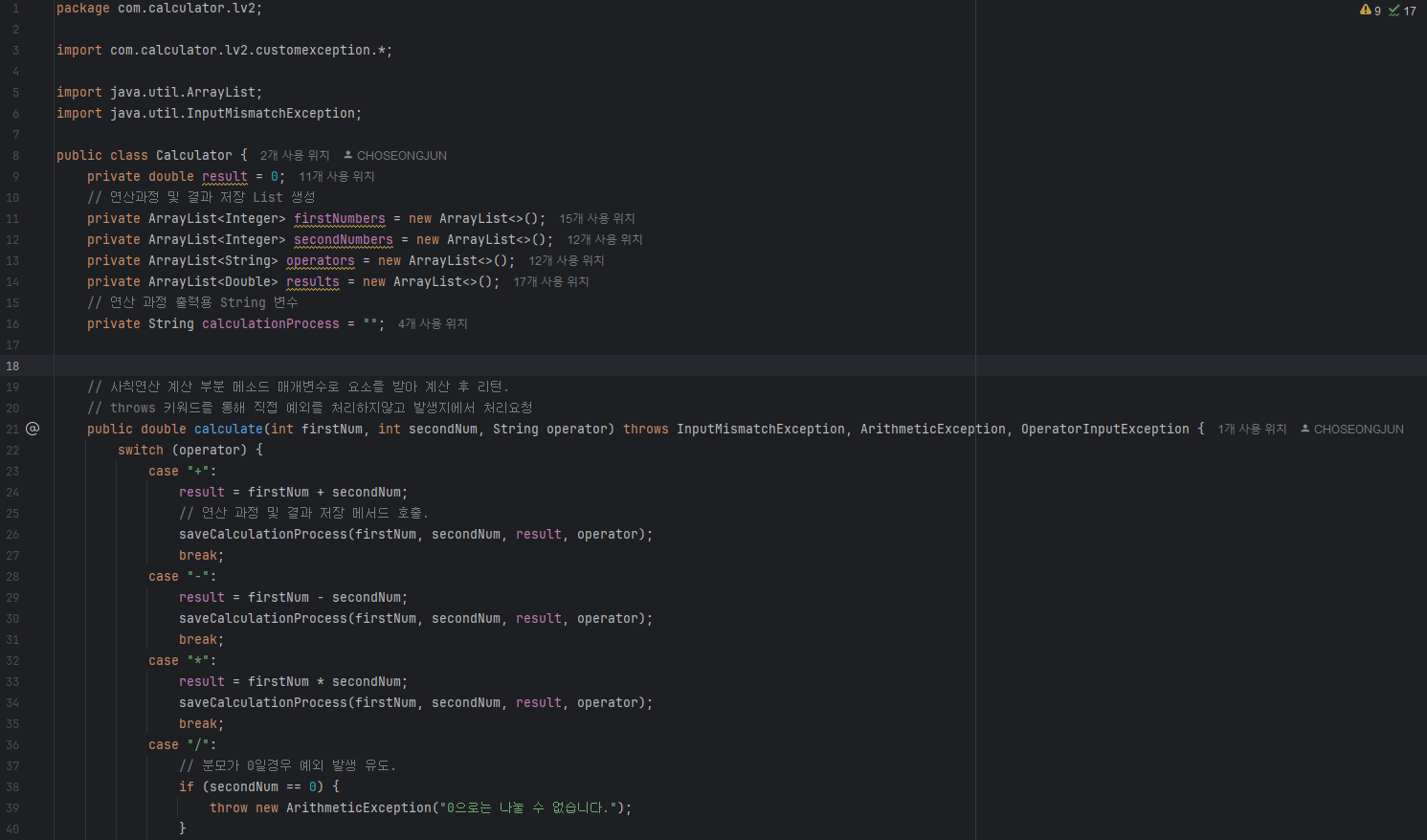
Calculator Class calculate() 메소드 추가
// 사칙연산 계산 부분 메소드 매개변수로 요소를 받아 계산 후 리턴.
    // throws 키워드를 통해 직접 예외를 처리하지않고 발생지에서 처리요청
    public double calculate(int firstNum, int secondNum, String operator) throws InputMismatchException, ArithmeticException, OperatorInputException {
        switch (operator) {
            case "+":
                result = firstNum + secondNum;
                // 연산 과정 및 결과 저장 메서드 호출.
                saveCalculationProcess(firstNum, secondNum, result, operator);
                break;
            case "-":
                result = firstNum - secondNum;
                saveCalculationProcess(firstNum, secondNum, result, operator);
                break;
            case "*":
                result = firstNum * secondNum;
                saveCalculationProcess(firstNum, secondNum, result, operator);
                break;
            case "/":
                // 분모가 0일경우 예외 발생 유도.
                if (secondNum == 0) {
                    throw new ArithmeticException("0으로는 나눌 수 없습니다.");
                }
                result = firstNum / secondNum;
                saveCalculationProcess(firstNum, secondNum, result, operator);
                break;
            case "%":
                result = firstNum % secondNum;
                saveCalculationProcess(firstNum, secondNum, result, operator);
                break;
            //연산자 외 문자 입력시 예외 발생 유도
            default:
                throw new OperatorInputException("+,-,*,/,% 연산자만 입력해주세요");
        }
        return result;
}System.out.println(firstNum + " " + operator + " " + secondNum + " = " + calc.calculate(firstNum, secondNum, operator));- calculate() 메소드를 통해 숫자와 연산자를 입력받아 계산한값을 double 형태로 리턴. 리턴받은 값을 콘솔에 출력한다.
ServiceManager Class, Calculator Class 캡슐화
- ServiceManager Class
public class ServiceManager {
    // 제어용 멤버변수 생성
    private int firstNum = 0;
    private int secondNum = 0;
    private String selIndex = "0";
    private String menu;
    private boolean flag = true;
    private boolean menuFlag;
    private boolean inMenuFlag = false;
    private Calculator calc = new Calculator();
private Scanner sc = new Scanner(System.in);-
ServiceManager Class 는 입력변수는 Scanner 를 통한 콘솔입력과 run() 메소드를 통한 결과값 콘솔출력을 하기에 따로 Get/Set 메소드를 작성하지 않았음.
-
Calculator Class
public class Calculator {
    private double result = 0;
    // 연산과정 및 결과 저장 List 생성
    private ArrayList<Integer> firstNumbers = new ArrayList<>();
    private ArrayList<Integer> secondNumbers = new ArrayList<>();
    private ArrayList<String> operators = new ArrayList<>();
    private ArrayList<Double> results = new ArrayList<>();
    // 연산 과정 출력용 String 변수
    private String calculationProcess = "";
// 지정된 연산 결과 출력
public double getResult(int index) throws IndexOutOfBoundsException, EmptyListException {
// List가 비어있을 경우 예외발생
if (emptyListChecker()) {
throw new EmptyListException("저장된 연산결과가 없습니다.");
// size를 초과하는 인덱스를 입력시 예외발생.
} else if (listIndexChecker(index)) {
throw new IndexOutOfBoundsException();
} else {
return results.get(index - 1);
}
}// 저장된 모든 연산결과 출력
public void getAllResult() throws EmptyListException {
// List가 비어있을 경우 예외발생
if (emptyListChecker()) {
throw new EmptyListException("저장된 연산결과가 없습니다.");
} else {
for (int i = 0; i < results.size(); i++) {
System.out.println(i + 1 + ". 번째 결과 : " + results.get(i));
}
}
}-
Get 메서드 중 일부인 getResult() 메서드 이며, 대체적으로 결과값에 대한 리턴을 하도록 만들었다. Set은 역시 스캐너로 입력된걸 매개변수로 건네 받기에 미포함.
-
연산결과 삭제 메소드
 // 지정된 연산 결과, 과정 제거
    public void removeResults(int index) throws IndexOutOfBoundsException, EmptyListException {
        // List가 비어있을 경우 예외발생
        if (emptyListChecker()) {
            throw new EmptyListException("저장된 연산결과가 없습니다.");
            // size를 초과하는 인덱스를 입력시 예외발생.
        } else if (listIndexChecker(index)) {
            throw new IndexOutOfBoundsException();
        } else {
            System.out.println(index + ". 번째 연산과정인 " + firstNumbers.get(index - 1) + operators.get(index - 1)
                    + secondNumbers.get(index - 1) + " = " + results.get(index - 1) + " 가 삭제되었습니다.");
            firstNumbers.remove(index - 1);
            secondNumbers.remove(index - 1);
            results.remove(index - 1);
            operators.remove(index - 1);
        }
    }
        }

}-
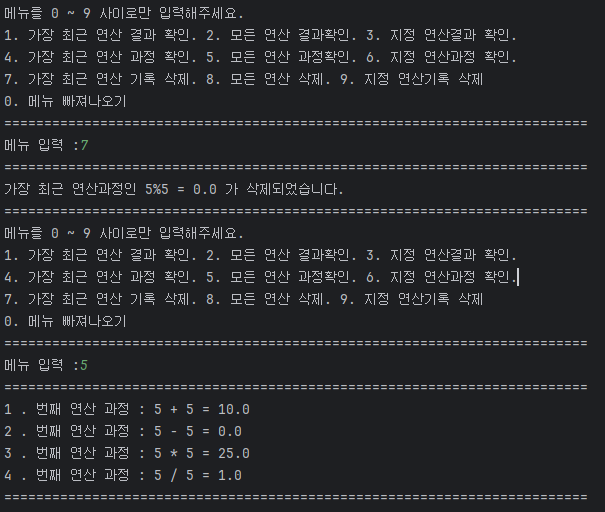
필수 기능 중 하나인 가장 먼저 저장된 데이터 삭제 응용으로 사용자가 삭제하고 싶은 index를 입력하면 해당 index의 결과값, 연산과정이 삭제된다.
-
커스텀 예외 작성
// 정규연산자 외 문자 입력시 커스텀예외.
public class OperatorInputException extends RuntimeException {
    public OperatorInputException() {
        super();
    }

    public OperatorInputException(String message) {
        super(message);
    }
}
// 정해진 연산자외의 연산자 입력시 예외발생 처리
catch (OperatorInputException e) {
System.out.println(e.getMessage());
} //연산자 외 문자 입력시 예외 발생 유도
public double calculate(int firstNum, int secondNum, String operator) throws
InputMismatchException, ArithmeticException, OperatorInputException {
//연산 로직...
default:
throw new OperatorInputException("+,-,*,/,% 연산자만 입력해주세요");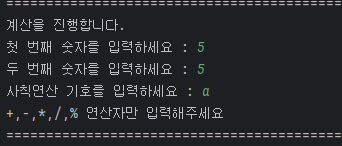
- 기존의 swtich 문의 default 구문으로만 돌려보내는게 아닌 직접 RuntimeException Class 를 상속받아서 커스텀 예외를 Class 를 생성. 예외발생시 throw문을 통해 예외객체를 생성하여 예외를 발생시킨다.
트러블 슈팅
구현기능
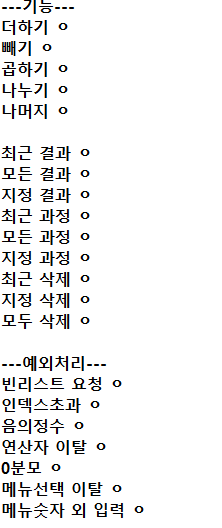
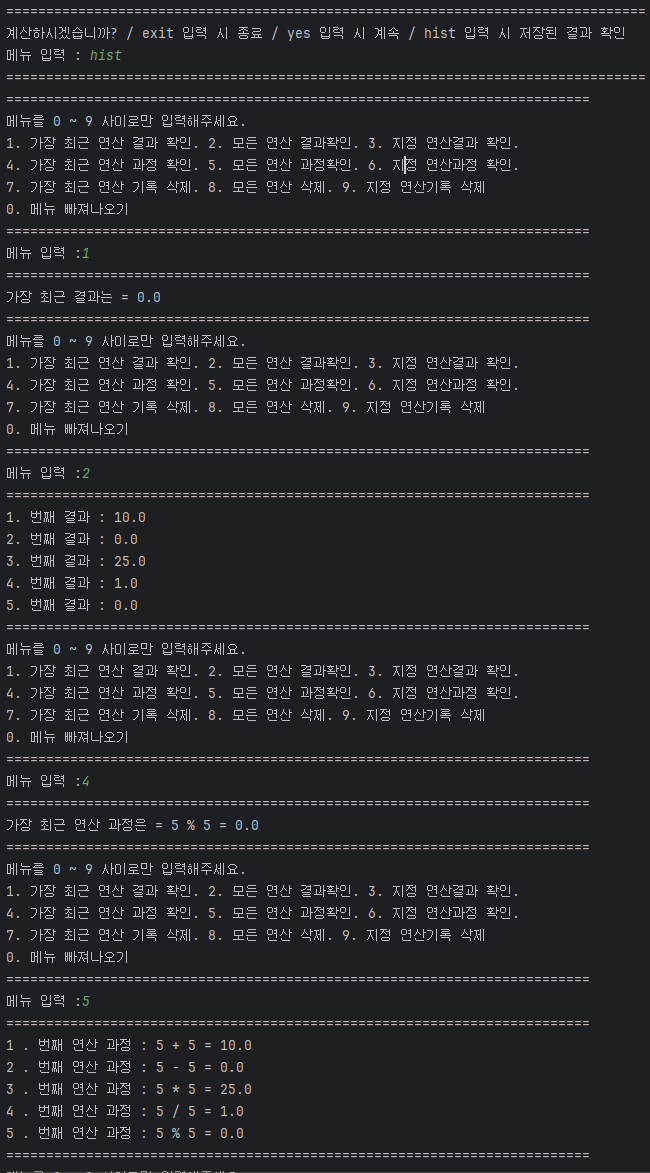
완성본
Github 링크

70살까지 개발하고싶은 개발자