들어가기에 앞서
1편부터 보고오셔야 합니다.
전편에서 빠진 이야기
정작 트렌지션을 만들어 놓고, 적용을 안했더라구요....
어떻게 해야 저 트랜지션을 적용할 수 있는지 간단하게
정리 해보도록 하겠습니다....!
modalPresentationStyle
ViewController는 모달 프레젠테이션 스타일을 정의할 수 있습니다.
이중에서 저희는 .custom으로 적용하겠습니다.
vc.modalPresentationStyle = .custom커스텀이라고 하였으니 저희가 만든 트랜지션을 적용해야 합니다.
testDelegate = CustomZoomTransition(referenceView: testButton) { [weak self] in
    guard let self else { return }
    testDelegate = nil
}

vc.transitioningDelegate = self.testDelegate
마지막으로 모달로 프레젠트하면 됩니다.
self.present(vc, animated: true)네비게이션에서도 동작하게..!
저번에 구성하였던 애니메이터로 돌아가 봅시다.
CustomDismissalTransitionAnimator: UIViewControllerAnimatedTransitioning

...

func animateTransition(using ctx: UIViewControllerContextTransitioning)
...
위 함수는 저희가 구성을 하지 않았었는데 구성해보겠습니다.
/// 인터랙티브 디스미스(모달방식)를 사용하므로 이 메서드에서는 별도 애니메이션을 수행하지 않습니다. 단, 네비게이션 방식에선 사용됩니다.
    func animateTransition(using ctx: UIViewControllerContextTransitioning) {
        // 네비 pop일 때 호출되는 곳
        guard
            let fromVC = ctx.viewController(forKey: .from),
            let toVC   = ctx.viewController(forKey: .to)
        else {
            ctx.completeTransition(false)
            return
        }

        let container = ctx.containerView
        // pop일 땐 toVC를 아래에 깔아야 함
        container.insertSubview(toVC.view, belowSubview: fromVC.view)

        // referenceView의 최종 위치
        let targetFrame = container.convert(referenceView.bounds, from: referenceView)

        let duration = transitionDuration(using: ctx)

        UIView.animate(withDuration: duration,
                       delay: 0,
                       options: [.curveEaseInOut],
                       animations: { [weak self] in
            guard let self else { return }
            // fromVC.view를 버튼 위치만큼 줄이기
            fromVC.view.frame = targetFrame
            fromVC.view.layer.cornerRadius = self.referenceView.layer.cornerRadius
        }, completion: { finished in
            // 끝나면 pop 완료
            let cancelled = ctx.transitionWasCancelled
            if !cancelled {
                fromVC.view.removeFromSuperview()
            }
            ctx.completeTransition(!cancelled)
        })
    }
UINavigationControllerDelegate 적용
final class CustomZoomTransition: NSObject, UINavigationControllerDelegate
 ...
 func navigationController(_ navigationController: UINavigationController, animationControllerFor operation: UINavigationController.Operation, from fromVC: UIViewController, to toVC: UIViewController) -> (any UIViewControllerAnimatedTransitioning)? {
        switch operation {
        case .push:
            return presentingTransitionAnimator
        case .pop:
            return dismissalTransitionAnimator
        default:
            return nil
        }
    }

    deinit {
        print("** DEAD \(Self.description())")
    }
// 만약 네비게이션 으로 진행하려면
self.navigationController?.delegate = self.testDelegate
self.navigationController?.pushViewController(vc, animated: true)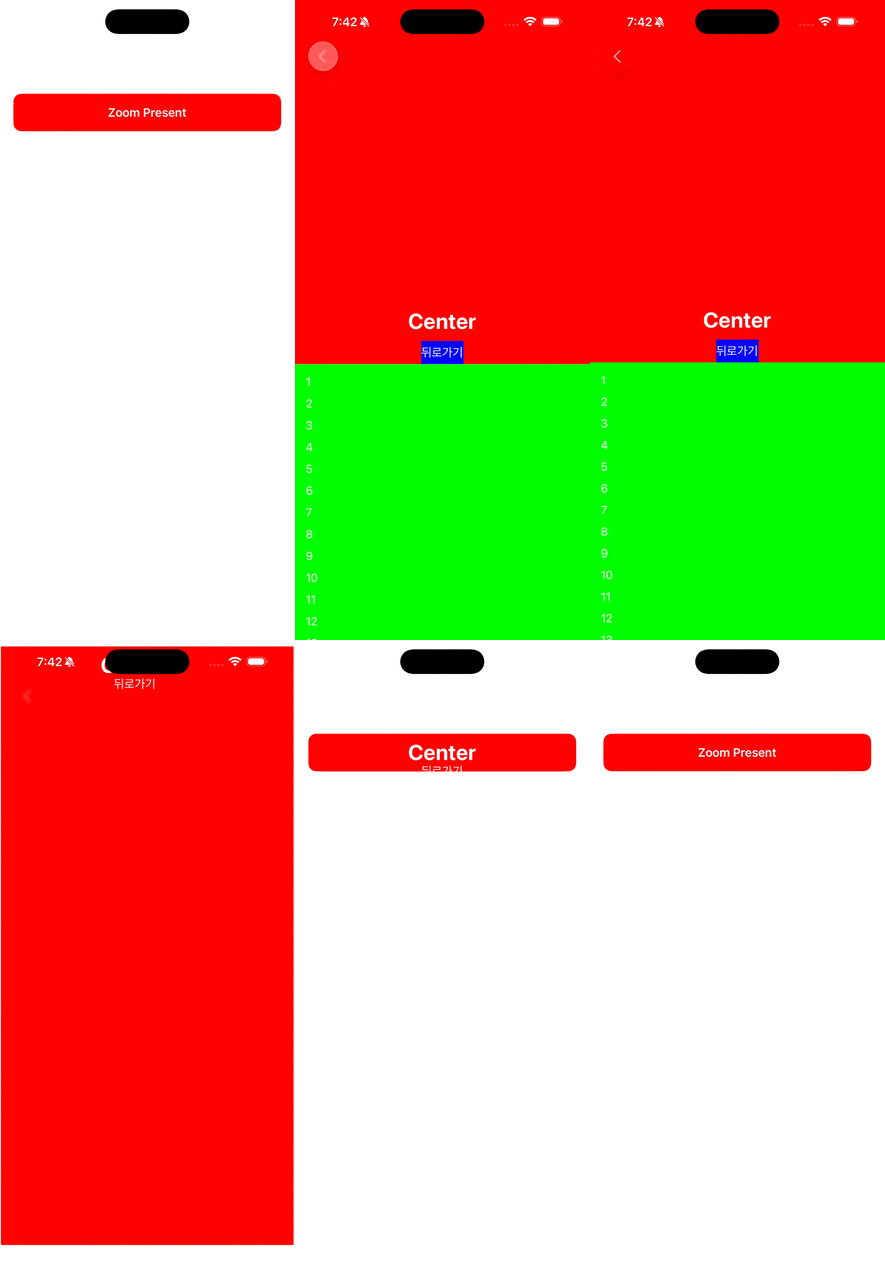
마무리 하며
다음 시간은 WEB RTC 입니다.
얏호 얏호
다음시간에 뵙겠습니다. 감사합니다.

IOS 개발자 새싹이, 작은 이야기로부터