[sms]SENS naver sms 보내기
- 먼저 인증 받아야된다
송부 번호를 등록해야되고 송부번호 등록 시 통신서비스 이용 증명원, 신분증, 사업자 등록증을 기반으로 허가를 받아야된다.
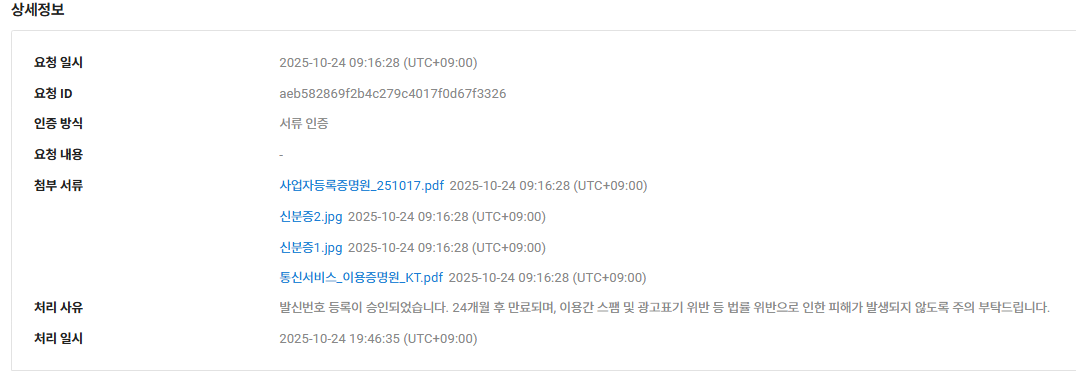
- 송부코드를발송
NEXTPUBLIC_NCP_ACCESS_KEY
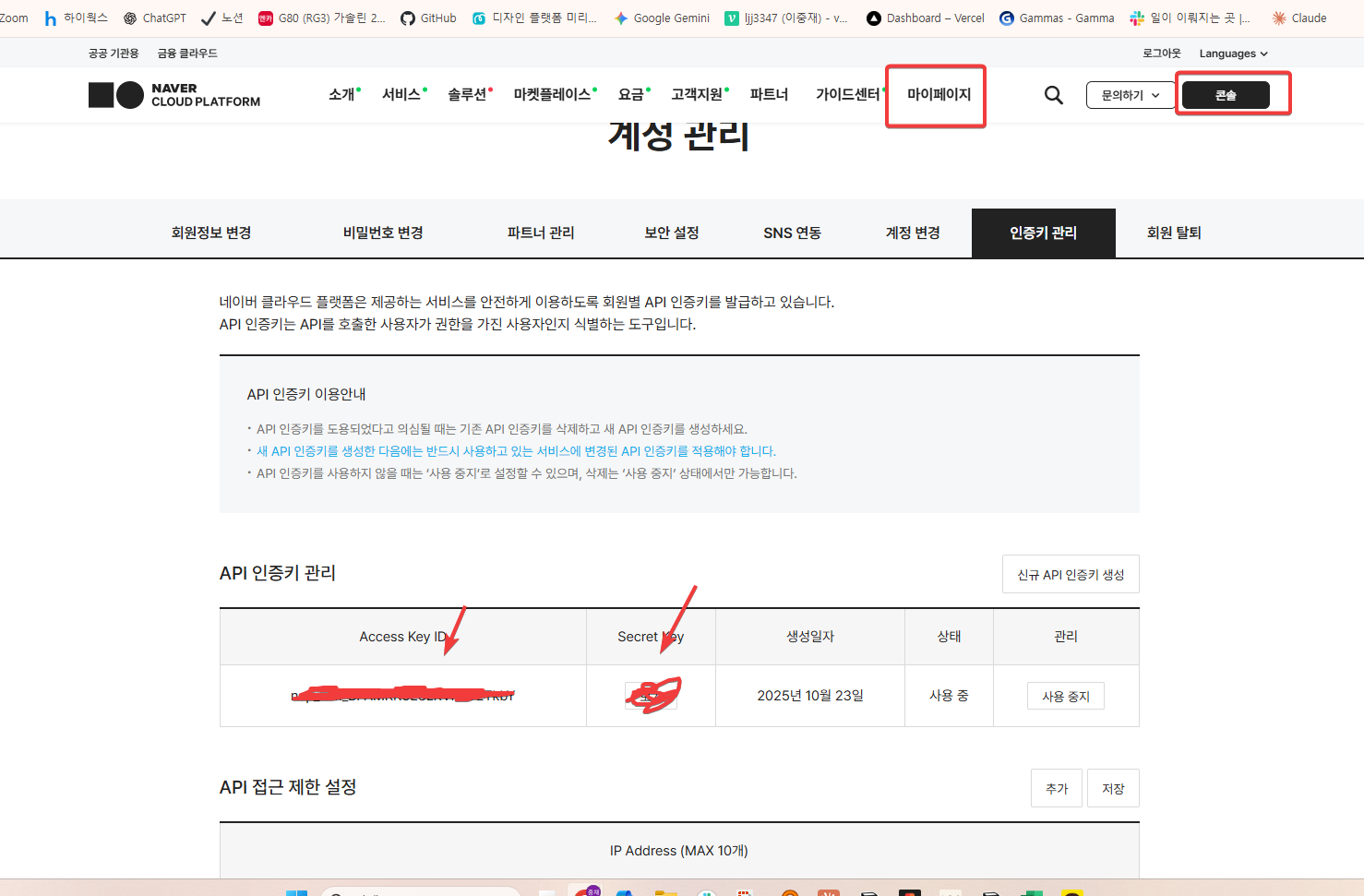
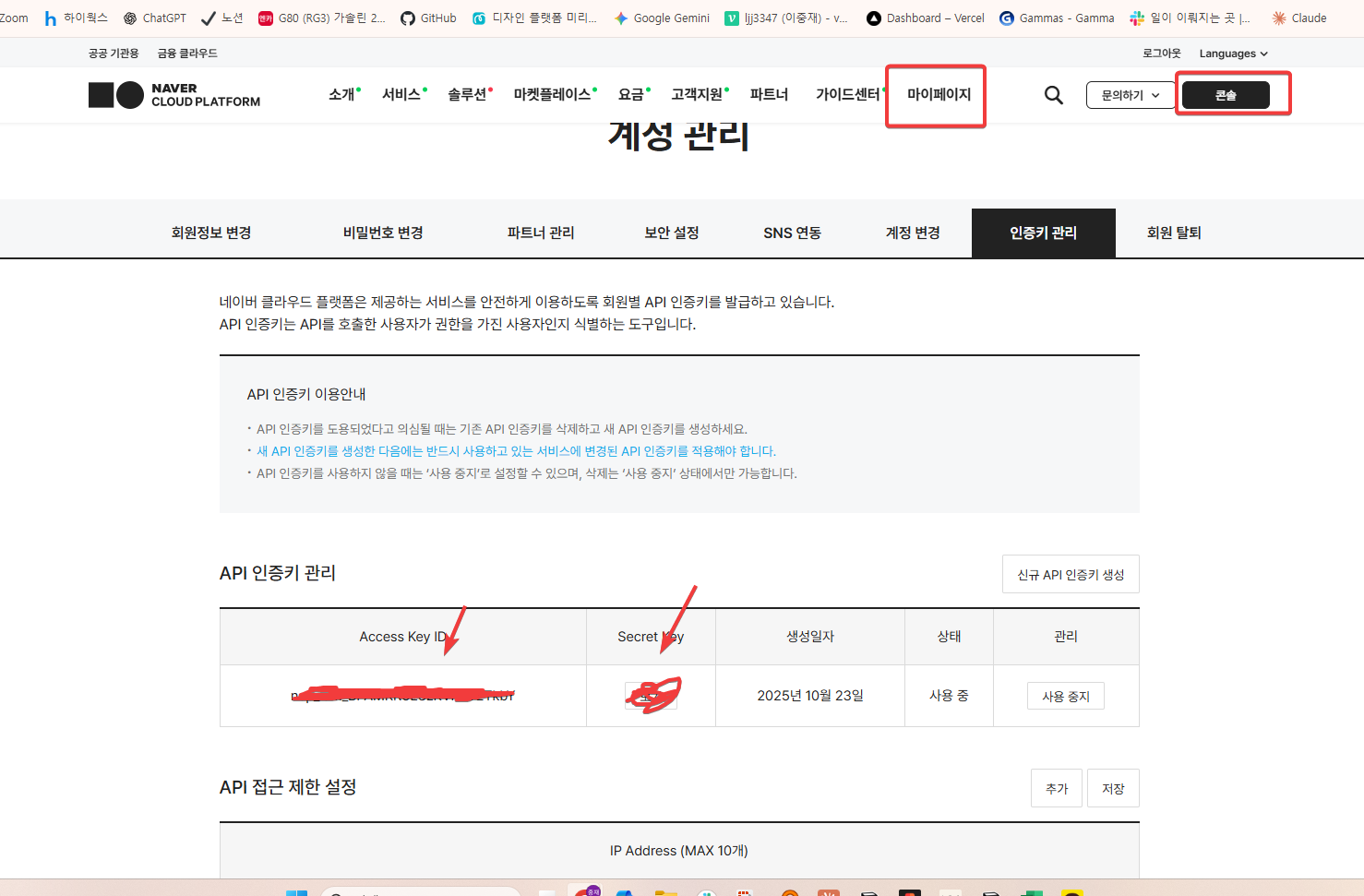
NEXT_PUBLIC_NCP_SECRET_KEY
NEXT_PUBLIC_NCP_SERVICE_ID
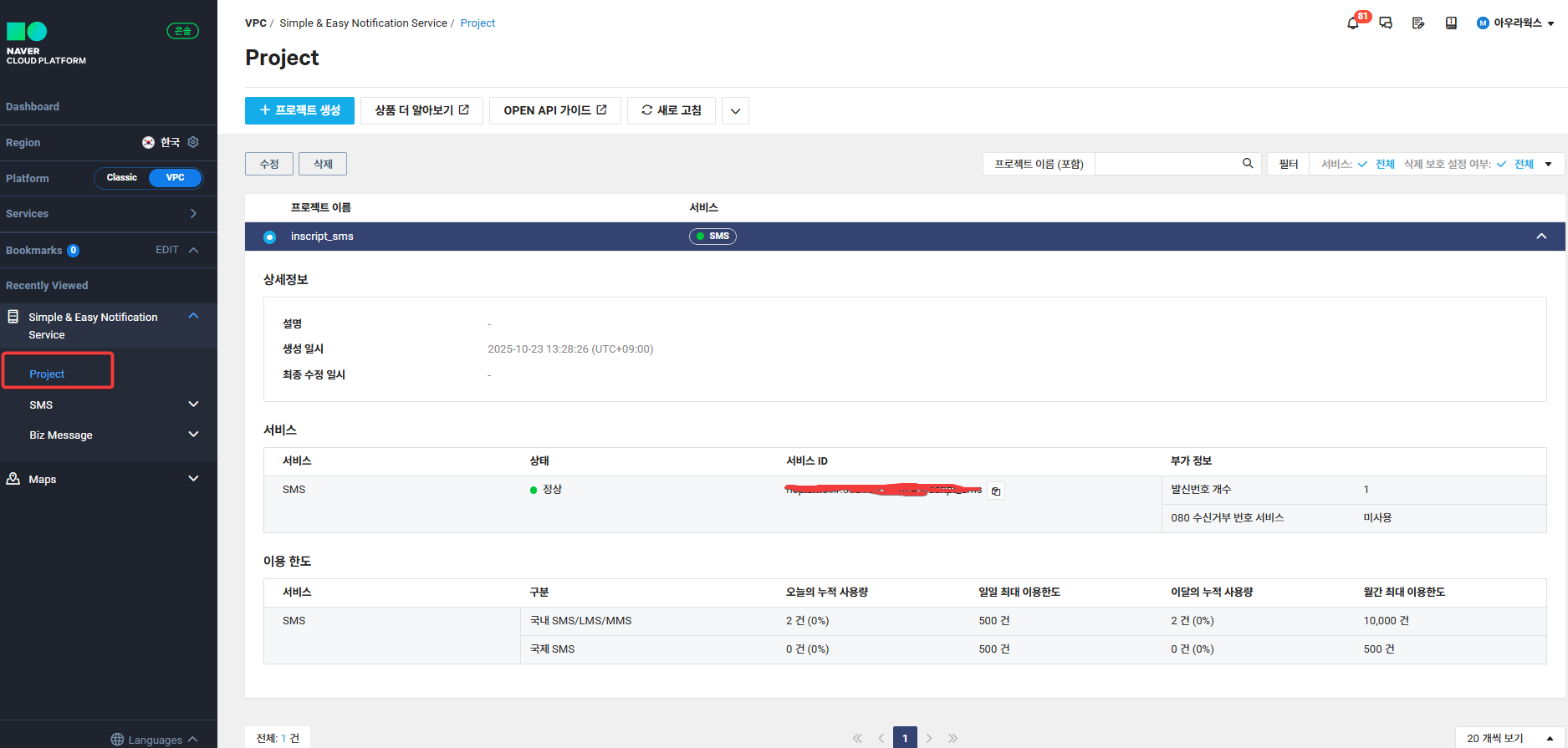
- SUPABASE Edge function 만들자
일단 환경변수 넣고
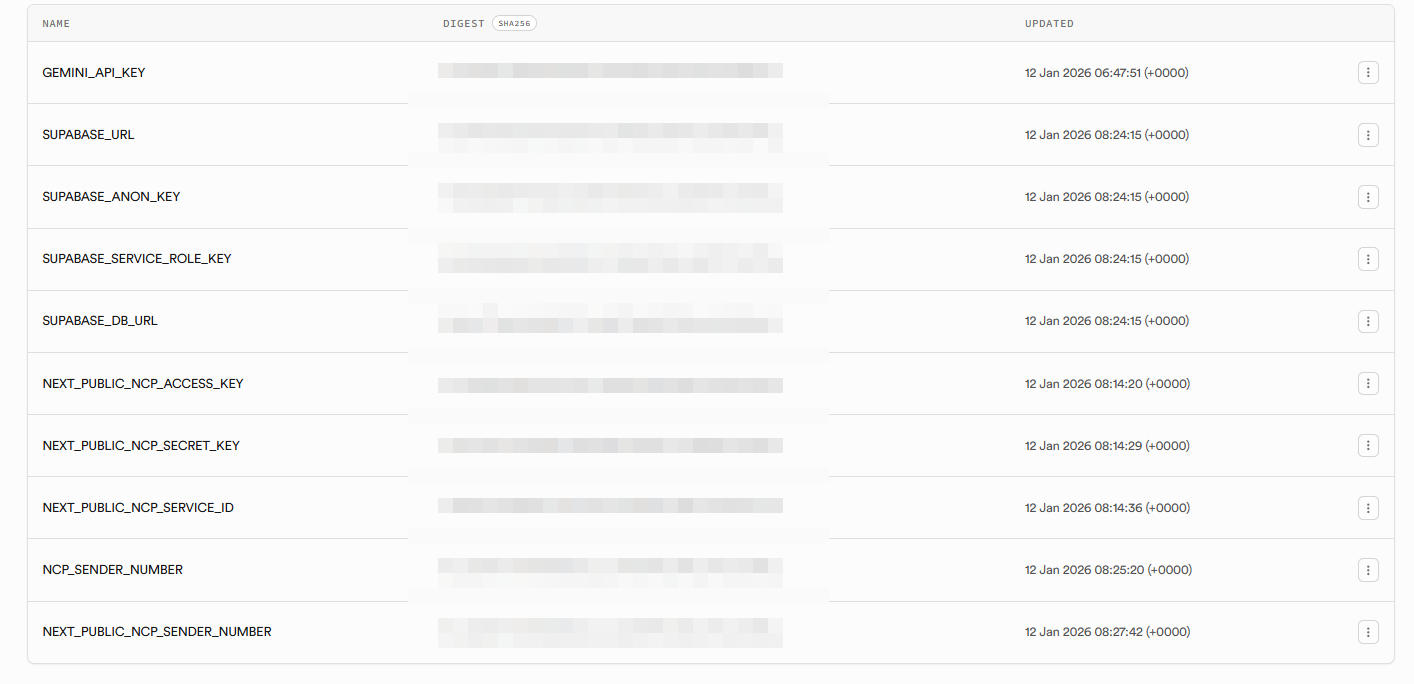
아래와 같이 코드를 edge function으로 만듭시다.
// send-sms-ncp Edge Function for Deno (Supabase)
// Expects POST JSON: { "phone_number": "01012345678", "cert_code": "123456" }
const corsHeaders = {
  "Access-Control-Allow-Origin": "*",
  "Access-Control-Allow-Headers": "authorization, x-client-info, apikey, content-type",
};

function makeSignature(secret, accessKey, serviceId, timestamp) {
  const method = "POST";
  const uri = `/sms/v2/services/${serviceId}/messages`;
  const message = `${method} ${uri}\n${timestamp}\n${accessKey}`;
  const encoder = new TextEncoder();
  const keyData = encoder.encode(secret);
  const msgData = encoder.encode(message);
  return crypto.subtle.importKey("raw", keyData, {
    name: "HMAC",
    hash: "SHA-256"
  }, false, [
    "sign"
  ]).then((cryptoKey)=>crypto.subtle.sign("HMAC", cryptoKey, msgData)).then((sig)=>{
    const bytes = new Uint8Array(sig);
    let binary = "";
    for(let i = 0; i < bytes.byteLength; i++)binary += String.fromCharCode(bytes[i]);
    return btoa(binary);
  });
}
Deno.serve(async (req)=>{
  if (req.method === "OPTIONS") {
    return new Response("ok", { headers: corsHeaders });
  }

  try {
    if (req.method !== "POST") {
      return new Response(JSON.stringify({
        error: "Method not allowed"
      }), {
        status: 405,
        headers: {
          ...corsHeaders,
          "Content-Type": "application/json"
        }
      });
    }
    const json = await req.json().catch(()=>null);
    if (!json) {
      return new Response(JSON.stringify({
        error: "Invalid JSON body"
      }), {
        status: 400,
        headers: {
          ...corsHeaders,
          "Content-Type": "application/json"
        }
      });
    }
    const phone_number = json.phone_number ?? json.phoneNumber;
    const cert_code = json.cert_code ?? json.certCode;
    if (!phone_number || !cert_code) {
      return new Response(JSON.stringify({
        error: "phone_number and cert_code are required"
      }), {
        status: 400,
        headers: {
          ...corsHeaders,
          "Content-Type": "application/json"
        }
      });
    }
    const SMS_API_KEY = Deno.env.get("NEXT_PUBLIC_NCP_ACCESS_KEY");
    const SMS_API_SECRET = Deno.env.get("NEXT_PUBLIC_NCP_SECRET_KEY");
    const SMS_SERVICE_ID = Deno.env.get("NEXT_PUBLIC_NCP_SERVICE_ID");
    const SMS_SENDER_NUMBER = Deno.env.get("NEXT_PUBLIC_NCP_SENDER_NUMBER");
    if (!SMS_API_KEY || !SMS_API_SECRET || !SMS_SERVICE_ID) {
      return new Response(JSON.stringify({
        error: "Server not configured"
      }), {
        status: 500,
        headers: {
          ...corsHeaders,
          "Content-Type": "application/json"
        }
      });
    }
    const timestamp = String(Date.now());
    const signature = await makeSignature(SMS_API_SECRET, SMS_API_KEY, SMS_SERVICE_ID, timestamp);
    const headers = new Headers({
      "Content-Type": "application/json; charset=utf-8",
      "x-ncp-apigw-timestamp": timestamp,
      "x-ncp-iam-access-key": SMS_API_KEY,
      "x-ncp-apigw-signature-v2": signature
    });
    const body = {
      type: "sms",
      contentType: "COMM",
      countryCode: "82",
      from: SMS_SENDER_NUMBER,
      content: "[골리단길] 본인인증",
      messages: [
        {
          to: phone_number,
          content: `[커피큐브] 본인 확인을 위해 인증번호[${cert_code}]를 입력해 주세요.`
        }
      ]
    };
    const SMS_URL = `https://sens.apigw.ntruss.com/sms/v2/services/${SMS_SERVICE_ID}/messages`;
    const resp = await fetch(SMS_URL, {
      method: "POST",
      headers,
      body: JSON.stringify(body)
    });
    const respText = await resp.text();
    let respJson = null;
    try {
      respJson = JSON.parse(respText);
    } catch  {
      respJson = {
        text: respText
      };
    }
    const status = resp.ok ? 200 : 502;
    return new Response(JSON.stringify({
      status: resp.status,
      ok: resp.ok,
      result: respJson
    }), {
      status,
      headers: {
        ...corsHeaders,
        "Content-Type": "application/json"
      }
    });
  } catch (err) {
    console.error("send-sms error:", err);
    return new Response(JSON.stringify({
      error: "Internal server error",
      detail: String(err)
    }), {
      status: 500,
      headers: {
        ...corsHeaders,
        "Content-Type": "application/json"
      }
    });
  }
});
4.위에서 만든 edge function으로 호출하자!!
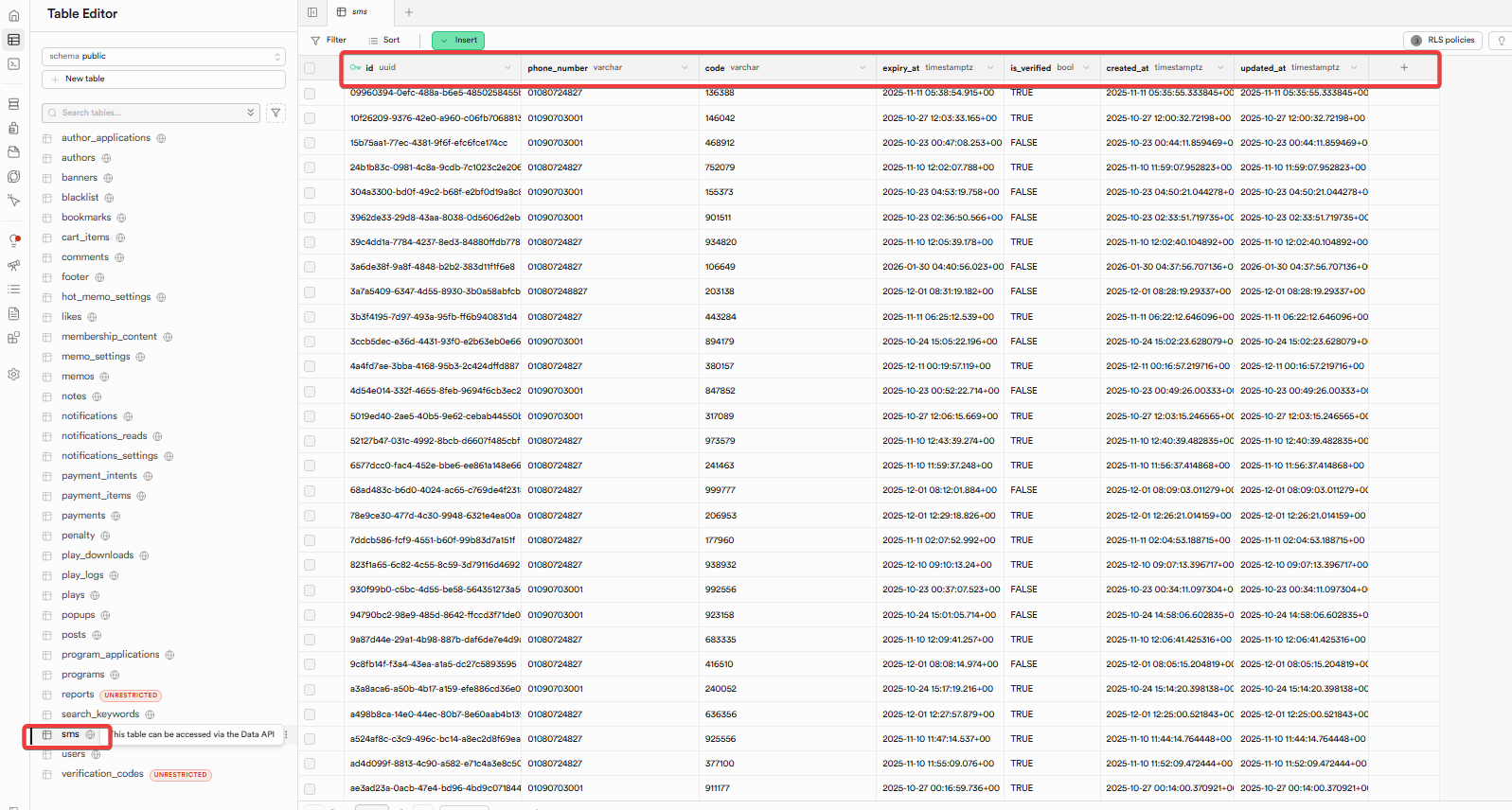
- 당연히 SUPABASE에서 SMS 테이블도 생성이 필요하다!
이 부분은 LLM이 잘하는 부분이지만 결국에 만든사람,만든시간,인증여부,인증번호,만료시각,생성시각등의 정보를 넣어서 SMS 송신 정보를 테이블에 넣어놓고 하나씩 꺼내쓰는 로직 구현이 필요하다
기타. NCP를 쓰는 이유는 IP할당이 강제가 아니다(알리고 서비스는 강제라서 edge function을 쓰기에 부적합하다!)

CODE DIVE!