환경
- CentOS 7.9
- Wildfly 29.0.1 final
- MobaXterm
- JDK 11
설치파일 다운
https://www.wildfly.org/downloads/
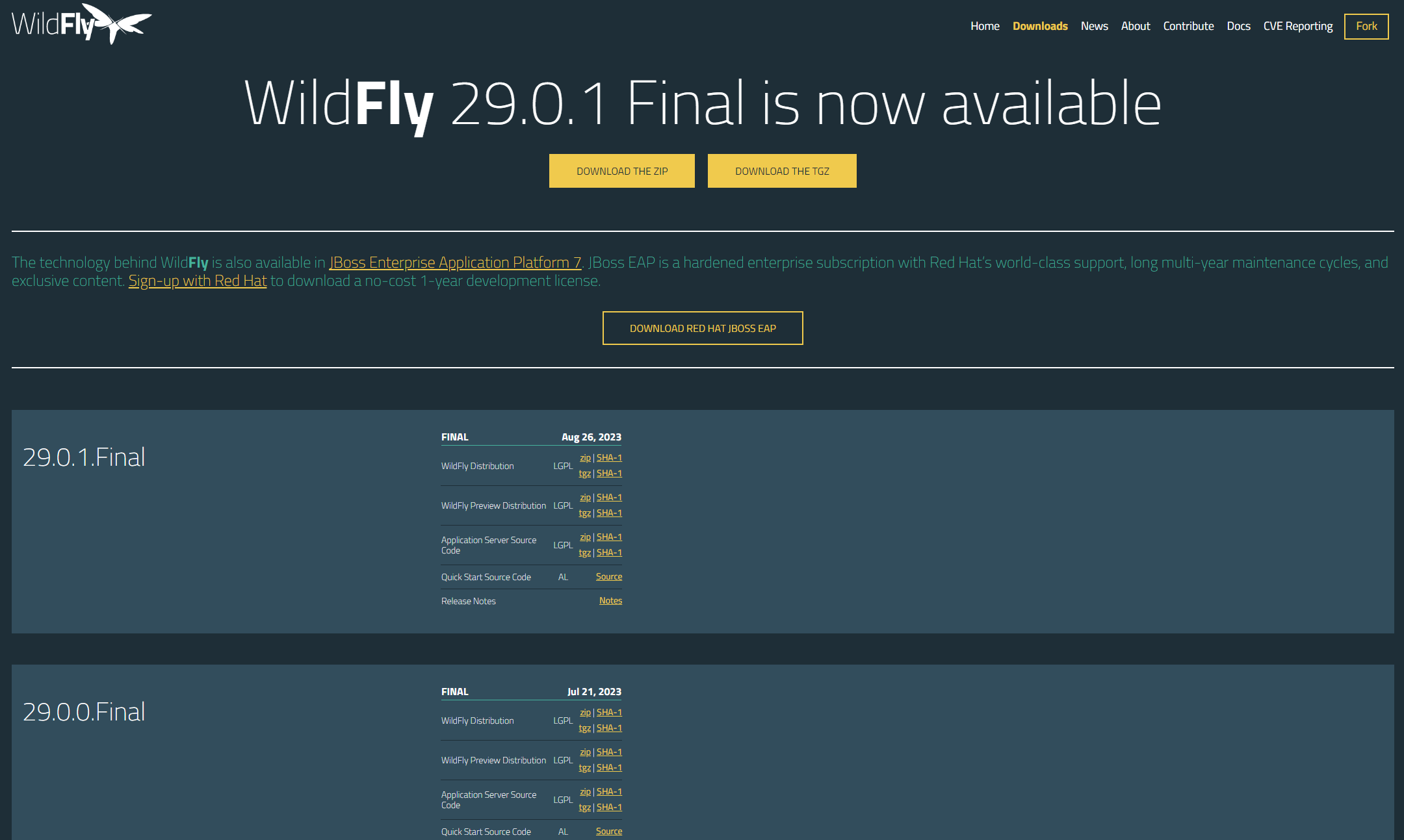
SFTP를 사용하여 파일 서버에 이동
mobaXterm에 SFTP 기능을 사용하여 파일 이동

설치 파일 압축 해제
// 지정한 디렉터리로 압축해제
# unzip wildfly-29.0.1.Final.zip -d /opt/
설정 변경 및 적용
# vim /etc/profile

#Wildfly
export WILDFLY_HOME=/opt/wildfly

//설정 적용
# source /etc/profile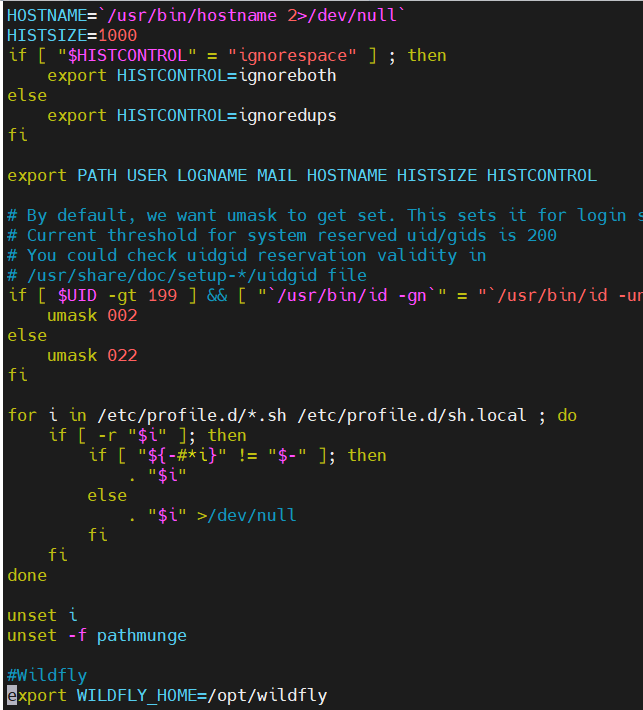
심볼릭 링크 설정(편의 상)
# ln -s /opt/wildfly-29.0.1.Final/ /opt/wildfly
해당 디렉터리 권한 부여 및 .sh 파일 실행 권한 부여
# chown -Rf wildfly: $WILDFLY_HOME
# chmod +x /opt/wildfly/bin/*.sh
JDK 설치
# yum update
# yum list java*
# yum install -y java-11-openjdk-11.0.20.0.8-1.el7_9.x86_64
java-11-openjdk-devel-11.0.20.0.8-1.el7_9.x86_64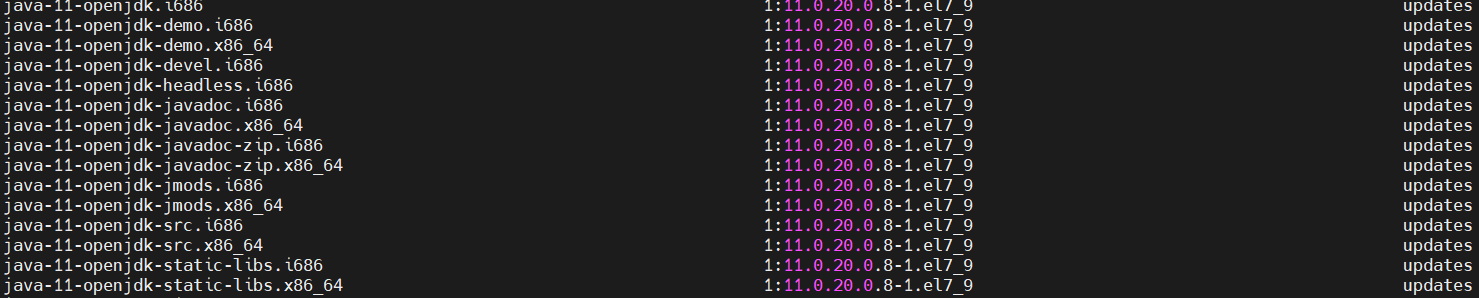
사용자 계정 생성
# useradd -r -d /opt/wildfly/ -s /sbin/nologin wildfly관리자 계정 생성
9990 port를 통해 관리자 페이지로 들어갈 계정 생성
# /opt/wildfly/bin/add-user.sh폴더 생성 및 디렉터리 권한 부여
# mkdir -p /etc/wildfly /var/run/wildfly
# chown wildfly: /var/run/wildfly/
Wildfly 설정파일 및 실행 파일 새로 만든 디렉터리로 이동
# cp $WILDFLY_HOME/docs/contrib/scripts/systemd/launch.sh $WILDFLY_HOME/bin/
# cp $WILDFLY_HOME/docs/contrib/scripts/systemd/wildfly.service /etc/systemd/system/
# cp $WILDFLY_HOME/docs/contrib/scripts/systemd/wildfly.conf /etc/wildfly/
설정 추가
외부에서 접속이 가능하도록 설정 추가
# vim $WILDFLY_HOME/bin/launch.sh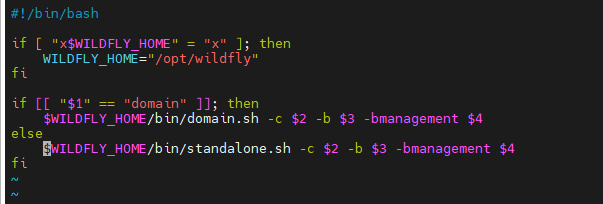
# vim etc/systemd/system/wildfly.service
# vim /etc/wildfly/wildfly.conf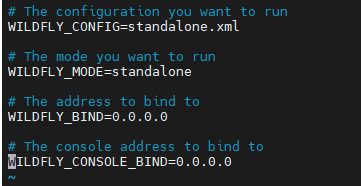
방화벽 추가
# firewall-cmd --permanent --add-port 8080/tcp
# firewall-cmd --permanent --add-port 9990/tcp
# firewall-cmd --reload
시스템 확인
# systemctl daemon-reload
# systemctl enable wildfly.service
# systemctl status wildfly.service
오류 발생
service를 시작했지만 계속해서 Active failed가 뜸

해결
오류에 대한 해결은 하지 못함(아시는 분은 댓글 부탁드립니다.)
대안으로 standalone.sh 를 수동으로 작동시켜 진행
vim /opt/wildfly/bin/standalone.conf
/opt/wildfly/bin/standalone.sh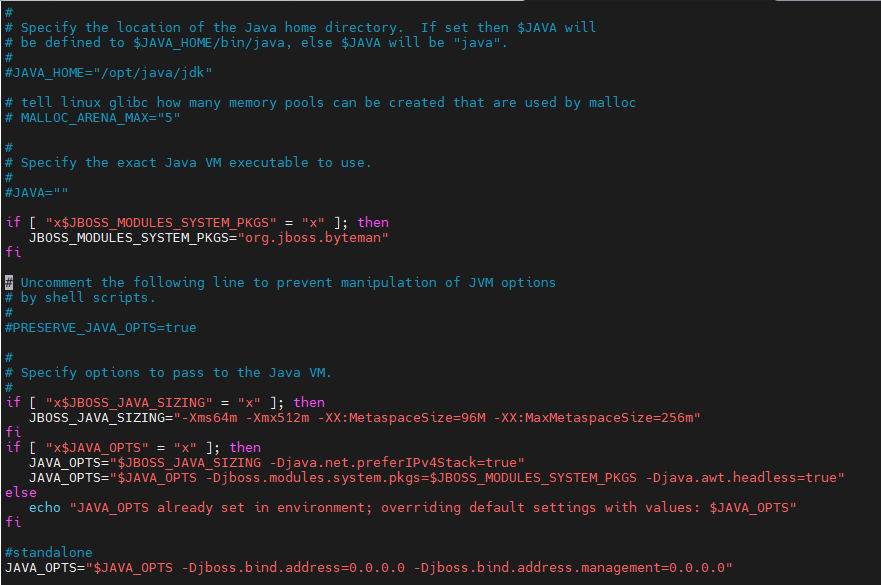
..... 중간 생략
10:02:33,227 INFO  [org.wildfly.extension.undertow] (ServerService Thread Pool -- 75) WFLYUT0014: Creating file handler for path '/opt/wildfly/welcome-content' with options [directory-listing: 'false', follow-symlink: 'false', case-sensitive: 'true', safe-symlink-paths: '[]']
10:02:33,517 INFO  [org.wildfly.extension.undertow] (MSC service thread 1-1) WFLYUT0012: Started server default-server.
10:02:33,518 INFO  [org.wildfly.extension.undertow] (MSC service thread 1-1) Queuing requests.
10:02:33,518 INFO  [org.wildfly.extension.undertow] (MSC service thread 1-1) WFLYUT0018: Host default-host starting
10:02:33,608 INFO  [org.wildfly.extension.undertow] (MSC service thread 1-1) WFLYUT0006: Undertow HTTP listener default listening on 0.0.0.0:8080
10:02:33,738 INFO  [org.wildfly.extension.undertow] (MSC service thread 1-4) WFLYUT0006: Undertow HTTPS listener https listening on 0.0.0.0:8443
10:02:33,734 INFO  [org.jboss.as.server.deployment.scanner] (MSC service thread 1-3) WFLYDS0013: Started FileSystemDeploymentService for directory /opt/wildfly/standalone/deployments
10:02:33,774 INFO  [org.jboss.as.ejb3] (MSC service thread 1-4) WFLYEJB0493: Jakarta Enterprise Beans subsystem suspension complete
10:02:33,884 INFO  [org.jboss.as.connector.subsystems.datasources] (MSC service thread 1-2) WFLYJCA0001: Bound data source [java:jboss/datasources/ExampleDS]
10:02:33,898 INFO  [org.jboss.ws.common.management] (MSC service thread 1-3) JBWS022052: Starting JBossWS 6.2.0.Final (Apache CXF 4.0.0)
10:02:34,083 INFO  [org.jboss.as.server] (Controller Boot Thread) WFLYSRV0212: Resuming server
10:02:34,089 INFO  [org.jboss.as] (Controller Boot Thread) WFLYSRV0060: Http management interface listening on http://0.0.0.0:9990/management
10:02:34,089 INFO  [org.jboss.as] (Controller Boot Thread) WFLYSRV0051: Admin console listening on http://0.0.0.0:9990
10:02:34,098 INFO  [org.jboss.as] (Controller Boot Thread) WFLYSRV0025: WildFly Full 29.0.1.Final (WildFly Core 21.1.1.Final) started in 5193ms - Started 280 of 522 services (317 services are lazy, passive or on-demand) - Server configuration file in use: standalone.xml
Wildfly 실행 테스트
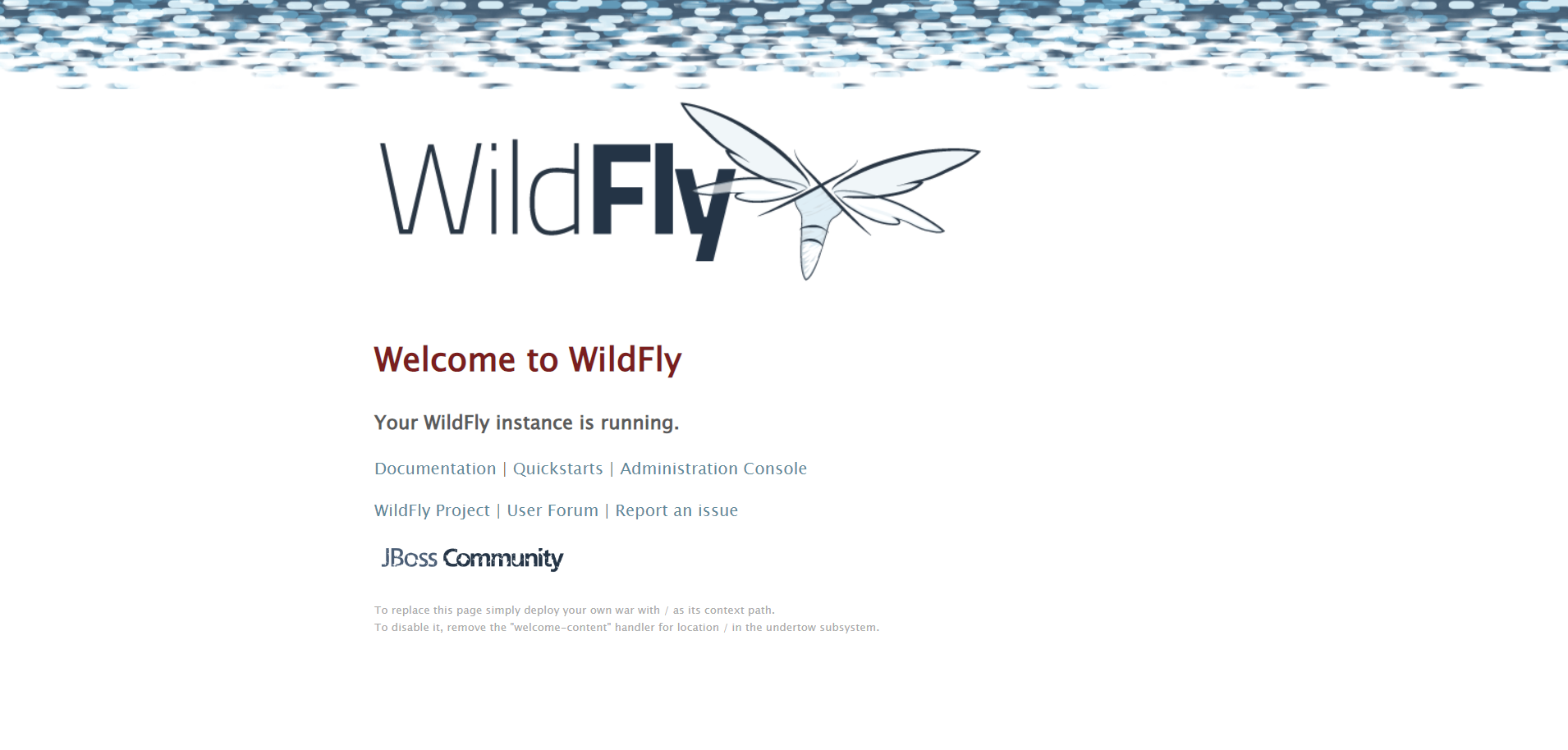
- Wildfly 화면
ip:8080
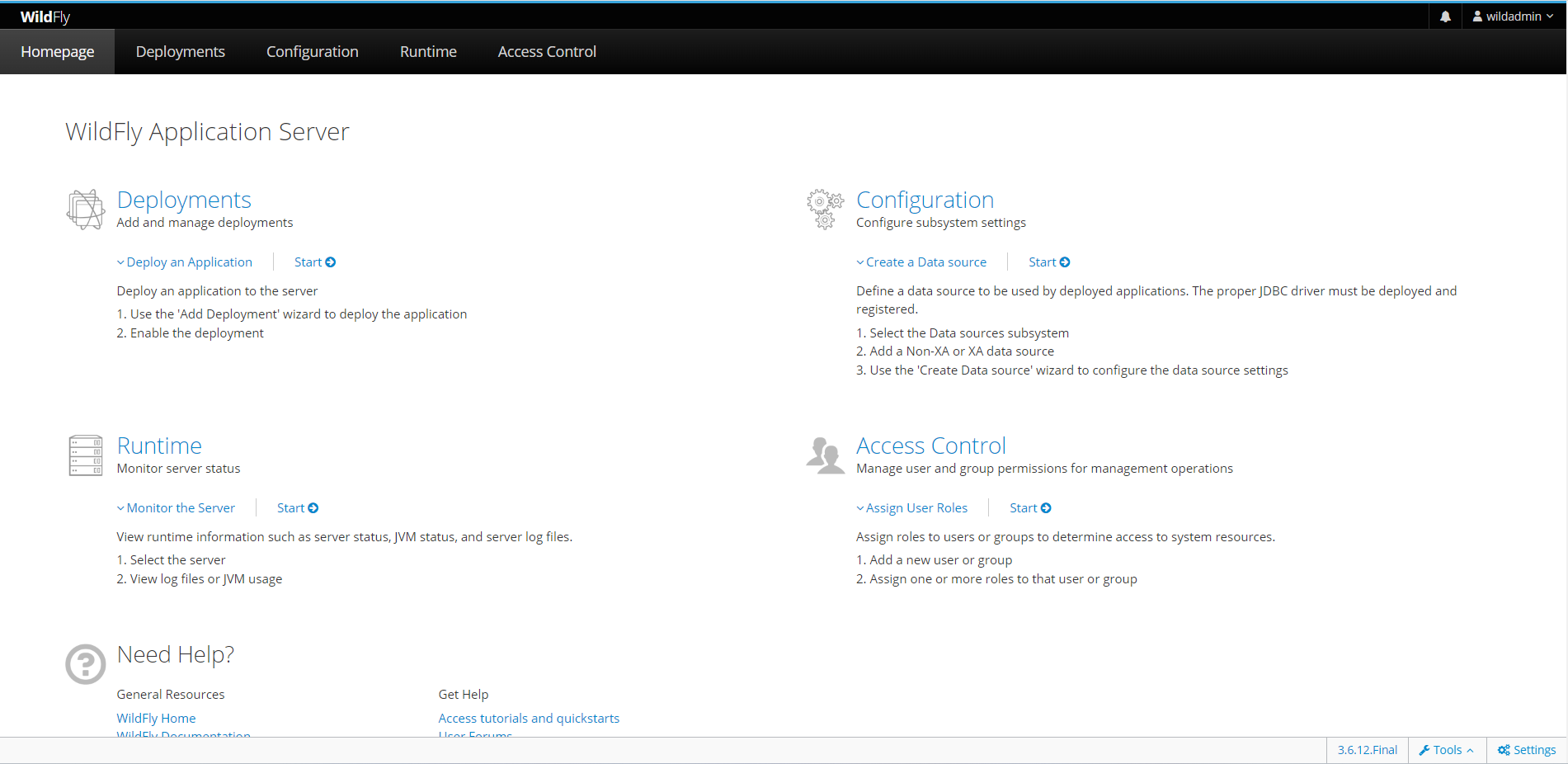
- 관리자 페이지
ip:9990
처음에 로그인하라는 창이 뜨는데, 관리자 생성 아이디를 입력하면 됩니다.

내 인생부터 개발