사전준비
AWS EC2 생성
- runner를 동작시킬 컨테이너(OS)를 준비함
- os: ubuntu
- 인스턴스 유형: t2.medium
- 보안그룹: 22(ssh)만 개방
테스트를 위한 프로젝트 생성
- Spring-boot 프로젝트 생성
- 프로젝트 안에 .gitlab-ci.yml 파일을 생성해주어야 한다.
EC2(gitlab runner실행환경) 구성
docker & docker-compose 설치
편의상 root계정으로 작업하였음
비밀번호 설정 후 root 계정으로 전환
sudo passwd
su

# install docker
curl -fsSL https://get.docker.com -o get-docker.sh
sh get-docker.sh

# install docker-compose
curl -SL https://github.com/docker/compose/releases/download/v2.18.1/docker-compose-linux-x86_64 -o /usr/local/bin/docker-compose
ln -s /usr/local/bin/docker-compose /usr/bin/docker-compose
chmod a+x /usr/local/bin/docker-compose
docker-compose.yml파일 작성
version: '3.7'

services:
  gitlab-runner:
    image: 'gitlab/gitlab-runner:latest'
    restart: always
    volumes:
      - '/Users/kgs/gitlab-runner/config:/etc/gitlab-runner'
      - '/var/run/docker.sock:/var/run/docker.sock'
GitLab 프로젝트에서 Runner 추가
Project - CI/CD - Runners
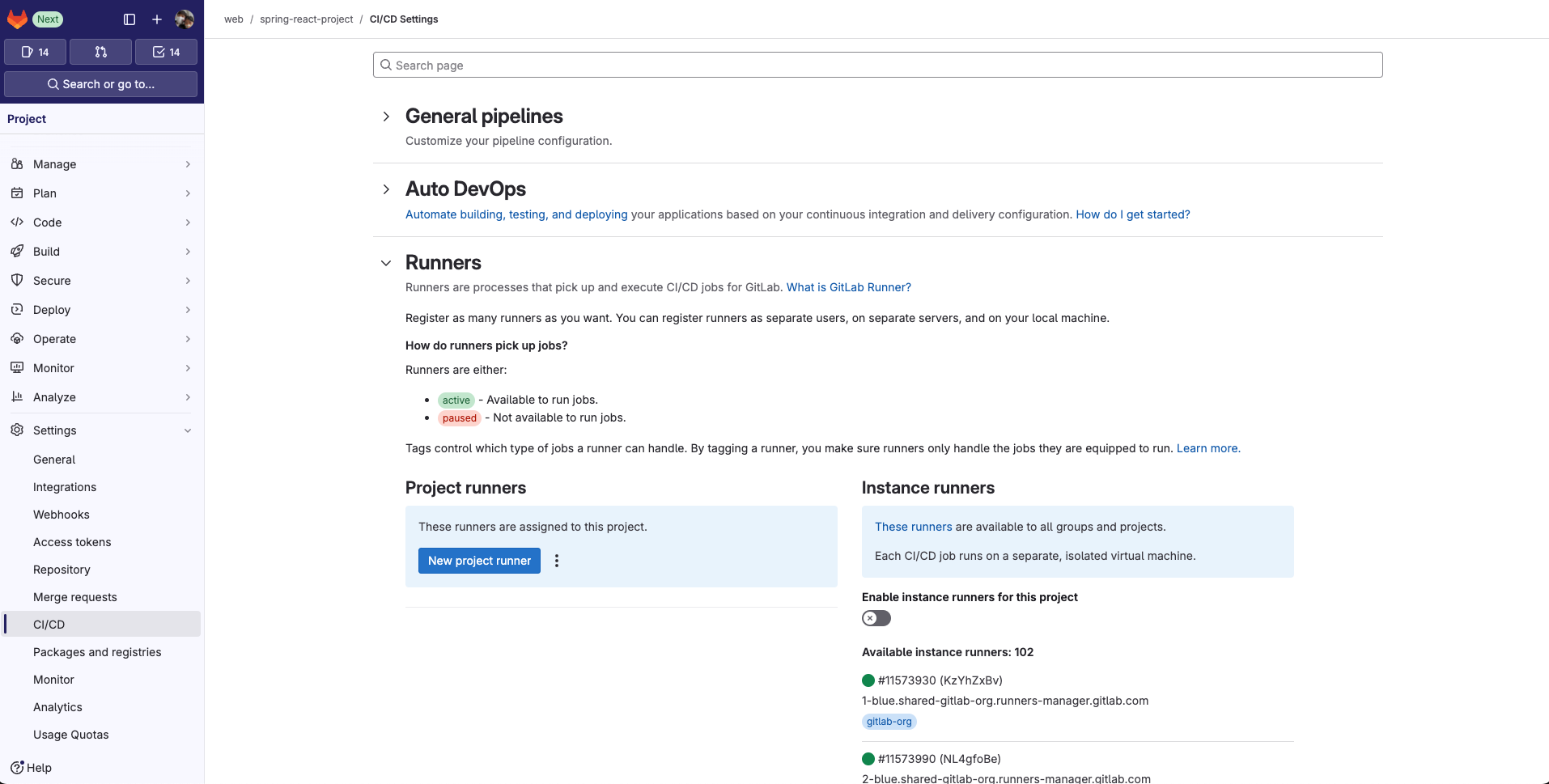
- Project runners에서 New project runner
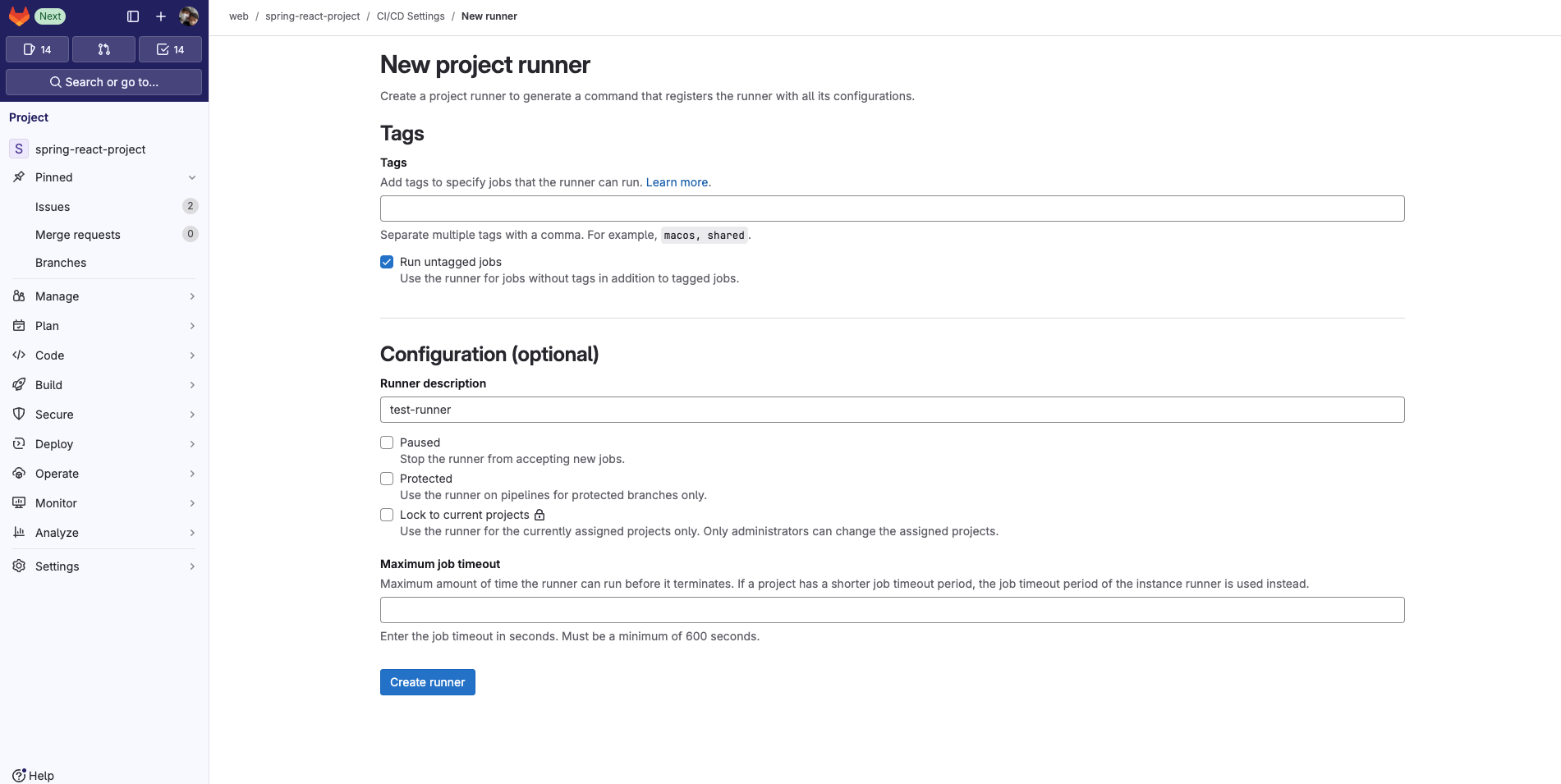
Create runner
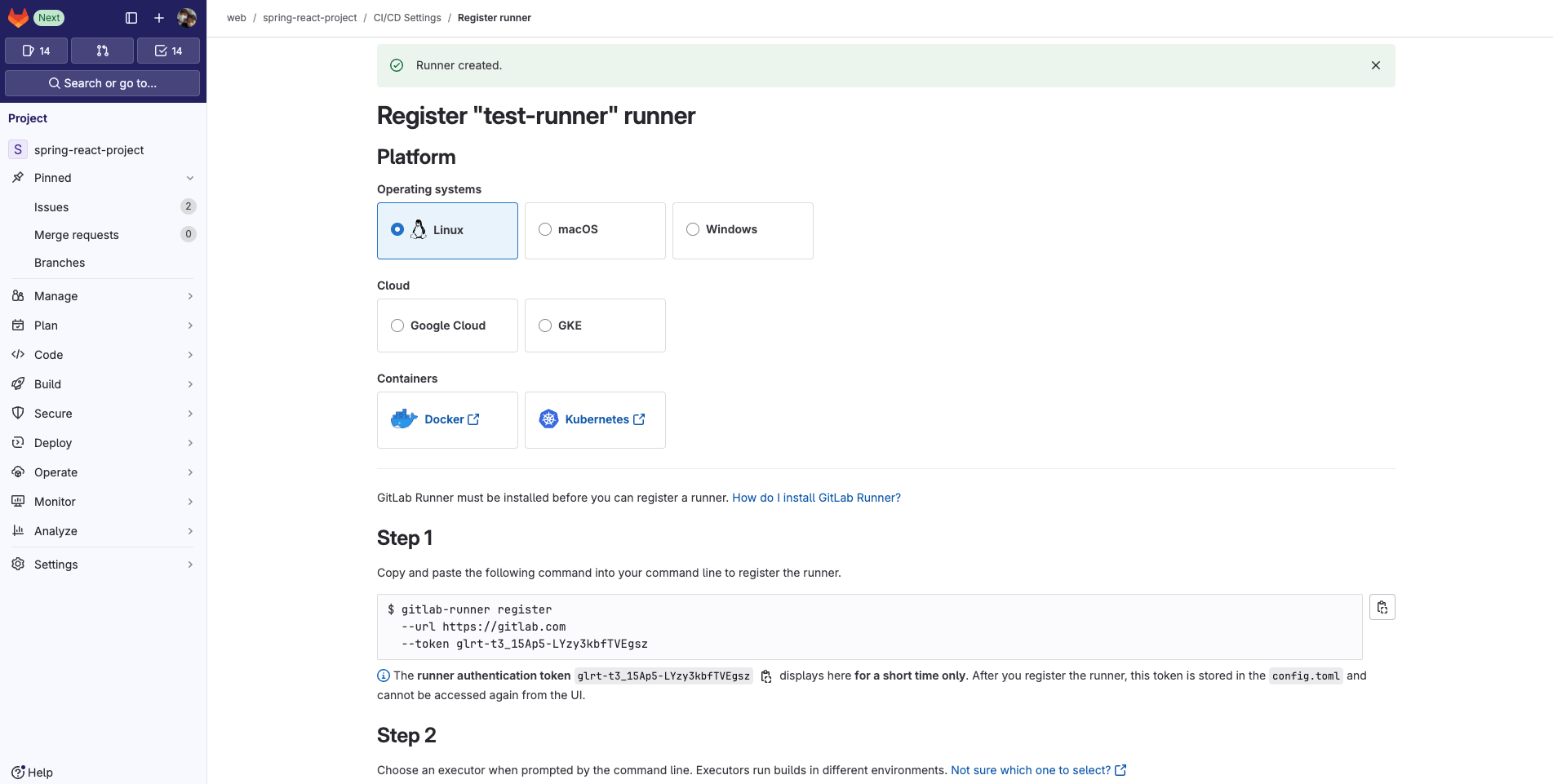
- runner가 생성되고 각 os별로 등록하는 방법이 스크립트로 제공된다.
EC2 컨테이너에 Runner 등록
- 위에서 발급받은 token을 넣어서 등록한다.
root@1b5e4f708b7d:/# gitlab-runner register  --url https://gitlab.com  --token glrt-t3_15Ap5-LYzy3kbfTVEgsz
Runtime platform                                    arch=amd64 os=linux pid=24 revision=12030cf4 version=17.5.3
Running in system-mode.

Enter the GitLab instance URL (for example, https://gitlab.com/):
[https://gitlab.com]: https://gitlab.com
Verifying runner... is valid                        runner=t3_15Ap5-
Enter a name for the runner. This is stored only in the local config.toml file:
[1b5e4f708b7d]: test-runner
Enter an executor: custom, ssh, docker, docker-windows, docker+machine, kubernetes, shell, parallels, virtualbox, docker-autoscaler, instance:
docker
Enter the default Docker image (for example, ruby:2.7):
openjdk:8-jre-alpine3.9
Runner registered successfully. Feel free to start it, but if it's running already the config should be automatically reloaded!

Configuration (with the authentication token) was saved in "/etc/gitlab-runner/config.toml"
끊임없이 노력하는 개발자