Tailwind CSS 설치
1. npm을 이용해 패키지를 설치합니다.
npm install -D tailwindcss postcss autoprefixer
2. Tailwind 설정 파일 생성
설치 후, Tailwind 설정 파일(tailwind.config.js)을 생성합니다.
npx tailwindcss init
생성된 파일은 다음과 비슷합니다.
module.exports = {
  content: [],
  theme: {
    extend: {},
  },
  plugins: [],
};
3. Content 설정
Tailwind가 사용되지 않는 CSS를 제거하여 최적화하기 위해 Content 배열에 Tailwind 클래스를 사용하는 파일 경로를 추가해야 합니다.
module.exports = {
  content: ['./src/**/*.{html,js,jsx,ts,tsx}'], // 파일 경로 지정
  theme: {
    extend: {},
  },
  plugins: [],
};
4. CSS 파일 작성
Tailwind CSS를 프로젝트에서 사용할 수 있도록 CSS 파일을 생성하고 Tailwind의 기본 디렉티브를 추가합니다.
-
CSS 파일 생성 프로젝트의 CSS 폴더(예: src/styles)에 tailwind.css 파일을 생성합니다.
-
CSS 파일에 Tailwind 디렉티브 추가
@tailwind base;
@tailwind components;
@tailwind utilities;
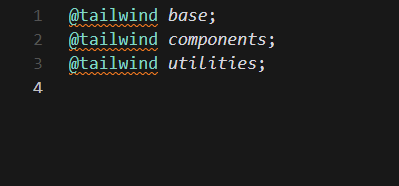
저 같은 경우에는 그냥 src/styles.css 에 위와같이 적어 주었습니다.
5. 빌드 설정
Tailwind CSS를 빌드하려면 postcss를 설정해야 합니다.
- 프로젝트 루트에 PostCSS 설정 파일을 생성합니다:
touch postcss.config.js- 파일 내용을 아래와 같이 작성합니다:
module.exports = {
  plugins: {
    tailwindcss: {},
    autoprefixer: {},
  },
};
6. Tailwind 사용
가장 상위 컴포넌트 (App.jsx , main.jsx 등..) 에 아까 만든 tailwind.css 스타일을 적용합니다.
import { StrictMode } from "react";
import { createRoot } from "react-dom/client";
import "./tailwind.css";
import "./index.css";
import App from "./App.jsx";

createRoot(document.getElementById("root")).render(
  <StrictMode>
    <App />
  </StrictMode>,
);
App.jsx 에서 테스트 해봅니다.
function App() {


  return (
    <>
      <div className="min-h-screen flex justify-center items-center">
        <h1 className="text-3xl font-bold text-blue-600">Hello world!
        </h1>
      </div>
    </>
  )
}

export default App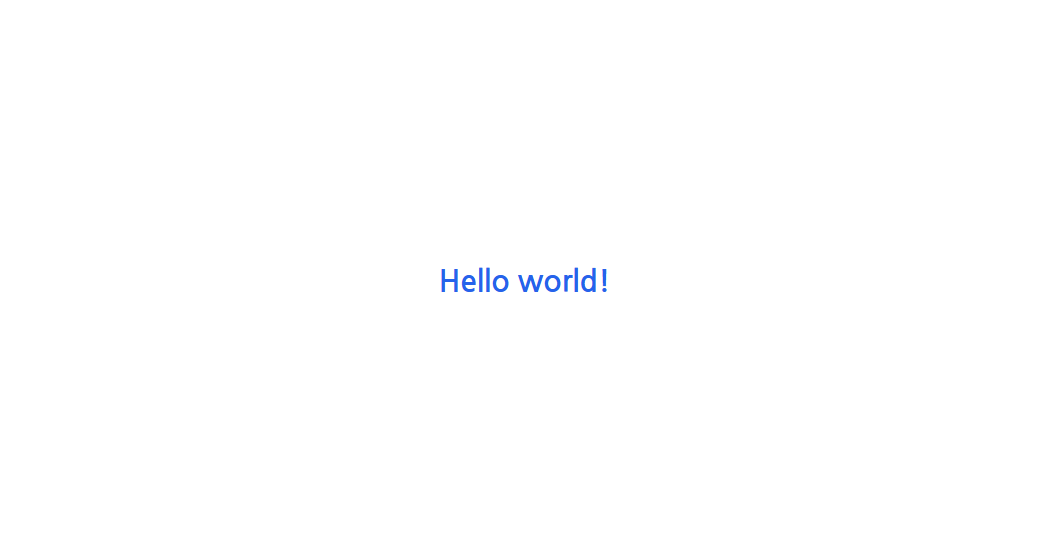
완료
사용법은 다음 포스트에 정리 해두었습니다.

.