동기 비동기 이해하기
동기 : 동기 방식은 서버에서 요청을 보냈을 때 응답이 돌아와야 다음 동작을 수행할 수 있다. 즉 A작업이 모두 진행 될때까지 B작업은 대기해야한다.
비동기 : 비동기 방식은 반대로 요청을 보냈을 때 응답 상태와 상관없이 다음 동작을 수행 할 수 있다. 즉 A작업이 시작하면 동시에 B작업이 실행된다. A작업은 결과값이 나오는대로 출력된다
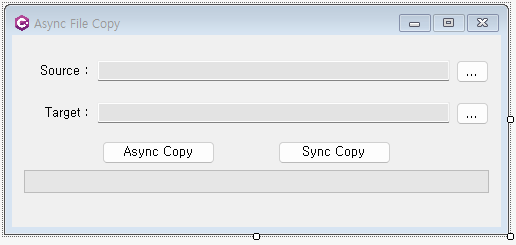
using System;
using System.Collections.Generic;
using System.ComponentModel;
using System.Data;
using System.Drawing;
using System.IO;
using System.Linq;
using System.Text;
using System.Threading.Tasks;
using System.Windows.Forms;

namespace wf04_filecopy
{
    public partial class FrmMain : Form
    {
        public FrmMain()
        {
            InitializeComponent();
        }

        private void BtnFindSource_Click(object sender, EventArgs e)
        {
            OpenFileDialog dialog = new OpenFileDialog();
            var result = dialog.ShowDialog();       //모달창
            if (result == DialogResult.OK)
            {
                TxtSource.Text = dialog.FileName;
            }
        }

        private void BtnFindTatget_Click(object sender, EventArgs e)
        {
            SaveFileDialog dialog = new SaveFileDialog();
            var result = dialog.ShowDialog();
            if (result == DialogResult.OK)
            {
                TxtTarget.Text = dialog.FileName;
            }
        }

        //일반적인 동기식 파일복사
        private void BtnSyncCopy_Click(object sender, EventArgs e)
        {
            long totalCopied = CopySync(TxtSource.Text,TxtTarget.Text);
        }

        private long CopySync(string fromFile, string toFile)
        {
            BtnAsyncCopy.Enabled = false;       //비동기복사 버튼 일시 비활성화
            long totalCopied = 0;

            using (FileStream fromStream = new FileStream(fromFile, FileMode.Open))
            {
                //원본파일은 열고
                using (FileStream toStream = new FileStream (toFile, FileMode.Create))
                {
                    //복사할 타겟 파일은 새로 생성
                    byte[] buffer = new byte[1024*1024];        //1MByte 버퍼
                    int nRead = 0;
                    while ((nRead = fromStream.Read(buffer, 0, buffer.Length)) != 0)
                    {
                        toStream.Write(buffer, 0, nRead);
                        totalCopied += nRead;

                        // 프로그래스바 표시
                        PgbCopy.Value = (int)((double)totalCopied / (double)fromStream.Length)*PgbCopy.Maximum;
                    }
                }
            }
            BtnAsyncCopy.Enabled = true;
            return totalCopied;
        }

        // 비동기는 호출할 때는 Await사용, 구현할 때는 async 사용
        private async Task<long> CopyAsync(string fromFile, string toFile)
        {
            BtnSyncCopy.Enabled = false;        //동기복사 버튼 일시적 비활성화
            long totalCopied = 0;

            using (FileStream fromStream = new FileStream(fromFile, FileMode.Open))
            {
                //원본파일은 열고
                using (FileStream toStream = new FileStream(toFile, FileMode.Create))
                {
                    //복사할 타겟 파일은 새로 생성
                    byte[] buffer = new byte[1024 * 1024];        //1MByte 버퍼
                    int nRead = 0;
                    while ((nRead = await fromStream.ReadAsync(buffer, 0, buffer.Length)) != 0)
                    {
                        await toStream.WriteAsync(buffer, 0, nRead);
                        totalCopied += nRead;

                        // 프로그래스바 표시
                        PgbCopy.Value = (int)((double)totalCopied / (double)fromStream.Length) * PgbCopy.Maximum;
                    }
                }
            }
            BtnSyncCopy.Enabled = true;
            return totalCopied;

        }
        private async void BtnAsuncCopy_Click(object sender, EventArgs e)
        {
            long totalCopied = await CopyAsync(TxtSource.Text, TxtTarget.Text);
        }


    }
}
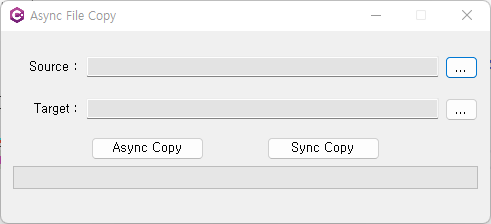
실행화면
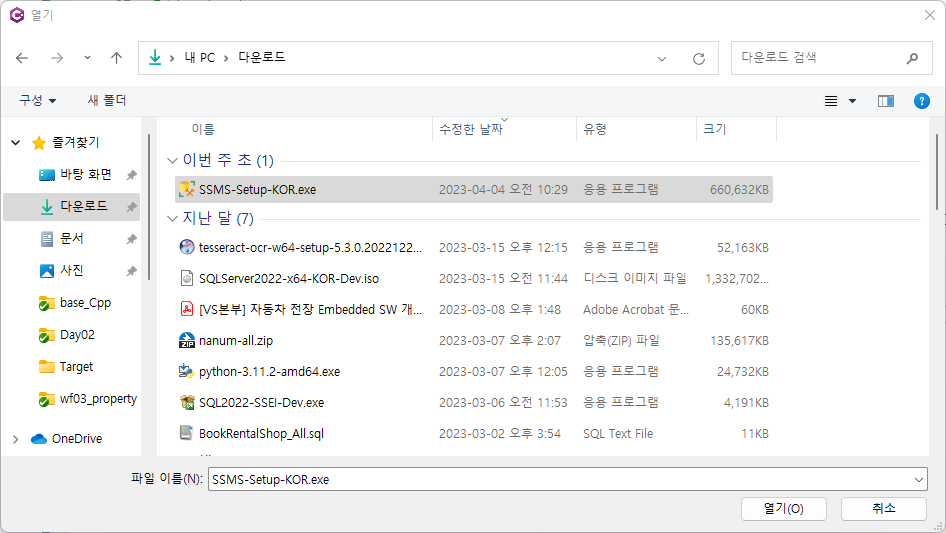
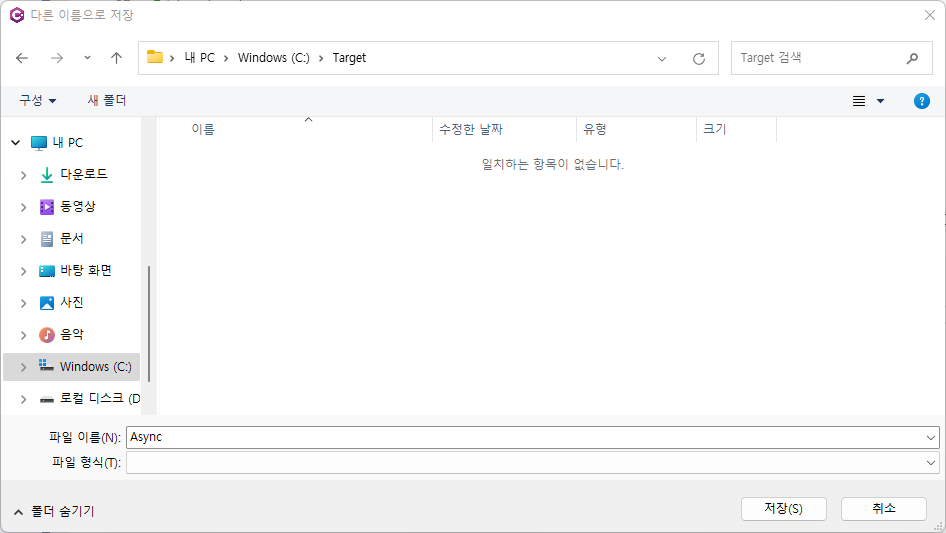
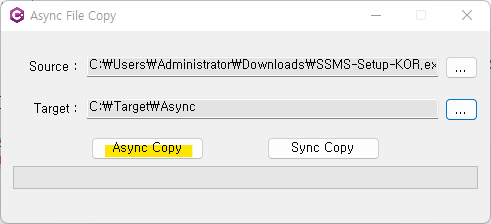
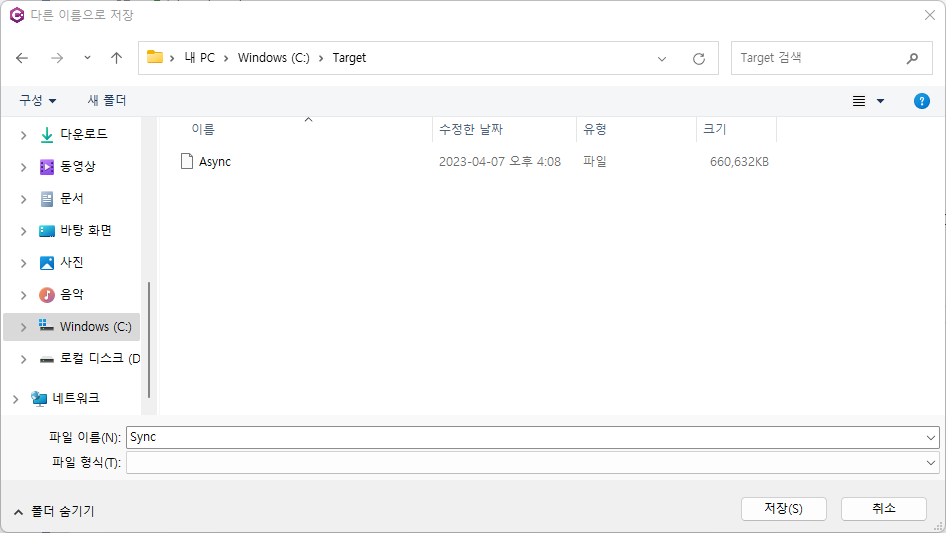
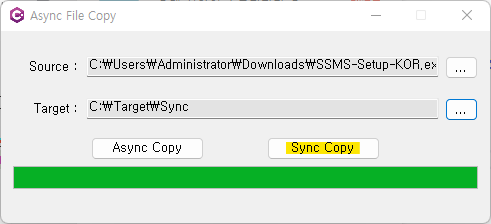
->저장됨


가랑비는 맞는다 하지만 폭풍은 내 것이야