 오늘의 잔디
🌤️ OpenWeatherMap 날씨 API 연동 및 위젯 구현 (with JavaScript)
✅ 목표
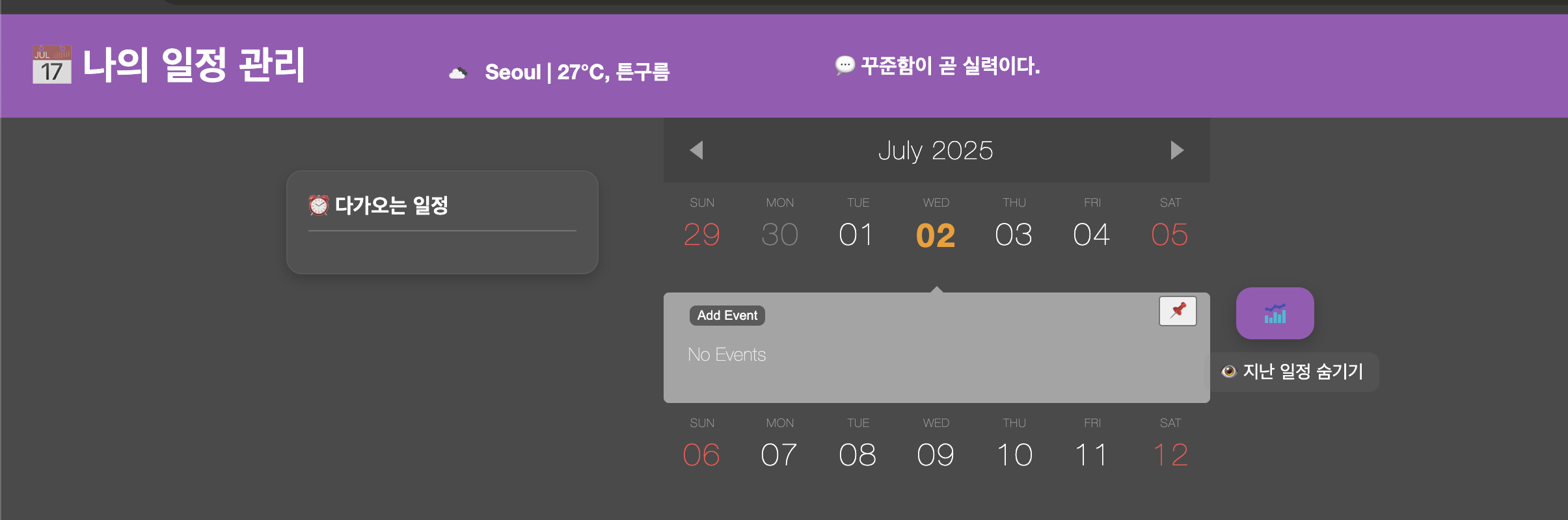
- 캘린더 상단에 현재 날씨 정보를 보여주는 날씨 위젯을 구현한다.
- 사용자 위치는
Seoul로 고정하고, OpenWeatherMap의 실시간 날씨 데이터를 API로 가져와 표시한다.
🛠️ 구현 순서
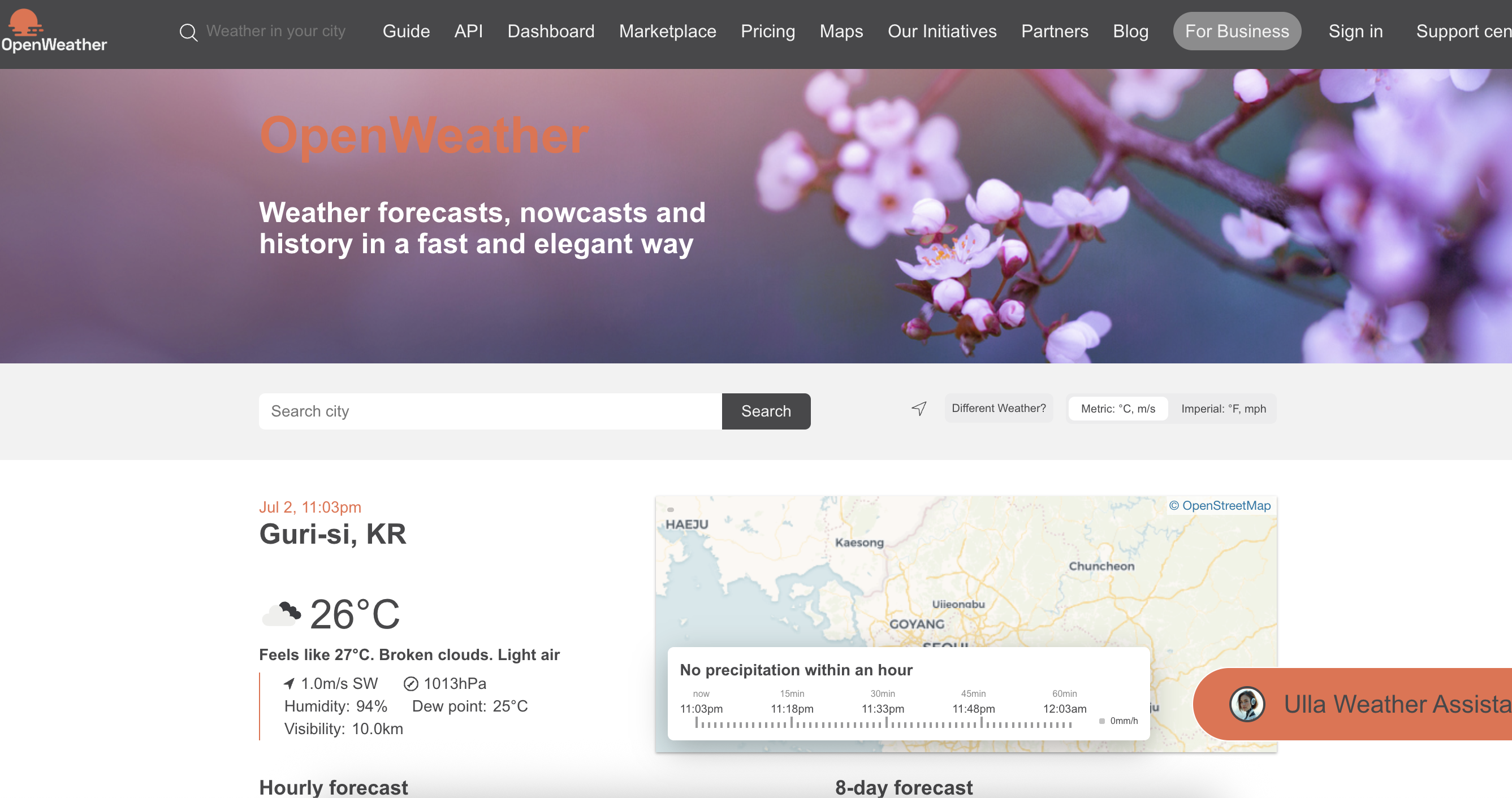
1. OpenWeatherMap 회원가입 및 API Key 발급
- OpenWeatherMap에서 Free 요금제로 가입
- 로그인 후 API Keys → Default Key 확인
- 내 키:
dfcc7de5ff919e6abbf96b0d62db69f8(❗ 프로젝트에서는 노출 주의!)
2. API 호출 URL 형식 확인
GET https://api.openweathermap.org/data/2.5/weather?q=Seoul&appid=API_KEY&units=metric&lang=krq=Seoul: 지역appid=...: 발급받은 API Keyunits=metric: 섭씨 표시lang=kr: 한글 설명
3. JavaScript 코드 작성 (index.js 내부에 포함)
document.addEventListener("DOMContentLoaded", function () {
  const apiKey = "dfcc7de5ff919e6abbf96b0d62db69f8"; // API 키
  const city = "Seoul";

  fetch(`https://api.openweathermap.org/data/2.5/weather?q=${city}&appid=${apiKey}&units=metric&lang=kr`)
    .then(res => {
      if (!res.ok) throw new Error("응답 오류");
      return res.json();
    })
    .then(data => {
      const temp = Math.round(data.main.temp);
      const description = data.weather[0].description;
      const icon = data.weather[0].icon;
      const iconUrl = `https://openweathermap.org/img/wn/${icon}.png`;

      const weatherEl = document.getElementById("weather");
      if (weatherEl) {
        weatherEl.innerHTML = `
          <img src="${iconUrl}" alt="날씨 아이콘" style="width:20px; vertical-align: middle; margin-right: 5px;" />
          ${city} | ${temp}°C, ${description}
        `;
      }
    })
    .catch(err => {
      console.error("❌ 날씨 불러오기 실패:", err);
      const weatherEl = document.getElementById("weather");
      if (weatherEl) {
        weatherEl.innerText = "날씨 정보 없음 (API 키 대기 중)";
      }
    });
});
4. HTML에 위젯 표시 영역 추가
<!-- ✅ 상단 바 내부 -->
<div id="weather" class="weather-widget" style="margin-top: 10px; color: white;">
  ⛅ 날씨 로딩 중...
</div>id="weather"는 반드시 하나만 사용
🧪 테스트 과정
🔍 테스트 1: 브라우저에서 API 호출 확인
- DevTools → Network 탭에서 weather 요청 확인
- 응답 코드
200확인 - JSON 응답 구조 확인 (예시):
{
  "main": { "temp": 26.76 },
  "weather": [
    { "description": "튼구름", "icon": "04n" }
  ]
}
🧩 테스트 2: 직접 API 호출 테스트
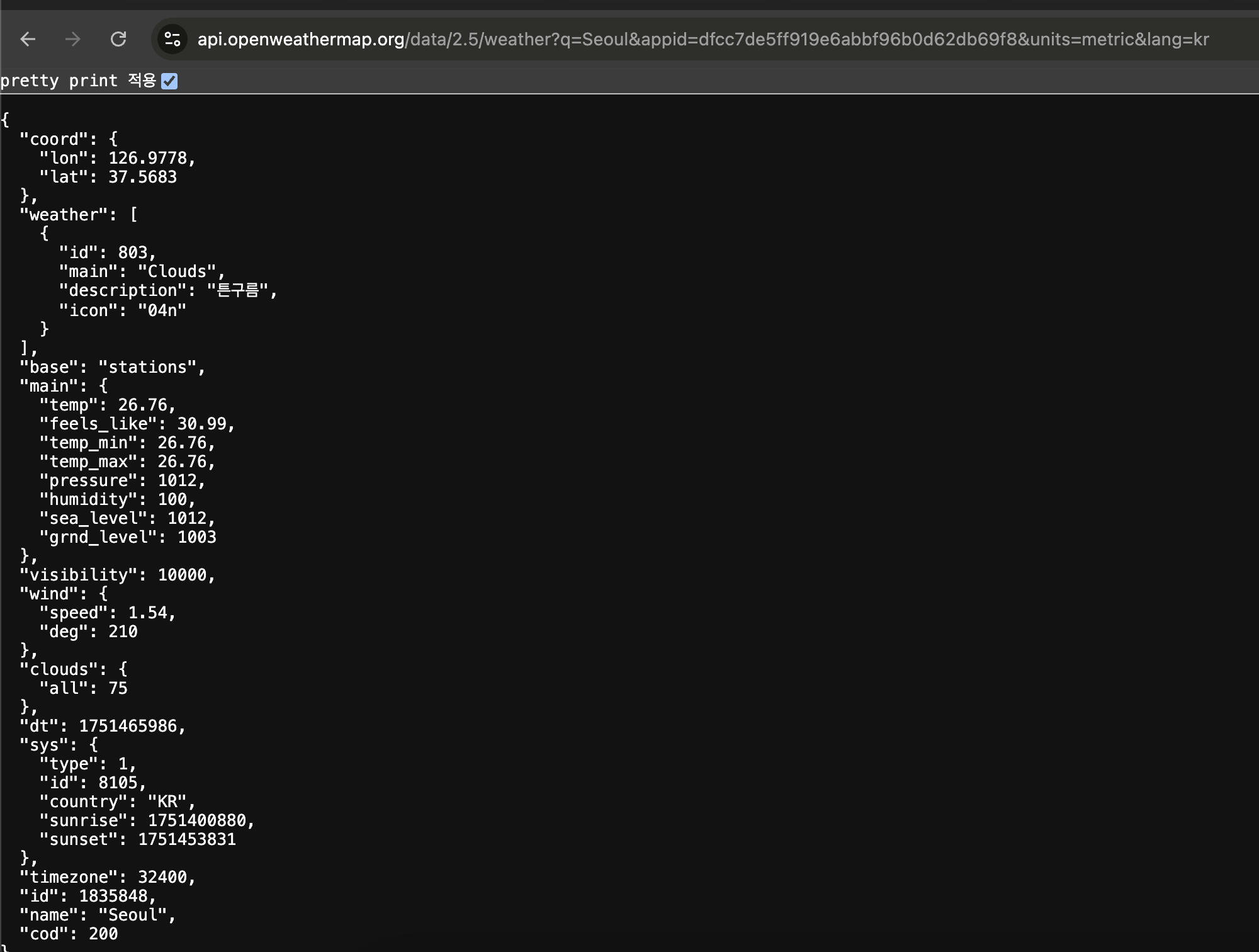
- 브라우저 주소창에서 아래 URL 입력하여 응답 JSON 확인
https://api.openweathermap.org/data/2.5/weather?q=Seoul&appid=dfcc7de5ff919e6abbf96b0d62db69f8&units=metric&lang=kr- 예상대로
Seoul, 온도, 날씨 설명, 아이콘 데이터 잘 나옴
🎉 결과
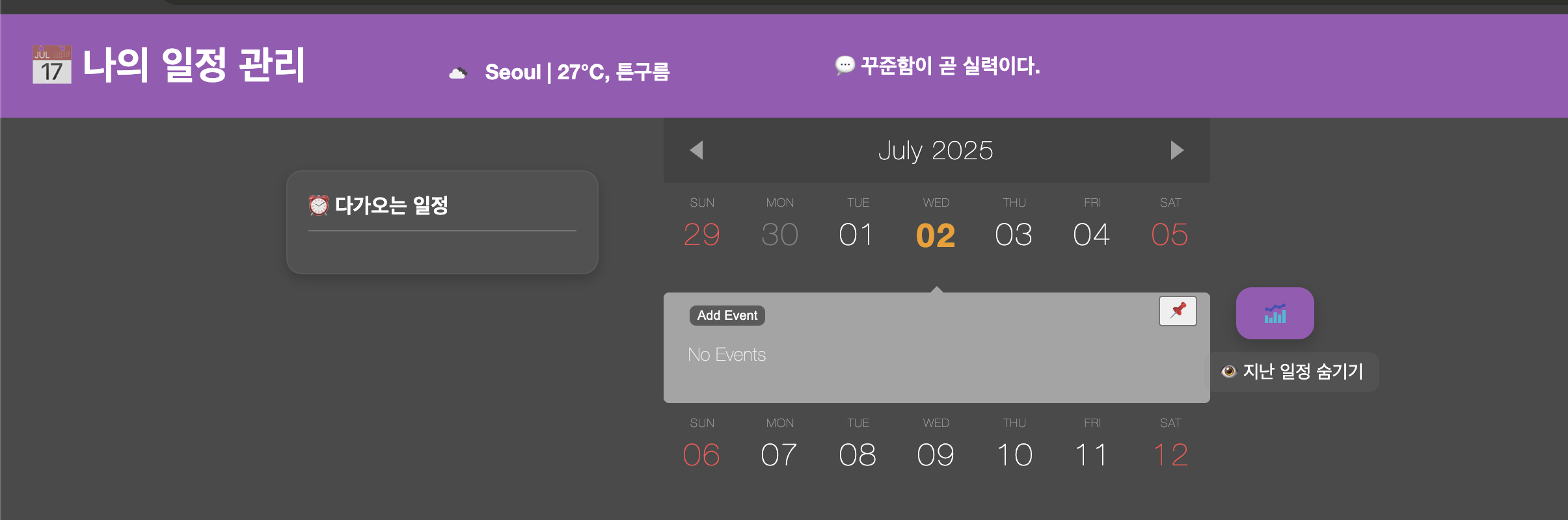

- 💡 캘린더 상단에 다음과 같은 날씨 정보 출력 완료!
🌥️ Seoul | 27°C, 튼구름- ✔️ 명언과 함께 배치되어 깔끔한 UI 완성
- ✔️ 향후 지역 선택 기능, 위치 기반 자동 감지로 확장 가능성 있음
✨ 느낀 점
오늘은 외부 API를 연동해 프론트 UI에 실시간 데이터를 표시하는 경험을 했다.
처음엔 키가 활성화되기까지 시간이 걸려 401 오류가 떴지만, JSON 응답 확인과 디버깅을 통해 문제를 해결할 수 있었다.
이런 위젯은 사용자 경험을 높이는 데 작지만 강력한 요소가 된다는 걸 느꼈다.

끝까지 가면 내가 다 이겨