프로젝트 요구사항 명세에 의해 PostgreSQL과 QueryDSL을 사용하게 되었기에 간단히 알아보았다.
PostgreSQL
- 오픈 소스 RDBMS
- 데이터 무결성과 확장성을 중시
- 특히 대규모 애플리케이션과 복잡한 쿼리 처리에 적합
특장점
- 오픈 소스
- BSD 라이선스로 배포되는 오픈 소스 데이터베이스
- 관계형 모델과 객체 관계형 모델 지원
- 전통적인 관계형 데이터베이스 모델 뿐 아니라 객체 지향 데이터베이스 기능을 함께 지원
- 사용자 정의 타입, 테이블 상속, 함수 및 프로시저와 같은 객체 지향적 요소 추가 가능
- ACID 준수
- 데이터의 일관성과 무결성 보장
- 다양한 데이터 타입 지원
- 정수, 실수, 문자열 등 기본 타입 외의 JSON, XML, 배열, HSTORE(key-value), UUID, Geometric(Point, Line etc) 타입을 지원
- 확장성
- 플러그인, 사용자 정의 함수, 사용자 정의 데이터 타입, 프로시저, 트리거 등을 통해 기능 확장 가능
- 복잡한 쿼리와 고급 기능 지원
- 윈도우 함수, 공통 테이블 표현식(CTE), 서브쿼리, 조인 등 복잡한 쿼리 지원에 최적화
- 정규 표현식, 트리거, 뷰, 인덱스 등 고급 기능 지원
- 고급 트랜젝션 처리
- 스트리밍 레플리케이션과 로지컬 레플리케이션을 통한 데이터베이스 복제 및 클러스터링 지원
- 고가용성 및 부하 분산을 쉽게 구현
단점
- 러닝커브?
Springboot 프로젝트에 PostgreSQL 연동하기
작업환경: Mac
-
터미널에서 PostgreSQL 설치
brew install postgresql+
postgres --version으로 버전 확인

-
서버 시작
- 자동 서버 시작
(백그라운드 서비스로 실행하여 재부팅시마다 자동으로 서버 시작)
brew services start postgresql - 수동 서버 시작
pg_ctl -D /usr/local/var/postgres start
-> PostgreSQL 데이터 디렉토리의 기본 경로
안된다면brew info postgresql로 확인
-
PostgreSQL 접속
psql postgres -
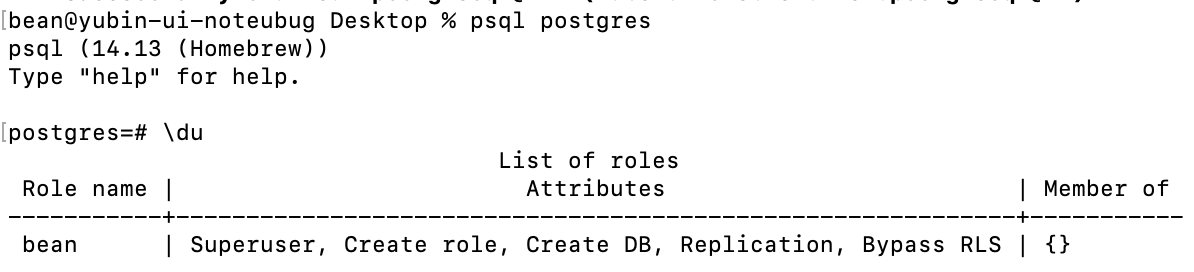
계정 확인
\du
-
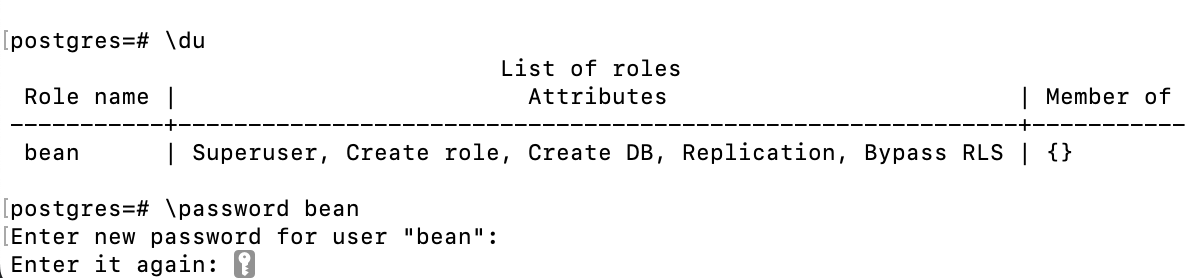
계정에 비밀번호 설정
\password {사용자명}
-
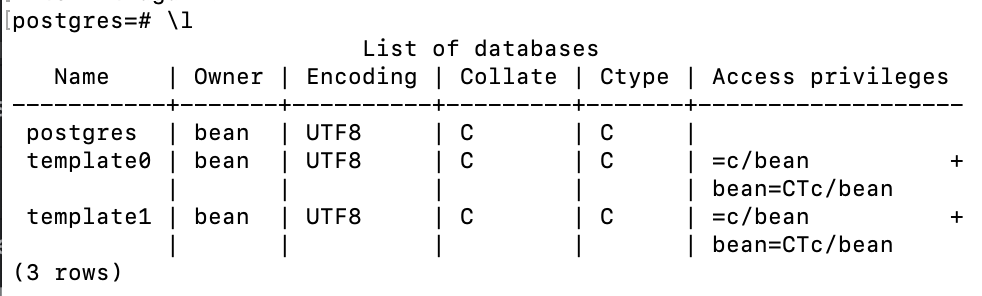
데이터베이스 목록 확인
\l
-
데이터베이스 생성
CREATE DATABASE {데이터베이스명}

-
의존성 추가
- Gradle (build.gradle) 설정
'org.springframework.boot:spring-boot-starter-data-jpa' implementation 'org.postgresql:postgresql'dependencies { implementation 'org.springframework.boot:spring-boot-starter-data-jpa' implementation 'org.postgresql:postgresql' // 추가적으로 필요에 따라 웹 의존성도 추가 가능 implementation 'org.springframework.boot:spring-boot-starter-web' } - Maven (pom.xml) 설정
<dependency> <groupId>org.postgresql</groupId> <artifactId>postgresql</artifactId> </dependency><dependencies> <dependency> <groupId>org.springframework.boot</groupId> <artifactId>spring-boot-starter-data-jpa</artifactId> </dependency> <dependency> <groupId>org.postgresql</groupId> <artifactId>postgresql</artifactId> </dependency> <!-- 추가적으로 필요에 따라 웹 의존성도 추가 가능 --> <dependency> <groupId>org.springframework.boot</groupId> <artifactId>spring-boot-starter-web</artifactId> </dependency> </dependencies>
- PostgreSQL 데이터베이스 정보 설정
-
application.properties
# 데이터베이스 연결 정보 spring.datasource.url=jdbc:postgresql://localhost:5432/{데이터베이스명} spring.datasource.username={사용자명} spring.datasource.password={비밀번호} spring.datasource.driver-class-name=org.postgresql.Driver -
application.yml
spring:
  datasource:
    url: jdbc:postgresql://localhost:5432/{데이터베이스명}
    username: {사용자명}
    password: {비밀번호}
    driver-class-name: org.postgresql.Driver

  jpa:
    hibernate:
      ddl-auto: update
    show-sql: true
    properties:
      hibernate:
        format_sql: true
    database-platform: org.hibernate.dialect.PostgreSQLDialect
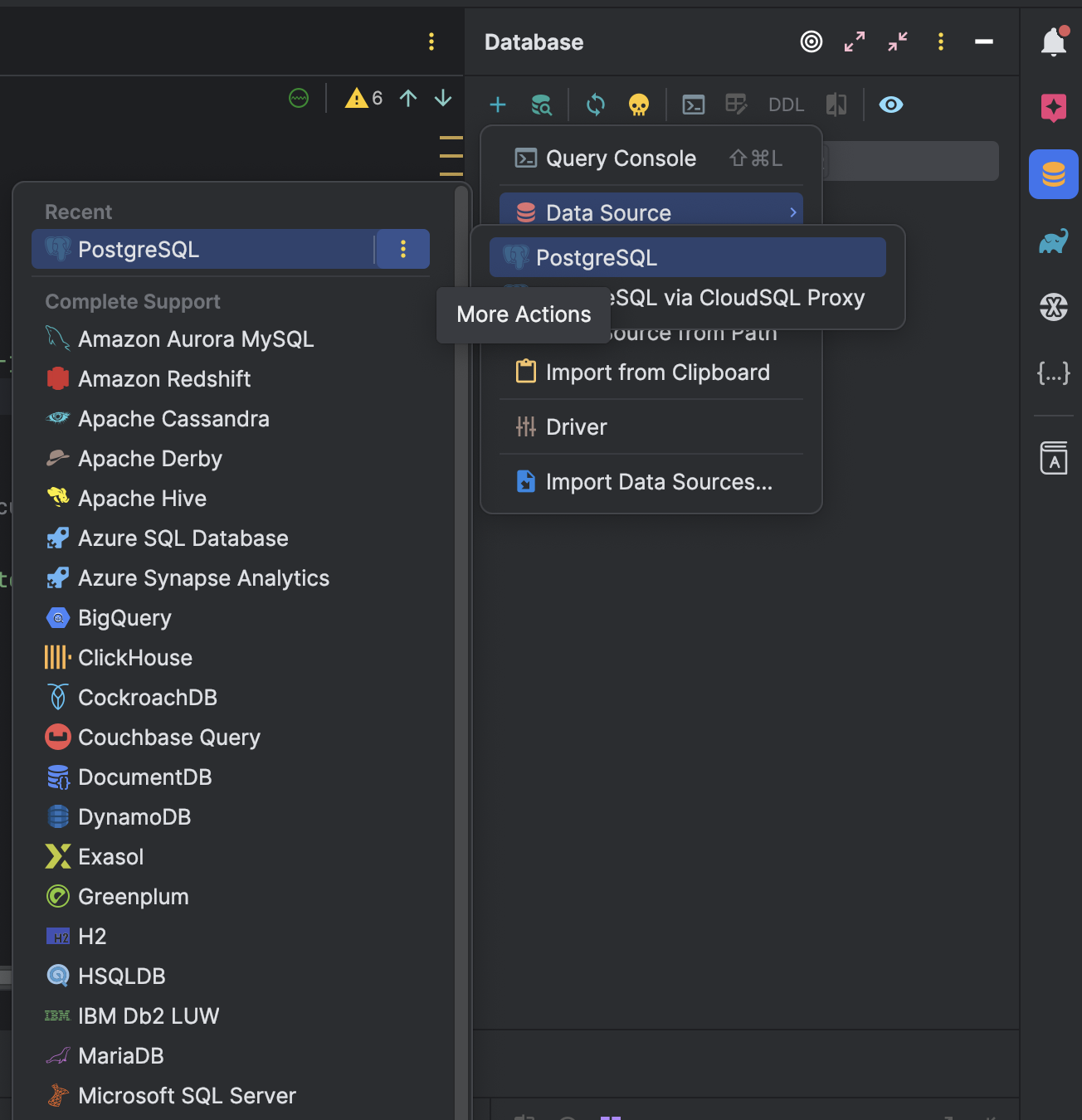
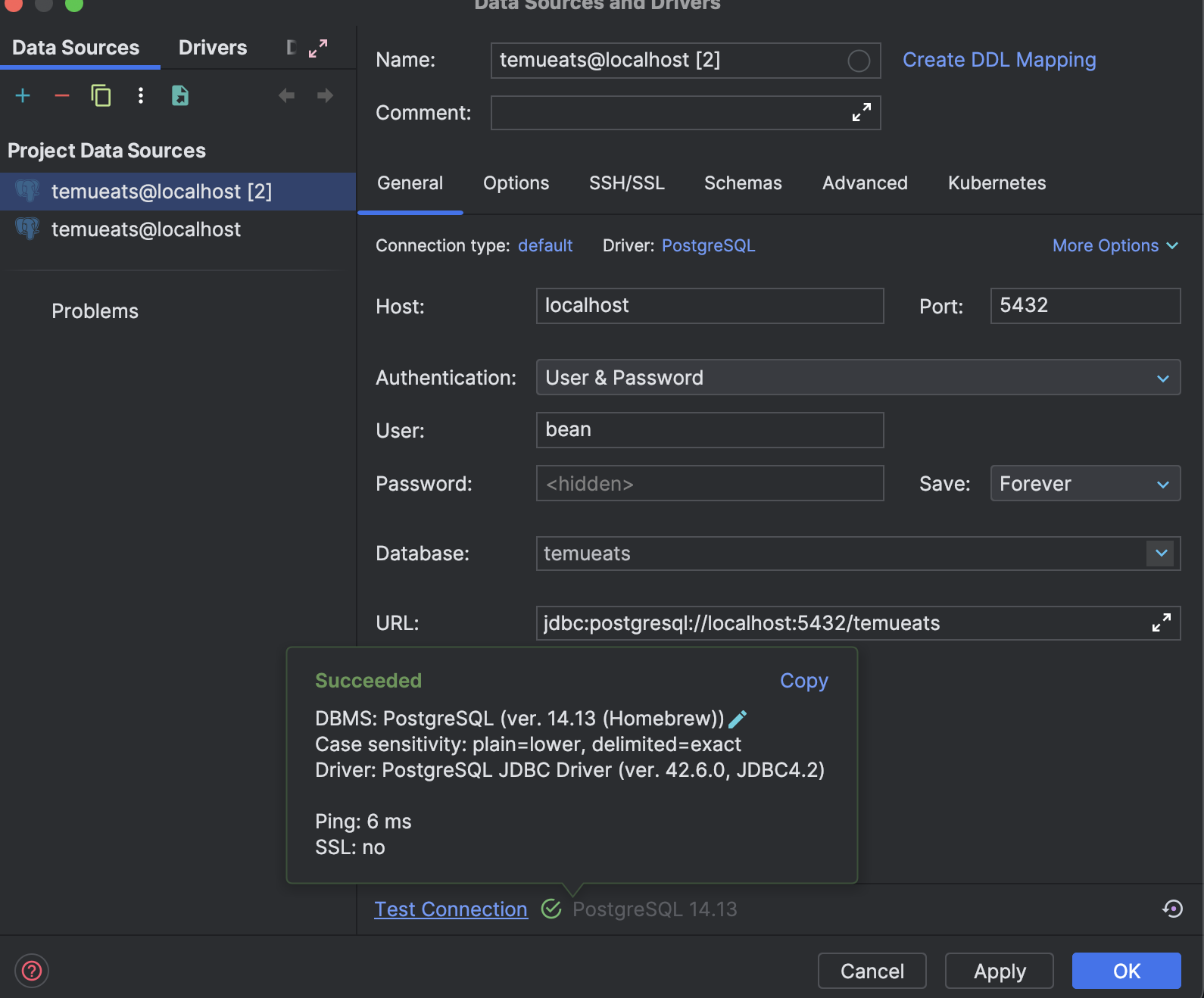
- DataSource 추가(IntelliJ)
-
Database->new->Data Source->PostgreSQL
-
User, Password, Database 지정 후 test 및 connect
+PostgreSQL 서버 종료
brew services stop postgresql
QueryDSL
- Java에서 타입 안전과 코드 자동 완성 기능을 제공하는 ORM 기반 쿼리 빌더
- JPA, SQL, MongoDB, Elasticsearch와 같은 데이터 소스와 함께 사용
- 동적 쿼리 작성 필요시 기존의 JPQL을 대신하여 더욱 효율적인 쿼리 작성을 도움
특장점
- 타입 안전
- 컴파일 시점에 쿼리를 검사해 오류가 있을 시 IDE에서 즉시 피드백 받을 수 있어 런타임 에러를 줄이고 안정성을 향상시킬 수 있음
- 코드 자동 완성
- IDE의 코드 자동 완성 기능을 활용할 수 있도록 지원
- 복잡한 쿼리 작성 시 실수를 줄이고 코드 가독성을 높임
- 동적 쿼리 작성
- 복잡한 조건에 따라 동적으로 쿼리를 구성해야 하는 경우 조건을 프로그램적으로 조합할 수 있음
- 코드 기반 쿼리 작성
- 문자열 기반의 JPQL 쿼리가 아닌 코드 기반의 쿼리 제공
- 리팩토링과 유지보수가 쉬움
단점
- 러닝커브..?
- 의존성 추가와 설정의 복잡성
사용방법
- 의존성 추가 및 Gradle 플러그인 설정
dependencies {
    implementation 'com.querydsl:querydsl-jpa'
    implementation 'com.querydsl:querydsl-apt'
    annotationProcessor 'com.querydsl:querydsl-apt'
    annotationProcessor 'javax.persistence:javax.persistence-api'
}
plugins {
id 'com.ewerk.gradle.plugins.querydsl' version '1.0.10'
}
querydsl {
jpa = true
querydslSourcesDir = 'src/main/generated'
}
sourceSets {
main {
java {
srcDir 'src/main/generated'
}
}
}설정 후 빌드하면 build/generated 디렉토리에 Q 클래스들이 자동으로 생성됨
+Q 클래스: 엔티티 클래스의 필드에 접근할 수 있는 타입 안전한 메서드를 제공
- JPAQueryFactory 빈으로 등록
@Configuration
public class QueryDslConfig {

    @PersistenceContext
    private EntityManager entityManager;

    @Bean
    public JPAQueryFactory jpaQueryFactory() {
        return new JPAQueryFactory(entityManager);
    }
}- JPAQueryFactory 주입받아 사용
@Service
public class UserService {

    private final JPAQueryFactory queryFactory;

    @Autowired
    public UserService(JPAQueryFactory queryFactory) {
        this.queryFactory = queryFactory;
    }

    public List<User> getUsersBySomeCriteria(String criteria) {
        QUser user = QUser.user;

        return queryFactory.selectFrom(user)
                           .where(user.name.eq(criteria))
                           .fetch();
    }
}
고민고민고민