[SpringBoots] Exception Handling
1. Exception을 처리 하는 Controller 생성
package com.multi.controller;

import org.springframework.ui.Model;
import org.springframework.web.bind.annotation.ControllerAdvice;
import org.springframework.web.bind.annotation.ExceptionHandler;

@ControllerAdvice
public class CustomErrorController {
    @ExceptionHandler(Exception.class)
    public String except(Exception e, Model model){
        model.addAttribute("msg",e.getMessage());
        model.addAttribute("center","error/error_page1");
        return "index";
    }
}
2. error 페이지 작성
error 페이지는 templates 폴더 및에 error 폴더에 작성
<meta charset="utf-8"/>

<h1>Error Page 1</h1>
<h1>${msg}</h1>
3. Controller에서 Exception 발생 시 throw 처리
@RequestMapping("/registerimpl")
	public String registerimpl(Model model, CustDTO cust) throws Exception {
		try {
			service.register(cust);
		} catch (Exception e) {
			throw new Exception("ID중복에러");
		}
		return "redirect:get";
	}
시스템, 매퍼, 화면의 문제인지 명확히 하려면 각 단계마다 테스트를 확실히 해야한다.
XML에서 대문자로할지 소문자로할지는 매우매우 중요하다…..

Problem : XML과 Mapper간의 소-대문자로 인한 오류
XML에선...
<select id="getloc" ...---> 이걸 getloc로 적었는데
    SELECT * FROM marker WHERE id=#{id}
Mapper에선
public List<Marker> getLoc(String loc);---> 이렇게 정의했다면?

혹은
Problem : DB저장정보와 Mapper간의 소-대문자로 인한 오류
DB : 'S'로 저장되어있는데
Mapper나 Controller에서 's'를 찾는 경우...찾기가 매우 어렵다.
Solution : DB나 Contoller에서 소대문자 자동변환 권장
SQL : select * from marker where loc = upper('s');
Java : Object.toUpperCase()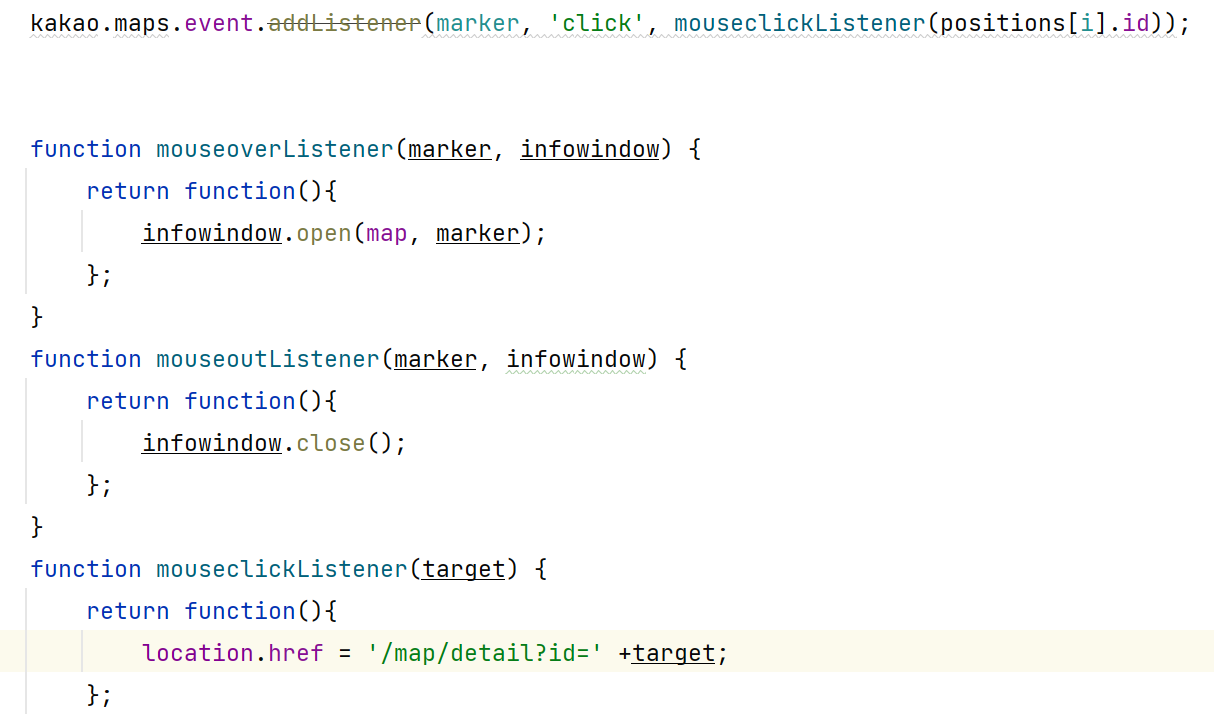
클릭하면 id를 매개변수(target이라는 변수명으로)로 받아 -> /map/detail?id=(target변수명)의 위치로 이동.
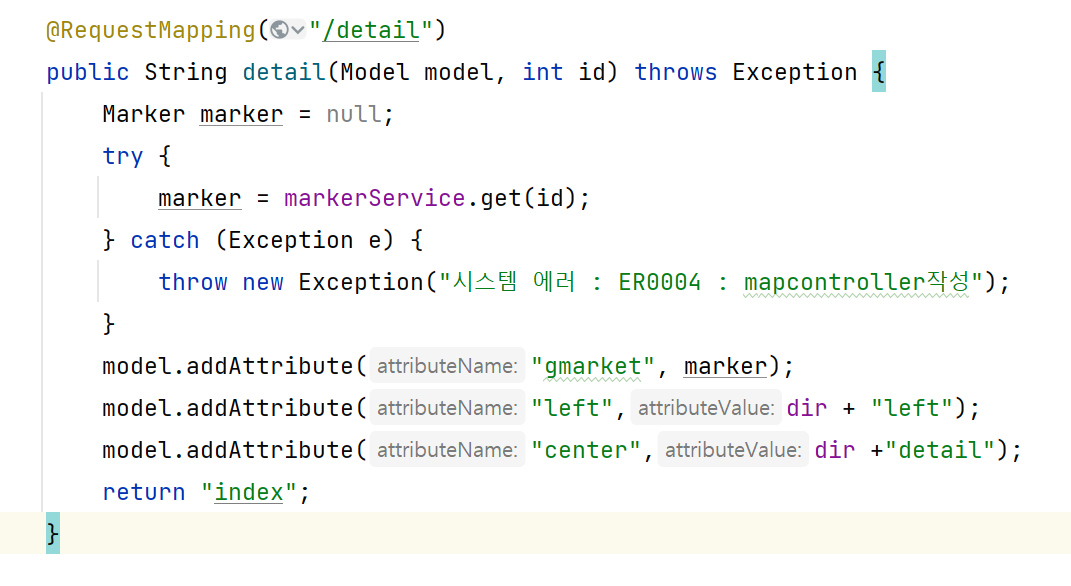
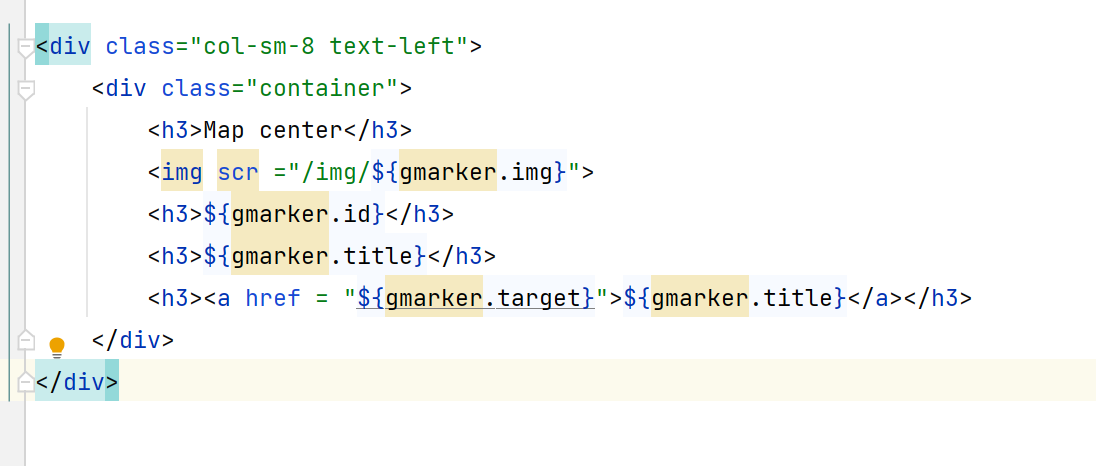
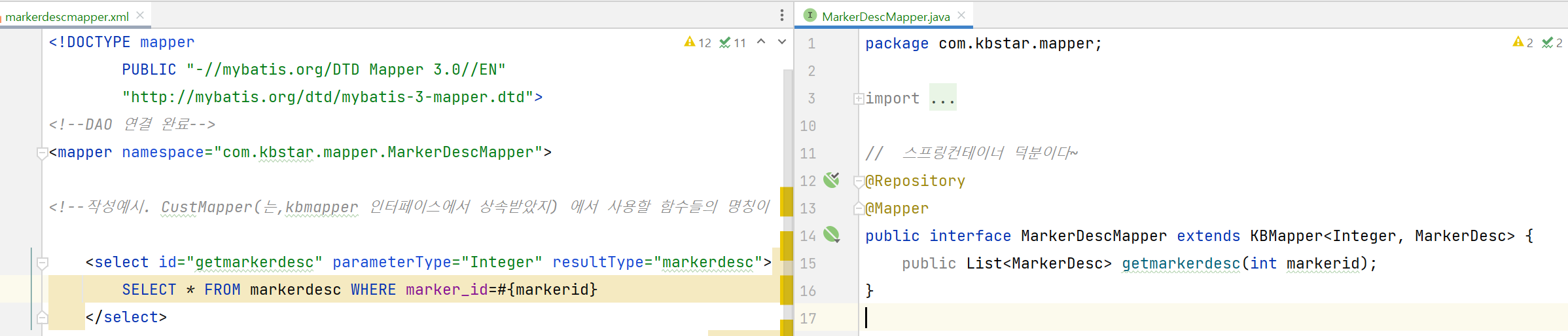
mapper.xml과 mapper.java의 id와 함수명, 매개변수 이름들은 같아야함.

안녕하세요