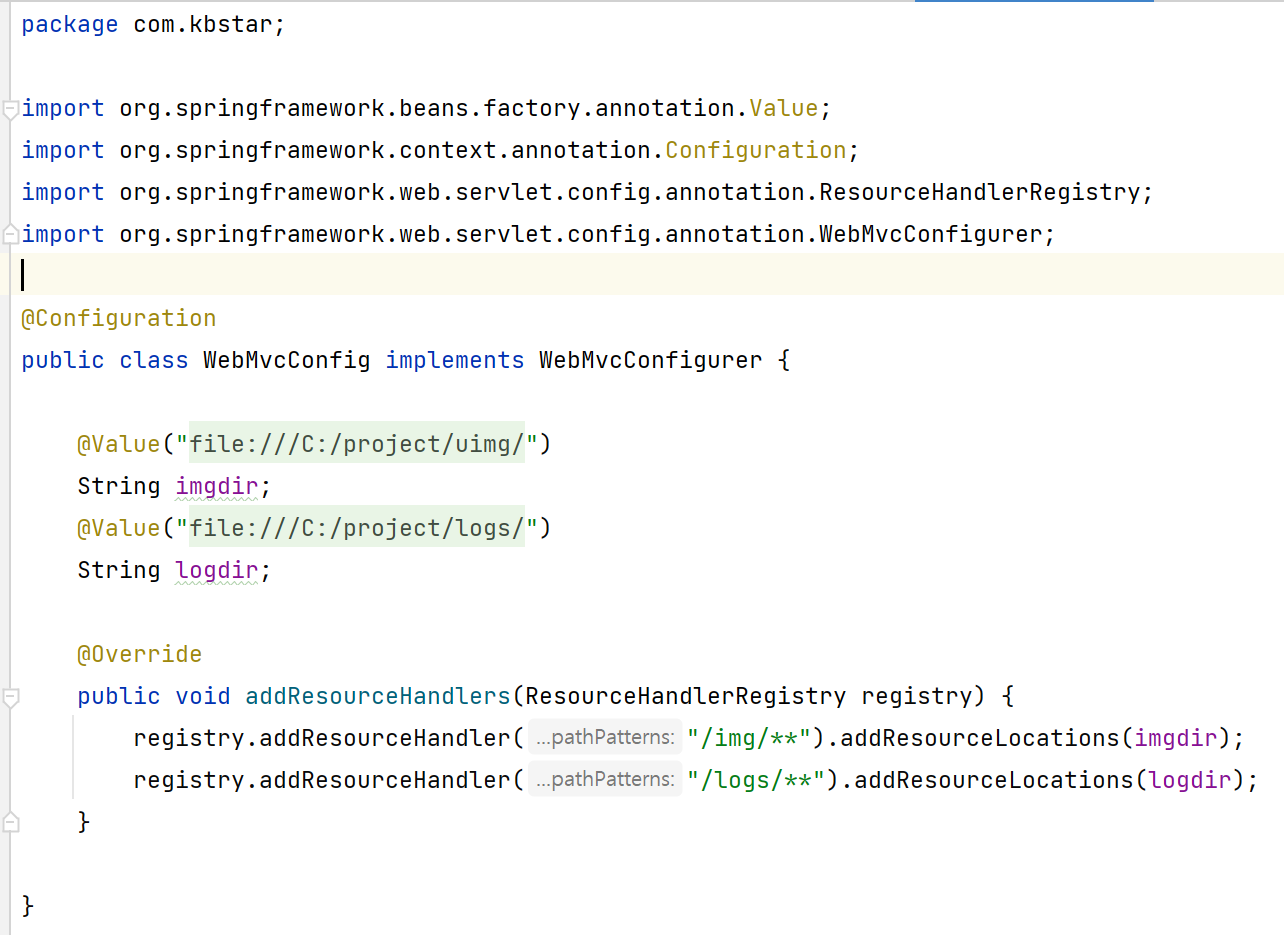
다른 디렉토리도 웹에서 접근할 수 있도록 수정한 것.
(static에 img, logs를 만들어서 넣어놓은 것처럼 사용할 수 있도록 등록)
-> 하는 이유 : logs를 인텔리제이 프로젝트 안에 넣는 경우, 서버를 새로고침하지 않는 이상, 프로젝트의 로그를 이용한 차트를 만들 수 없음.
-> 따라서 img, logs를 프로젝트 밖으로 뺄 것인데, 이 경우 웹화면 127.0.0.1/logs 등으로 접근이 불가능함.
-> 위처럼 등록하여 웹에서도 접근이 가능하도록 해주는 것. + 프로젝트 로그를 활용한 접근도 가능.
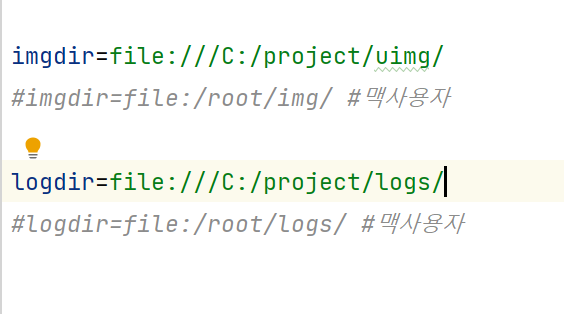
어플리케이션 프로퍼티에는 위와같이 세팅.
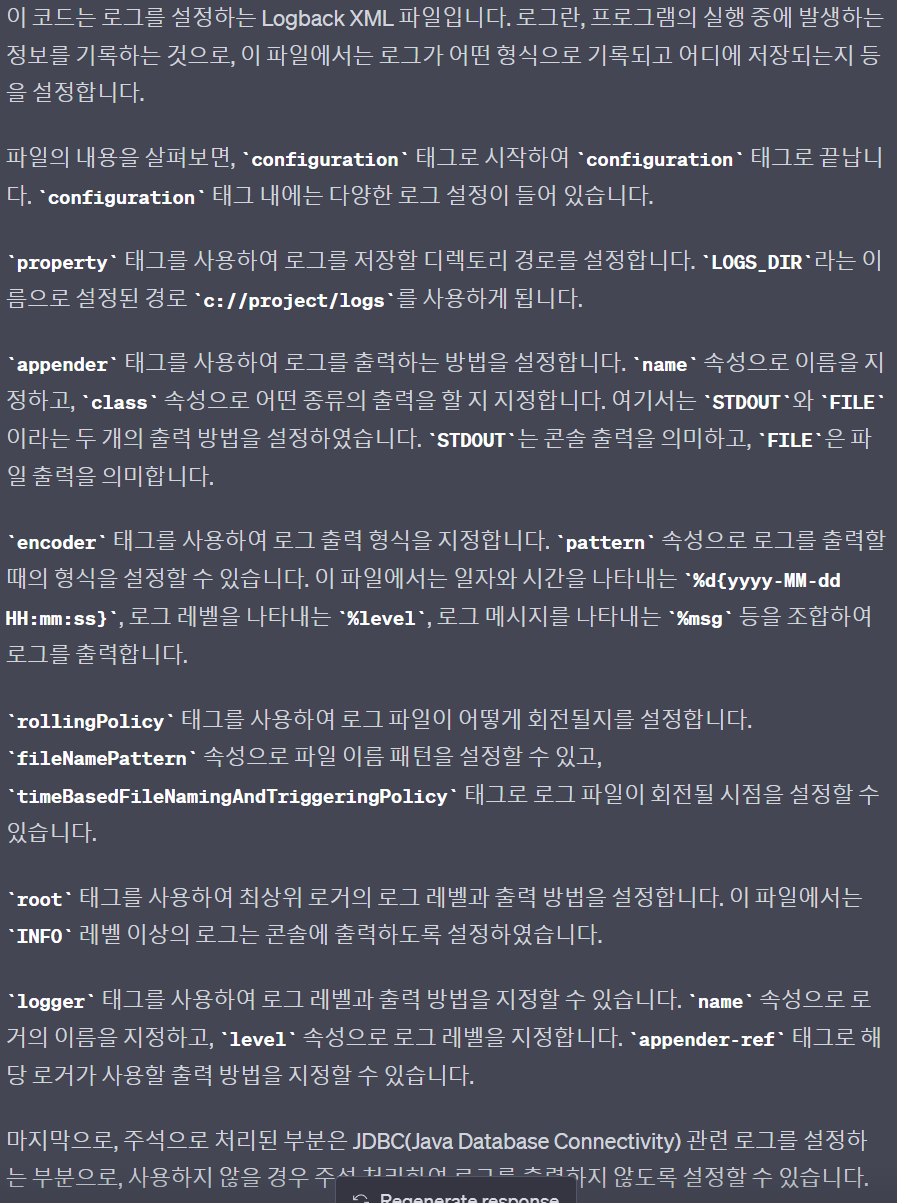
다국어처리 : WebMessageConfig 클래스를 만든다. -> resource파일에 messages 디렉토리 생성 및 언어별 파일 생성 -> spring tab 적용
- Web09 프로젝트 생성 후 git 업로드 후 진행
- pom.xml 수정
- application.properties 파일 수정
- log적용
- 다국어 처리 적용
- 외부 디렉토리 resource등록
- web08에 있는 소스를 복사
- java파일 복사
- jsp파일 복사
SpringBoot MVC Setting
SpringBoot 프로젝트 생성
new > project > spring initialzr > 선택
java, Maven, JDK 11, war 선택
 2. Dependencies 선택
Spring Boot DevTools
Lombok
Spring Web
Mybatis Framework
Oracle Driver
 3. pom.xml 수정
<dependency>
    <groupId>org.apache.tomcat.embed</groupId>
    <artifactId>tomcat-embed-jasper</artifactId>
</dependency>
<dependency>
    <groupId>javax.servlet</groupId>
    <artifactId>jstl</artifactId>
</dependency>
 4. application.properties 수정
 server.port=80
spring.datasource.driver-class-name=oracle.jdbc.OracleDriver
spring.datasource.url=jdbc:oracle:thin:@localhost:1521:xe
spring.datasource.username=user01
spring.datasource.password=111111
mybatis.type-aliases-package=com.kbstar.dto
mybatis.mapper-locations=com/kbstar/mybatis/*.xml
 5. XXXApplication.java 수정
 @Bean
public InternalResourceViewResolver setupViewResolver() {
    InternalResourceViewResolver resolver = new InternalResourceViewResolver();
    resolver.setPrefix("/WEB-INF/views/");
    resolver.setSuffix(".jsp");
    return resolver;
}
 6. src/main/webapp/WEB-INF/views 생성 후 jsp 작성
 7. com.kbstar 아래 package 생성
controller
dto
mybatis
JSON 처리 Library
<!-- json request -->
<dependency>
<groupId>com.googlecode.json-simple</groupId>
<artifactId>json-simple</artifactId>
<version>1.1</version>
</dependency>SpringBoot LOG 처리
pom.xml에 logback 관련 library 추가
<dependency>
<groupId>org.bgee.log4jdbc-log4j2</groupId>
<artifactId>log4jdbc-log4j2-jdbc4.1</artifactId>
<version>1.16</version>
</dependency>
2. resources directory에 logback.xml 파일 생성
<?xml version="1.0" encoding="UTF-8"?>
<configuration>
<property name="LOGS_ABSOLUTE_PATH" value="./logs" />
<appender name="STDOUT" class="ch.qos.logback.core.ConsoleAppender">
<layout class="ch.qos.logback.classic.PatternLayout">
<Pattern>[%d{yyyy-MM-dd HH:mm:ss}:%-3relative][%thread] %-5level %logger{36} - %msg%n</Pattern>
</layout>
</appender>
<appender name="FILE" class="ch.qos.logback.core.rolling.RollingFileAppender">
<file>${LOGS_ABSOLUTE_PATH}/logback.log</file>
<encoder>
<pattern>[%d{yyyy-MM-dd HH:mm:ss}:%-3relative][%thread] %-5level %logger{35} - %msg%n</pattern>
</encoder>
<rollingPolicy class="ch.qos.logback.core.rolling.TimeBasedRollingPolicy">
<fileNamePattern>${LOGS_ABSOLUTE_PATH}/logback.%d{yyyy-MM-dd}.%i.log.gz</fileNamePattern>
<timeBasedFileNamingAndTriggeringPolicy class="ch.qos.logback.core.rolling.SizeAndTimeBasedFNATP">
<maxFileSize>5MB</maxFileSize>
</timeBasedFileNamingAndTriggeringPolicy>
<maxHistory>30</maxHistory>
</rollingPolicy>
</appender>
<root level="INFO">
<appender-ref ref="STDOUT" />
</root>
<logger name="org.springframework.web" level="DEBUG">
<appender-ref ref="STDOUT" />
<appender-ref ref="FILE" />
</logger>
<!--
<logger name="jdbc" level="OFF" />
<logger name="jdbc.sqlonly" level="DEBUG" />
<logger name="jdbc.sqltiming" level="DEBUG" />
<logger name="jdbc.audit" level="OFF" />
<logger name="jdbc.resultset" level="DEBUG" />
<logger name="jdbc.resultsettable" level="DEBUG" />
<logger name="jdbc.connection" level="OFF" />
-->
<!-- INFO(trace > debug > info > warn > error) -->
</configuration>Logger logger = LoggerFactory.getLogger(this.getClass().getSimpleName());
1. 언어펙 위치 설정 Configuration
package com.kbstar;

import org.springframework.beans.factory.annotation.Autowired;
import org.springframework.context.ApplicationContext;
import org.springframework.context.ApplicationContextAware;
import org.springframework.context.MessageSource;
import org.springframework.context.annotation.Bean;
import org.springframework.context.annotation.Configuration;
import org.springframework.context.i18n.LocaleContext;
import org.springframework.context.i18n.SimpleLocaleContext;
import org.springframework.context.support.ResourceBundleMessageSource;
import org.springframework.web.server.ServerWebExchange;
import org.springframework.web.server.i18n.LocaleContextResolver;

import java.util.Locale;

@Configuration
public class WebMessageConfig implements ApplicationContextAware {

    ApplicationContext context;

    @Bean
    public MessageSource messageSource() {
        ResourceBundleMessageSource messageSource = new ResourceBundleMessageSource();
        messageSource.setBasenames("messages/message");
        messageSource.setDefaultEncoding("UTF-8");
        return messageSource;
    }

    @Override
    public void setApplicationContext(ApplicationContext context) {
        this.context = context;
    }
}

// 사용자가 사용하는 브라우져의 사용 언어 확인
@Configuration
class LocaleResolve implements LocaleContextResolver {

    @Override
    public LocaleContext resolveLocaleContext(ServerWebExchange exchange) {
        //String language = exchange.getRequest().getHeaders().getFirst("Accept-Language");
        String language = exchange.getRequest().getQueryParams().getFirst("lang");
        Locale targetLocale = Locale.getDefault();
        if (language != null && !language.isEmpty()) {
            targetLocale = Locale.forLanguageTag(language);
        }
        return new SimpleLocaleContext(targetLocale);
    }

    @Override
    public void setLocaleContext(ServerWebExchange exchange, LocaleContext localeContext) {
        throw new UnsupportedOperationException("Not Supported");
    }

}

// 언어펙 적용
@Configuration
class MessageByLocale {

    @Autowired
    private MessageSource messageSource;

    @Autowired
    private LocaleResolve localeResolver;

    public String getMessage(String code, ServerWebExchange exchange) {
        LocaleContext localeContext = localeResolver.resolveLocaleContext(exchange);
        return messageSource.getMessage(code, null, localeContext.getLocale());
    }
}
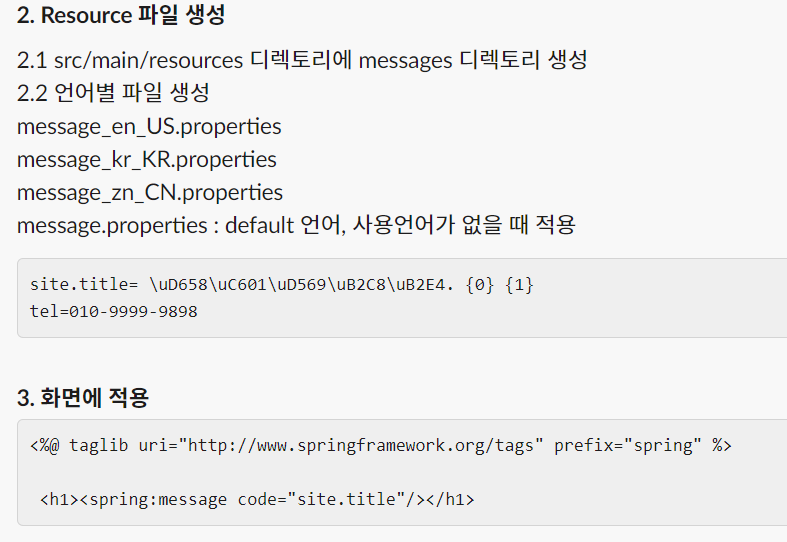
2. Resource 파일 생성
2.1 src/main/resources 디렉토리에 messages 디렉토리 생성
2.2 언어별 파일 생성
message_en_US.properties
message_kr_KR.properties
message_zn_CN.properties
message.properties : default 언어, 사용언어가 없을 때 적용
site.title= \uD658\uC601\uD569\uB2C8\uB2E4. {0} {1}
tel=010-9999-9898
3. 화면에 적용
<%@ taglib uri="http://www.springframework.org/tags" prefix="spring" %>

 <h1><spring:message code="site.title"/></h1>
web application
Resource Directory 변경
application.properties 파일 수정
imgdir=file:///C:/projectimg/img/
#imgdir=file:/root/img/
logdir=file:///C:/logs/
#logdir=file:/root/logs/
2. WebMvcConfig.java 작성
@Configuration
public class WebMvcConfig implements WebMvcConfigurer {
@Value("${imgdir}")
String imgdir;
@Value("${logdir}")
String logdir;
@Override
public void addResourceHandlers(ResourceHandlerRegistry registry) {
registry.addResourceHandler("/img/**").addResourceLocations(imgdir);
registry.addResourceHandler("/logs/**").addResourceLocations(logdir);
}
}
3. logback.html 파일 변경
<property name="LOGS_ABSOLUTE_PATH" value="c://logs" />
<property name="LOGS_CUSTINFO" value="c://logs" />JSP에서 날짜 및 통화 표시
<%@ taglib prefix="fmt" uri="http://java.sun.com/jsp/jstl/fmt" %>
통화
<fmt:parseNumber integerOnly="true" type="number" value="${num}" />
<fmt:formatNumber value="${num}" type="currency" />
<fmt:formatNumber type="number" pattern="###.###$" value="${num}" />
날짜
<fmt:formatDate value="${cdate}" pattern="dd-MM-yyyy" /> (편집됨) 
안녕하세요