2021.07.08 일지
1.팀별 프로젝트 진행 상황 및 본인 업무
기관에서 요구하는 메뉴 구성을 참고해 IA 및 대략적인 개발 계획서 작성 완료
의견을 취합할 IA의 샘플을 작성하는 작업
2. 오늘 강의를 통해 프로젝트에 적용한 부분
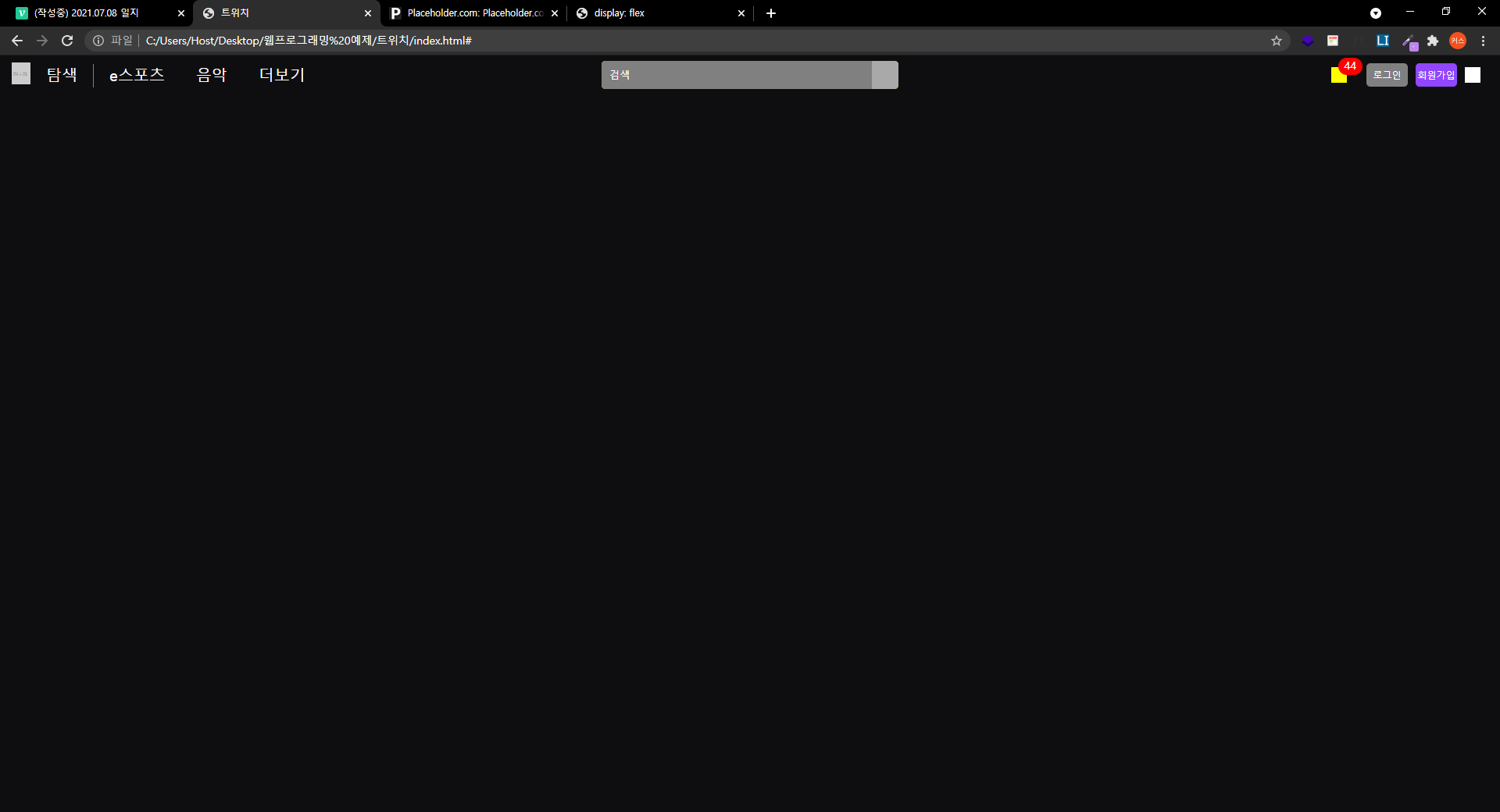
[트위치 상단 부분]
<!DOCTYPE html>
<html>
<head>
	<meta charset="utf-8">
	<title>트위치</title>
	<link rel="stylesheet" type="text/css" href="css/style.css">
</head>
<body>
	<nav id="top_nav">
		<div class="nav_wrap">
			<div class="nav_left">
				<h1 class="logo">
					<a href="#">
						<img src="https://via.placeholder.com/24x28">
					</a>
				</h1>

				<ul>
					<li><a href="#">탐색</a></li>
					<li><a href="#">e스포츠</a></li>
					<li><a href="#">음악</a></li>
				</ul>

				<div class="more">
					<a href="#">더보기</a>
				</div>
			</div>

			<div class="nav_center">
				<div class="search_wrap">
					<input type="text" placeholder="검색">
					<button type="button" class="btn_search"></button>
				</div>
			</div>

			<div class="nav_right">
				<div class="mark_wrap">
					<i class="icon_mark"></i>
					<span class="alarm">44</span>
				</div>
				<a href="#" class="btn_login">로그인</a>
				<a href="#" class="btn_purple">회원가입</a>
				<button type="button" class="profile"></button>
			</div>
		</div>
	</nav>
</body>
</html>
* {
margin: 0;
padding: 0;
box-sizing: border-box;
}
html, body {
width: 100%;
height: 100%;
}
body {
background-color: #0e0e10;
}
ol, ul {
list-style: none;
}
a {
text-decoration: none;
}
img {
vertical-align: top;
}
input {
outline: none;
border: none;
}
button {
outline: none;
border: none;
background-color: transparent;
}
h1, h2, h3, h4, h5, h6, p, span, input, button, a {
color: #ffffff;
}
.btn_purple {
background-color: #9147ff;
color: #ffffff;
}
.font_purple {
color: #9147ff;
}
#top_nav {
position: fixed;
width: 100%;
height: 50px;
background-color: #0e0e10;
padding: 0 15px;
}
#top_nav .nav_wrap {
display: flex;
flex-wrap: wrap;
justify-content: space-between;
align-items: center;
}
#top_nav .nav_wrap .nav_left {
display: flex;
flex-wrap: wrap;
align-items: center;
}
#top_nav .nav_wrap .nav_left .logo a img {
width: 24px;
height: 28px;
}
#top_nav .nav_wrap .nav_left ul {
display: flex;
flex-wrap: wrap;
align-items: center;
}
#top_nav .nav_wrap .nav_left ul li {
height: 50px;
font-size: 20px;
padding: 0 20px;
}
#top_nav .nav_wrap .nav_left ul li a {
display: block;
width: 100%;
height: 100%;
line-height: 50px;
}
#top_nav .nav_wrap .nav_left ul li:first-child {
padding-right: 0;
}
#top_nav .nav_wrap .nav_left ul li:first-child a:after {
position: relative;
display: inline-block;
content: "";
width: 1px;
height: 30px;
background-color: grey;
top: 8px;
margin-left: 20px;
}
#top_nav .nav_wrap .nav_left .more a {
display: block;
height: 50px;
line-height: 50px;
font-size: 20px;
padding-left: 20px;
}
#top_nav .nav_center {
position: absolute;
left: 50%;
transform: translateX(-50%);
}
#top_nav .nav_center .search_wrap {
overflow: hidden;
display: flex;
flex-wrap: wrap;
justify-content: space-between;
align-items: center;
width: 380px;
height: 36px;
border-radius: 5px;
background-color: yellow;
}
#top_nav .nav_center .search_wrap input {
width: calc(100% - 34px);
height: 100%;
background-color: grey;
padding: 10px;
color: #ffffff;
}
#top_nav .nav_center .search_wrap input::placeholder {
color: #ffffff;
}
#top_nav .nav_center .search_wrap .btn_search {
width: 34px;
height: 100%;
background-color: darkgrey;
}
#top_nav .nav_right {
display: flex;
flex-wrap: wrap;
justify-content: flex-end;
align-items: center;
}
#top_nav .nav_right .mark_wrap {
position: relative;
}
#top_nav .nav_right .mark_wrap .icon_mark {
display: block;
width: 20px;
height: 20px;
background-color: yellow;
cursor: pointer;
}
#top_nav .nav_right .mark_wrap .alarm {
position: absolute;
font-size: 14px;
color: #ffffff;
border-radius: 15px;
background-color: red;
padding: 0 8px 4px;
top: -12px;
right: -20px;
}
#top_nav .nav_right .btn_login {
width: 53px;
height: 30px;
background-color: grey;
font-size: 12px;
text-align: center;
line-height: 30px;
border-radius: 5px;
margin-left: 25px;
}
#top_nav .nav_right .btn_purple {
width: 53px;
height: 30px;
font-size: 12px;
text-align: center;
line-height: 30px;
border-radius: 5px;
margin-left: 10px;
}
#top_nav .nav_right .profile {
width: 20px;
height: 20px;
background-color: #ffffff;
cursor: pointer;
margin: 0 10px;
}
3. 어려웠던 점과 해결방법
IA 작성하는 방법을 잘 모르다 보니 초반 방향을 잡기가 힘들었습니다.
모든 프로잭트 구성원이 각자의 IA에 해당하는 예시를 만들어 보고 그것을 취합해서 부족한 부분과 조금더 수정해야될 부분을 찾아서 작성하는 방식으로 해결했습니다.
4. 아쉬웠던 점
오늘은 크게 막히는 부분없이 매끄럽게 진행되서 아쉬운점은 없다고 생각합니다.

개발자를 꿈꾸는 이상화입니다.