스프링 시큐리티를 사용하기 위해 pom.xml에 의존성을 추가합니다.
pom.xml
<?xml version="1.0" encoding="UTF-8"?>
<project xmlns="http://maven.apache.org/POM/4.0.0" xmlns:xsi="http://www.w3.org/2001/XMLSchema-instance"
xsi:schemaLocation="http://maven.apache.org/POM/4.0.0 https://maven.apache.org/xsd/maven-4.0.0.xsd">
<modelVersion>4.0.0</modelVersion>
<parent>
<groupId>org.springframework.boot</groupId>
<artifactId>spring-boot-starter-parent</artifactId>
<version>3.2.3</version>
<relativePath/> <!-- lookup parent from repository -->
</parent>
<groupId>study.rest.webservices</groupId>
<artifactId>restful-web-services</artifactId>
<version>0.0.1-SNAPSHOT</version>
<name>restful-web-services</name>
<description>restful-web-services</description>
<properties>
<java.version>17</java.version>
</properties>
<dependencies>
<dependency>
<groupId>org.springframework.boot</groupId>
<artifactId>spring-boot-starter-data-jpa</artifactId>
</dependency>
<!-- Spring Security -->
<dependency>
<groupId>org.springframework.boot</groupId>
<artifactId>spring-boot-starter-security</artifactId>
</dependency>
<dependency>
<groupId>org.springframework.boot</groupId>
<artifactId>spring-boot-starter-web</artifactId>
</dependency>
<!-- ACTUATOR -->
<dependency>
<groupId>org.springframework.boot</groupId>
<artifactId>spring-boot-starter-actuator</artifactId>
</dependency>
<!-- HATEOAS -->
<dependency>
<groupId>org.springframework.boot</groupId>
<artifactId>spring-boot-starter-hateoas</artifactId>
</dependency>
<!-- validation -->
<dependency>
<groupId>org.springframework.boot</groupId>
<artifactId>spring-boot-starter-validation</artifactId>
</dependency>
<!--<!– Swagger –>
<dependency>
<groupId>org.springdoc</groupId>
<artifactId>springdoc-openapi-starter-webmvc-ui</artifactId>
<version>2.4.0</version>
</dependency>
<!– XML –>
<dependency>
<groupId>com.fasterxml.jackson.dataformat</groupId>
<artifactId>jackson-dataformat-xml</artifactId>
</dependency>-->
<dependency>
<groupId>org.springframework.boot</groupId>
<artifactId>spring-boot-devtools</artifactId>
<scope>runtime</scope>
<optional>true</optional>
</dependency>
<dependency>
<groupId>com.h2database</groupId>
<artifactId>h2</artifactId>
<scope>runtime</scope>
</dependency>
<dependency>
<groupId>org.springframework.boot</groupId>
<artifactId>spring-boot-starter-test</artifactId>
<scope>test</scope>
</dependency>
<dependency>
<groupId>com.mysql</groupId>
<artifactId>mysql-connector-j</artifactId>
</dependency>
</dependencies>
<build>
<plugins>
<plugin>
<groupId>org.springframework.boot</groupId>
<artifactId>spring-boot-maven-plugin</artifactId>
</plugin>
</plugins>
</build>
</project>
애플리케이션을 재실행 하시면 콘솔창에 비밀번호가 출력되는걸 볼 수 있습니다.
URI를 통해서 접속을 하려고 해도 login 페이지로 바로 보내지는걸 알 수 있습니다.
이는 스프링이 인증이되지 않은 사용자의 접근을 막는 것입니다.
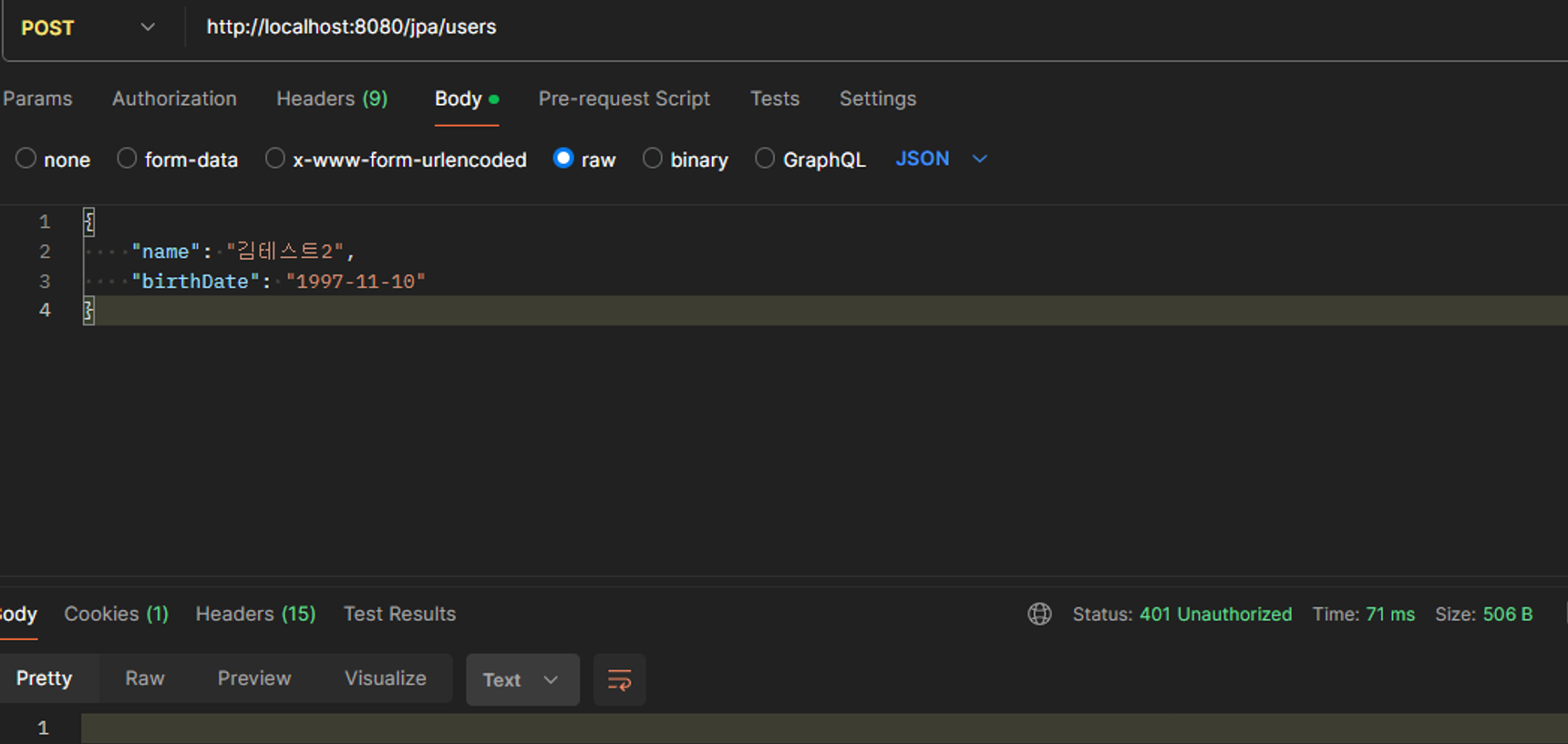
포스트맨을 통해서 요청을 해도 401 Unauthorized(허가받지않은) 에러가 발생됩니다
로그인을 하기 위해서 아이디에는 user, 비밀번호는 콘솔창에 나온 비밀번호를 입력하면됩니다.
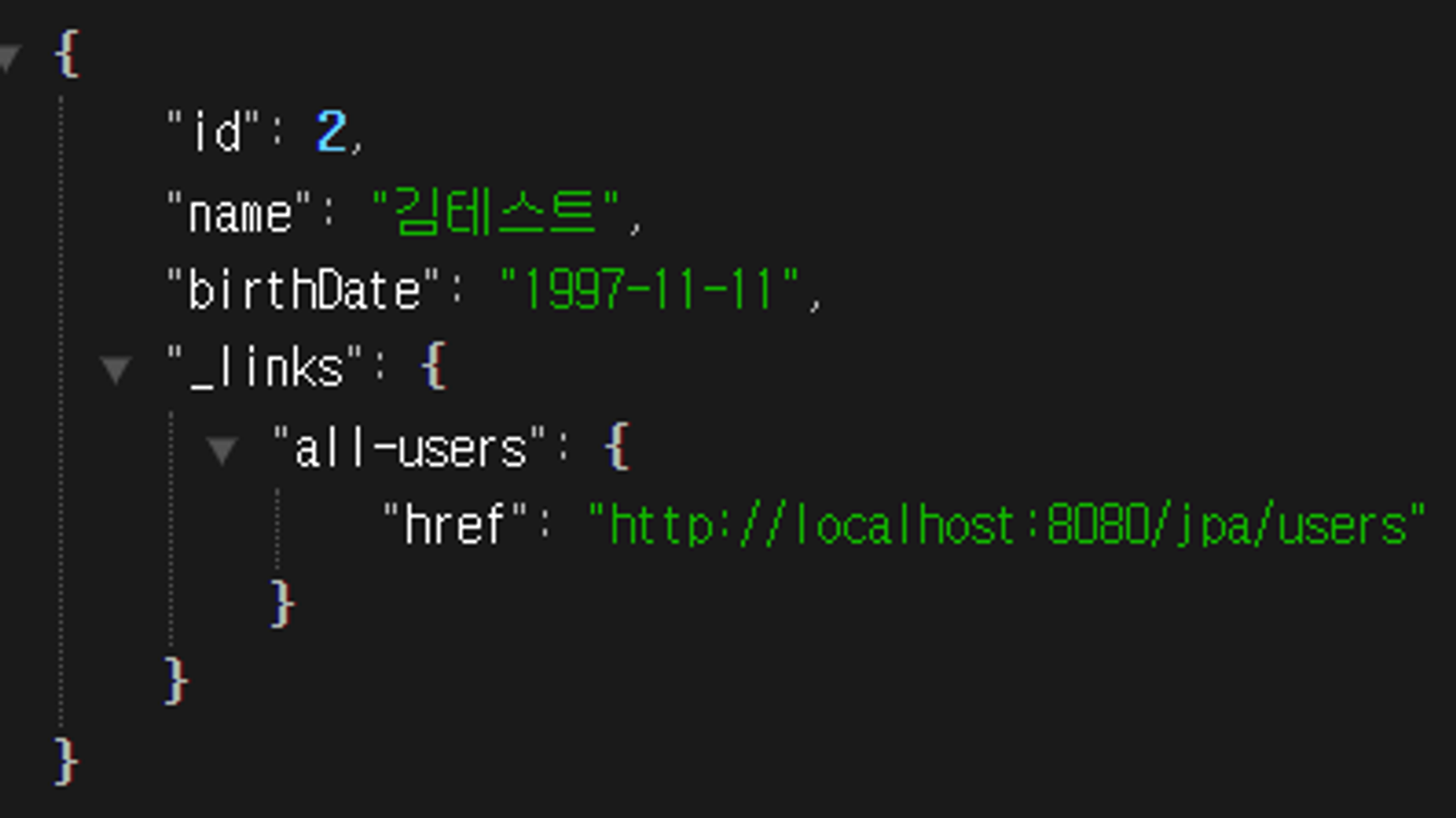
로그인을 하고 나서야 제대로 된 정보를 응답받을 수 있습니다.
하지만 서버를 재실행 할 때마다 비밀번호가 매번 바뀌는 번거로움을 겪게됩니다.
application.properties를 통해 적절한 비밀번호를 설정하겠습니다.
application.properties
spring.security.user.name=username
spring.security.user.password=password
위와 같이 설정을 하면 매번 똑같은 아이디와 똑같은 비밀번호를 사용해서 로그인이 가능합니다.