먼저 todo class에 @Entity를 붙여서 테이블과 매핑을 해줍니다.
Todo.class
@Id @GeneratedValue로 아이디를 지정합니다.
import jakarta.persistence.Entity;
import jakarta.persistence.GeneratedValue;
import jakarta.persistence.Id;
import jakarta.validation.constraints.Size;

import java.time.LocalDate;

//Database(MySQL)
//Static List of todos => Database (H2, MySQL)

@Entity
public class Todo {

    @Id @GeneratedValue
    private int id;

    private String username;

    @Size(min = 10, message = "Enter atleast 10 characters")
    private String description;
    private LocalDate targetDate;
    private boolean done;

    public Todo(int id, String username, String description, LocalDate targetDate, boolean done) {
        this.id = id;
        this.username = username;
        this.description = description;
        this.targetDate = targetDate;
        this.done = done;
    }

    public int getId() {
        return id;
    }

    public void setId(int id) {
        this.id = id;
    }

    public String getUsername() {
        return username;
    }

    public void setUsername(String username) {
        this.username = username;
    }

    public String getDescription() {
        return description;
    }

    public void setDescription(String description) {
        this.description = description;
    }

    public LocalDate getTargetDate() {
        return targetDate;
    }

    public void setTargetDate(LocalDate targetDate) {
        this.targetDate = targetDate;
    }

    public boolean isDone() {
        return done;
    }

    public void setDone(boolean done) {
        this.done = done;
    }

    @Override
    public String toString() {
        return "Todo{" +
                "id=" + id +
                ", username='" + username + '\'' +
                ", description='" + description + '\'' +
                ", targetDate=" + targetDate +
                ", done=" + done +
                '}';
    }
}
data.sql 파일을 만들고 기본데이터를 삽입합니다.
data.sql
insert into todo(id, username, description, target_date, done) values (10001, "tester1", "Get AWS Certified", current_date, false);data.sql은 엔티티가 생성되기 전에 실행이 되기 때문에 application.properties에서 설정을 해줍니다.
application.properties
spring.jpa.defer-datasource-initialization=true 추가
spring.mvc.view.prefix=/WEB-INF/jsp/
spring.mvc.view.suffix=.jsp
logging.level.org.springframework=info
logging.level.soowan.study.springboot.myfirstwebapp=info

spring.mvc.format.date=yyyy-MM-dd

spring.datasource.url=jdbc:h2:mem:testdb
spring.jpa.defer-datasource-initialization=true
실행
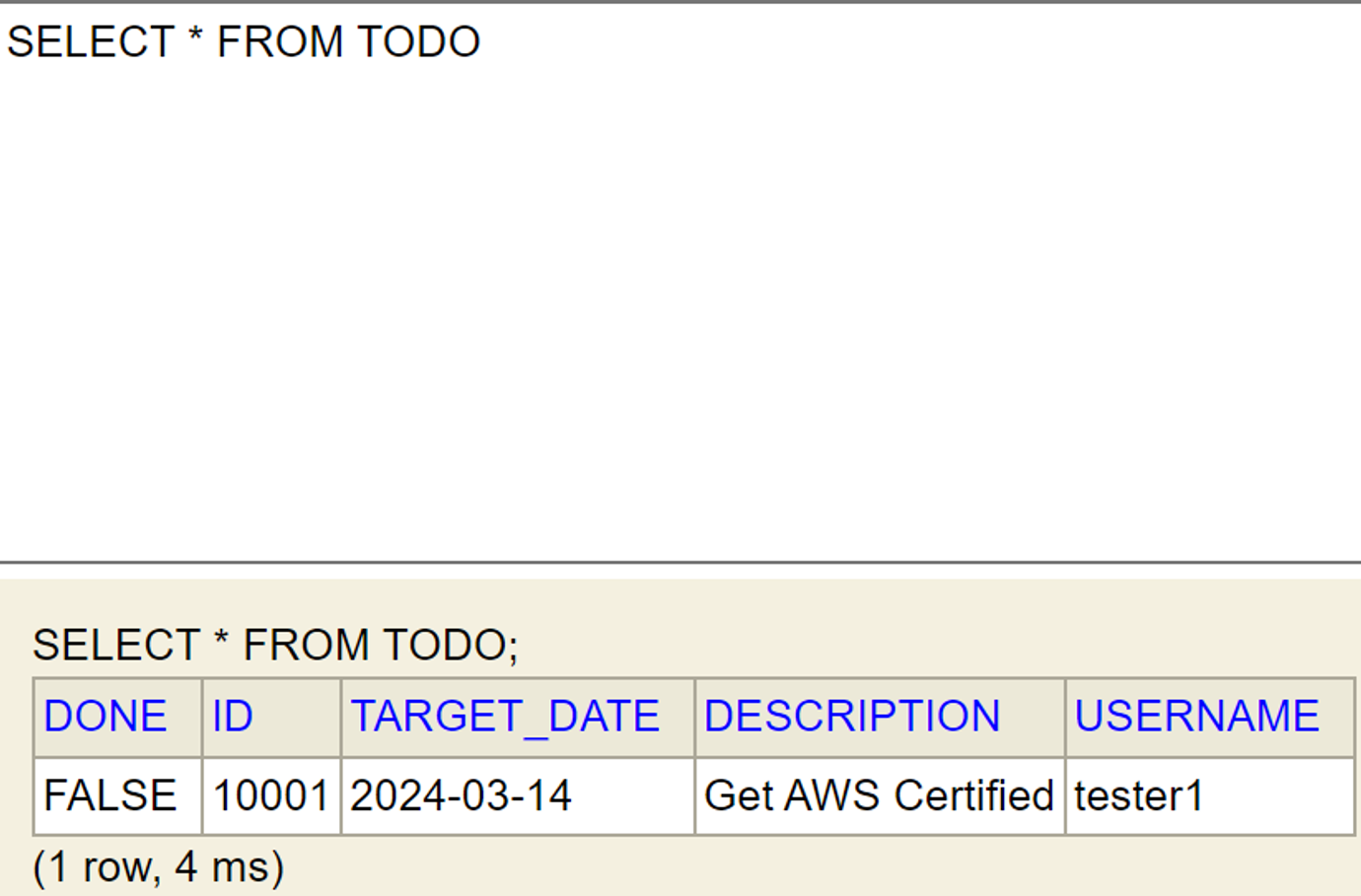
데이터가 정상적으로 삽입되었습니다.