LoginController의 gotoWelcomePage()에 로그인 인증 로직을 구현합니다.
단일책임 원칙을 따르기 위해 별도의 인증 클래스를 만들겠습니다.
LoginController.class 와 같은 패키지에 만들어줍니다.
AuthenticationService.class
import org.springframework.stereotype.Service;

@Service
public class AuthenticationService {

    public boolean authenticate(String username, String password) {

        boolean isValidUserName = username.equalsIgnoreCase("testname");
        boolean isValidPassword = password.equalsIgnoreCase("testpassword");

        return isValidUserName && isValidPassword;
    }
}
파라미터로 넘어온 로그인 아이디와 패스워드 둘 중 하나라도 거짓이면 false를 반환하므로 파라미터로 넘어온 아이디와 패스워드가 일치해야 로그인이 됩니다.
로그인 인증 로직을 구현했으니 LoginController.class에서 사용하겠습니다.
LoginController.class
import org.springframework.stereotype.Controller;
import org.springframework.ui.ModelMap;
import org.springframework.web.bind.annotation.RequestMapping;
import org.springframework.web.bind.annotation.RequestMethod;
import org.springframework.web.bind.annotation.RequestParam;

@Controller
public class LoginController {

    private AuthenticationService authenticationService;

    public LoginController(AuthenticationService authenticationService) {
        this.authenticationService = authenticationService;
    }

    @RequestMapping(value = "/login", method = RequestMethod.GET)
    public String gotoLoginPage() {
        return "login";
    }

    @RequestMapping(value = "/login", method = RequestMethod.POST)
    public String gotoWelcomePage(@RequestParam String name, @RequestParam String password, ModelMap model) {

        if (authenticationService.authenticate(name, password)) {

            model.put("name", name);
            model.put("password", password);
            //Authentication
            //name - testname
            //password - testpassword
            return "welcome";
        }
        return "login";
    }
}
인증에 성공한다면 welcome.jsp를 반환하고 실패한다면 login.jsp 페이지를 반환합니다.
성공
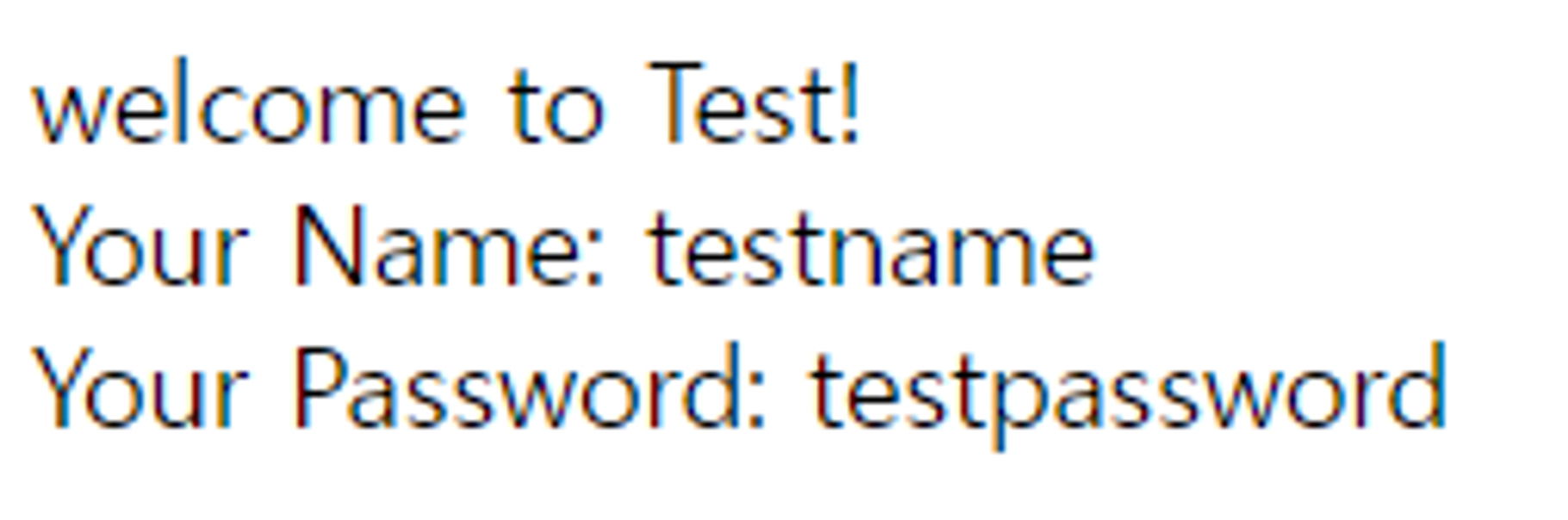
실패

에러 메세지나 아무 표시가 없어서 새로운 화면이 로딩된지 모를 수 있습니다.
에러 확인을 위해 메세지를 추가하겠습니다.
LoginController.class
model.put("errorMessage", "Invalid Credentials! Please try again."); 에러 메세지를 추가합니다.
import org.springframework.stereotype.Controller;
import org.springframework.ui.ModelMap;
import org.springframework.web.bind.annotation.RequestMapping;
import org.springframework.web.bind.annotation.RequestMethod;
import org.springframework.web.bind.annotation.RequestParam;

@Controller
public class LoginController {

    private AuthenticationService authenticationService;

    public LoginController(AuthenticationService authenticationService) {
        this.authenticationService = authenticationService;
    }

    @RequestMapping(value = "/login", method = RequestMethod.GET)
    public String gotoLoginPage() {
        return "login";
    }

    @RequestMapping(value = "/login", method = RequestMethod.POST)
    public String gotoWelcomePage(@RequestParam String name, @RequestParam String password, ModelMap model) {

        if (authenticationService.authenticate(name, password)) {

            model.put("name", name);
            model.put("password", password);
            //Authentication
            //name - testname
            //password - testpassword
            return "welcome";
        }

				//에러 메세지를 추가합니다.
        model.put("errorMessage", "Invalid Credentials! Please try again.");
        return "login";
    }
}
login.jsp
${errorMessage} 에러가 있을 경우 출력합니다.
<head>
    <title>Login Page</title>
</head>
<body>
welcome to the login page!

<pre>${errorMessage}</pre>
<form method="post">
    Name: <input type="text" name="name">
    Password: <input type="password" name="password">
    <input type="submit">
</form>
</body>
</html>
실패

에러 메세지가 출력된 걸 볼 수 있습니다.