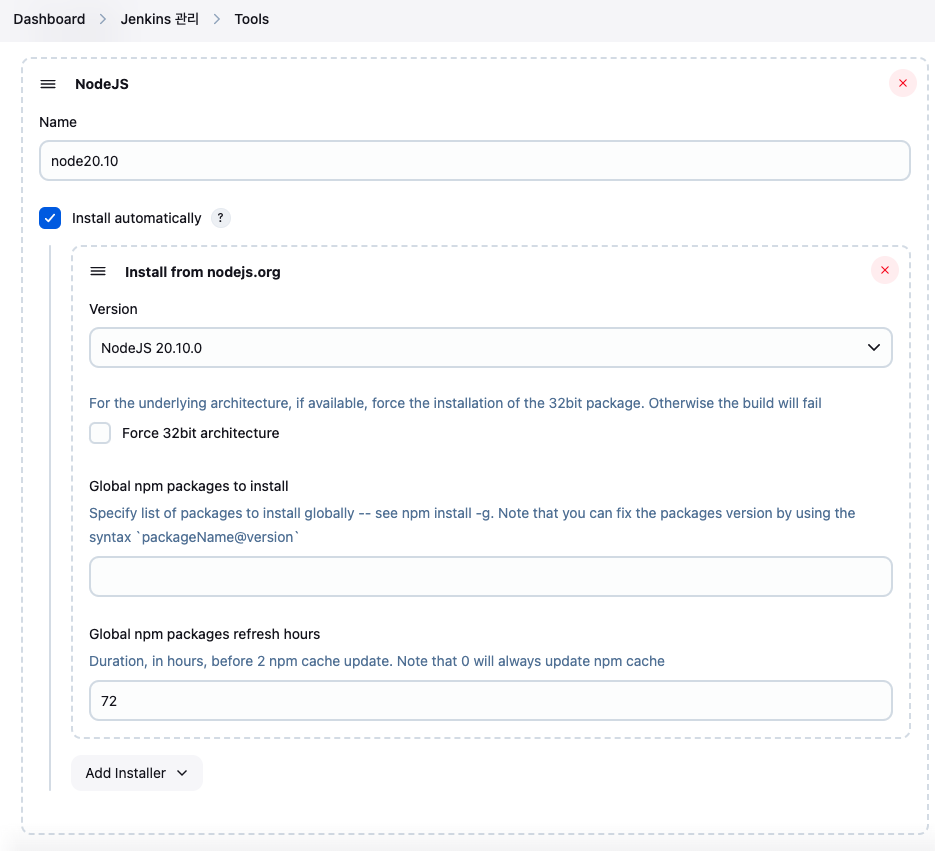
Tools에 Node.js 추가
Dashboard > Jenkins 관리 > Tools
- Name:
node20.10 - Install automatically :: check
- Version:
Node.JS 20.10.0
Build Job 생성
Dashboard > 새로운 Item 클릭
- Enter an item name :: ${project_name}
- FreeStyle project
OK클릭
Build Job 설정
General
- GitLab Connection :: gitlab
소스 코드 관리
- Git
- Repositories
- Repository URL :: ${gitlab_url}
- Credentials :: ${gitlab-user-token}
- Branches to build
- Branch Specifier :: */main
- Repositories

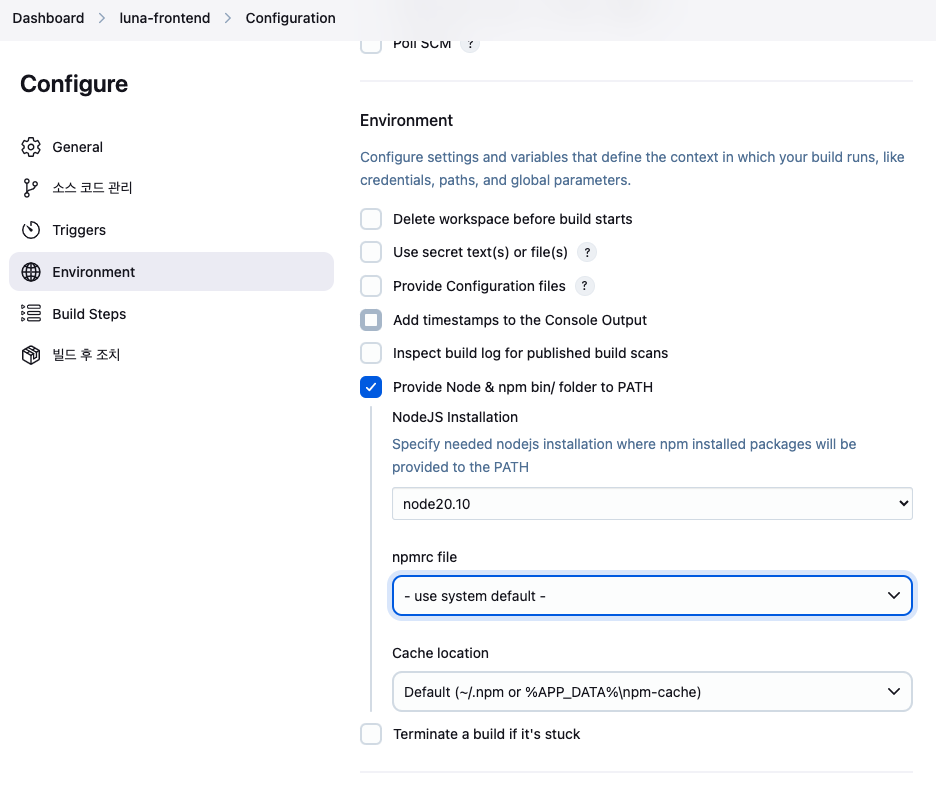
Environment
- Provide Node & npm bin/ folder to PATH :: check
- NodeJS Installation :: node20.10
- npmrc file :: - use system default -
- Cache location :: Default (~/.npm or %APP_DATA%\npm-cache)
Build Steps
Add Build step > Execute shell
#!/bin/bash
set -e

echo "📁 의존성 설치"
npx pnpm install

echo "🛠️ 프론트엔드 빌드 시작"
npx pnpm build

echo "✅ 빌드 완료: dist/ 디렉토리"
ls -l dist
빌드 후 조치
빌드 후 조치 추가 > Archive the artifacts
- Files to archive :: dist/**, Dockerfile
빌드 후 조치 추가 > Build other projects
- Projects to build :: ${next_project_name}
- Trigger only if build is stable :: check
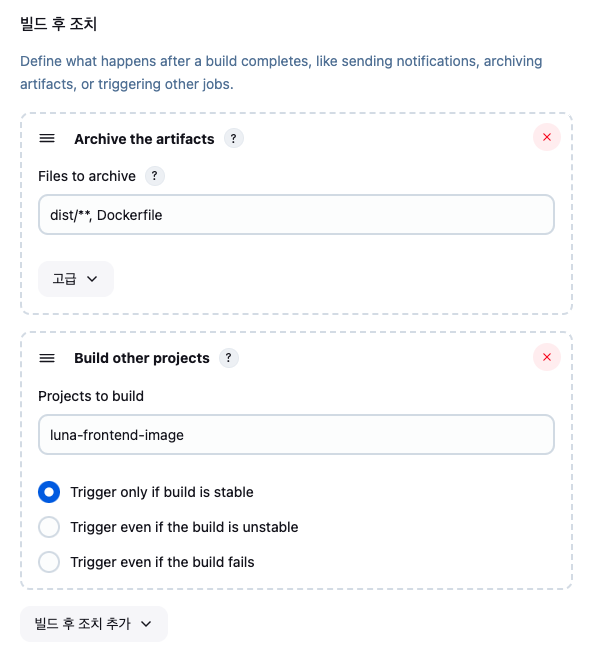
Image Job 생성
Dashboard > 새로운 Item 클릭
- Enter an item name :: ${project_name}
- FreeStyle project
OK클릭
Image Job 설정
General
- GitLab Connection :: gitlab
소스 코드 관리
- None :: check
Environment
- Use secret text(s) or file(s) :: check
- Username and password (separated)
- Username Variable :: HARBOR_USERNAME
- Password Variable :: HARBOR_PASSWORD
- Credentials :: Specific credentials
- admin/**(Harbor Registry Login)
- Username and password (separated)

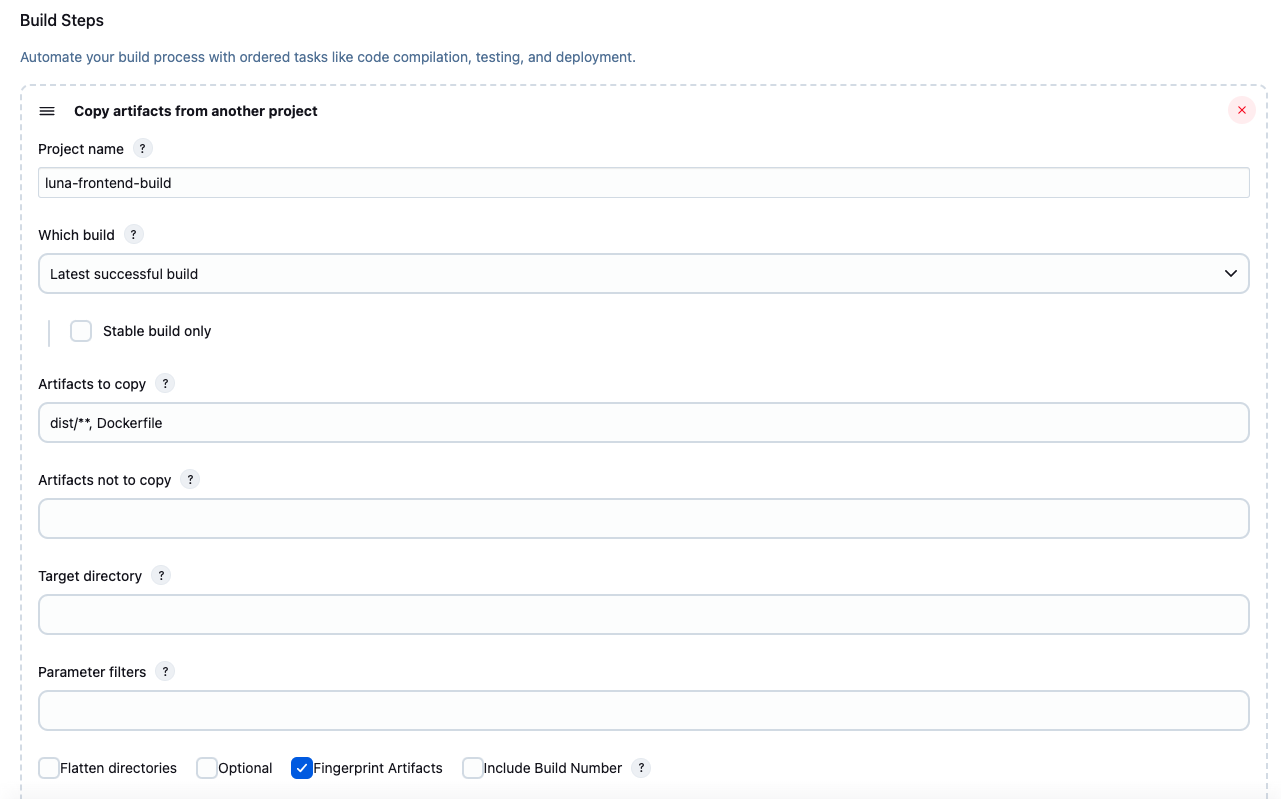
Build Steps
Add Build step > Copy artifacts from another project
- Project name :: luna-frontend-build
- Which build :: Latest successful build
- Artifacts to copy :: dist/**, Dockerfile
- Fingerprint Artifacts :: check
Add Build step > Execute shell
#!/bin/bash
set -e

REGISTRY="34.64.75.108:5000"

IMAGE_NAME="${REGISTRY}/devops-project/luna-frontend:1.0.0"

echo "📂 빌드 산출물 확인"
ls -l dist
ls -l Dockerfile

echo "🔐 Docker 로그인"
echo "$HARBOR_PASSWORD" | docker login "$REGISTRY" -u "$HARBOR_USERNAME" --password-stdin

echo "🐳 Docker 이미지 빌드 시작"
docker build -t $IMAGE_NAME .

echo "✅ Docker 이미지 빌드 완료: $IMAGE_NAME"
빌드 후 조치
빌드 후 조치 추가 > Build other projects
- Projects to build :: ${next_project_name}
- Trigger only if build is stable :: check
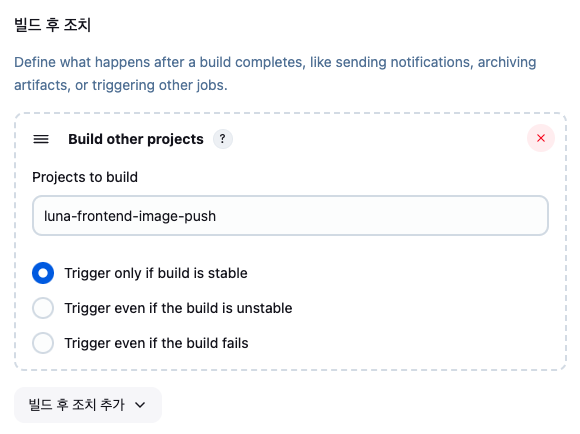
Image-push Job 생성
Dashboard > 새로운 Item 클릭
- Enter an item name :: ${project_name}
- FreeStyle project
OK클릭
Image-push Job 설정
General
- GitLab Connection :: gitlab
소스 코드 관리
- None :: check
Build Steps
Add Build step > Execute shell
#!/bin/bash
set -e

REGISTRY="34.64.75.108:5000"
IMAGE_NAME="${REGISTRY}/devops-project/luna-frontend:1.0.0"

echo "☁️ Docker 이미지 푸시"
docker push $IMAGE_NAME

echo "✅ Docker 이미지 푸시 완료"