Spotify API를 활용한 재생 플레이어 불러오기
구글링을 통해 Spotify API 플레이어를 적용하는 방법을 검색했고 좋은 예시들이 많아보여서 천천히 따라해 보았다.
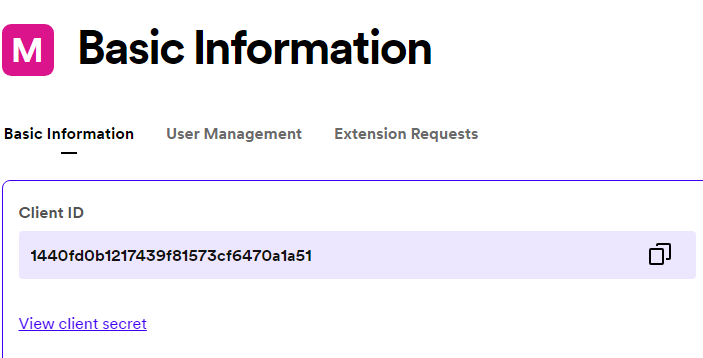
- Spotify 개발자 페이지에서 어플을 등록하고 클라이언트 아이디와 비밀번호를 발급받고 토큰도 발급 받았다.
<!DOCTYPE html>
<html>
<head>
    <title>Spotify Web Playback SDK Quick Start</title>
</head>
<body>
    <h1>Spotify Web Playback SDK Quick Start</h1>
    <button id="togglePlay">Toggle Play</button>

    <script src="https://sdk.scdn.co/spotify-player.js"></script>
    <script>
        window.onSpotifyWebPlaybackSDKReady = () => {
            const token = '[My access token]';
            const player = new Spotify.Player({
                name: 'Web Playback SDK Quick Start Player',
                getOAuthToken: cb => { cb(token); },
                volume: 0.5
            });

            // Ready
            player.addListener('ready', ({ device_id }) => {
                console.log('Ready with Device ID', device_id);
            });

            // Not Ready
            player.addListener('not_ready', ({ device_id }) => {
                console.log('Device ID has gone offline', device_id);
            });

            player.addListener('initialization_error', ({ message }) => {
                console.error(message);
            });

            player.addListener('authentication_error', ({ message }) => {
                console.error(message);
            });

            player.addListener('account_error', ({ message }) => {
                console.error(message);
            });

            document.getElementById('togglePlay').onclick = function() {
              player.togglePlay();
            };

            player.connect();
        }
    </script>
</body>
</html>- 플레이어를 불러올 코드까지 작성하고 토큰도 넣어주고 클라이언트 아이디와 비밀번호도 넣어주었다.

콘솔에서 Device ID를 나오게 하는것 까지는 성공
문제 발생
안된다. 애초에 재생 플레이어가 나오지도 않는다. Maven 환경에서의 문제일까 생각해보고 구글링을 통해 의존성도 추가해주고 공식 홈페이지에 찾아가 번역을 하여 처음부터 끝까지 따라해봐도 안된다.
- 원인 발견
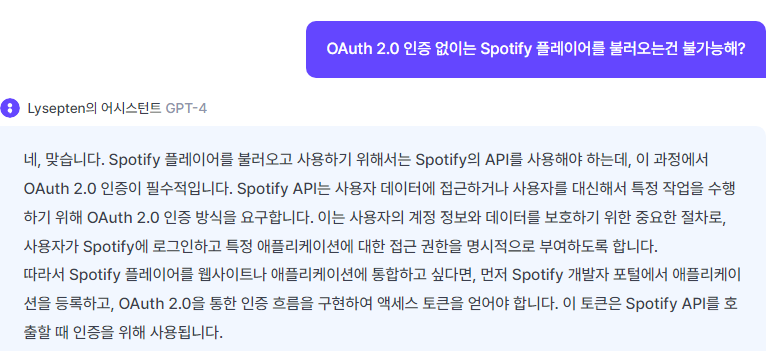
OAuth 2.0 문제였다. AI에게 코드를 보여주고 질문을 계속 해본 결과 Spotify 플레이어를 불러오기 위해서는 인증이 필수적이라는 답변을 얻었다.
내가 구글링 했던 API의 정보들은 Spotify의 재생 데이터를 불러올 뿐이었고 더 찾아본 결과 플레이어를 연동하는 방법은 로그인을 해야 한다고 알려주었는데 OAuth 2.0 인증에 대해 어디에서도 알려주지 않았었다.
해야 할 것
- 카카오 로그인 기능 구현하면서 토큰에 대해 이해하고 스포티파이 개발자 홈페이지 따라 토큰 생성해보기
주요 기능(아이템 추천 기능) 완성하기
-
이번주 내로
-
중간 보고 발표 준비.
- 자세한 코드 구현 설명은 필요하지 않고, 기능 설명과 작업을 하면서 트러블 슈팅 설명 준비
- PPT, 벨로그, 시연
- 제작 동기
- 도전과제 -> 트러블 슈팅(어떤 기술을 사용해서 얼마나 공부했는지)
- 테이블간의 관계
