드디어 Reactjs로 영화 웹 서비스 만들기가 끝났다!!!!! css도 하여서 나름 괜찮은 사이트로 재탄생하였다.
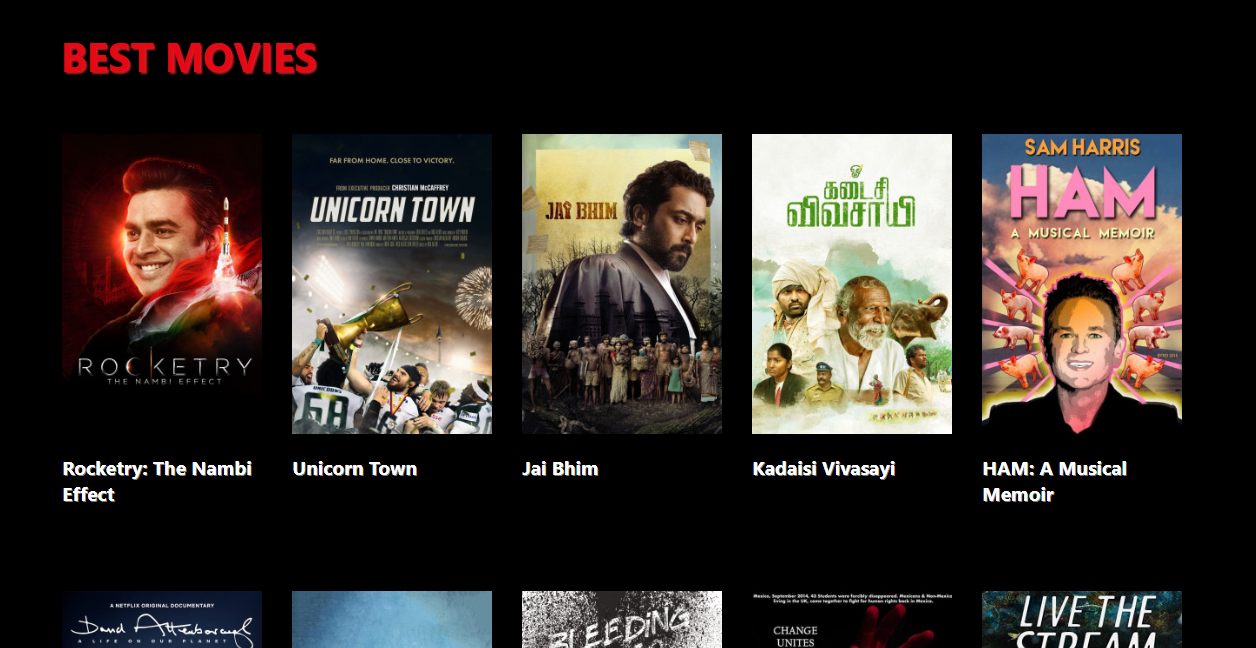
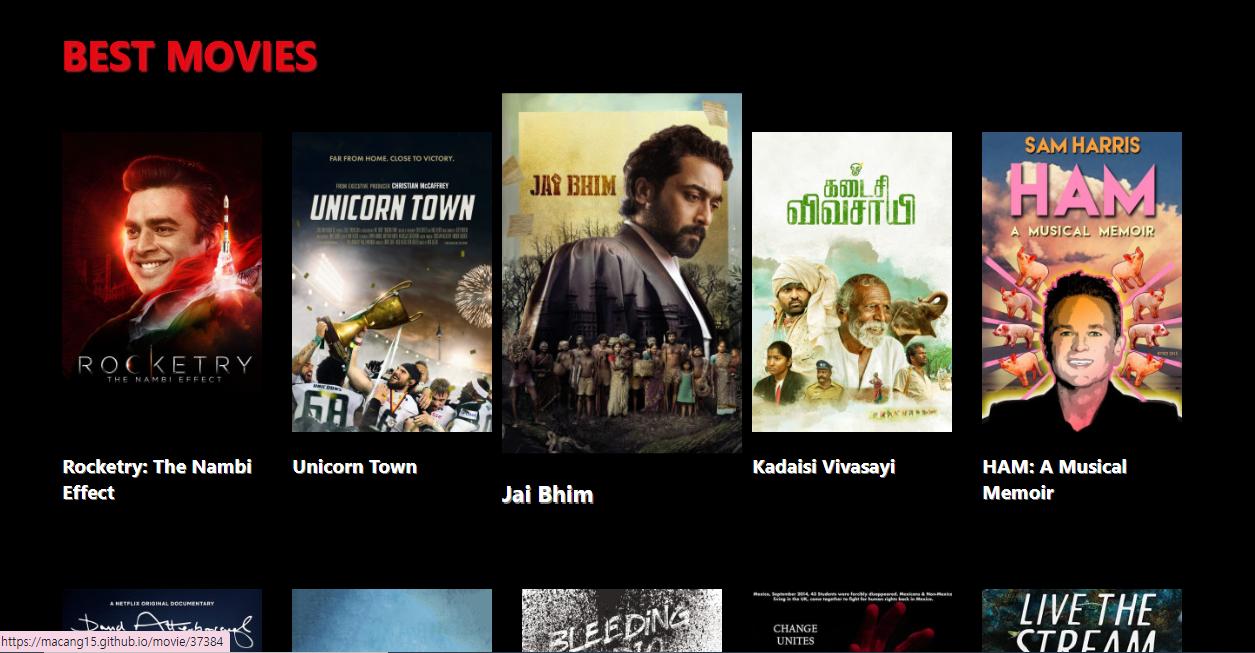
이런 느낌의 사이트인데 마우스를 오버하면 해당 객체가 커지게 설정해주었다. css에서 간단하게 설정할 수 있어서 신기했다.
 .link {
    color: white;
    text-shadow: 1px 1px .5px #7A7A7A;
    transition: all 0.2s;
    transform: scale(1);
  }

.link:hover,
.link:active {
    transform: scale(1.2);
    color: white;
}
그리고 객체를 클릭하면
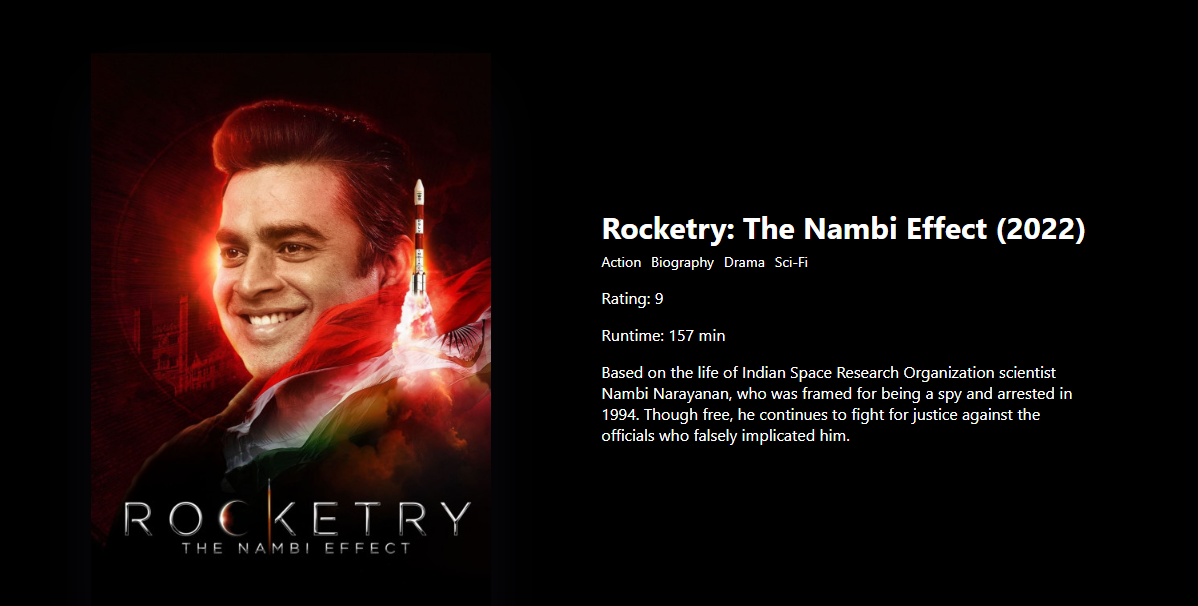
상세페이즈를 볼 수 있다.
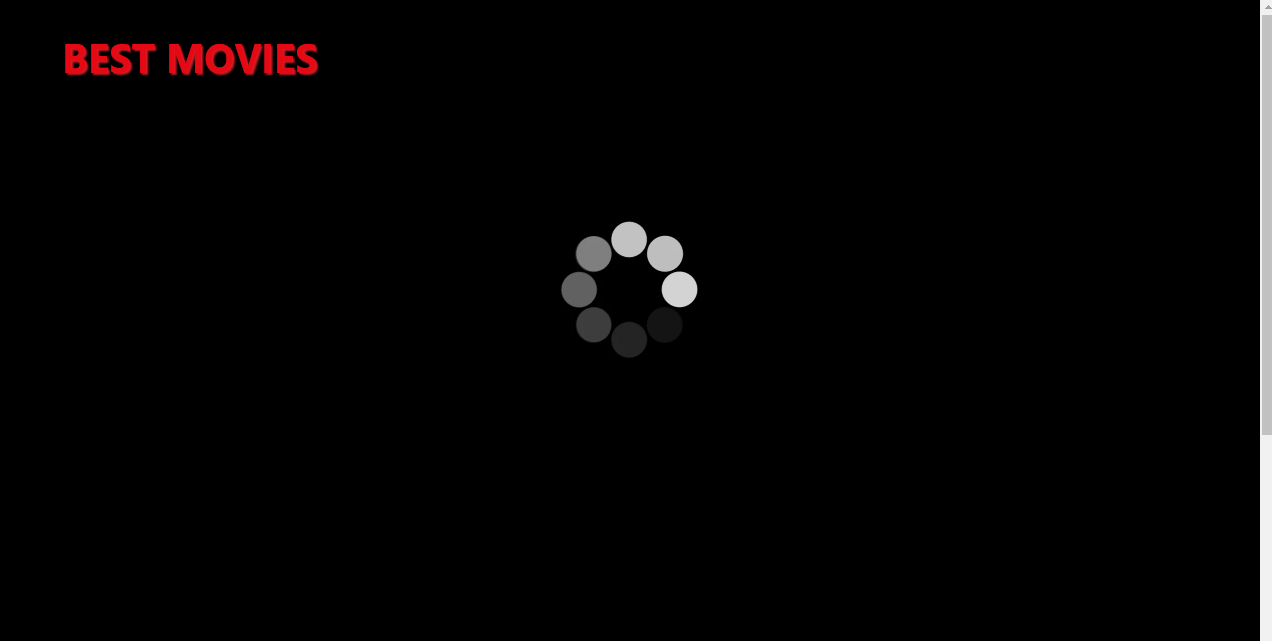
로딩 시에는 다음과 같이 로딩화면이 뜬다.
Result
자세한 사항은 직접 확인해보시길!!
https://macang15.github.io/moviewebsite/
https://github.com/macang15/moviewebsite
Reference
참고 한 사이트는 다음과 같다.
https://github.com/hymaychoi/movie-finder
https://github.com/nomadcoders/react-for-beginners/commit/58aca2193a50ff21663ed4fb06b0785a8480c05e#diff-4753b2e6427841425517139f09f1342c320338443447af46169dc0f43a0f2cf3
code
Home.js
import { useEffect, useState } from "react";
import Movie from "../components/Movie";
import styles from "./Home.module.css";

function Home() {
    const [loading, setLoading] = useState(true);
    const [movies, setMovies] = useState([]);
    const getMovies = async() => {
        const json = await (
            await fetch(
                'https://yts.mx/api/v2/list_movies.json?minimum_rating=8.8&sort_by=year'
            )
        ).json();
        setMovies(json.data.movies);
        setLoading(false);
  };
  useEffect(() => {
    getMovies();
  },[]);

  return (

    <div className={styles.main}>
      <div className={styles.header}>
        <h1 className = {styles.title}> BEST MOVIES</h1>
      </div>
      <div className={styles.container}>
      {loading ? (<div className = {styles.loading}>
          <iframe src="https://giphy.com/embed/3o7bu3XilJ5BOiSGic" frameBorder="0" className='loading_icon' allowFullScreen></iframe>
        </div>

      ) : (


        <div className = {styles.movies}>

          {movies.map(movie => (
            <Movie
              key={movie.id}
              id={movie.id}
              coverImg={movie.medium_cover_image}
              title={movie.title}
              summary={movie.summary}
              genres={movie.genres}
            />
          ))}
        </div>
      )}
      </div>
    </div>
  );
}
export default Home;
Home.module.css
.main {
    background-color: black;
    display : center;
    height:100%;
}

.container {
    height: 100%;
    display: flex;
    justify-content: center;
    background-color: black;
}

.movies {
    display: grid;
    grid-template-columns: repeat(5, minmax(200px, 1fr));
    grid-gap: 30px;
    padding: 0px;
    width: 80%;
    margin-left: -160px;
    padding-top: 0px;
    background-color: black;
  }

.loading {
    display: center;
    padding: 100px;
    height:100vh;
  }

.header {
    background-size: contain;
    display: flex;
    justify-content: left;
    align-items: left;

}

.title {
    font-size: 40px;
    margin-left: 60px;
    text-align: left;
    color : #E50914;
    padding: 5px;
    text-shadow: 2px 2px 2px #B81D24;
  }

  @media screen and (max-width: 1090px) {
    .movies {
      grid-template-columns: 1fr;
      width: 100%;
    }
  }
Movie.js
import PropTypes from "prop-types";
import {Link } from "react-router-dom";
import styles from "./Movie.module.css";

function Movie({id, coverImg, title, summary, genres}) {
    return (
      <div className = {styles.movie}>

      <Link className={styles.link}
                  to={`/movie/${id}`}
                  style={{textDecoration:'none'}}>
            <img src={coverImg} alt={title}/>
            <h2>{title}</h2>
        </Link>
    </div>
    );
}

Movie.propTypes = {
    id: PropTypes.number.isRequired,
    coverImg: PropTypes.string.isRequired,
    title: PropTypes.string.isRequired,
    summary: PropTypes.string.isRequired,
    genres: PropTypes.arrayOf(PropTypes.string).isRequired,
};
export default Movie;
Movie.module.css
.movie {
    padding: 20px;
    display: grid;
    grid-template-columns: minmax(200px, 1fr) 4fr;
    grid-gap: 0px;
  }

  .movie__img {
    position: relative;
    top: 0px;
    max-width: 300px;
    width: 100%;
    margin-right: 30px;
  }
  .link {
    color: white;
    text-shadow: 1px 1px .5px #7A7A7A;
    transition: all 0.2s;
    transform: scale(1);
  }

.link:hover,
.link:active {
    transform: scale(1.2);
    color: white;
}

.link img {
    width:100%;
}

.link h2{
    color:white;
    font-size: 1.2em;
    overflow: hidden;
    text-overflow: ellipsis;
}
Detail.js
import { useEffect, useState } from 'react';
import {useParams} from 'react-router-dom';
import styles from './Detail.module.css'

function Detail() {
    const {id} = useParams();
    const [loading, setLoading] = useState(true);
    const [movie, setMovie] = useState([]);
    const getMovie = async() => {
        const json = await (
            await fetch(`https://yts.mx/api/v2/movie_details.json?movie_id=${id}`)
        ).json();
        setMovie(json.data.movie);
        setLoading(false);
    }
    useEffect( ()=> {
        getMovie();
    },[]);
    return (
        <div className ={styles.main}>

            {loading ? (
            <div className={styles}>
                <div className = {styles.loading}>
          <iframe src="https://giphy.com/embed/3o7bu3XilJ5BOiSGic" frameBorder="0" className='loading_icon' allowFullScreen></iframe>
                </div>

            </div>
            ):(
                <div className = {styles.movie}>

                    <img className={styles.movie__img}
                    src={movie.large_cover_image} alt={movie.title} />
                    <div className = {styles.movieinfo}>

                        <h2 className={styles.movie__title}>{movie.title} ({movie.year})</h2>
                        <ul className={styles.movie__genres}>
                        {movie.genres.map((g) => (
                            <li key={g}>{g}</li>
                         ))}

                        <div>
                            <p className={styles.info}>Rating: {movie.rating} </p>

                            <p className={styles.info}> Runtime: {movie.runtime} min</p>
                            <p className={styles.info}>{movie.description_intro.length > 235 ? `${movie.description_intro.slice(0, 235)}...` : movie.description_intro}</p>

                        </div>

        </ul>
                    </div>

                </div>
            ) }

        </div>
    );
}

export default Detail;
Detail.module.css
.main {
    background-color: black;
    height:100hv;
    display:flex;
    justify-content: center;

}
.loading {
  display: center;
  padding: 100px;
  height:100vh;
}


.movie {
  padding: 50px;
  width: 80%;
  padding-top: 70px;
}
.movieinfo {
    position: relative;
    max-width: 500px;
    top:-450px;
    left:500px;
    padding: 10px;
    width: 80%;
    padding-top: 0px;

  }

  .movie__img {
    position: relative;
    top:0px;
    left:0px;
    max-width: 400px;
    width: 100%;
    margin-right: 30px;
    box-shadow: 0 30px 60px -12px rgba(50, 50, 93, 0.25),
      0 18px 36px -18px rgba(0, 0, 0, 0.3), 0 -12px 36px -8px rgba(0, 0, 0, 0.025);
  }

  .movie__title,
  .movie__year {
    margin: 0;

    text-decoration: none;
    color:white;
    font-size: 30px;


  }
  .info {
    color:white;
    margin-right: 10px;
  }


  .movie__genres {
    list-style: none;
    display:flex;
    padding: 0;
    margin: 0;
    flex-wrap: wrap;
    margin: 5px 0px;
    color:white;

  }

  .movie__genres li,
  .movie__year {
    margin-right: 10px;
    font-size: 14px;
  }
개발데분꿈나무🌳
Enveloped in the serenity of my cherished sanctuary, I embarked on a cinematic exploration through a myriad of films, eagerly anticipating the captivating narratives that awaited. Tonight's array of movies promised to whisk me away on an emotional journey, and I was eager to immerse myself in each storyline. With every unfolding scene, I found myself spellbound by the intricate storytelling, marveling at the spectrum https://kinogo-inc.online/ of emotions portrayed. From bustling cityscapes to tranquil countryside vistas, I relished the diversity of settings and the depth of human experiences depicted on screen. In those immersive moments, I felt a profound connection to the characters and their journey, as if I were experiencing their triumphs and tribulations alongside them.