maxscale.cnf 로 maxscale의 데이터베이스 클러스터 구조를 표현한다.
maxscale.cnf[maxscale]
admin_secure_gui=false
threads=auto
maxlog=true
syslog=true
logdir=/var/log/maxscale/
log_debug=true
admin_host=0.0.0.0
[server1]
type=server
address=mariadb-0.mdb.default.svc.cluster.local
port=3306
protocol=MariaDBBackend
[server2]
type=server
address=mariadb-1.mariadb.default.svc.cluster.local
port=3306
protocol=MariaDBBackend
[server3]
type=server
address=mariadb-2.mariadb.default.svc.cluster.local
port=3306
protocol=MariaDBBackend
[RW-Split-Router]
type=service
router=readwritesplit
servers=server1,server2,server3
user=repl
password=secret
casual_reads=true
transaction_relay=true
[RW-Split-Listener]
type=listener
service=RW-Split-Router
protocol=MariaDBClient
port=3306
[MariaDB-Monitor]
type=monitor
module=mariadbmon
servers=server1,server2,server3
user=repl
password=secretmaxscale을 설치한다.
mxs-deploy1.ymlapiVersion: apps/v1
kind: Deployment
metadata:
name: maxscale-1
labels:
app: maxscale-1
spec:
replicas: 1
selector:
matchLabels:
app: maxscale-1
template:
metadata:
labels:
app: maxscale-1
spec:
containers:
- name: maxscale-1
image: mariadb/maxscale:latest
volumeMounts:
- name: maxscale
mountPath: /etc/maxscale.cnf
subPath: maxscale.cnf
ports:
- containerPort: 8989
volumes:
- name: maxscale
configMap:
name: maxscalemaxscale 서비스를 생성한다. MariaDB 접속을 위해 3306 포트를 추가하고 콘솔 접근 편의를 위해 type을 NodePort로 했다.
apiVersion: v1
kind: Service
metadata:
  labels:
    app: maxscale-1
  name: maxscale-1
spec:
  ports:
  - name: maxscale-1
    port: 8989
    targetPort: 8989
  - name: mariadb
    port: 3306
    targetPort: 3306
  selector:
    app: maxscale-1
  type: NodePort
vagrant@master:~$ k get svc
NAME TYPE CLUSTER-IP EXTERNAL-IP PORT(S) AGE
kubernetes ClusterIP 10.96.0.1 <none> 443/TCP 77m
mariadb ClusterIP None <none> 3306/TCP 12m
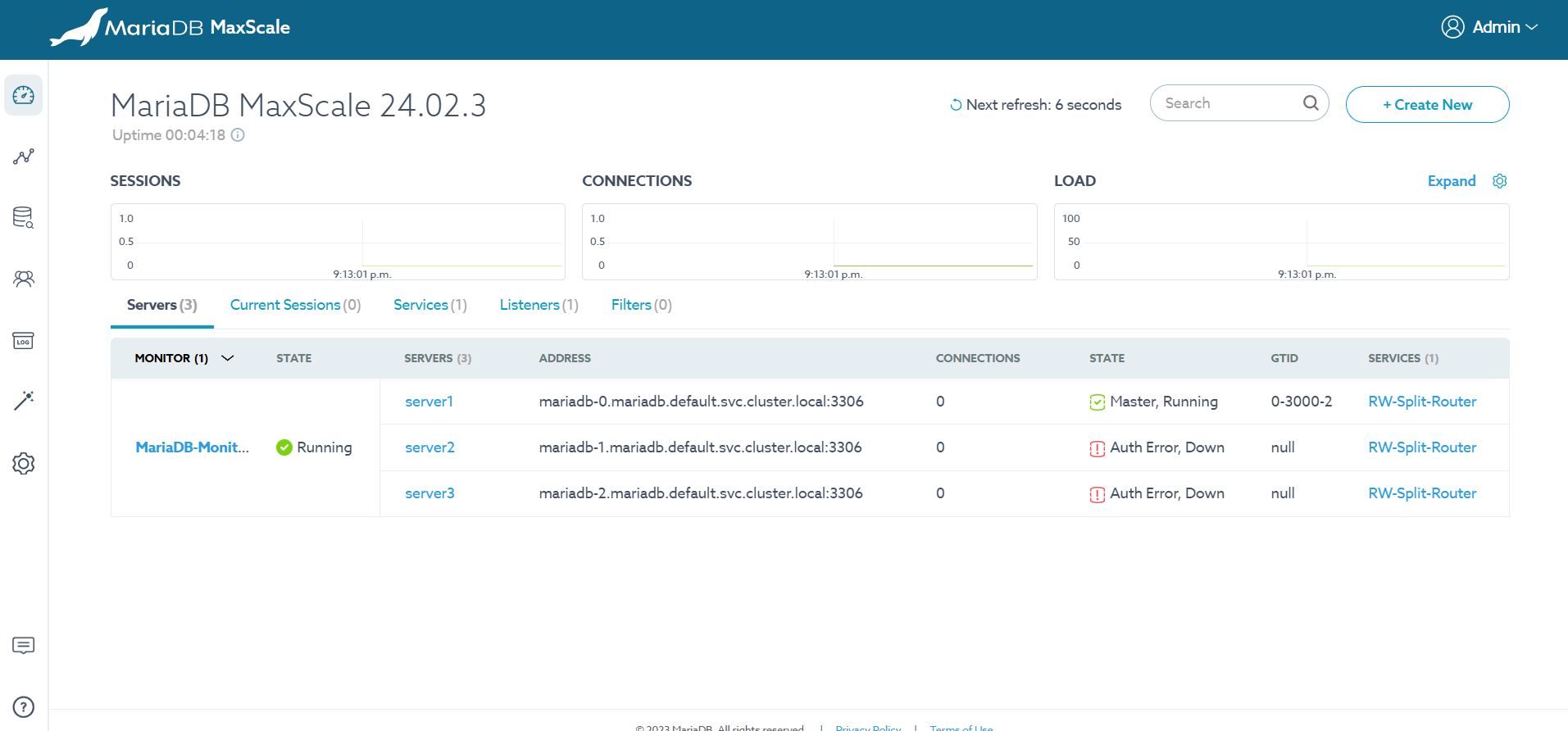
maxscale-1 NodePort 10.98.183.39 <none> 8989:31854/TCP,3306:32632/TCP 27mNodePort를 통해 콘솔에 접속한다. 기본 계정은 admin/mariadb 이다.

khagor