1. OS(내 컴퓨터 설치 프로그램)
1. VSCODE 설치

2. VSCODE-EXTENSION 설치

2. Node.js 설치(LTS 버전을 설치해주세요)
   => Node.js를 설치하면 npm은 자동으로 설치됩니다.

3. Yarn 설치
	 => sudo npm install -g yarn
*패키지 관리는 npm으로도 가능하나 속도적인 한계가 있기에 그 대용으로 사용할 yarn 을 따로 설치함
2. 프로젝트 생성
- 바탕화면에 임의로 지정한 프로젝트용 폴더 생성
- 바탕화면에 임의로 지정한 프로젝트용 폴더 생성
- Next.js Docs 참고하여
yarn create next-app명령어 입력
*이 때 앞서 바탕화면에서 만든 폴더가 있는 위치에서 해당 명령어를 입력해서 설치해줘야 함
- Next.js Docs 참고하여
- 프로젝트 이름(ex. class)을 입력하고 각 설정에 맞게 입력 후 프로젝트를 생성
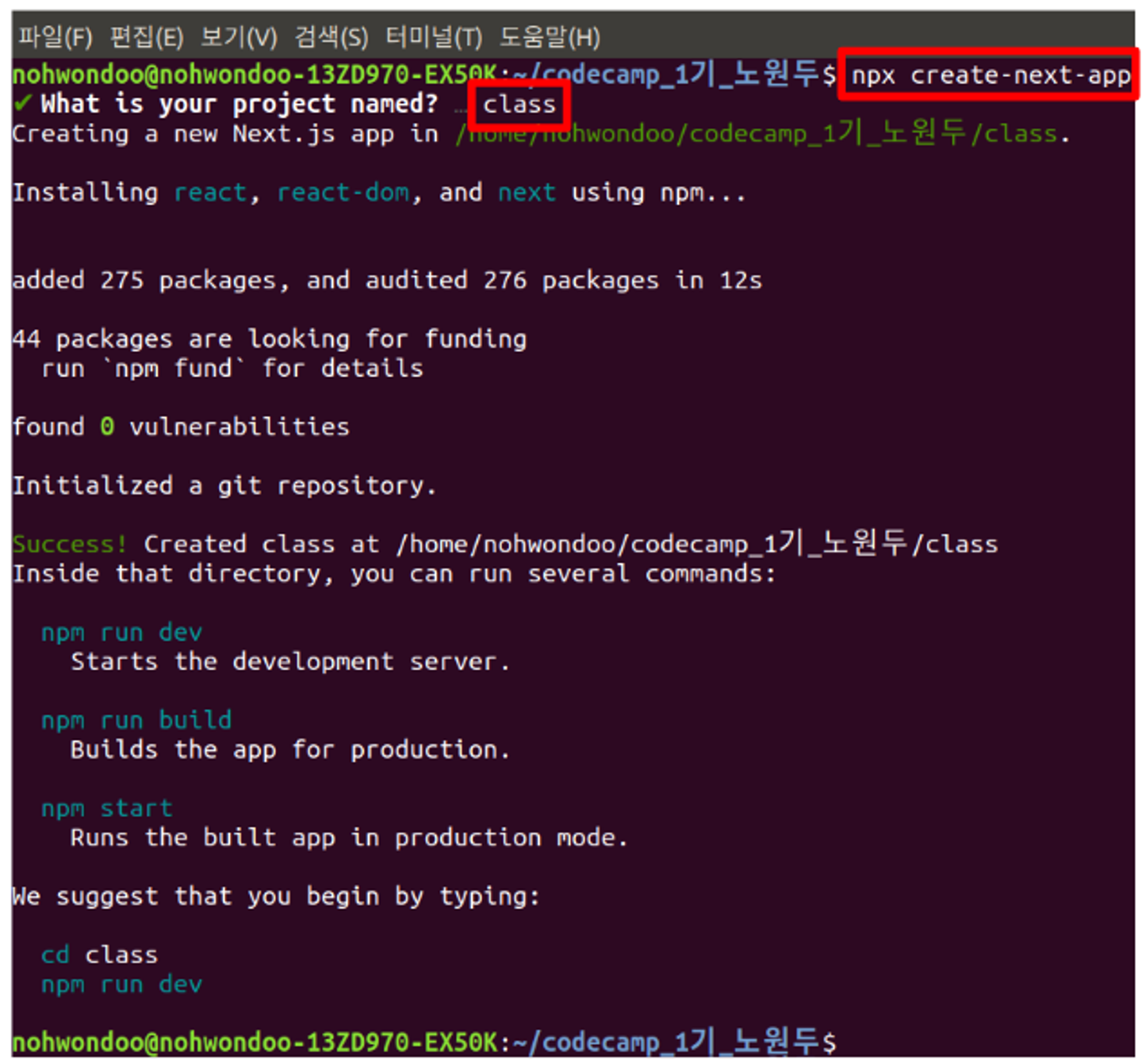
- 프로젝트 이름(ex. class)을 입력하고 각 설정에 맞게 입력 후 프로젝트를 생성
-
생성된 프로젝트 폴더(ex. class) 위치에서
yarn add next@12.1.0 react@17.0.2 react-dom@17.0.2 --exact를 입력하여 react 17버전과 react 17버전을 지원하는 next 동시 설치 -
node_modules 삭제
-
package.json에서 react, react-dom 버전을 아래와 같이 변경
"dependencies" : {
	"next" : "12.1.0",
	"react" : "17.0.2",
	"react-dom" : "17.0.2"
}-
npm install명령어로 node_modules 재설치
*4~7 의 과정은 react의 버전 호환과 안정성을 위해 최신 버전이 아닌 17버전을 이용하기 위해 다운그레이드 하는 과정으로 이는 개발 상황에 따라 직접 유동적으로 변경해서 사용
-
Emotion 접속 후 관련 Docs에 따라 프로젝트 폴더(ex. class) 위치에서
yarn add @emotion/react와yarn add @emotion/styled명령어로 각각 설치 -
Apollographql 접속 후 Developers의 Docs 항목 참고하여 프로젝트 폴더 (ex. class) 위치에서
yarn install @apollo/client graphql로 설치 -
Ant-Design 접속 후 관련 Docs 참고하여 프로젝트 폴더 (ex. class) 위치에서
yarn add antd로 설치 -
프로젝트 폴더 (ex. class) 위치에서
yarn add axios로 설치

막 발걸음을 뗀 신입