이클립스로 톰캣을 이용해보자
톰캣의 서블릿
- 사용자가 연결을 요청하면 톰캣의 서블릿이 소켓 역할을 한다
- 서블릿 내부적으로 소켓 / http 프로토콜을 구현한다
- 템플릿 엔진( JSP ) 의 역할은 jsp 로 서블릿을 생성
이클립스 웹 프로젝트 만들기
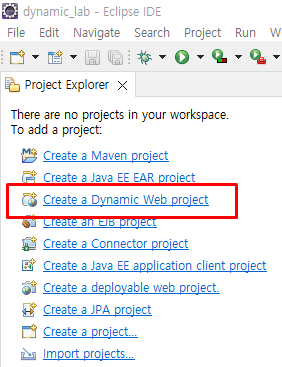
- 이클립스 Dynamic Web project 실행
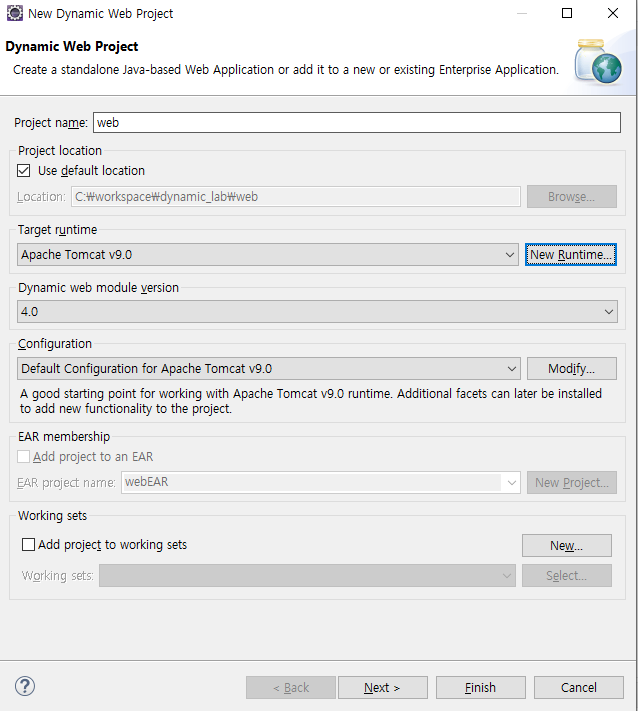
- 타겟 런타임 톰캣으로 설정
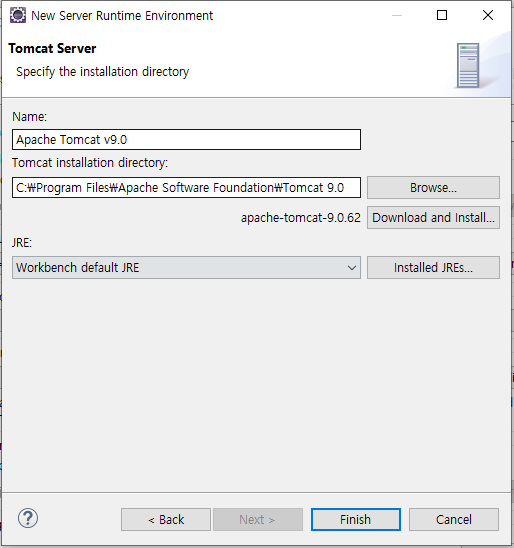
- 설치된 경로 잡고
- 생성
아래의 Context root = ContextPath
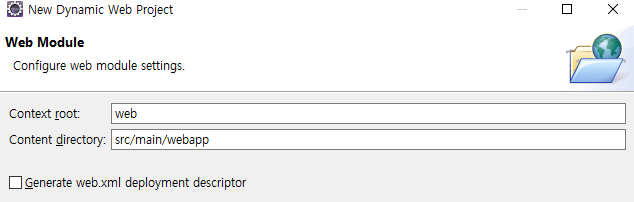
jsp 생성하면 utf-8 이 아님
전부 utf-8로 세팅
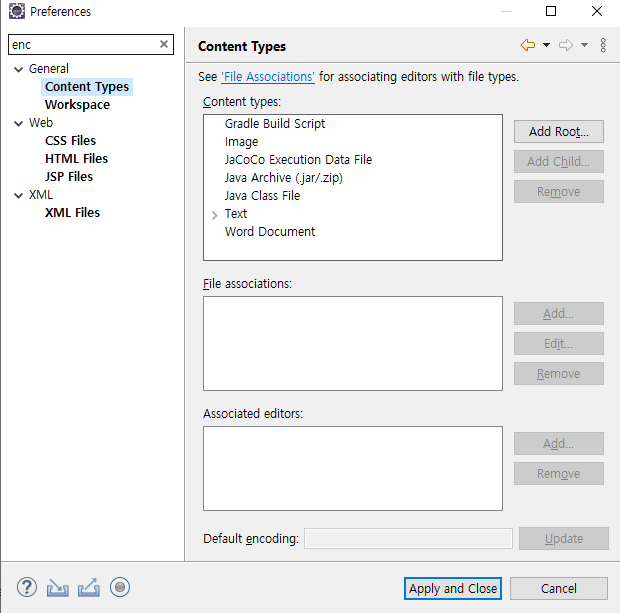
webapp/home.jsp 생성하고
body 에 스크립트릿 / 표현식
	<% // 스크립트릿
	String name = "홍길동";
	%>
	<h1> // 표현식
		나의 이름은 : <%=name%>
</h1>- 서버 실행 방법은 ctrl + f11
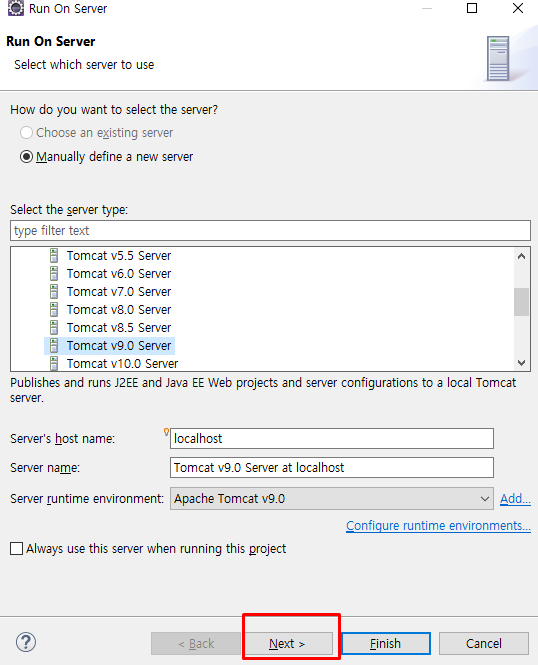
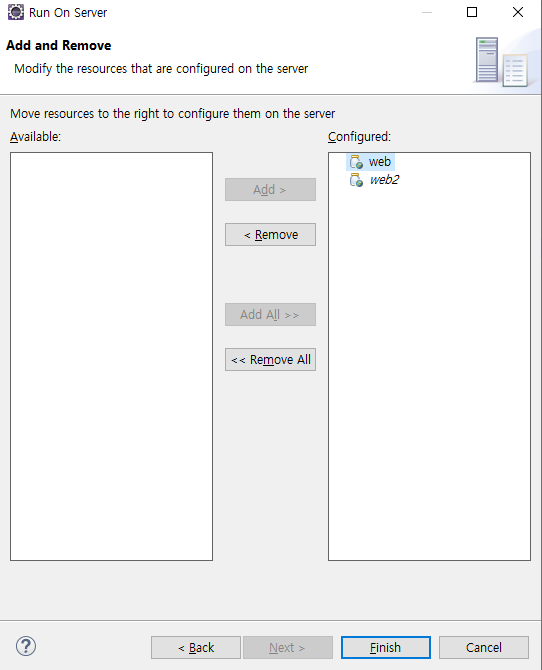
Configured 에 있으면 톰캣 컨테이너에 들어왔다는 소리
( 프로젝트 추가하면 컴파일 해줘야함 )
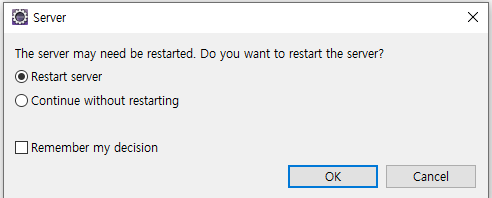
- 이후 서버 재시작
ContextPath 설정
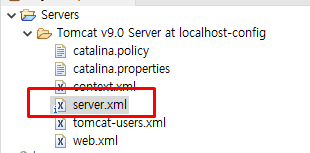
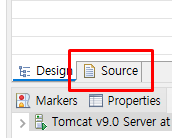
소스탭 누르고 맨 아래로 내림
- 아래의 path 를 ContextPath 라고함 프로젝트 구분
첫번째 프로젝트 ContextPath 를 "/" 로 변경하면
localhost:8080/web/home.jsp 가
localhost:8080/home.jsp 로 연결됨
<Context docBase="web" path="/" reloadable="true"
	source="org.eclipse.jst.jee.server:web" />
<Context docBase="web2" path="/web2" reloadable="true"
	source="org.eclipse.jst.jee.server:web2" />
jsp 에 자바 작성 / 서블릿에 html 작성 비교
- 서블릿 파일 생성
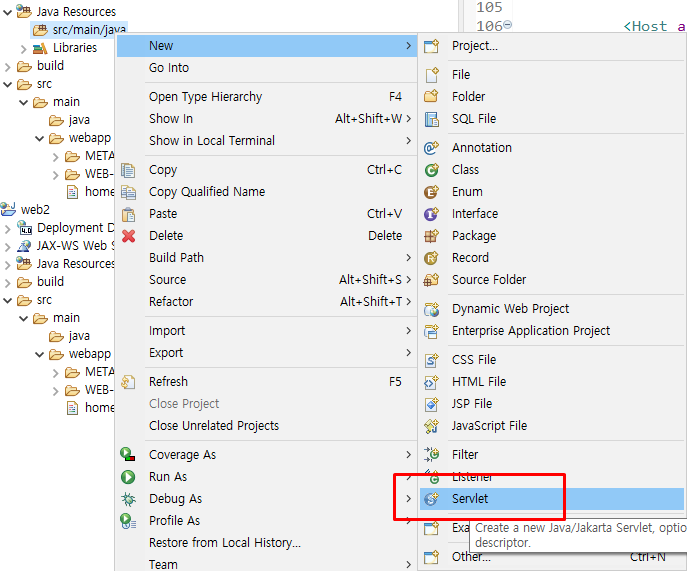
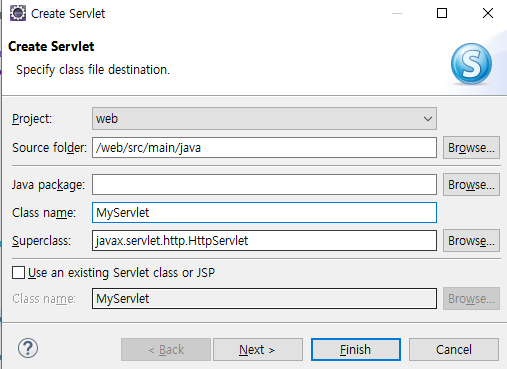
- 서블릿에 html 작성
// localhost:8080/***.do
@WebServlet("*.do")
public class MyServlet extends HttpServlet {
    public MyServlet() {
        super();
    }

    @Override
    protected void service(HttpServletRequest request,
    HttpServletResponse response) throws ServletException, IOException {
    	System.out.println("서비스 요청됨");
//    	super.service(request, response); // super.service()가 get post 를 연결시켜줌
    	System.out.println(request.getMethod()); // 콘솔에 `GET` 으로 출력

        // super.service() 내부적으로 아래의 구조가 있음
    	if(request.getMethod().equals("GET")) {
    		doGet(request,response);  // 콘솔에 `doGet 요청됨`
    	}
    }

	protected void doGet(HttpServletRequest request,
    	HttpServletResponse response) throws ServletException, IOException {
		System.out.println("doGet 요청됨");
        // http://localhost:8080/34256.do - 콘솔에 / doGet 요청됨

        protected void doGet(HttpServletRequest request, HttpServletResponse response)
        			throws ServletException, IOException {

        // 서블릿에 html 코드 작성하려니 너무 끔찍하다
		String html ="<!DOCTYPE html>"
				+ "<html>"
				+ "<head>"
				+ "<meta charset=\"UTF-8\">"
				+ "<title>Insert title here</title>"
				+ "</head>"
				+ "<body>";
		String name = "홍길동123ddddddddddddddddddddddddddddd";
				html += "	<h1>"
				+ "		나의 이름은 : "+name+"	</h1>"
				+ "</body>"
				+ "</html>";

		// 스트림에 버퍼 달기
		PrintWriter pw = new PrintWriter(
				new OutputStreamWriter(
						response.getOutputStream()),true);
		pw.println(html);
		}
	}

	protected void doPost(HttpServletRequest request,
    	HttpServletResponse response) throws ServletException, IOException {
		System.out.println("doPost 요청됨");
	}
}- jsp에 자바코드 작성하면
<%@ page language="java" contentType="text/html; charset=UTF-8"
	pageEncoding="UTF-8"%>
<!DOCTYPE html>
<html>
<head>
<meta charset="UTF-8">
<title>Insert title here</title>
</head>
<body>
	<%
	String name = "홍길동";
	%>
	<h1>
		나의 이름은 : <%=name%>
	</h1>
</body>
</html>
왜 jsp 에 자바 코드를 작성하는지 알수 있음

작은것부터