App.js
import React, { useState } from 'react';
// 변환 함수
function toCelsius(fahrenheit) {
return (fahrenheit - 32) 5 / 9;
}
function toFahrenheit(celsius) {
return (celsius 9 / 5) + 32;
}
// 물 끓는지 판단
function BoilingVerdict({ celsius }) {
if (celsius >= 100) {
returnThe water would boil.
;
}
returnThe water would not boil.
;
}
// 온도 입력(섭씨 or 화씨) 자식 컴포넌트
function TemperatureInput({ scale, temperature, onTemperatureChange }) {
const scaleName = scale === 'c' ? 'Celsius' : 'Fahrenheit';
return (<div style={styles.inputGroup}> <label style={styles.label}>{scaleName}</label> <input type="text" value={temperature} onChange={(e) => onTemperatureChange(e.target.value)} style={styles.input} placeholder={`Enter ${scaleName}...`} /> </div>);
}
// 부모 컴포넌트: 섭씨/화씨 상태 관리
function Calculator() {
const [celsius, setCelsius] = useState('');
const [fahrenheit, setFahrenheit] = useState('');
// 섭씨 입력 변경
const handleCelsiusChange = (newCelsius) => {
setCelsius(newCelsius);
if (!isNaN(parseFloat(newCelsius))) {
setFahrenheit(toFahrenheit(parseFloat(newCelsius)).toFixed(2));
} else {
setFahrenheit('');
}
};
// 화씨 입력 변경
const handleFahrenheitChange = (newFahrenheit) => {
setFahrenheit(newFahrenheit);
if (!isNaN(parseFloat(newFahrenheit))) {
setCelsius(toCelsius(parseFloat(newFahrenheit)).toFixed(2));
} else {
setCelsius('');
}
};
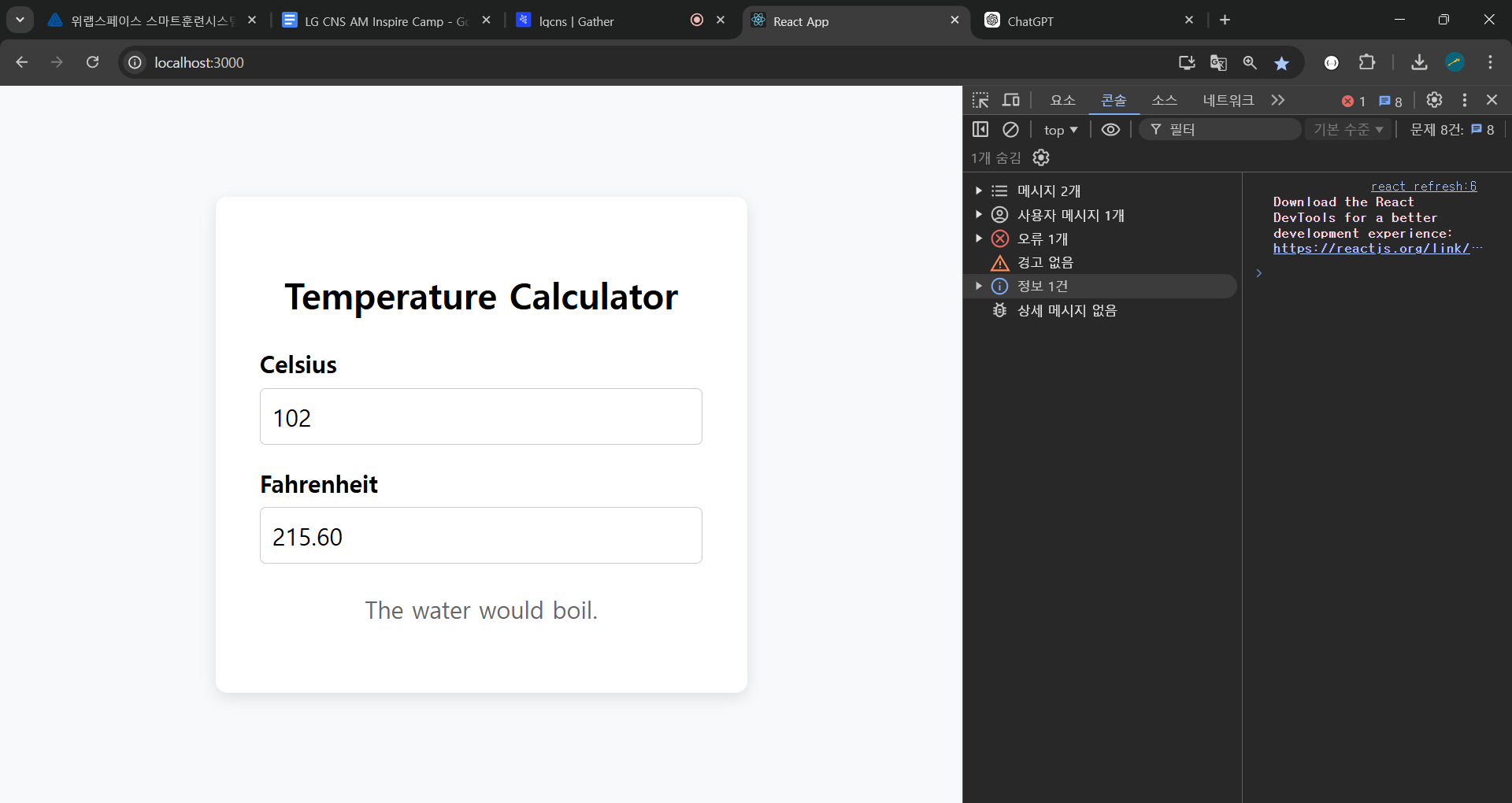
return (<div style={styles.calculatorContainer}> <h2 style={styles.title}>Temperature Calculator</h2> <TemperatureInput scale="c" temperature={celsius} onTemperatureChange={handleCelsiusChange} /> <TemperatureInput scale="f" temperature={fahrenheit} onTemperatureChange={handleFahrenheitChange} /> <BoilingVerdict celsius={parseFloat(celsius)} /> </div>);
}
// 최상위 App 컴포넌트
function App() {
return (<div style={styles.appContainer}> <Calculator /> </div>);
}
// 간단한 인라인 스타일 예시
const styles = {
appContainer: {
minHeight: '100vh',
display: 'flex',
justifyContent: 'center',
alignItems: 'center',
background: '#f8f9fa',
},
calculatorContainer: {
background: '#ffffff',
borderRadius: '8px',
boxShadow: '0 3px 10px rgba(0,0,0,0.1)',
padding: '30px',
width: '300px',
textAlign: 'center',
},
title: {
marginBottom: '20px',
fontFamily:'Roboto', sans-serif,
},
inputGroup: {
marginBottom: '15px',
textAlign: 'left',
},
label: {
display: 'block',
marginBottom: '6px',
fontWeight: 'bold',
fontFamily:'Roboto', sans-serif,
},
input: {
width: '100%',
padding: '8px',
boxSizing: 'border-box',
fontSize: '16px',
fontFamily:'Roboto', sans-serif,
borderRadius: '4px',
border: '1px solid #ccc',
outline: 'none',
},
boilingVerdict: {
marginTop: '20px',
fontSize: '16px',
fontWeight: '500',
color: '#666',
fontFamily:'Roboto', sans-serif,
},
};
export default App;
코드 구조 설명
1.Calculator (부모 컴포넌트)
celsius, fahrenheit 두 가지 state를 관리합니다.
섭씨 입력이 변경될 때(handleCelsiusChange):
celsius state를 업데이트
숫자이면 toFahrenheit 변환 후 fahrenheit 업데이트
화씨 입력이 변경될 때(handleFahrenheitChange):
fahrenheit state를 업데이트
숫자이면 toCelsius 변환 후 celsius 업데이트
2.TemperatureInput (자식 컴포넌트)
scale(c 또는 f), temperature(현재 온도 값), onTemperatureChange(부모에서 받은 변경 함수) 세 개의 props를 받습니다.
입력창의 값이 바뀌면 onTemperatureChange로 그 값을 부모에게 넘겨줍니다.
3.BoilingVerdict (자식 컴포넌트)
부모로부터 받은 celsius 값이 100도 이상인지 아닌지 판별합니다.
그에 따라 "The water would boil." 또는 "The water would not boil." 문구를 반환합니다.
- App 컴포넌트
최상위 컴포넌트로, Calculator 컴포넌트를 렌더링합니다.
정리
| 항목 | 설명 |
|---|---|
| State 관리 | - celsius, fahrenheit 두 가지 state를 관리합니다.- 섭씨 입력(Celsius) 박스에 값을 입력하면 handleCelsiusChange가 실행되어:• celsius를 새로 입력한 값으로 업데이트• 동시에 toFahrenheit 함수를 통해 화씨 값(fahrenheit)을 계산하여 업데이트- 화씨 입력(Fahrenheit) 박스에 값을 입력하면 handleFahrenheitChange가 실행되어:• fahrenheit를 새로 입력한 값으로 업데이트• 동시에 toCelsius 함수를 통해 섭씨 값(celsius)을 계산하여 업데이트 |
| 변환 함수 | - toCelsius(fahrenheit)js<br/>function toCelsius(fahrenheit) {<br/> return (fahrenheit - 32) * 5 / 9;<br/>}<br/>- toFahrenheit(celsius)js<br/>function toFahrenheit(celsius) {<br/> return (celsius * 9 / 5) + 32;<br/>}<br/>- 각각의 함수는 섭씨 ↔ 화씨 변환식을 간단히 구현한 것입니다. |
| BoilingVerdict | - 섭씨 온도(celsius)가 100도 이상일 경우 "The water would boil.",그 외에는 "The water would not boil."를 렌더링해 줍니다.- parseFloat를 사용해 celsius를 숫자로 변환 후 비교합니다. |
| 입력값 유효성 | - 입력값이 숫자가 아닐 경우( isNaN(parseFloat(value)) === true ) 변환을 수행하지 않고,상대방 필드를 빈 문자열로 처리했습니다. - 필요에 따라 숫자만 입력되도록 제한하거나 Number() 사용,혹은 더 정교한 에러 처리 로직을 추가할 수 있습니다. |
- 참고: 실제로 구현 시, 입력값(문자열)에서
parseFloat를 사용해 숫자로 변환하고, 숫자로 변환이 불가능하면NaN이 되므로 이를 판단해 다른 필드를 비워주는 로직을 적용합니다. - 또한 필요하다면 입력값이 숫자가 아닌 경우 경고 메시지를 띄우거나, 특정 범위를 넘어서는 입력값을 제한하는 등의 기능을 추가할 수 있습니다.

3개의 댓글
주요 변경점
Container 스타일:
appContainer로 화면 중앙 배치, 배경색 지정.
calculatorContainer로 내부 카드(Card) 스타일을 적용해 흰 배경 + 그림자 + 라운딩.
제목(Title):
h2 태그 사용, styles.title로 여백/폰트 지정.
입력 그룹(InputGroup):
라벨(label)과 입력 필드(input)을 묶어, 세로 배치와 간격을 줬습니다.
라벨은 굵게(bold) 표시.
입력 박스(Input):
폭 100%, 여백, 폰트 크기, 테두리, 라운딩 등 적용.
placeholder 추가.
BoilingVerdict:
문구가 더 잘 보이도록 여백, 폰트 크기 지정.
필요에 따라 색상, 테두리, 간격 등을 조절하시면
더 예쁜 UI를 완성하실 수 있습니다.
추가로, CSS Modules나 styled-components를 사용하면
더 체계적으로 스타일을 관리하실 수 있으니 참고해 보세요.
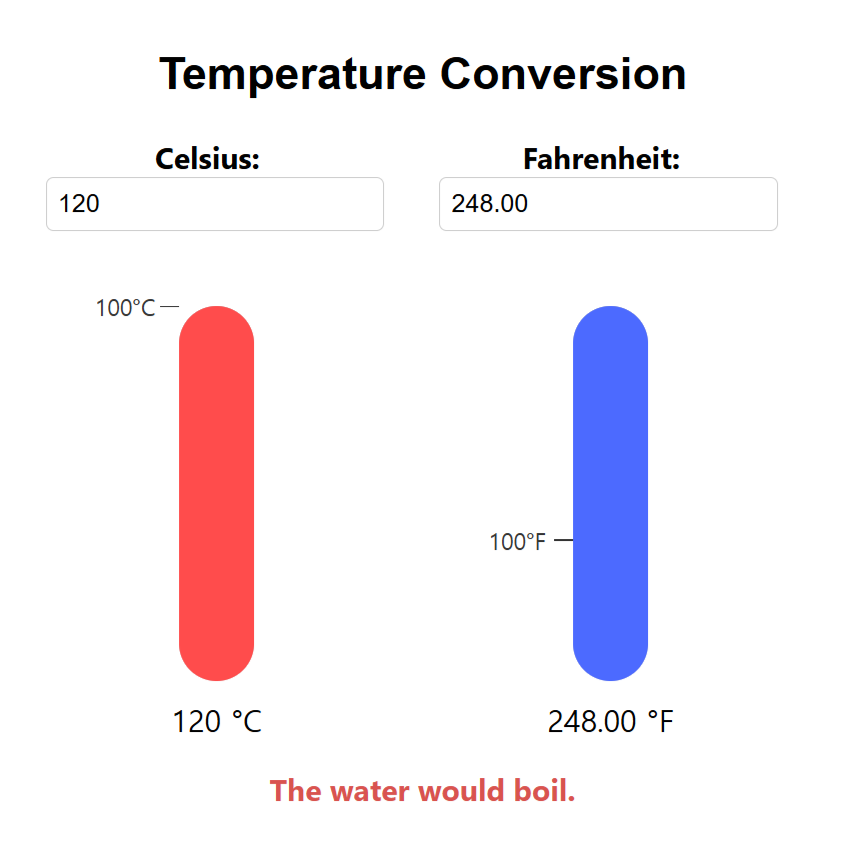
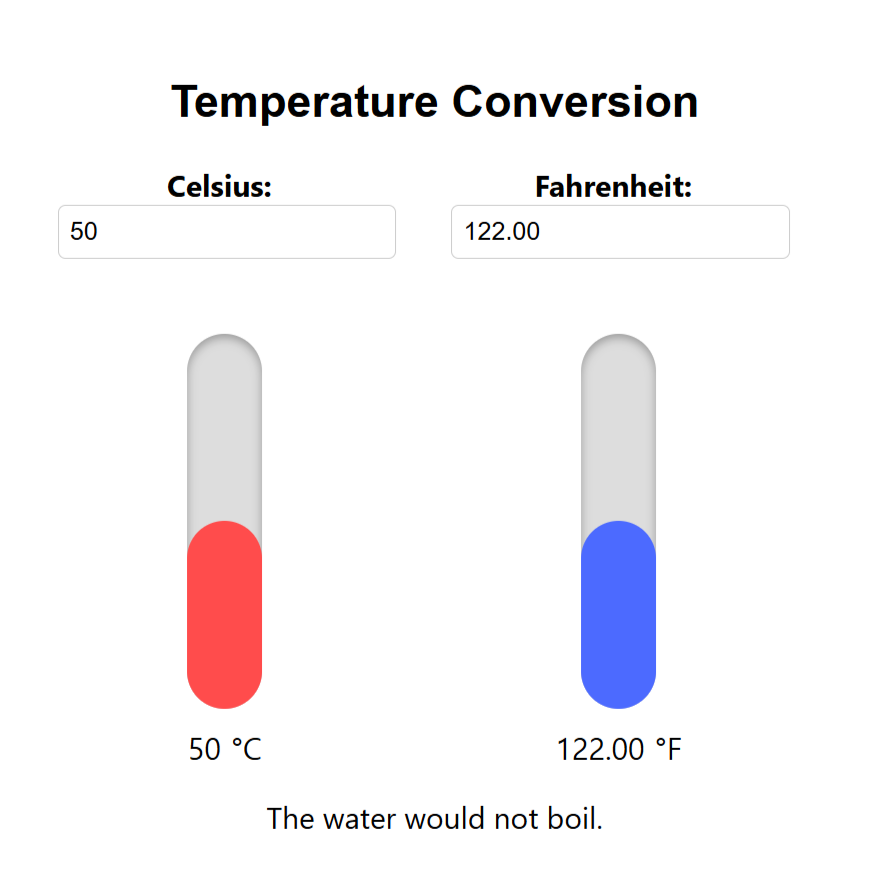
화씨, 섭씨 변환 및 물 끓음 표시를 할거야
입력창1에 Celsius: 라고 치고
입력창2에 Fahrenheit:라고 제목을 칠거야
그리고
맨아랫줄에
"The water would not boil."이라고 칠건데
입력창1,입력창2에 온도를 쳐도 양쪽이 다 계산되게 끔 할건데<<
화씨 = (섭씨 9 / 5) + 32;
섭씨 = (화씨 - 32) 5 / 9;
섭씨온도 기준 100도 이상에서는 물이 끓는거야!
계산법이고,, 어떻게 하면 코딩을 잘 짤수 있을까?
리액트 라이브러리고 JSX를 쓸건데 props