Node.js와 Express를 이용하여 API Service를 만들기 위한 설치 작업 및 예제 코드이다.
설치환경
macOS Sonoma 14.4.1
Node.js
Express
Nodemon
Node.js 설치
설치 방법은 여러가지인데 Package Manager를 사용하여 터미널에서 간편하게 설치한다.
공식 홈페이지의 다운로드 페이지에 가면 설치 버전 및 OS 종류등을 선택하여 코드를 확인할 수 있다.
# installs NVM (Node Version Manager)
curl -o- https://raw.githubusercontent.com/nvm-sh/nvm/v0.39.7/install.sh | bash

# 설정에 자동 추가된 설정을 바로 적용하기 위해 필요
vi ~/.zshrc

# download and install Node.js
nvm install 20

# verifies the right Node.js version is in the environment
node -v # should print `v20.12.2`

# verifies the right NPM version is in the environment
npm -v # should print `10.5.0`
Express 설치
Express는 웹 및 모바일 애플리케이션을 위한 강력한 기능 세트를 제공하는 최소한의 유연한 Node.js 웹 애플리케이션 프레임워크이다.
# Node.js가 이미 설치되었다고 가정한 상태에서, 애플리케이션을 보관할 디렉토리를 작성하고 그 디렉토리를 작업 디렉토리로 설정
mkdir myapp
cd myapp

# npm init 명령을 이용하여 애플리케이션에 대한 package.json 파일을 작성
npm init

#프롬프트 항목 입력 후 ENTER(Default로 전부 엔터 가능)
entry point: (index.js)

# 설치
npm install express --save
Nodemon 설치
nodemon은 디렉터리의 파일 변경이 감지되면 노드 애플리케이션을 자동으로 다시 시작하여 Node.js 기반 애플리케이션 개발을 돕는 도구이다. 개발시 편리하므로 미리 설치한다.
# recommended npm
npm install -g nodemon
# or using yarn: yarn global add nodemon

# development dependency
npm install --save-dev nodemon
# or using yarn: yarn add nodemon -D
index.js 작성 및 실행
package.json 파일 작성시, entry point로 설정한 파일에 기본 예제 코드를 넣고 실행한다.
# index.js
const express = require('express');
import dotenv from "dotenv";

//config .env에 설정된 값을 읽어온다.
dotenv.config();

const app = express ();
//JSON 구문 분석
app.use(express.json());
//
const PORT = process.env.PORT || 3000;
app.listen(PORT, () => {
    console.log("Server Listening on PORT:", PORT);
});

app.get("/status", (request, response) => {
    const status = {
        "Status": "Running"
    };
    response.send(status);
});

# 실행
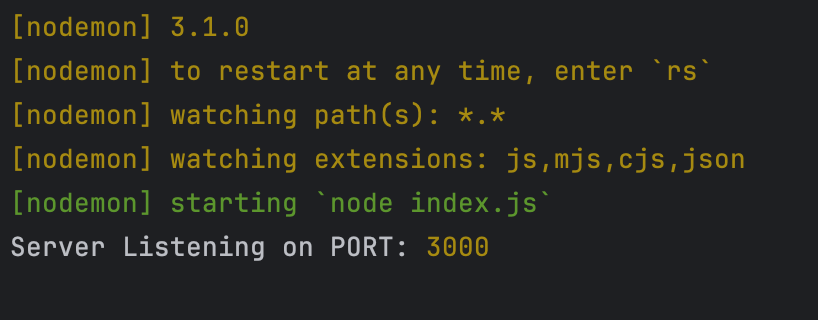
nodemon index.js
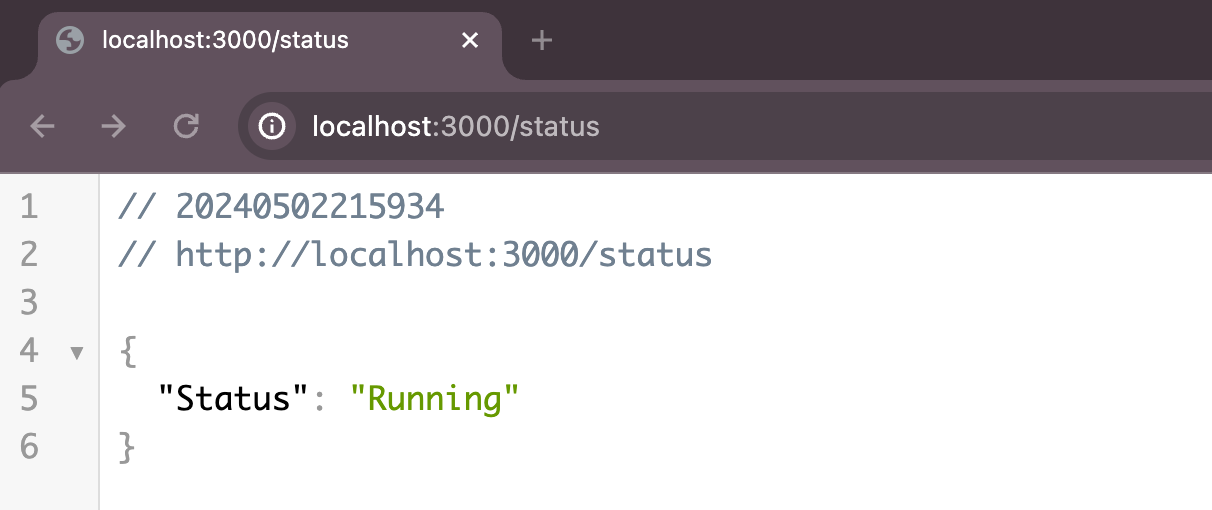
실행 확인은 http://localhost:3000/status를 호출하여 화면이 표시되면 성공이다.
Reference
https://nodejs.org/en/download/package-manager
https://expressjs.com/ko/starter/installing.html
https://www.npmjs.com/package/nodemon

안녕하세요. 블로그를 시작하게 되었습니다! 앞으로 유용한 정보와 좋은 내용을 많이 공유할게요:)