오전 시간에는 Next.js 튜토리얼 실습을 진행해 페이지를 배포했다. 배포 링크는 아래에 있다!
https://next-js-dashboard-example-xi.vercel.app
렌더링
클라이언트 사이드 렌더링 (CSR)
클라이언트 측(Browser)에서 페이지 렌더링을 수행한다. SPA로 동작한다.
- 단점
- SEO가 떨어진다.
- 처음에는 빈 html 파일을 불러오기 때문이다.
- 초기 페이지 로딩 속도가 느리다.
- 브라우저가 처리해야 할 부분이 늘어나면서, 사용자는 페이지 로딩까지 비어있는 화면을 보는 시간이 길어지게 되었다.
- SEO가 떨어진다.
서버 사이드 렌더링 (SSR)
Next.js가 도입했다. 서버 실행 환경(런타임)을 도입해, 컨텐츠가 사용자에게 전달되는 방식과 CSR의 단점을 해소했다.
- 특징
- 빈 페이지는 아니지만, 사용자와 인터렉션이 불가능한 페이지를 초기에 로딩한다. (UI 는 로딩되어 있지만, 상호작용 불가)
- Hydration 과정을 통해 인터렉션 가능한 UI로 변환한다.
- 단점
- 서버가 렌더링이 완료되어야 클라이언트(브라우저)에게 응답할 수 있다.
- 렌더링 하는 데에 동적인 데이터가 모두 완료될 때까지 렌더링을 시작할 수 없다.
- 클라이언트에서 React가 Hydration을 수행하기 위해서는 먼저 브라우저에 완전한 JS 파일이 모두 다운로드 되어있어야 한다.
- 사용자가 서비스와 상호작용을 하기 위해서는 모든 Hydration이 먼저 완료되어야 한다.
- 현재 사용자의 맥락에서 중요도가 떨어지는 버튼에 대한 인터렉션도 동작할 수 있도록 Hydration 처리가 모두 완료되어야 접수 버튼을 누를 수 있다.
- 서버가 렌더링이 완료되어야 클라이언트(브라우저)에게 응답할 수 있다.
Suspense
React18에서 컴포넌트를 통해 새로운 두 가지 기능을 제공하면서 기존 SSR 방식의 단점을 해소했다.
HTML Streaming SSR
서버에서 HTML 코드를 부분적으로 스트리밍하는 방식이다.
SSR의 단점(Server에서는 렌더링 작업을 수행하는데 필요한 데이터들이 모두 다운로드 될 때까지, 렌더링을 시작할 수 없음)을 해소하였다.
<div>
	<Header /> {/* 렌더링에 별도의 데이터가 필요없는 컴포넌트 */}

	{/* <Dashboard /> 컴포넌트를 <Suspense />로 감싸서 지연 로딩시킴 */}
	<Suspense fallback={<Spinner />}>
		<Dashboard />
	</Suspense>

	<Sidebar /> {/* 렌더링에 별도의 데이터가 필요없는 컴포넌트 */}
</div>- 단점
- 비록 JS 코드가 브라우저에 의해 비동기적으로 스트리밍 된다고 해도, 결과적으로는 웹 페이지 로딩에 필요한 전체 코드가 사용자 디바이스로부터 다운로드되어야 한다.
- 특정 컴포넌트가 사용자와 상호작용할 수 있는 컴포넌트인지에 대한 여부와 관계없이, 모든 리액트 컴포넌트는 클라이언트 측에서 Hydration을 거쳐야 하도록 강제되고 있다.
- 3서버가 좋은 연산 처리 능력을 보유하였음에도 불구하고, JS 파일의 실행은 여전히 사용자 디바이스에서 수행된다.
실습
CSR
'use client'

import { useEffect, useState } from 'react'
import Dashboard from '@/components/1.csr/Dashboard'
import Sidebar from '@/components/1.csr/Sidebar';
import Header from '@/components/1.csr/Header';

export default function CSRPage() {
  const [data, setData] = useState(null);

  useEffect(() => {
    console.log('useEffect 호출 됨');

    fetch('http://localhost:4000/api/data?delay=2000')
      .then(res => res.json())
      .then(json => setData(json))
  }, [])

  return (
    <div>
      <section className="min-h-screen flex">
        <aside className="w-64 bg-gray-100 border-r p-4">
          <Sidebar />
        </aside>

        <div className="flex-1 flex flex-col">
          <header className="h-16 bg-white border-b flex items-center justify-between px-6">
            <Header />
          </ header>
          <main className="flex-1 p-6">
            <h1 className="text-xl font-bold mb-4">Client-Side Rendering</h1>
              {data === null ? (
                <p>Loading...</p>
              ) : (
                <Dashboard data={data} />
              )}
          </main>
        </div>
      </section>
    </div>
  )
}
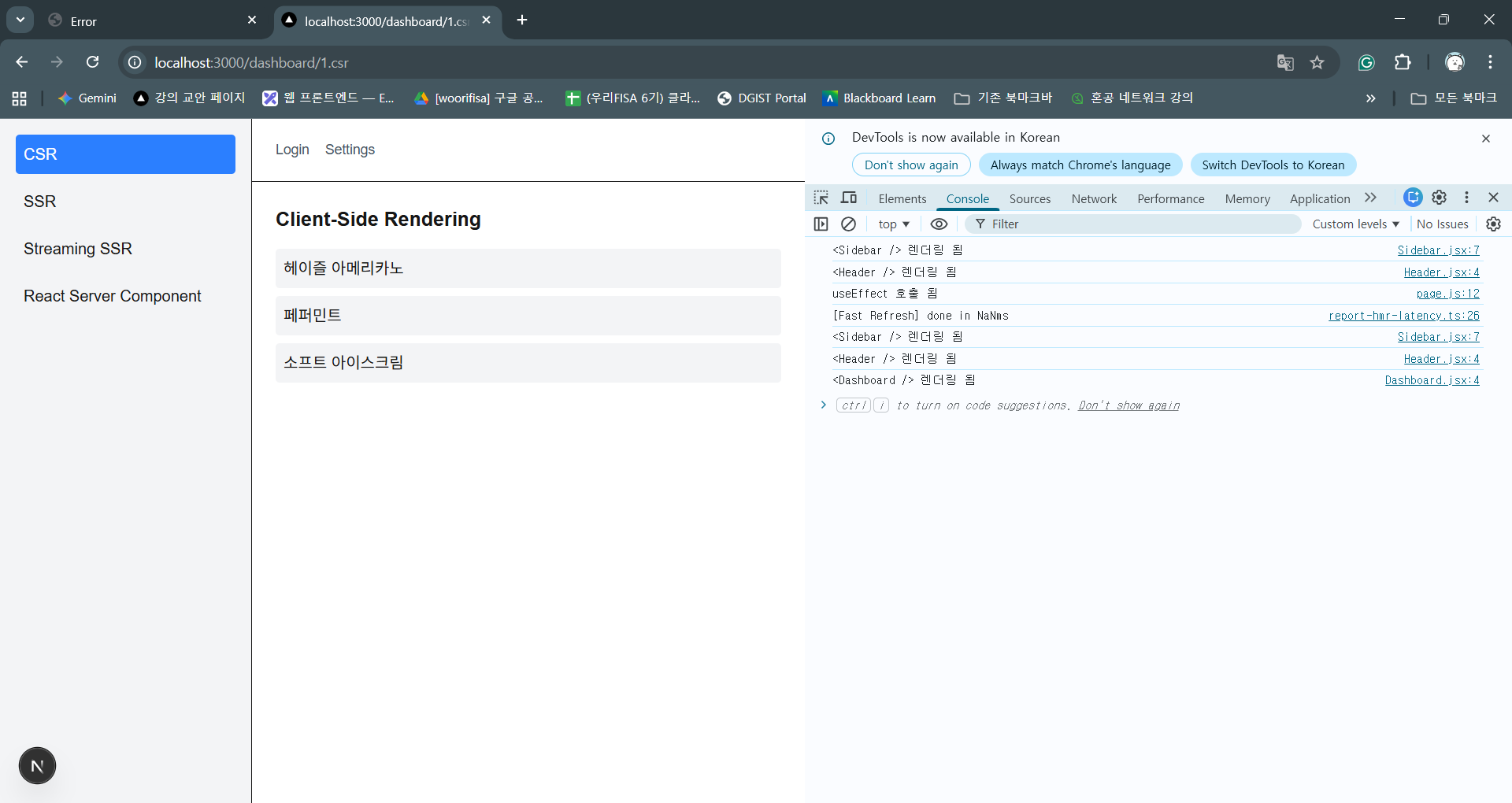
Sidebar, Header를 먼저 로드한 후 useEffect 단에서 데이터를 받아온다. 데이터에 변화가 생겼으므로 다시 Sidebarr, Header가 렌더링된 후 대쉬보드가 렌더링된다.
SSR
import Dashboard from '@/components/2.ssr/Dashboard'

export const dynamic = 'force-dynamic'

export default async function SSRPage() {
  const res = await fetch('http://localhost:4000/api/data?delay=2000', { cache: 'no-store' })
  const data = await res.json()

  return (
    <div>
      <h1 className="text-xl font-bold mb-4">Server-Side Rendering</h1>
      <Dashboard data={data} />
    </div>
  )
}
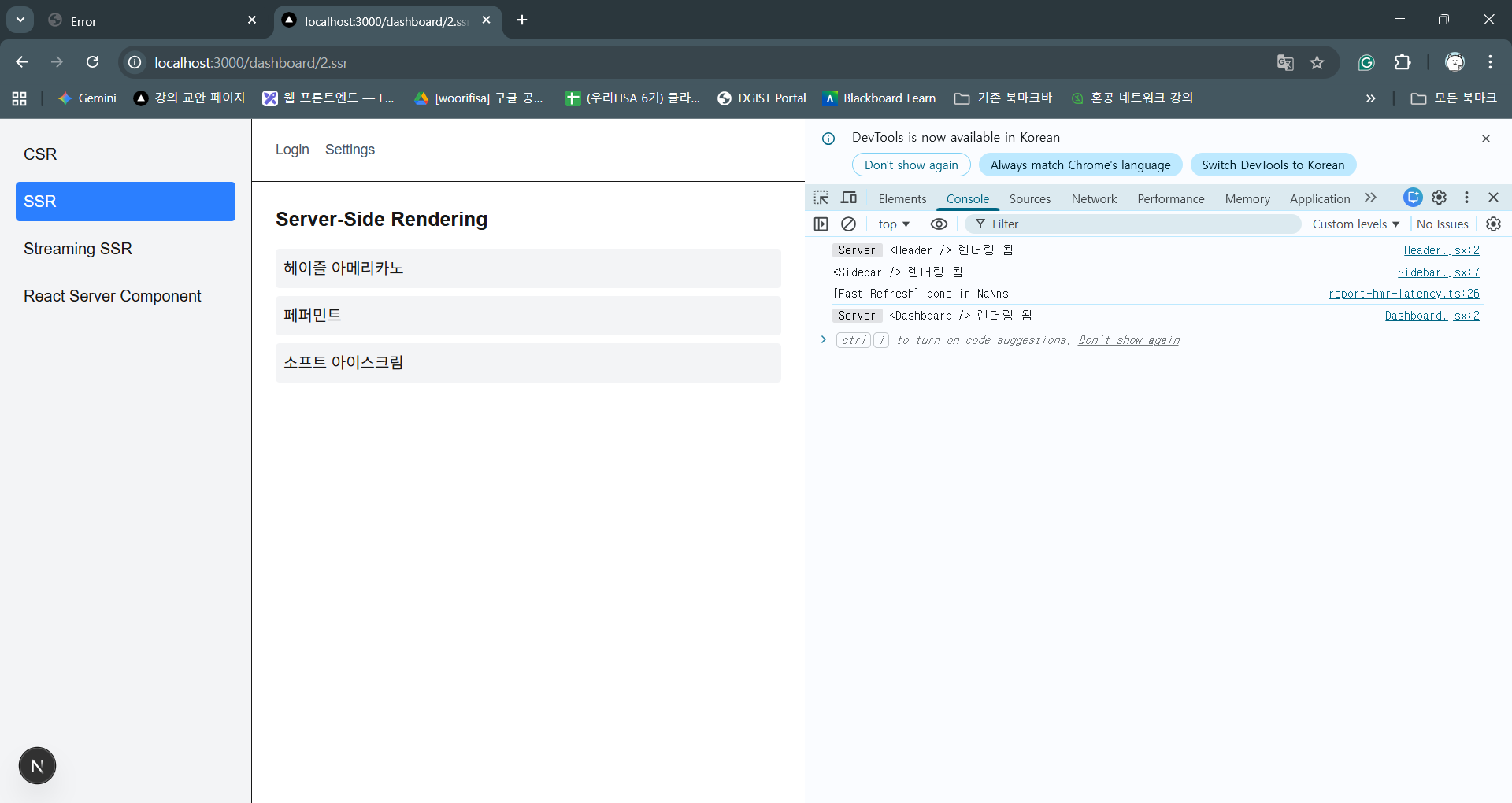
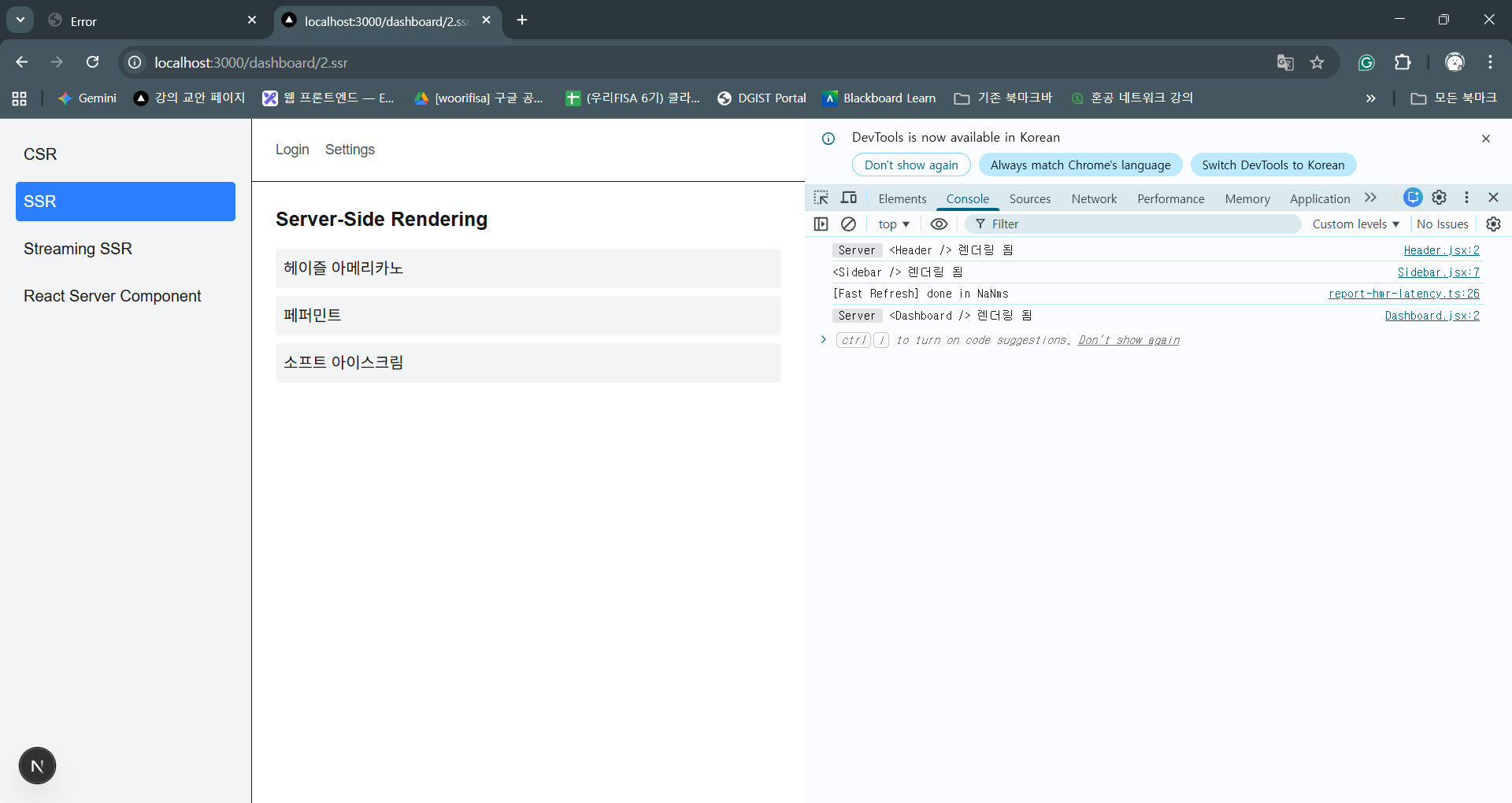
별도의 표시가 없으면 use server이다. (next.js가 확장해 server에서도 fetch 함수를 사용 가능하게 했다.)
서버 측에서 데이터를 fetch 한 후 가져온다.
Suspense
import { Suspense } from 'react'
import Dashboard from '@/components/2.ssr/Dashboard'

async function fetchData() {
  const res = await fetch('http://localhost:4000/api/data?delay=2000', {
    cache: 'no-store',
  })
  return res.json()
}

async function DashboardWithData() {
  const data = await fetchData()
  return <Dashboard data={data} />
}

export default function StreamingPage() {
  return (
    <div>
      <h1 className="text-xl font-bold mb-4">Streaming SSR</h1>

      {/* 렌더링을 지연시킬 부분만 Suspense로 감싸줌, <h1>Streaming SSR</h1>은 먼저 렌더링 */}
      <Suspense fallback={<p>Loading...</p>}>
        <DashboardWithData />
      </Suspense>
    </div>
  )
}
Suspense로 감싸진 부분만 렌더링이 지연된다.
SRC
import LikeCounter from "./LikeCounter";

const Dashboard = ({ data }) => {
  console.log('<Dashboard /> 렌더링 됨');

  return (
    <ul className="space-y-2">
      {data.map((item, idx) => (
        <li key={idx} className="p-2 bg-gray-100 rounded">
          {item}
          {/* 클라이언트 컴포넌트를 서버컴포넌트 Dashboard와 조합 */}
          <LikeCounter item={item} />
        </li>
      ))}
    </ul>
  )
}

export default Dashboard
서버 컴포넌트 안에 클라이언트 컴포넌트(LikeCounter)를 넣을 수 있다.
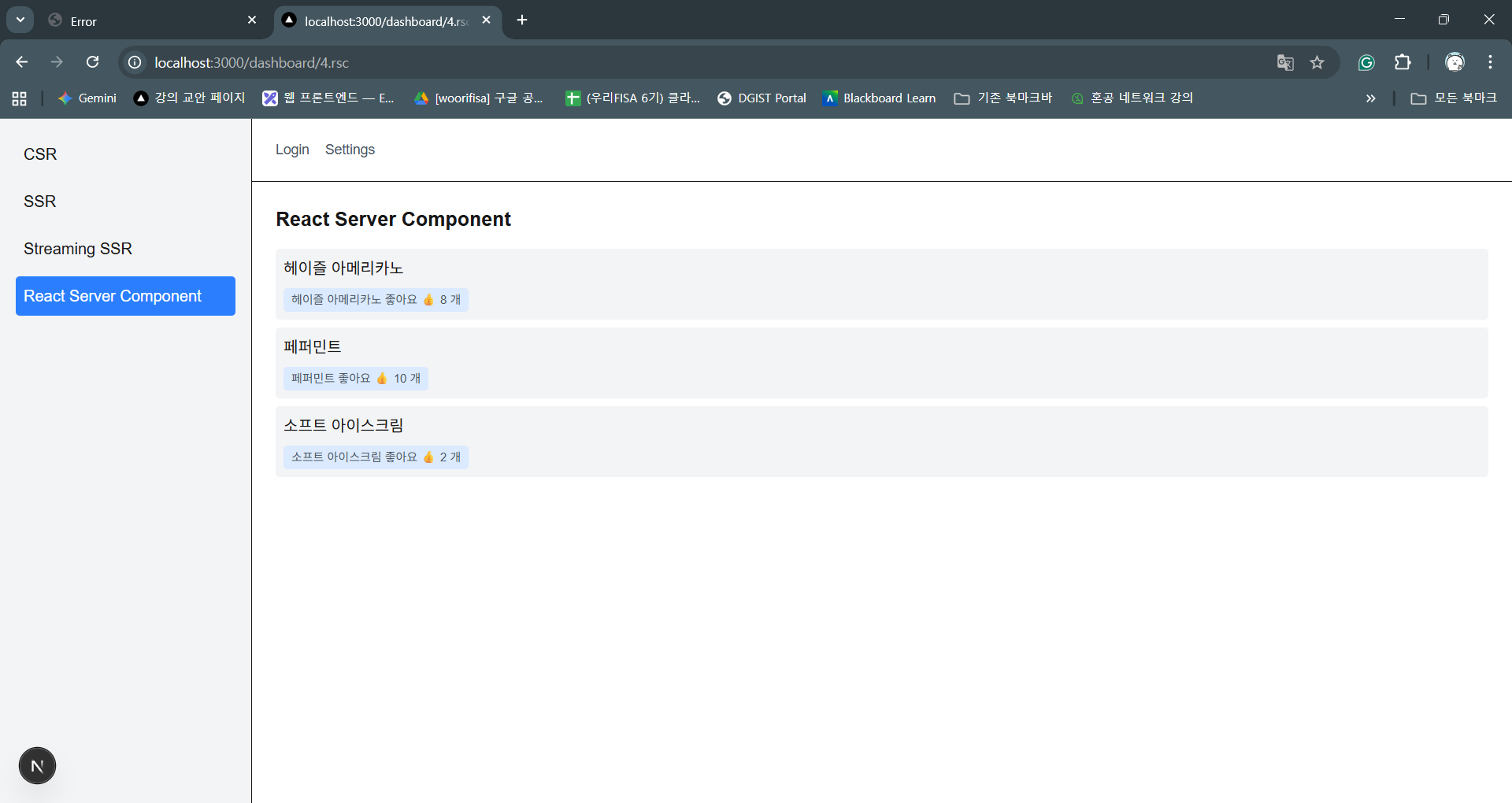
음료 목록은 SSR, 좋아요 버튼은 CSR이다.