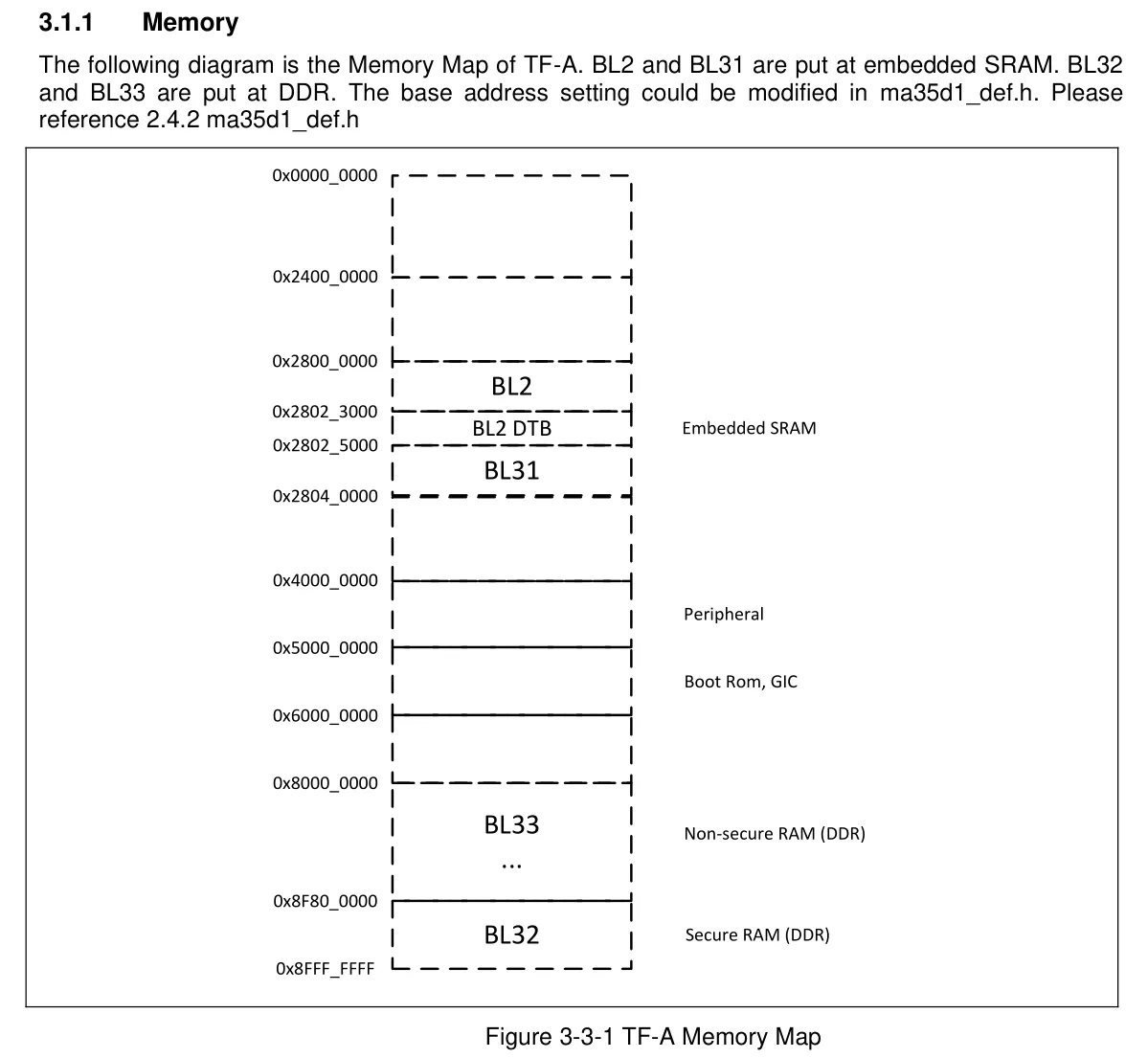
메모리 영역(DDR)에 로드되는 구조
- 빌드 산출물/도구 존재 확인 (BL2/BL31 & fiptool 빌드)
git clone https://github.com/OpenNuvoton/MA35D1_arm-trusted- firmware-v2.3

cd ~/MA35D1_arm-trusted-firmware-v2.3

#의존성 설치
sudo apt-get update
sudo apt-get install -y gcc-aarch64-linux-gnu make libssl-dev lld

#클린 후 빌드
make realclean
make CROSS_COMPILE=aarch64-linux-gnu- PLAT=ma35d1 LD=ld.lld \
    		bl2 bl31 fiptool WERROR=0 LD_WERROR -j"$(nproc)"

# BL2/BL31 산출물 있는지
ls -lh build/ma35d1/release/bl2.bin build/ma35d1/release/bl31.bin tools/fiptool/fiptool

# fiptool 실행 파일 있는지 (두 경로 중 하나에 있음)
ls -lh tools/fiptool/fiptool || ls -lh build/ma35d1/release/tools/fiptool/fiptool- fip.bin 생성
- 여러 구성요소를 하나로 묶은 컨테이너 역할
- BL2 단계에서 로드되고 검증되어 이후 부트 체인에 필요한 각종 펌웨어를 포함
TFA_DIR=~/MA35D1_arm-trusted-fimware-v2.3
UBOOT_BIN=~/MA35D1_u-boot-v2020.07/u-boot.bin
FIPTOOL-$TFA_DIR/tools/fiptool/fiptool

 #실행 권한 보장
 chmod + "$FIPTOOL"

#FIP 생성 (BL31 + BL33(U-boot))
"$FIPTOOL" create \
--bl31 "$TFA_DIR/build/ma35d1/release/bl31.bin" \
--bl33 "$UBOOT_BIN" \
"$TFA_DIR/build/ma35d1/release/fip.bin"

#생성되었는지 확인
ls -lh "$FTA_DIR/build/ma35d1/release/fip.bin- fip.bin 내용 검증
"$FIPTOOL" info "TFA_DIR/build/ma35d1/release/fip.bin"
#BL31과 BL33 항목이 나와야함
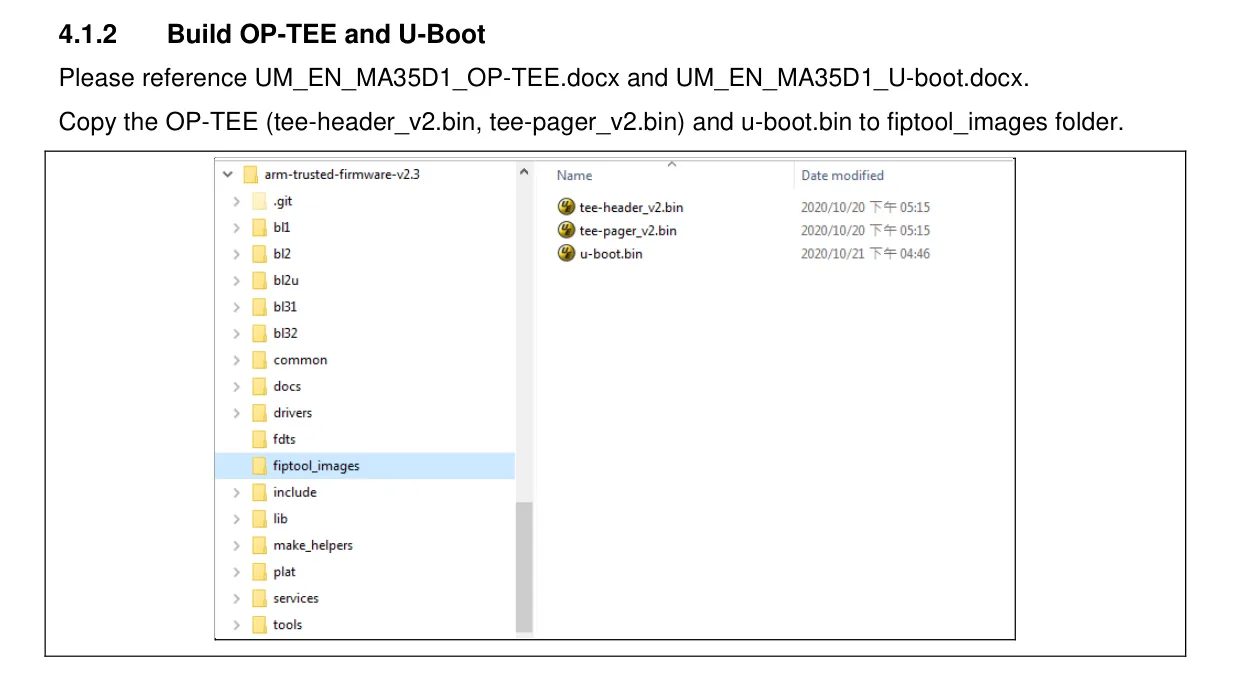
+) OP_TEE도 사용하고 싶다면 fiptool_images folder에 OP_TEE 이미지 파일을 넣으면 된다.

Embedded Junior Developer