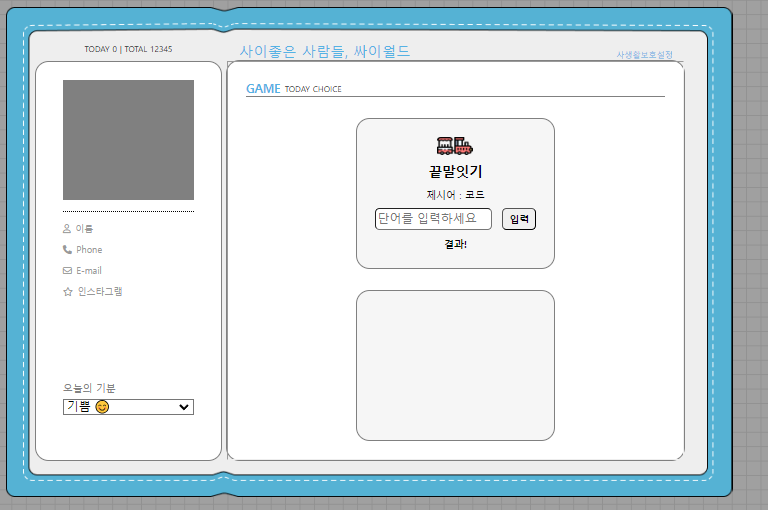
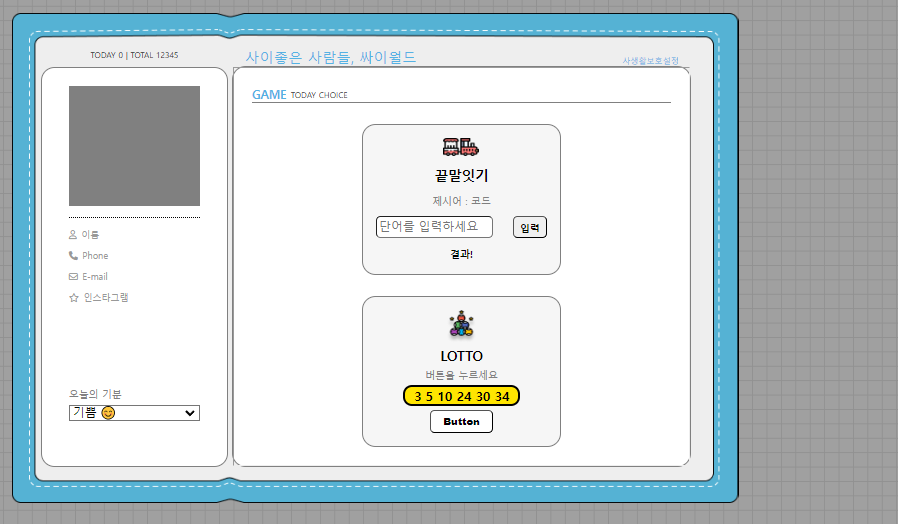
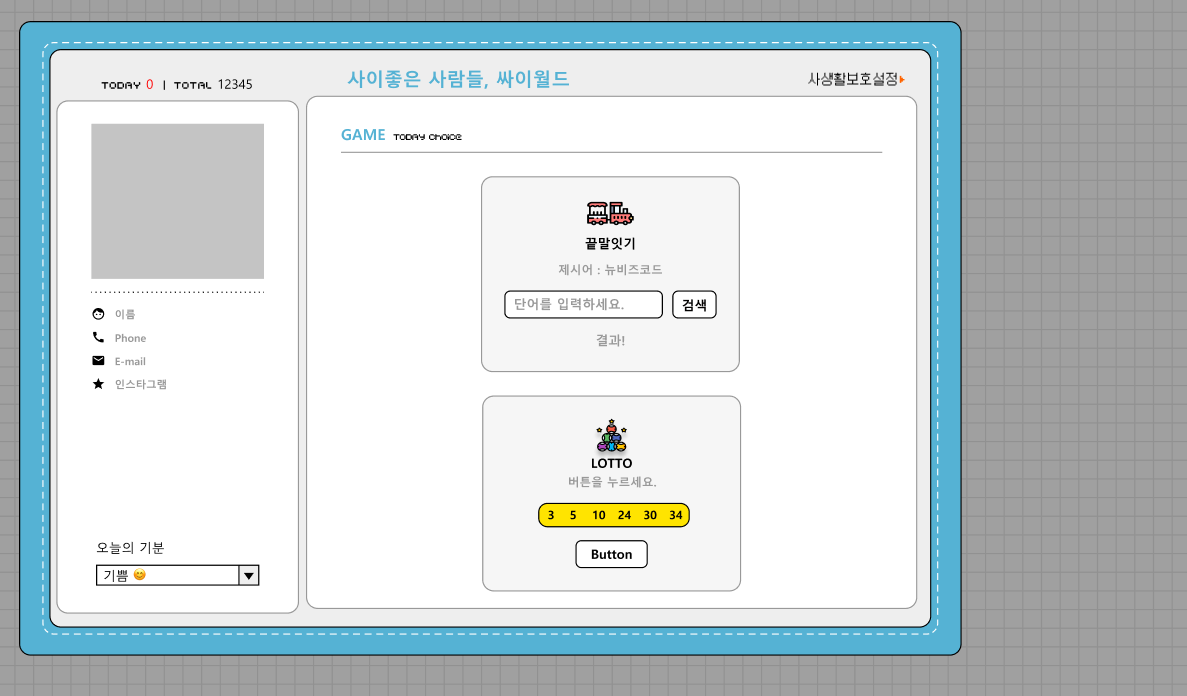
3회차 목표
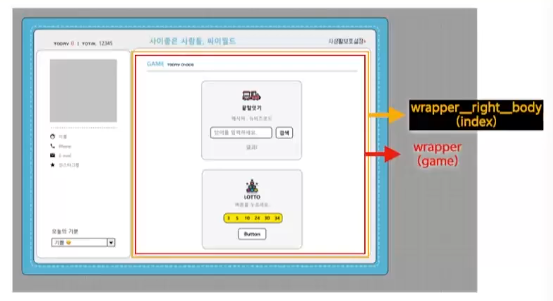
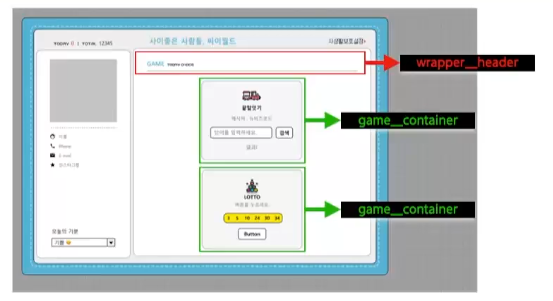
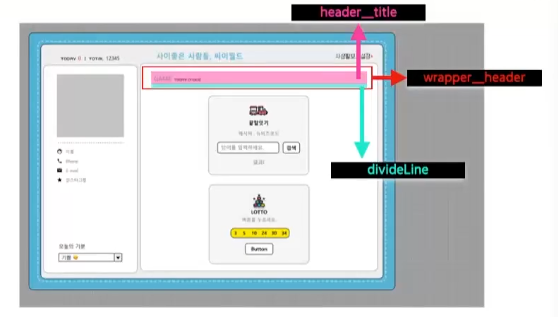
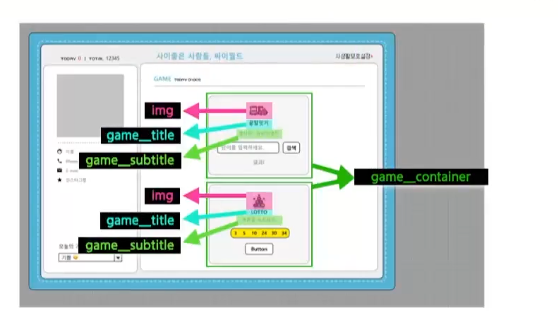
<body> <div class="wrapper"> <div class="wrapper__header"> <div class="header__title"> <div class="title">GAME</div> <div class="subtitle">TODAY CHOICE</div> </div> <div class="divideLine"></div> </div> <div class="game__container"> <img src="./images/wordgame.png"> <div class="game__title">끝말잇기</div> <div class="game__subtitle"> 제시어 : <span id="word">코드</span> </div> <div class="word__text"> <input class="textbox" id="myword" placeholder="단어를 입력하세요"> <button class="search">입력</button> </div> <div class="word__result" id="result">결과!</div> </div> <div class="game__container"></div> </div> </body>*{ box-sizing: border-box; margin: 0px; } html,body{ width: 100%; height: 100%; } .wrapper{ width: 100%; height: 100%; padding: 20px; display: flex; flex-direction: column; align-items: center; justify-content: space-between; } .wrapper__header{ width: 100%; display: flex; flex-direction: column; } .header__title{ display: flex; flex-direction: row; align-items: center; } .title{ font-size: 13px; color: #55B2E4; font-weight: 700; } .subtitle{ font-size: 9px; padding-left: 5px; } .divideLine{ width: 100%; border-top: 1px solid gray; } .game__container{ width: 222px; height: 168px; border: 1px solid gray; border-radius: 15px; display: flex; align-items: center; flex-direction: column; justify-content: space-between; padding: 20px; background-color: #f6f6f6; } .game__title{ font-size: 15px; font-weight: 900; } .game__subtitle{ font-size: 11px; } .word__result{ font-size: 11px; font-weight: 700; } .word__text{ width: 100%; display: flex; flex-direction: row; justify-content: space-between; } .textbox{ width: 130px; height: 24px; border-radius: 5px; } .search{ font-size: 11px; font-weight: 700; width: 38px; height: 24px; border-radius: 5px; }
아래쪽도 비슷하게 완성시키면