open weather map - open API
사용하기
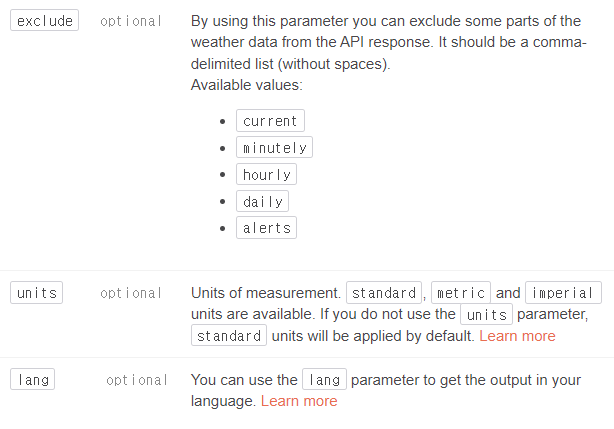
https://api.openweathermap.org/data/3.0/onecall?lat={lat}&lon={lon}&exclude={part}&appid={API key}위의 코드를 사용하면 되는데 {} 부분의 값을 알맞게 채워 줘야한다
{lat}
{lon}
{part}
{API key}
나의 계정 정보에서 발급 받을 수 있다.
사용 예시
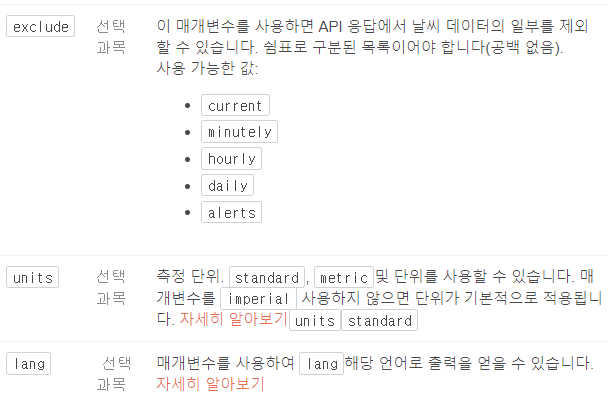
API 응답에서 날씨 데이터의 일부를 제외하려면 아래 예와 같이 매개변수를 추가
https://api.openweathermap.org/data/3.0/onecall?lat=33.44&lon=-94.04&exclude=hourly,daily&appid={API key}응답에서 날씨 데이터를 제외할 필요가 없는 경우 아래 예와 같이 사용
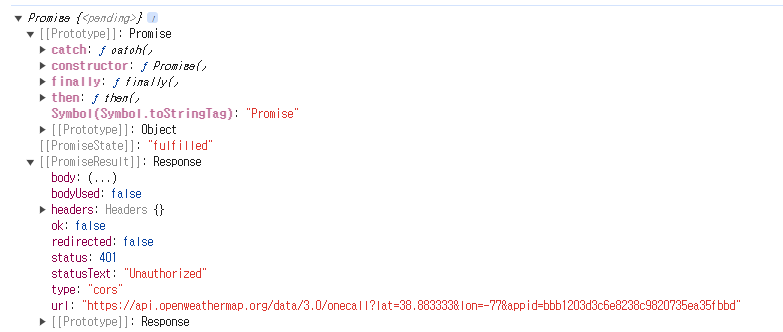
https://api.openweathermap.org/data/3.0/onecall?lat=33.44&lon=-94.04&appid={API key}const weatherSearch = function (position) { const apiKey = "bbb1203d3c6e8238c9820735ea35fbbd" fetch(`https://api.openweathermap.org/data/3.0/onecall?lat=${position.latitude}&lon=${position.longitude}&appid=${apiKey}`)}; const accessToGeo = function (position) { console.log(position); const positionObj = { latitude: position.coords.latitude, longitude : position.coords.longitude } console.log(typeof position); console.log(positionObj.latitude); console.log(positionObj.longitude); weatherSearch(positionObj); } const errorToGeo = function(err) { console.log(err); } const askForLocation = function () { // navigator.geolocation.getCurrentPosition(success, error, [options]); navigator.geolocation.getCurrentPosition(accessToGeo,errorToGeo); };나에게 맞도록 입력하여 실행하면.
강의때랑은 다르게 유료로 변경된듯함.
해당 fetch도 함수 이므로 해당 값을
저장시키고 출력시켜보면 세부 값을 볼 수있다.