new Date
현재 날짜와 시간을 받아오는 New Date
<script>
  const counterMake = function ()  {
  const nowDate = new Date();
  console.log(nowDate);
  };
</script>

<body>
    <button onclick="counterMake()">현재 시간을 알려주는 버튼</button>
</body>
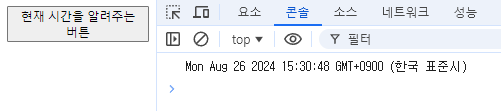
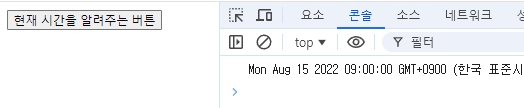
현재 시간 뿐 아니라 특정 시간, 날짜를 가져올 수도 있음
<script>
  const counterMake = function ()  {
    const targetDate = new Date('2022-08-15');
  	console.log(targetDate);
  };
</script>

<body>
    <button onclick="counterMake()">시간을 알려주는 버튼</button>
</body>
날짜의 연산
<script>
  const counterMake = function ()  {
  const nowDate = new Date();
  const targetDate = new Date('2022-08-15');
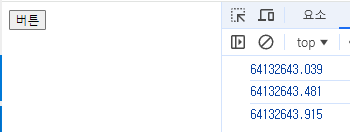
  const remaining = (nowDate - targetDate) / 1000
  console.log(remaining);
  };
</script>
<body>
    <button onclick="counterMake()">버튼</button>
</body>
차이 시간만큼 초 단위로 출력되게 한것.
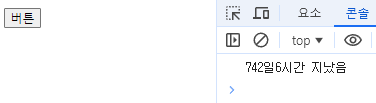
조금 형식을 다듬어 보면<script> const counterMake = function () { const nowDate = new Date(); const targetDate = new Date('2022-08-15'); const remaining = (nowDate - targetDate) / 1000 const remainingDate = Math.floor(remaining / 3600 / 24); const remainingHours = Math.floor((remaining / 3600) % 24); console.log(remainingDate + '일' + remainingHours + '시간 지났음'); }; </script> <body> <button onclick="counterMake()">버튼</button> </body>