
코드
코드를 추가하기 전에 pubspec.yaml 파일에 location 패키지를 설치해주어야 한다
dependencies:
  flutter:
    sdk: flutter

  location: ^4.3.0
// main.dart
class _MyHomePageState extends State<MyHomePage> {
double lat = 0;
double lng = 0;
Location location = new Location();
bool _serviceEnabled = true;
late PermissionStatus _permissionGranted;
_locateMe() async {
_serviceEnabled = await location.serviceEnabled();
if (!_serviceEnabled) {
_serviceEnabled = await location.requestService();
if (!_serviceEnabled) {
return;
}
}
_permissionGranted = await location.hasPermission();
if (_permissionGranted == PermissionStatus.denied) {
_permissionGranted = await location.requestPermission();
if (_permissionGranted != PermissionStatus.granted) {
return;
}
}
await location.getLocation().then((value) {
setState(() {
lat = value.latitude!;
lng = value.longitude!;
});
});
}
@override
Widget build(BuildContext context) {
return Scaffold(
appBar: AppBar(
title: Text(widget.title),
),
body: Center(
child: Column(
children: [
Expanded(
child: Center(
child: Text("Lat: $lat, Lng: $lng"),
),
),
Container(
width: double.infinity,
child: ElevatedButton(
child: Text("Locate"),
onPressed: () => _locateMe(),
),
)
],
),
),
);
}
}결과
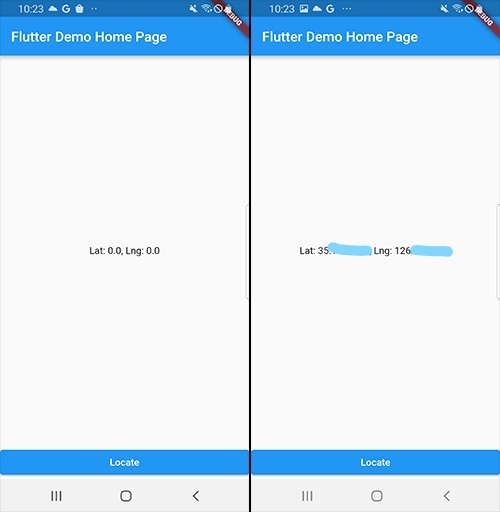
앱 최초 실행 시에는 위치 권한 허용 여부를 묻는 알림창이 뜬다

🐥👩💻💰