240802 TIL
채팅 목록 불러오기 - 인플루언서의 내 채팅방 가져오기
  const getMyChannel = async () => {
    //나의 채팅 채널 불러오기
    const user_id = userdata.id
    const { data, error } = await supabase
      .from('chat_channels')
      .select('*')
      .eq('owner_id', user_id)
      .single()
    if (data) {
      const channel_data = {
        channel_id: data.channel_id,
        channel_name: data.channel_name,
        created_at: data.created_at,
        owner_id: data.owner_id
      }
      setMyChannel(channel_data)
    }
  }
스크롤 조정
  const [firstLoading, setFirstLoading] = useState<boolean>(false)
  const scrollToBottom = () => {
    if (scrollRef.current) {
      scrollRef.current.scrollTop = scrollRef.current.scrollHeight;
      if (!firstLoading) {
        setFirstLoading(true)
      } else {
        scrollRef.current.style.scrollBehavior = 'smooth';
      }
    }
  }

  useEffect(() => {
    scrollToBottom();
  }, [preMessages])
처음 입장 시, 스크롤이 아래에 고정되게 한다.
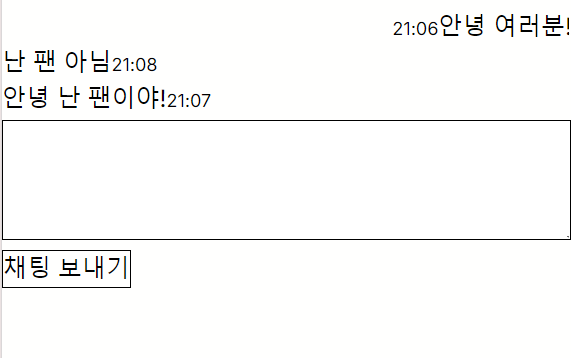
메세지 구분하여 좌우 배치
          (preMessage.isMine) ?
            <div className="text-right">
              <label className="text-xs text-inherit">{preMessage.time.slice(11, 16)}</label>
              <label className="">{preMessage.content.message}</label>
            </div>
            :
            <div className="text-left">
              <label className="">{preMessage.content.message}</label>
              <label className="text-xs text-inherit">{preMessage.time.slice(11, 16)}</label>
            </div>
preMessage에 Boolean 값인 isMine을 추가하여 구분해주었다.