240807 TIL
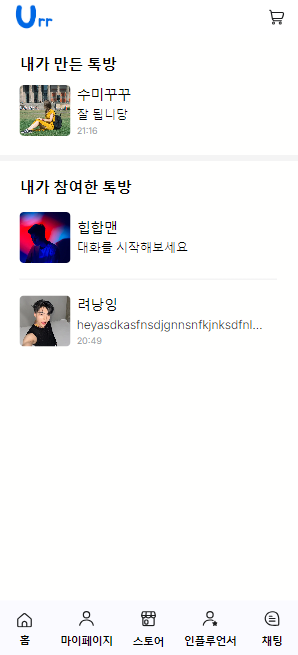
채팅 목록 구성
1. 마지막 메세지 불러오기
각 채팅방 마다 지난 채팅 중 가장 마지막 메세지를 불러와 화면에 띄워주었다.
문제 1 : map 내부에서 async-await 호출 시 Promise array 해결
Promise 배열을 어떻게 처리할 수 있는 걸까, 하다 Promise.all 이라는 것을 발견했다. 순회 가능한 객체에 주어진 모든 프로미스를 이행하고, 이행한 프로미스를 반환해주어 허무하게도(...) 쉽게 배열 처리가 되었다.
  const getChatList = async () => {
    //유저의 대화구독목록 불러오기
    const user_id = userdata.id
    const { data, error } = await supabase
      .from('chat_subscribe')
      .select('*')
      .eq('user_id', user_id)
    if (data) {
      const channelListData = data.map((channel) => {
        return channel.channel_id
      })
      setChannelList(channelListData)
    }
  }

  const getChatListData = async (chatlist: number[] | null) => {
    //구독리스트의 정보 불러오기
    if (channelList) {
      const { data, error } = await supabase
        .from('chat_channels')
        .select('*')
        .in('channel_id', [...channelList])
      if (data) {
        const channelListDatas = await Promise.all(data.map(async (channel) => {
          const response = await getlastMessage(channel.channel_id, channel.owner_id);
          if (response?.time != undefined && response?.message != undefined) {
            return {
              channel_id: channel.channel_id,
              channel_name: channel.channel_name,
              owner_id: channel.owner_id,
              owner_profile_url: channel.owner_profile_url,
              created_at: response?.time,
              message: response?.message
            }
          }
        }))
        setChatListData(channelListDatas);
      }
    }
  }
문제 2 : 대화 기록 없을 수 get 에러
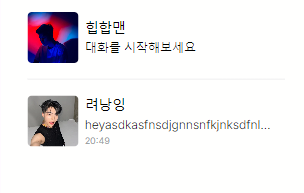
메세지가 없을 시에는 대화를 시작하세요 라는 메세지를 띄워주고자 했다. 그러나, 계속 get 400 오류가 콘솔에 찍히는 것이 확인되었다. 대화 기록이 없는 경우는 언제든 발생할 수 있기 때문에 콘솔이 찍히지 않도록 하고 싶었다.
문제가 되는 것은 single() 이었다. 반드시 하나를 받아와야 했던 것. maybeSingle로 해결할 수 있었다.
  const getlastMessage = async (channel_id: number, owner_id: string): Promise<{ time: string, message: string } | null> => {
    //유저의 마지막 대화 불러오기
    //실시간
    const user_id = await userdata.id;
    const approve = await userdata.approve;
    if (owner_id === user_id) {
      //채널주
      const { data, error } = await supabase
        .from('chat_messages')
        .select('*')
        .eq("channel_id", channel_id)
        .order('created_at', { ascending: false })
        .limit(1)
        .maybeSingle();
      if (!data) {
        return { time: '', message: '대화를 시작해보세요' }
      } else {
        const message = JSON.parse(JSON.stringify(data.content)).message as string;
        const time = data.created_at.slice(11, 16) as string;
        return { time, message }
      }
    } else {
      //팬
      const { data, error } = await supabase
        .from('chat_messages')
        .select('*')
        .eq("channel_id", channel_id)
        .in("user_id", [user_id, owner_id])
        .order('created_at', { ascending: false })
        .limit(1)
        .maybeSingle();
      if (!data) {
        return { time: '', message: '대화를 시작해보세요' }
      } else {
        const message = JSON.parse(JSON.stringify(data.content)).message as string;
        const time = data.created_at.slice(11, 16) as string;
        return { time, message }
      }
2. devide-y (tailwindcss)
채팅방을 구분해주는 선을 devide-y를 통해 간편하게 구성할 수 있었다.
3. UI
요구된 디자인 명세에 맞춰 채팅방 UI를 구성했다.