
nodemailer를 사용하기 위해 google 앱 비밀번호를 생성하고 그것을 이용해야 된다.
- 보안에 들어와서 검색바에 앱비밀번호를 검색하고 클릭한다.
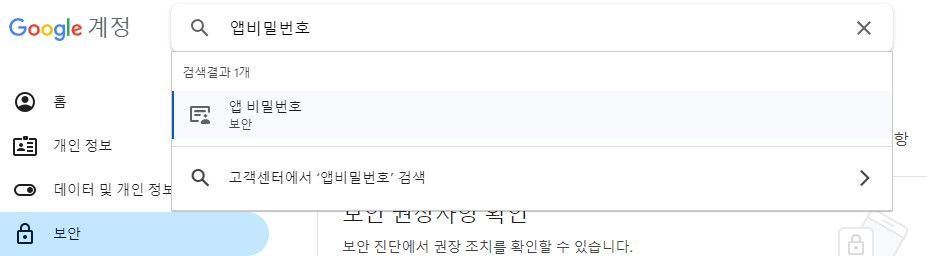
- 앱 비밀번호의 이름을 적고 생성을 하면 16개의 알파벳이 생성되는데 이걸 넣어주면 된다. env를 이용해서 넣어주자!
const mailer = require("nodemailer");
const { welcome } = require("../mail/mail_template");
const goodbye = require("./goodbye_template");

const getEmailData = (to, name, template) => {
  let data = null;

  switch (template) {
    case "welcome":
      data = {
        from: "보내는 사람 이름",
        to,
        subject: `hello ${name}`,
        html: welcome(),
      };
      break;
    case "goodbye":
      data = {
        from: "보내는 사람 이름",
        to,
        subject: `Goodbye ${name}`,
        html: goodbye(),
      };
      break;
    default:
      data;
  }
  return data;
};

const sendMail = () => {
  const transporter = mailer.createTransport({
    service: "Gmail",
    auth: {
      user: "유저",
      password: "새로운 앱 비밀번호",
    },
  });

  const mail = getEmailData(to, name, type);

  transporter.sendEmail(mail, (error, response) => {
    if (error) {
      console.log(error);
    } else {
      console.log("email sent successfully");
    }

    transporter.close();
  });
};

module.exports = sendMail;

개발 경험치 쌓는 곳