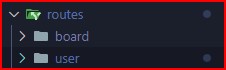
- 폴더 이동
1. typeorm sql 이용해서 virtual 컬럼 생성해서 데이터 가져오기
async getUsers() {
    const qb = this.userRepository.createQueryBuilder();

    // sql 쿼리 문을 이용해서 데이터를 가져온다
    // entity에서 컬럼 설정 해줘야함
    qb.addSelect((subQuery) => {
      return subQuery
        .select('count(id)')
        .from(Board, 'Board')
        .where('Board.userId = User.id');
    }, 'User_boardCount');

    return qb.getMany();
  }
1-1. entity에서 컬럼 추가
  // sql 쿼리문을 이용해서 컬럼 설정
  @Column({ select: false, nullable: true, insert: false, update: false })
  boardCount?: number;
2. user dto 생성
import { ApiProperty } from '@nestjs/swagger';
import {
  MaxLength,
  MinLength,
  IsNotEmpty,
  IsEmail,
  IsPhoneNumber,
} from 'class-validator';

export class CreateUserDto {
  @ApiProperty({
    description: '유저 ID',
    required: true,
    example: 'ididid',
  })
  @IsNotEmpty()
  @MinLength(4)
  @MaxLength(20)
  username: string;

  @ApiProperty({
    description: '비밀번호',
    required: true,
    example: '123123',
  })
  @IsNotEmpty()
  @MinLength(6)
  @MaxLength(20)
  password: string;

  @ApiProperty({
    description: '유저 이름',
    required: true,
    example: '홍길동',
  })
  @IsNotEmpty()
  @MinLength(2)
  @MaxLength(4)
  name: string;

  @ApiProperty({
    description: '유저 이메일',
    required: true,
    example: 'naver@naver.com',
  })
  @IsEmail()
  email: string;

  @ApiProperty({
    description: '유저 핸드폰 번호',
    required: true,
    example: '010-1234-1234',
  })
  @IsPhoneNumber('KR') // 나라마다 전화번호 형식이 다르기 때문에 설정을 해둔다.
  phoneNumber: string;
}
3. bcrypt를 이용한 pw 암호화 및 로그인
- 모듈 다운 yarn add bcrypt
  async signup(data: CreateUserDto) {
    const { password } = data;

    const encryptPassword = await hash(password, 10);

    return await this.userRepository.save({
      ...data,
      password: encryptPassword,
    });
}- 로그인
  async signin(data: SigninUserDto) {
    const { username, password } = data;

    const user = await this.getUser(username);
    console.log(user);
    if (!user) {
      return '존재하지 않는 유저입니다.';
    }

    const signin = await compare(password, user.password);

    if (signin) {
      return '로그인 성공';
    } else {
      return '로그인 실패';
    }
  }
4. JWT를 이용한 클라이언트 토큰 생성하기
- JWT란? JWT
import * as jwt from 'jsonwebtoken';

  async signin(data: SigninUserDto) {
    const { username, password } = data;

    const user = await this.getUser(username);

    if (!user) {
      return '존재하지 않는 유저입니다.';
    }

    const signin = await compare(password, user.password);

    // jwt 정보에 줄 것들
    const payload = {
      username,
      name: user.name,
    };

    const accessToken = jwt.sign(payload, process.env.JWT_KEY, {
      expiresIn: '10s',
    });
    console.log(accessToken);

    if (signin) {
      return '로그인 성공';
    } else {
      return '로그인 실패';
    }
  }
개발 경험치 쌓는 곳