
Image
<!DOCTYPE html>
<html>
<head>
<meta charset="UTF-8">
<title>image</title>
</head>
<body>
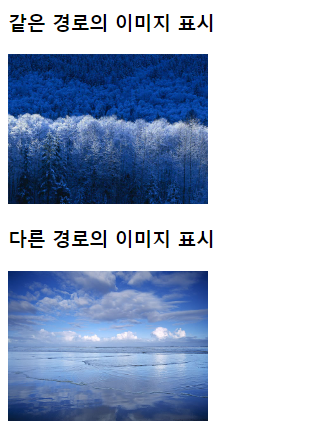
<h3>같은 경로의 이미지 표시</h3>
<img src="winter.jpg" width="200" height="150">

<h3>다른 경로의 이미지 표시</h3>
<img src="../files/landscape.jpg" width="200" height="150">

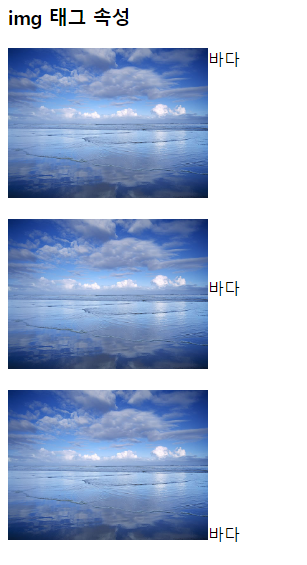
<h3>img 태그 속성</h3>
<img alt="바다 이미지" src="../files/landscape.jpg" width="200" height="150" align="top">바다<br><br>
<img alt="바다 이미지" src="../files/landscape.jpg" width="200" height="150" align="middle">바다<br><br>
<img alt="바다 이미지" src="../files/landscape.jpg" width="200" height="150" align="bottom">바다<br><br>

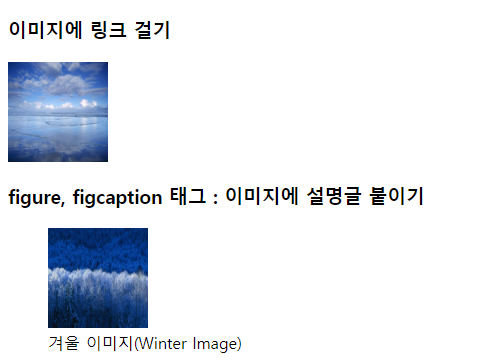
<h3>이미지에 링크 걸기</h3>
<a href="https://www.naver.com"><img src="../files/landscape.jpg" width="100" height="100"></a>

<h3>figure, figcaption 태그 : 이미지에 설명글 붙이기</h3>
<figure>
<img src ="winter.jpg" alt="겨울" width="100" height="100">
<figcaption>겨울 이미지(Winter Image)</figcaption>
</figure>

</body>
</html>
실행 결과
Body Background
<!DOCTYPE html>
<html>
<head>
<meta charset="UTF-8">
<title>body</title>
</head>
<!-- <body bgcolor="	#f4edfc"> -->
<!-- 배경색 지정하기 -->
<body background="../files/landscape.jpg">
body 태그에 명시하는 내용이 화면에 보여짐
</body>
</html>
Body text color
<!DOCTYPE html>
<html>
<head>
<meta charset="UTF-8">
<title>Insert title here</title>
</head>
<body bgcolor="#f4edfc" text="#cfcdd1" link="#fad09d" vlink="#8fff73" alink="#f9ffbf">
<!--
text : 일반 텍스트 색상을 지정해준다.
link : 방문한 적이 없는 링크 색상을 지정한다.
vlink : 방문한 적이 있는 링크 색상을 지정한다.
alink : 링크를 누르고 있는 상태의 색상을 지정한다.
-->
하하<br>
<a href="https://www.naver.com">네이버</a><br>
<a href="https://www.netian.com">네티앙</a>
</body>
</html>
List
<!DOCTYPE html>
<html>
<head>
<meta charset="UTF-8">
<title>목록</title>
</head>
<body>

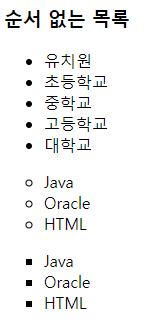
	<h3>순서 없는 목록</h3>
	<ul>
		<li>유치원</li>
		<li>초등학교</li>
		<li>중학교</li>
		<li>고등학교</li>
		<li>대학교</li>
	</ul>

	<ul type="circle">
		<li>Java</li>
		<li>Oracle</li>
		<li>HTML</li>
	</ul>

	<ul type="square">
		<li>Java</li>
		<li>Oracle</li>
		<li>HTML</li>
	</ul>

	<h3>순서 있는 목록</h3>
	<ol>
		<li>서울</li>
		<li>부산</li>
		<li>광주</li>
	</ol>
	<!-- reversed : 항목을 역순으로 표시 -->
	<ol type="1" reversed="reversed">
		<li>서울</li>
		<li>부산</li>
		<li>광주</li>
	</ol>
	<!-- type 속성을 이용해서 순서 표시를 숫자, 문자 지정 가능 -->
	<ol type="a">
		<li>서울</li>
		<li>부산</li>
		<li>광주</li>
	</ol>

	<ol type="A">
		<li>서울</li>
		<li>부산</li>
		<li>광주</li>
	</ol>

	<ol type="I">
		<li>서울</li>
		<li>부산</li>
		<li>광주</li>
		<li>인천</li>
		<li>대구</li>
		<li>목포</li>
	</ol>

	<ol type="i">
		<li>서울</li>
		<li>부산</li>
		<li>광주</li>
		<li>인천</li>
		<li>대구</li>
		<li>목포</li>
	</ol>

	<!-- 순서 있는 목록 : 100번부터 시작해서 중간에 200번으로 점프하기 -->
	<ol start="100">
		<li>서울</li>
		<li>부산</li>
		<li>광주</li>
		<li value="200">인천</li>
		<li>대구</li>
		<li>목포</li>
	</ol>

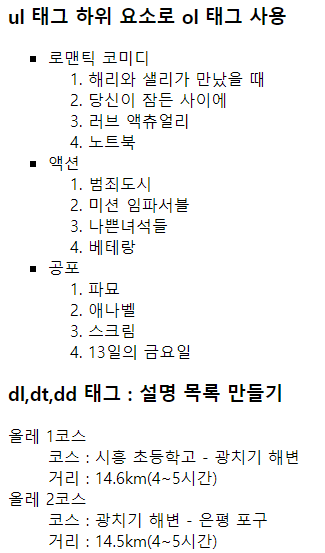
	<h3>ul 태그 하위 요소로 ol 태그 사용</h3>
	<ul type="square">
		<li>로맨틱 코미디
			<ol>
				<li>해리와 샐리가 만났을 때</li>
				<li>당신이 잠든 사이에</li>
				<li>러브 액츄얼리</li>
				<li>노트북</li>
			</ol>
		</li>
		<li>액션
			<ol>
				<li>범죄도시</li>
				<li>미션 임파서블</li>
				<li>나쁜녀석들</li>
				<li>베테랑</li>
			</ol>
		</li>

		<li>공포
			<ol>
				<li>파묘</li>
				<li>애나벨</li>
				<li>스크림</li>
				<li>13일의 금요일</li>
			</ol>
		</li>
	</ul>


	<h3>dl,dt,dd 태그 : 설명 목록 만들기</h3>
	<!--
dl 태그 : 제목과 설명이 한 쌍인 설명 목록을 만든다.
dt 태그 : 제목
dd 태그 : 설명
-->
	<dl>
		<!-- 제목 -->
		<dt>올레 1코스</dt>

		<!-- 설명 -->
		<dd>코스 : 시흥 초등학고 - 광치기 해변</dd>
		<dd>거리 : 14.6km(4~5시간)</dd>

		<dt>올레 2코스</dt>
		<dd>코스 : 광치기 해변 - 은평 포구</dd>
		<dd>거리 : 14.5km(4~5시간)</dd>
	</dl>
</body>
</html>
실행 결과

Table
<!DOCTYPE html>
<html>
<head>
<meta charset="UTF-8">
<title>테이블</title>
</head>
<body>
	<h3>기본 테이블</h3>
	<table border="1">
		<!-- 중앙정렬 -->
		<caption>제목</caption>
		<tr>
			<td><a href="https://www.naver.com"> <img src="winter.jpg"
					width="50" height="50"></a></td>
			<td>셀 내용</td>
		</tr>
	</table>

	<h3>figure 태그를 이용한 table에 제목 넣기</h3>
	<figure>
		<!-- 좌측 정렬 기본 -->
		<figcaption>제목</figcaption>
		<table border="1">
			<tr>
				<td>셀 내용</td>
				<td>셀 내용</td>
			</tr>
		</table>
	</figure>

	<figure>
		<!-- 좌측 정렬 기본 -->
		<table border="1">
			<tr>
				<td>셀 내용</td>
				<td>셀 내용</td>
			</tr>
		</table>
		<figcaption>제목</figcaption>
	</figure>

	<h3>표 구조 정의하기</h3>
	<!--
	<thead> : 표의 머리말 부분을 표시하는 태그
	<tbody> : 표의 내용을 표시하는 태그
	<tfoot> : 표의 꼬리말 부분을 표시하는 태그
	-->
	<table border="1">
		<caption>가격표</caption> <!-- 제목 -->

		<thead> <!-- 머리말 -->
			<tr>
				<!-- <th> : 중앙 정렬, 글자를 굵게 표시 -->
				<th>메뉴명</th>
				<th>가격</th>

			</tr>
		</thead>

		<tbody> <!-- 내용 -->
			<tr>
				<td>해물 파스타</td>
				<td>8,000원</td>
			</tr>
			<tr>
				<td>까르보나라</td>
				<td>9,000원</td>
			</tr>
		</tbody>

		<tfoot> <!-- 꼬리말 -->
			<tr>
			<td>총합</td>
			<td>17,000원</td>
			</tr>
		</tfoot>

	</table>
</body>
</html>
실행 결과
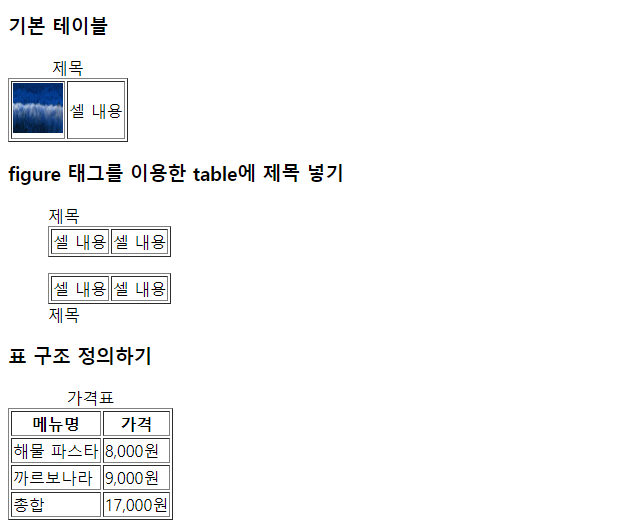
Table 2
<!DOCTYPE html>
<html>
<head>
<meta charset="UTF-8">
<title>테이블</title>
</head>
<body>
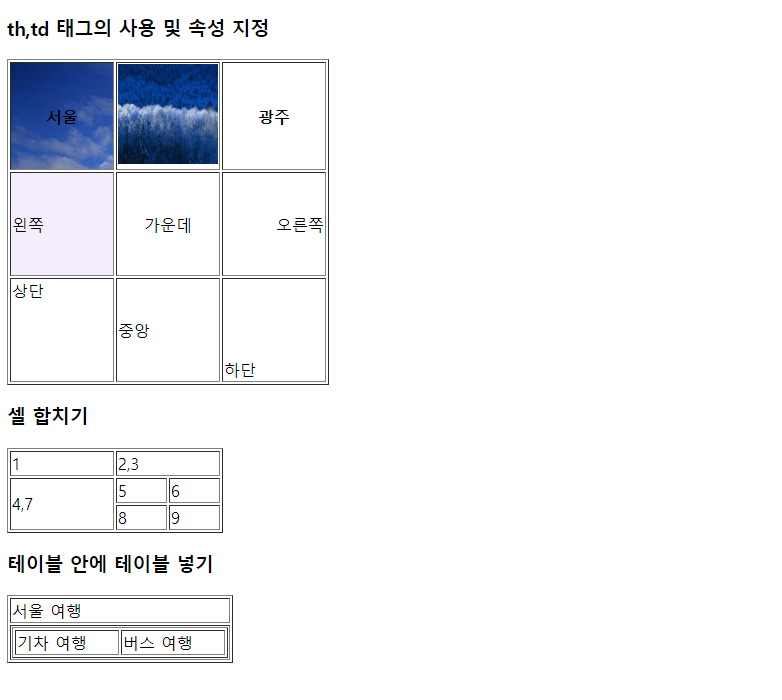
	<h3>th,td 태그의 사용 및 속성 지정</h3>
	<table border="1">
		<tr>
			<th width="100" background="../files/landscape.jpg">서울</th>
			<th width="100"><img src="winter.jpg" width="100" height="100"></th>
			<th width="100">광주</th>
		</tr>

		<tr>
			<!-- align : 수평으로 정렬	-->
			<td height="100" bgcolor="#f4edfc">왼쪽</td>
			<td align="center">가운데</td>
			<td align="right">오른쪽</td>
		</tr>

		<tr>
			<td height="100" valign="top">상단</td>
			<td valign="middle">중앙</td>
			<td valign="bottom">하단</td>
		</tr>
	</table>

	<h3>셀 합치기</h3>
	<table border="1">
		<tr>
			<td width="100">1</td>
			<td width="100" colspan="2">2,3</td> <!-- 같은 행 다른 열 합치기 , width가 100이기 때문에 5,6,8,9 칸은 50으로 나눠 가짐-->
		</tr>

		<tr>
			<td rowspan="2">4,7</td> <!-- 다른 행 같은 열 합치기 -->
			<td>5</td>
			<td>6</td>
		</tr>

		<tr>
			<td>8</td>
			<td>9</td>
		</tr>
	</table>

	<h3>테이블 안에 테이블 넣기</h3>
	<table border="1">
	<tr>
	<td>서울 여행</td>
	</tr>
	<tr>
		<td>
				<table border="1">
					<tr>
					<td width="100"> 기차 여행</td>
					<td width="100"> 버스 여행</td>
					</tr>
				</table>
			</td>
		</tr>
	</table>
</body>
</html>
실행 결과
Iframe
<!DOCTYPE html>
<html>
<head>
<meta charset="UTF-8">
<title>iframe</title>
</head>
<body>
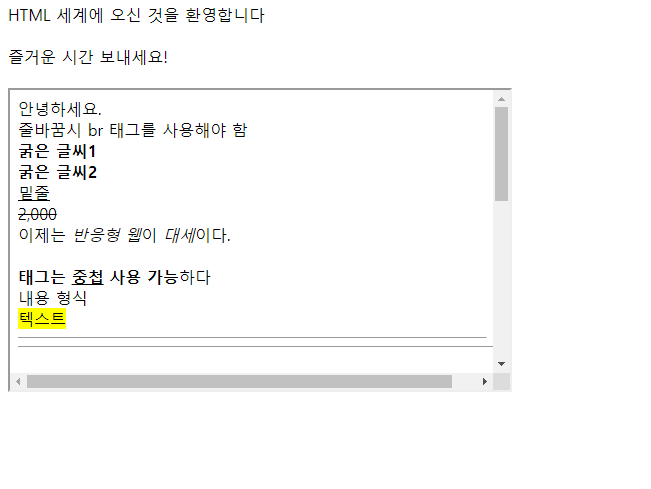
HTML 세계에 오신 것을 환영합니다<br>
<br>
즐거운 시간 보내세요! <br><br>

<iframe width="500" height="300" src="s02_character.html"></iframe>
</body>
</html>
실행 결과
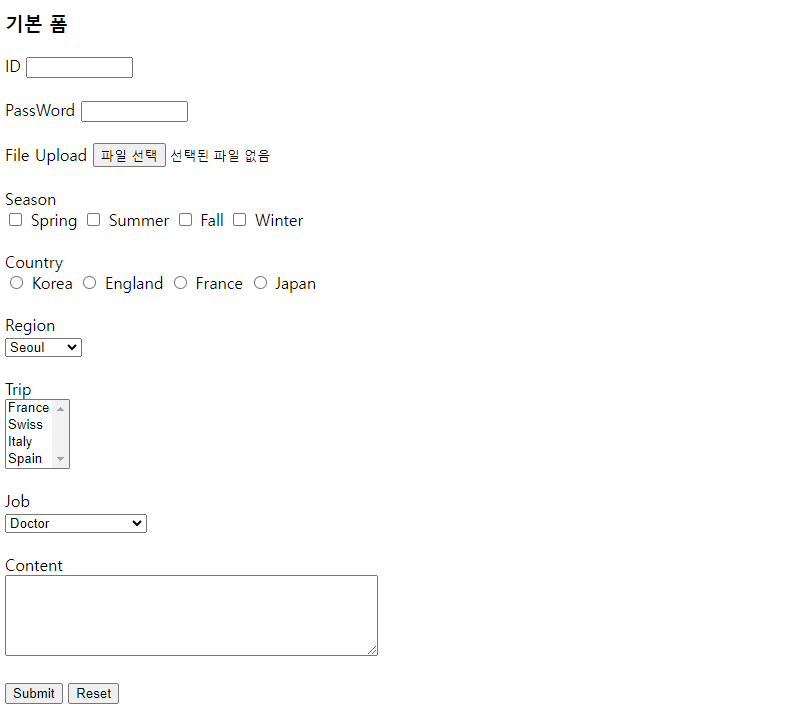
Form
<!DOCTYPE html>
<html>
<head>
<meta charset="UTF-8">
<title>form</title>
</head>
<body>
	<h3>기본 폼</h3>
	<!--
서버에 데잍르런송할때는 form 태그 안에 하위 태긒 input, select, textarea 등을 명시하고 태그에 데이터를 입력해서 전송함.
form  태그 밖에 명시한 태그에 입력한 데이터는 전송되지 않음
 -->
	<form action="a.jsp" method="get">
		ID <input type="text" name="name" size="10" maxlength="15"> <br>
		<br> PassWord <input type="password" name="password" size="10"><br>
		<br> File Upload <input type="file" name="image"><br>
		<br>
		<!-- checkbox 복수 선택 -->
		Season <br> <input type="checkbox" name="season" value="Spring">
		Spring <input type="checkbox" name="season" value="Summer">
		Summer <input type="checkbox" name="season" value="Fall"> Fall
		<input type="checkbox" name="season" value="Winter"> Winter <br>
		<br>
		<!-- radio 단일 선택 -->
		Country<br> <input type="radio" name="country" value="Korea">
		Korea <input type="radio" name="country" value="England">
		England <input type="radio" name="country" value="France">
		France <input type="radio" name="country" value="Japan"> Japan
		<br> <br>
		<!-- select 단일 선택 -->
		Region<br> <select name="region">
			<option value="Seoul">Seoul</option>
			<option value="Busan">Busan</option>
			<option value="Gwangju">Gwangju</option>
		</select> <br> <br>
		<!-- 다중 선택 -->
		Trip<br> <select name="trip" multiple="multiple">
			<option value="France">France</option>
			<option value="Swiss">Swiss</option>
			<option value="Italy">Italy</option>
			<option value="Spain">Spain</option>
		</select> <br> <br> Job<br> <select name="Job">
			<optgroup label="Professional">
				<option value="Doctor">Doctor</option>
				<option value="Programmer">Programmer</option>
				<option value="Pet Trainer">Pet Trainer</option>
			</optgroup>

			<optgroup label="Sports">
				<option value="Basketball">Basketball Player</option>
				<option value="Soccer">Soccer Player</option>
				<option value="Baseball">Baseball Player</option>
			</optgroup>
		</select> <br>
		<br> Content<br>
		<!-- textarea : 여러줄 입력 태그 -->
		<textarea rows="5" cols="50" name="content"></textarea>
		<br><br>
		<input type="submit" value="Submit">
		<input type="reset" value="Reset">
	</form>
</body>
</html>
실행 결과

Lucky Things🍀