MVC패턴 연습 - 목록
Action - Interface
package kr.web.mvc;

import javax.servlet.http.HttpServletRequest;
import javax.servlet.http.HttpServletResponse;

public interface Action {
	// 추상 메서드
	public String execute(HttpServletRequest request, HttpServletResponse response) throws Exception;
}
List Action - Class
implements
- 인터페이스 구현
- 무조건 부모의 메서드를 재정의(오버 라이딩)을 해야 한다.
package kr.web.mvc;

import javax.servlet.http.HttpServletRequest;
import javax.servlet.http.HttpServletResponse;

public class ListAction implements Action{

	@Override
	public String execute(HttpServletRequest request, HttpServletResponse response) throws Exception {
// request에 데이터 저장
request.setAttribute("message", "목록 페이지입니다.");
		//JSP 경로 반환
		return "/views/list.jsp";
	}

}
List - JSP
<%@ page language="java" contentType="text/html; charset=UTF-8"
    pageEncoding="UTF-8"%>
<!DOCTYPE html>
<html>
<head>
<meta charset="UTF-8">
<title>목록</title>
</head>
<body>
	<h1>목록</h1>
	${message}
</body>
</html>
DispatcherServlet - Servlet Java
Action com = null;
Action 인터페이스를 사용하여 요청에 대한 작업을 수행할 객체를 선언String view = null;
view는 작업 실행 후 보여줄 뷰의 경로를 저장하는 변수String command = request.getParameter("command");
HTTP 요청에서 "command"라는 파라미터 값을 가져온다. 이 파라미터는 클라이언트가 요청한 작업을 식별하는 데 사용함if(command == null || command.equals("list")) { com = new ListAction();}
만약 "command" 파라미터가 없거나 "list"와 같다면 ListAction 객체를 생성하여 com 변수에 할당시킨다. ListAction이 요청에 대한 작업을 처리할 준비가 된다.try { view = com.execute(request, response); } catch (Exception e) { e.printStackTrace(); }
com 객체의 execute 메서드를 호출하여 요청에 대한 작업을 실행하고, 그 결과로 보여줄 뷰의 경로를 반환한다.
이때 예외가 발생할 수 있으므로 try-catch 블록으로 예외 처리를 한다.- view 변수에는 실행된 작업에 대한 결과로 보여줄 뷰의 경로가 저장됩니다. 이 경로는 클라이언트에게 결과를 보여줄 때 사용
package kr.web.mvc;

import java.io.IOException;
import java.io.PrintWriter;

import javax.servlet.RequestDispatcher;
import javax.servlet.ServletException;
import javax.servlet.annotation.WebServlet;
import javax.servlet.http.HttpServlet;
import javax.servlet.http.HttpServletRequest;
import javax.servlet.http.HttpServletResponse;

/*@WebServlet(name = "DispatcherServlet", urlPatterns = {"/dispatcher"})*/
public class DispatcherServlet extends HttpServlet {
	@Override
	public void doGet(HttpServletRequest request, HttpServletResponse response) throws ServletException, IOException {
		requestPro(request, response);
	}

	@Override
	public void doPost(HttpServletRequest request, HttpServletResponse response) throws ServletException, IOException {
		requestPro(request, response);
	}
	private void requestPro(HttpServletRequest request, HttpServletResponse response) throws ServletException, IOException{

		Action com = null;
		String view = null;

		String command = request.getParameter("command");
		if(command == null || command.equals("list")) {
			com = new ListAction();
		}
		try {
			view = com.execute(request, response);
		} catch (Exception e) {
			e.printStackTrace();
		}

		//forward 방식으로 view(messageView.jsp) 호출하기
		RequestDispatcher dispatcher = request.getRequestDispatcher(view);
		dispatcher.forward(request, response);
	}

}
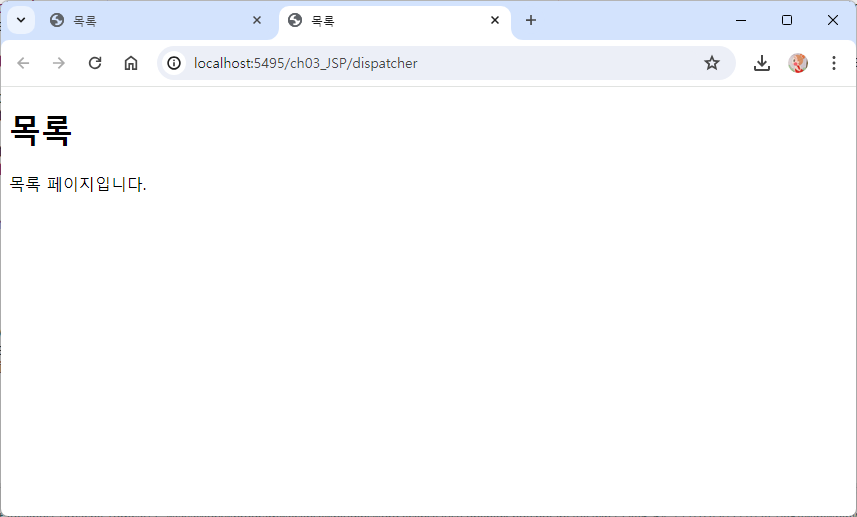
command=null -> DispatcherServlet 실행시켰을 때
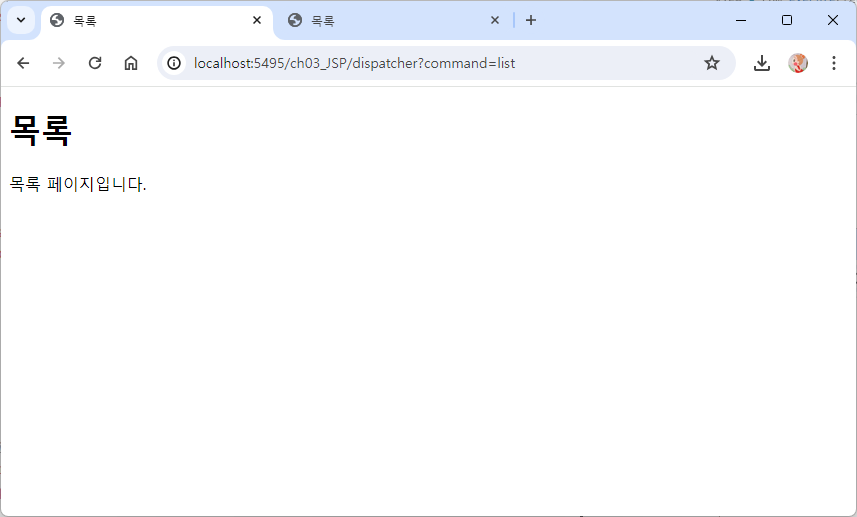
?command=list 주소에 추가시켰을 때
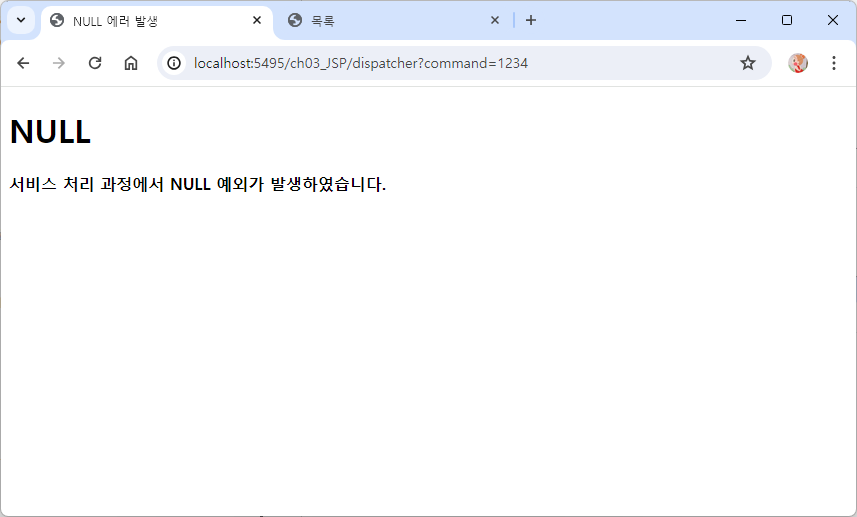
command에 아무 값이나 넣었을 때는 예외가 발생
MVC패턴 연습 - 글 쓰기
Action - Interface
package kr.web.mvc;

import javax.servlet.http.HttpServletRequest;
import javax.servlet.http.HttpServletResponse;

public interface Action {
	// 추상 메서드
	public String execute(HttpServletRequest request, HttpServletResponse response) throws Exception;
}
Write Action - Class
implements
- 인터페이스 구현
- 무조건 부모의 메서드를 재정의(오버 라이딩)을 해야 한다.
package kr.web.mvc;

import javax.servlet.http.HttpServletRequest;
import javax.servlet.http.HttpServletResponse;

public class WriteAction implements Action{

	@Override
	public String execute(HttpServletRequest request, HttpServletResponse response) throws Exception {
	// request에 데이터 저장
	request.setAttribute("insert", "글 등록이 완료되었습니다.");
		//JSP 경로 반환
		return "/views/write.jsp";
	}

}
Dispatcher Servlet - Servlet Java
else if (command.equals("write")) {com = new WriteAction();}
command의 파라미터가 write와 같다면 WriteAction 객체를 생성하여 com 변수에 할당시킨다. WriteAction이 요청에 대한 작업을 처리할 준비가 된다.
package kr.web.mvc;

import java.io.IOException;
import java.io.PrintWriter;

import javax.servlet.RequestDispatcher;
import javax.servlet.ServletException;
import javax.servlet.annotation.WebServlet;
import javax.servlet.http.HttpServlet;
import javax.servlet.http.HttpServletRequest;
import javax.servlet.http.HttpServletResponse;

/*@WebServlet(name = "DispatcherServlet", urlPatterns = {"/dispatcher"})*/
public class DispatcherServlet extends HttpServlet {
	@Override
	public void doGet(HttpServletRequest request, HttpServletResponse response) throws ServletException, IOException {
		requestPro(request, response);
	}

	@Override
	public void doPost(HttpServletRequest request, HttpServletResponse response) throws ServletException, IOException {
		requestPro(request, response);
	}
	private void requestPro(HttpServletRequest request, HttpServletResponse response) throws ServletException, IOException{

		Action com = null;
		String view = null;
		String command = request.getParameter("command");

		if(command == null || command.equals("list")) {
			com = new ListAction();
		} else if (command.equals("write")) {
			com = new WriteAction();
		}

		try {
			view = com.execute(request, response);
		} catch (Exception e) {
			e.printStackTrace();
		}

		//forward 방식으로 view(messageView.jsp) 호출하기
		RequestDispatcher dispatcher = request.getRequestDispatcher(view);
		dispatcher.forward(request, response);
	}

}
Dispatcher Servlet을 실행시켰을 때

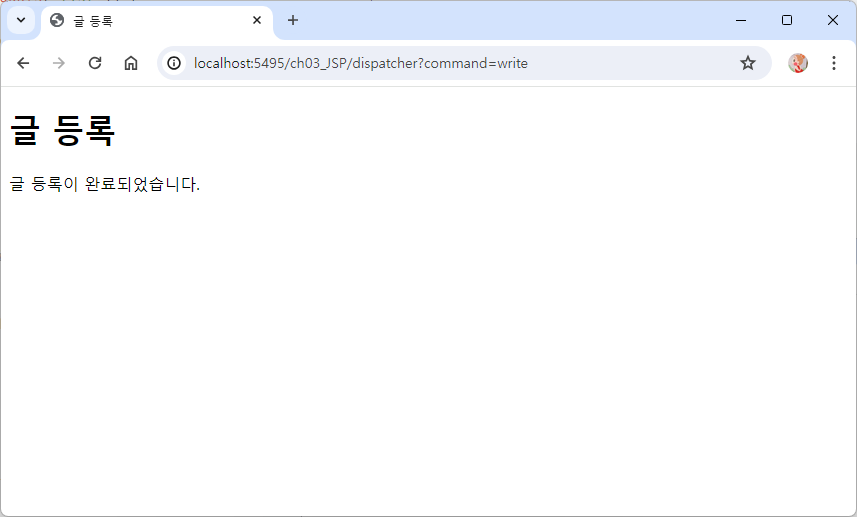
?command=write 주소에 추가했을 때
?command=list 주소에 추가했을 때
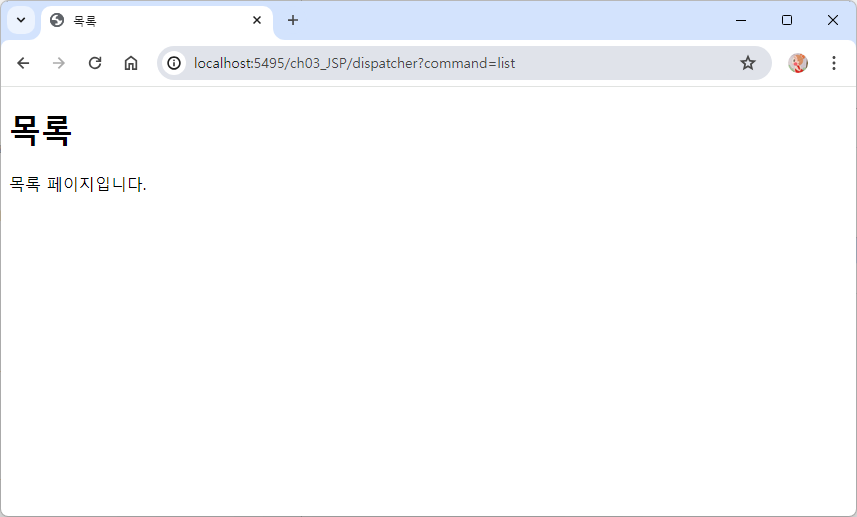
MVC 패턴 연습 - 글 상세 페이지
Action -> 글 등록, 목록 불러오는 인터페이스와 동일함
Detail Action - Class
package kr.web.mvc;

import javax.servlet.http.HttpServletRequest;
import javax.servlet.http.HttpServletResponse;

public class DetailAction implements Action {

	@Override
	public String execute(HttpServletRequest request, HttpServletResponse response) throws Exception {

		request.setAttribute("detail", "글 상세페이지를 불러오는데 성공하였습니다.");
		return "/views/detail.jsp";
	}

}
Detail - JSP
<%@ page language="java" contentType="text/html; charset=UTF-8"
    pageEncoding="UTF-8"%>
<!DOCTYPE html>
<html>
<head>
<meta charset="UTF-8">
<title>글 상세 불러오기</title>
</head>
<body>
	<h1>글 상세페이지</h1>
	${detail}
</body>
</html>
Dispatcher Servlet - Servlet Java
else if (command.equals("detail")) {com = new DetailAction();}
command의 파라미터가 detail 같다면 DetailAction 객체를 생성하여 com 변수에 할당시킨다. DetailAction 요청에 대한 작업을 처리할 준비가 된다.
package kr.web.mvc;

import java.io.IOException;
import java.io.PrintWriter;

import javax.servlet.RequestDispatcher;
import javax.servlet.ServletException;
import javax.servlet.annotation.WebServlet;
import javax.servlet.http.HttpServlet;
import javax.servlet.http.HttpServletRequest;
import javax.servlet.http.HttpServletResponse;

/*@WebServlet(name = "DispatcherServlet", urlPatterns = {"/dispatcher"})*/
public class DispatcherServlet extends HttpServlet {
	@Override
	public void doGet(HttpServletRequest request, HttpServletResponse response) throws ServletException, IOException {
		requestPro(request, response);
	}

	@Override
	public void doPost(HttpServletRequest request, HttpServletResponse response) throws ServletException, IOException {
		requestPro(request, response);
	}
	private void requestPro(HttpServletRequest request, HttpServletResponse response) throws ServletException, IOException{

		Action com = null;
		String view = null;

		String command = request.getParameter("command");
		if(command == null || command.equals("list")) {
			com = new ListAction();
		} else if (command.equals("write")) {
			com = new WriteAction();
		}else if (command.equals("detail")) {
			com = new DetailAction();
		}


		try {
			view = com.execute(request, response);
		} catch (Exception e) {
			e.printStackTrace();
		}

		//forward 방식으로 view(messageView.jsp) 호출하기
		RequestDispatcher dispatcher = request.getRequestDispatcher(view);
		dispatcher.forward(request, response);
	}

}
?command=detail 주소에 추가시켰을 때
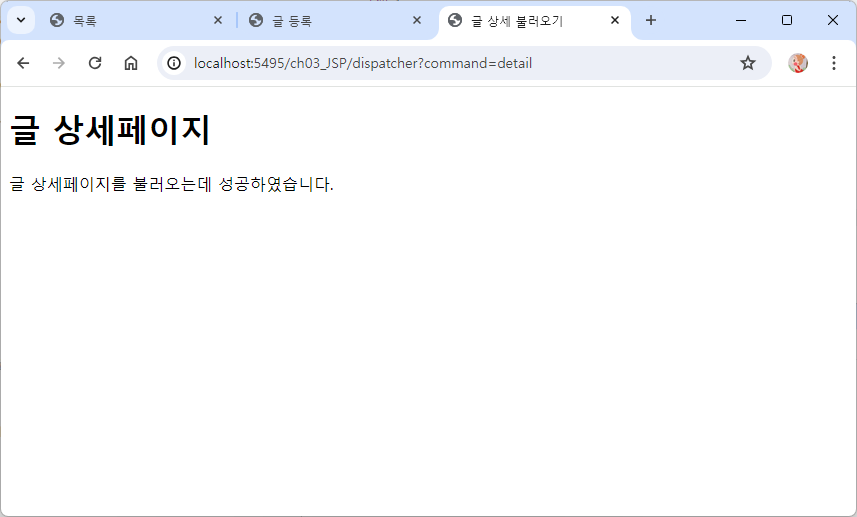
변경된 호출 방법
Web.xml
url-pattern -> *.do 로 변경
  <!-- DispatcherServlet 설정 -->
  <servlet>
  	<servlet-name>DispatcherServlet</servlet-name>
  	<servlet-class>kr.web.mvc.DispatcherServlet</servlet-class>
  </servlet>

  <servlet-mapping>
  	<servlet-name>DispatcherServlet</servlet-name>
  	<url-pattern>*.do</url-pattern>
  </servlet-mapping>
Dispatcher Servlet - Servlet Java
코드 이해를 돕기 위한 command 출력
String command = request.getRequestURI();
		System.out.println("1 : "  + command);
		if(command.indexOf(request.getContextPath()) == 0) {
			command = command.substring(request.getContextPath().length());
			System.out.println("2 : "  + command);
		}
1 : /ch03_JSP/*.do
2 : /*.do
-
String command = request.getRequestURI();
클라이언트가 요청한 URI를 가져와서 command라는 문자열 변수에 저장한다./ch03_JSP/*.do=> 요청된 URI
-
if(command.indexOf(request.getContextPath()) == 0)
요청된 URI가 현재 웹 애플리케이션의 컨텍스트 패스와 일치하는지 확인한다.
URI가 컨텍스트 패스로 시작하는 경우 indexOf() 메서드는 0을 반환한다.- ContextPath =>
/ch03_JSP
요청한 URI가 ContextPath로 시작하기 때문에 indexOf()메서드 => 0 반환
- ContextPath =>
-
command = command.substring(request.getContextPath().length());
요청된 URI가 현재 웹 애플리케이션의 컨텍스트 패스로 시작한다면, command 문자열에서 컨텍스트 패스의 길이만큼을 제외한 나머지 부분을 가져온다. 이렇게 함으로써 실제 요청된 자원에 대한 경로를 추출한다.- 요청된 URI가 ContextPath로 시작하기 때문에 ContextPath를 잘라내고
/*.do만 출력시킨다.
- 요청된 URI가 ContextPath로 시작하기 때문에 ContextPath를 잘라내고
ex) 웹 애플리케이션의 컨텍스트 패스가 "/myapp"이고 클라이언트가 "/myapp/hello"를 요청했다면, command 변수에는 "/hello"만 남게 됩니다.
package kr.web.mvc;

import java.io.IOException;
import java.io.PrintWriter;

import javax.servlet.RequestDispatcher;
import javax.servlet.ServletException;
import javax.servlet.annotation.WebServlet;
import javax.servlet.http.HttpServlet;
import javax.servlet.http.HttpServletRequest;
import javax.servlet.http.HttpServletResponse;

public class DispatcherServlet extends HttpServlet {
	@Override
	public void doGet(HttpServletRequest request, HttpServletResponse response) throws ServletException, IOException {
		requestPro(request, response);
	}

	@Override
	public void doPost(HttpServletRequest request, HttpServletResponse response) throws ServletException, IOException {
		requestPro(request, response);
	}
	private void requestPro(HttpServletRequest request, HttpServletResponse response) throws ServletException, IOException{

		Action com = null;
		String view = null;

		String command = request.getRequestURI();
		if(command.indexOf(request.getContextPath()) == 0) {
			command = command.substring(request.getContextPath().length());
		}

		if (command.equals("/list.do")) {
			com = new ListAction();
		} else if (command.equals("/write.do")) {
			com = new WriteAction();
		} else if (command.equals("/detail.do")) {
			com = new DetailAction();
		}

		try {
			view = com.execute(request, response);
		} catch (Exception e) {
			e.printStackTrace();
		}

		//forward 방식으로 view(messageView.jsp) 호출하기
		RequestDispatcher dispatcher = request.getRequestDispatcher(view);
		dispatcher.forward(request, response);
	}

}
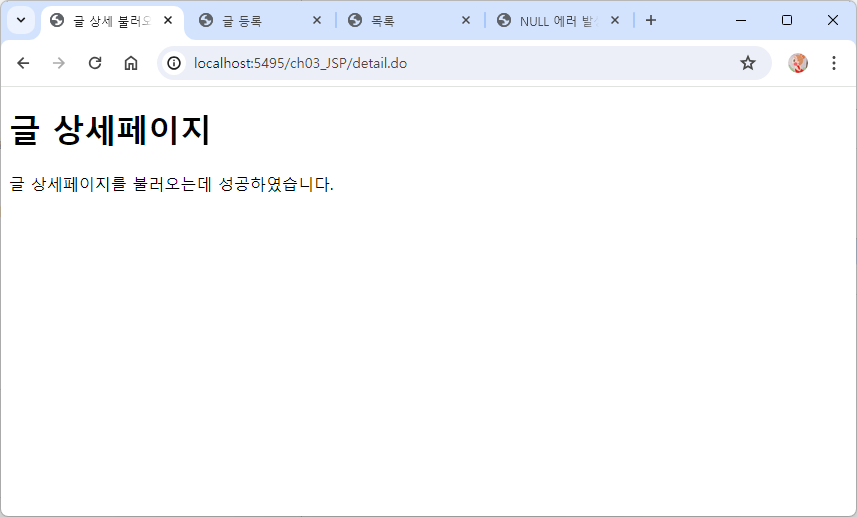
Dispatcher Servlet 실행 화면
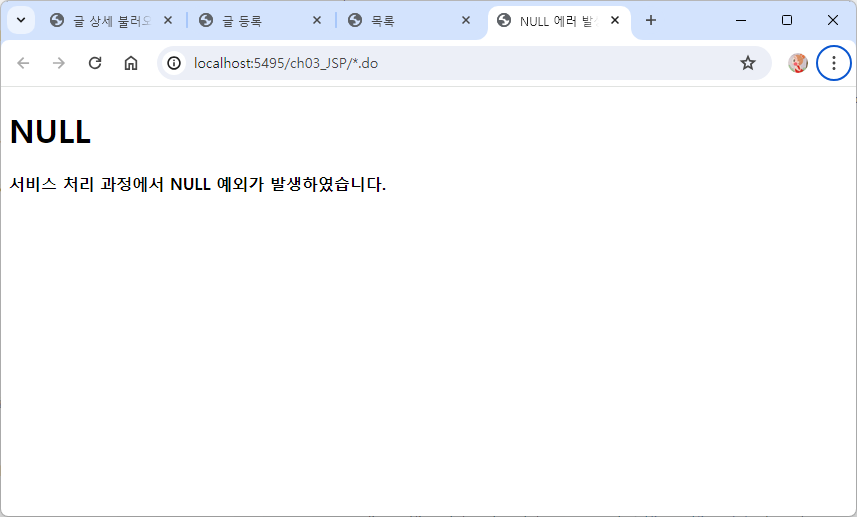
*.do -> list.do 주소 변경
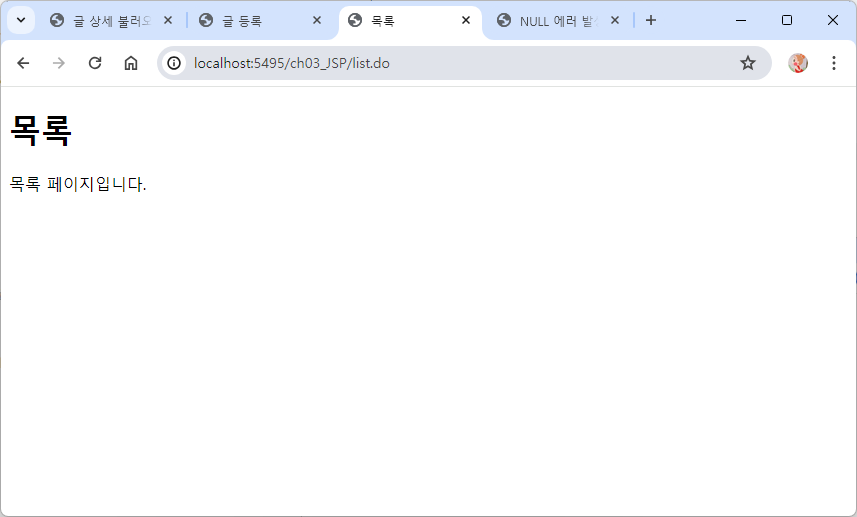
*.do -> write.do 주소 변경
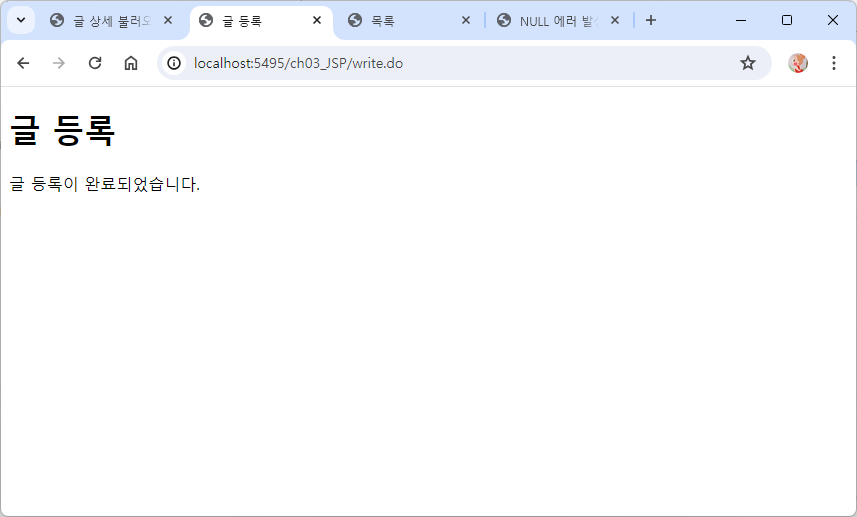
*.do -> detail.do 주소 변경
MVC패턴 연습 - 글 수정
Action -> 글 등록, 목록 불러오는 인터페이스와 동일함
Update Action - Class
package kr.web.mvc;

import javax.servlet.http.HttpServletRequest;
import javax.servlet.http.HttpServletResponse;

public class UpdateAction implements Action{

	@Override
	public String execute(HttpServletRequest request, HttpServletResponse response) throws Exception {
		request.setAttribute("update", "글 수정이 완료되었습니다.");
		return "/views/update.jsp";
	}

}
Update - JSP
<%@ page language="java" contentType="text/html; charset=UTF-8"
    pageEncoding="UTF-8"%>
<!DOCTYPE html>
<html>
<head>
<meta charset="UTF-8">
<title>글 수정</title>
</head>
<body>
	<h1>글 수정</h1>
	${update}
</body>
</html>
Dispatcher Servlet - Servlet Java
package kr.web.mvc;

import java.io.IOException;
import java.io.PrintWriter;

import javax.servlet.RequestDispatcher;
import javax.servlet.ServletException;
import javax.servlet.annotation.WebServlet;
import javax.servlet.http.HttpServlet;
import javax.servlet.http.HttpServletRequest;
import javax.servlet.http.HttpServletResponse;

public class DispatcherServlet extends HttpServlet {
	@Override
	public void doGet(HttpServletRequest request, HttpServletResponse response) throws ServletException, IOException {
		requestPro(request, response);
	}

	@Override
	public void doPost(HttpServletRequest request, HttpServletResponse response) throws ServletException, IOException {
		requestPro(request, response);
	}
	private void requestPro(HttpServletRequest request, HttpServletResponse response) throws ServletException, IOException{

		Action com = null;
		String view = null;

		String command = request.getRequestURI();
		if(command.indexOf(request.getContextPath()) == 0) {
			command = command.substring(request.getContextPath().length());
		}

		if (command.equals("/list.do")) {
			com = new ListAction();
		} else if (command.equals("/write.do")) {
			com = new WriteAction();
		} else if (command.equals("/detail.do")) {
			com = new DetailAction();
		} else if (command.equals("/update.do")){
			com = new UpdateAction();
		}

		try {
			view = com.execute(request, response);
		} catch (Exception e) {
			e.printStackTrace();
		}

		//forward 방식으로 view(messageView.jsp) 호출하기
		RequestDispatcher dispatcher = request.getRequestDispatcher(view);
		dispatcher.forward(request, response);
	}

}
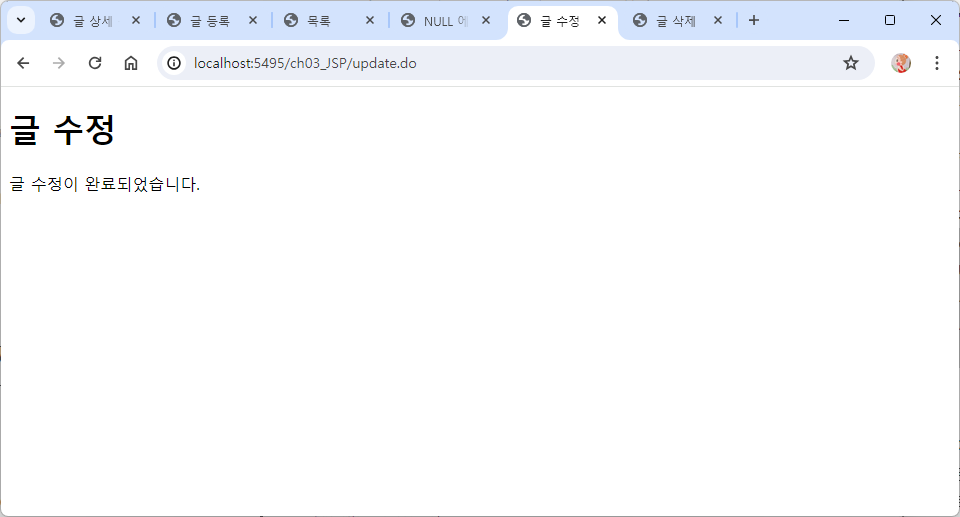
*.do -> update.do 주소 변경하여 실행
MVC패턴 연습 - 글 삭제
Action -> 글 등록, 목록 불러오는 인터페이스와 동일함
Delete Action - Class
package kr.web.mvc;

import javax.servlet.http.HttpServletRequest;
import javax.servlet.http.HttpServletResponse;

public class DeleteAction implements Action{

	@Override
	public String execute(HttpServletRequest request, HttpServletResponse response) throws Exception {
		request.setAttribute("delete", "글 삭제가 완료되었습니다.");
		return "/views/delete.jsp";
	}

}
Delete - JSP
<%@ page language="java" contentType="text/html; charset=UTF-8"
    pageEncoding="UTF-8"%>
<!DOCTYPE html>
<html>
<head>
<meta charset="UTF-8">
<title>글 삭제</title>
</head>
<body>
	<h1>글 삭제</h1>
	${delete }
</body>
</html>
Dispatcher Servlet - Servlet Java
package kr.web.mvc;

import java.io.IOException;
import java.io.PrintWriter;

import javax.servlet.RequestDispatcher;
import javax.servlet.ServletException;
import javax.servlet.annotation.WebServlet;
import javax.servlet.http.HttpServlet;
import javax.servlet.http.HttpServletRequest;
import javax.servlet.http.HttpServletResponse;

public class DispatcherServlet extends HttpServlet {
	@Override
	public void doGet(HttpServletRequest request, HttpServletResponse response) throws ServletException, IOException {
		requestPro(request, response);
	}

	@Override
	public void doPost(HttpServletRequest request, HttpServletResponse response) throws ServletException, IOException {
		requestPro(request, response);
	}
	private void requestPro(HttpServletRequest request, HttpServletResponse response) throws ServletException, IOException{

		Action com = null;
		String view = null;

		String command = request.getRequestURI();
		if(command.indexOf(request.getContextPath()) == 0) {
			command = command.substring(request.getContextPath().length());
		}

		if (command.equals("/list.do")) {
			com = new ListAction();
		} else if (command.equals("/write.do")) {
			com = new WriteAction();
		} else if (command.equals("/detail.do")) {
			com = new DetailAction();
		} else if (command.equals("/update.do")){
			com = new UpdateAction();
		} else if (command.equals("/delete.do")) {
			com = new DeleteAction();
		}

		try {
			view = com.execute(request, response);
		} catch (Exception e) {
			e.printStackTrace();
		}

		//forward 방식으로 view(messageView.jsp) 호출하기
		RequestDispatcher dispatcher = request.getRequestDispatcher(view);
		dispatcher.forward(request, response);
	}

}
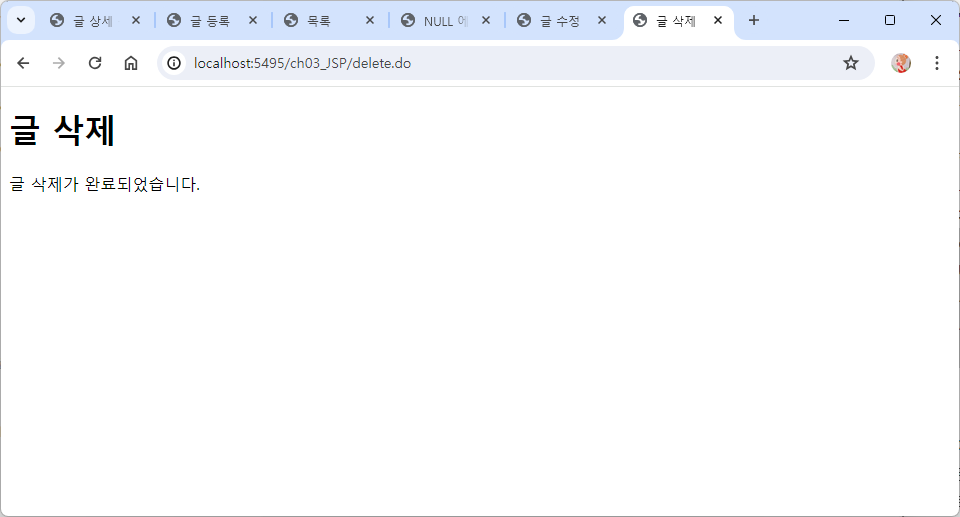
*.do -> delete.do 주소 변경하여 실행
MVC Board 프로젝트 생성 - 기본 설정
Eclipse MarketPlace에서 kantan-properties 플러그인 다운로드 받기
-> https://marketplace.eclipse.org/content/kantan-properties-editor
WEB-INF > lib 폴더에 jstl, ojdbc jar copy하기
META-INF > context.xml copy하기
webapp > css 폴더 생성 후 style.css copy하기
Java Package > kr.util 생성후 DBUtil, PagingUtil copy
kr.board.action 패키지만 우선 생성
kr.board.dao - BoardDAO 생성
kr.board.vo - BoardVO 생성
kr.controller - Action.interface, DispatcherServlet(Mybox에 올라와있는 걸로) copy
ActionMap Properties
kantan - properties editor로 열어야 한글로 표시됨
모든 화면이 작성된건 아님
현재 list, writeForm, write화면이 작성이 완료되어있기 때문에 추가 되어있음
화면이 실행되기 위해서는 properties에 꼭 명시를 해줘야 실행이 가능함
#DispatcherServlet에서 읽어갈 정보를
#key 와 value의 쌍으로 명시
#요청 URL = 모델클래스
/list.do=kr.board.action.ListAction
/writeForm.do=kr.board.action.WriteFormAction
/write.do=kr.board.action.WriteAction
Web.xml
<servlet>요소
<servlet-name>
서블릿의 이름을 지정해줌 , "DispatcherServlet"이라고 지정<servlet-class>
서블릿 클래스의 경로를 지정함, 현재 "DispatcherServlet"이 "kr.controller" 패키지에 들어있기 때문에kr.controller.DispatcherServlet로 경로 지정<init-param>
서블릿이 초기화될 때 사용되는 매개변수<param-name>
초기화 매개변수의 이름을 지정, 현재 "propertiesPath"로 설정되어 있다. 이 이름은 서블릿 코드에서 초기화 매개변수를 가져오는 데 사용된다.<param-value>
초기화 매개변수의 값, 현재 "/WEB-INF/ActionMap.properties"로 설정되어 있다. 이 값은 서블릿이 초기화될 때 해당 초기화 매개변수에 대한 값을 제공하는 데 사용된다.
<servlet-mapping>요소<servlet-name>
매핑할 서블릿의 이름을 지정, 이 이름은 위의<servlet>요소에서 설정한 이름과 일치해야 한다. "DispatcherServlet"과 매핑<url-pattern>
서블릿을 호출할 URL 패턴을 지정, 여기서는*.do로 설정되어 있어서 확장자가.do로 끝나는 모든 URL 요청이 이 서블릿으로 매핑"propertiesPath"라는 초기화 매개변수를 사용하여 "DispatcherServlet"이 ActionMap을 로드하는 경로를 설정하고 있습니다. 보통 이런 방식으로 서블릿 초기화 매개변수를 사용하는 경우는 외부 파일이나 설정에 대한 경로를 서블릿에게 전달하고자 할 때입니다. 이러한 설정은 서블릿이 동작하는 방식을 유연하게 변경하고 관리할 수 있게 해줍니다.
  <servlet>
  	<servlet-name>DispatcherServlet</servlet-name>
  	<servlet-class>kr.controller.DispatcherServlet</servlet-class>
  	<init-param>
  		<param-name>propertiesPath</param-name>
  		<param-value>/WEB-INF/ActionMap.properties</param-value>
  	</init-param>
  </servlet>
  <servlet-mapping>
  	<servlet-name>DispatcherServlet</servlet-name>
  	<url-pattern>*.do</url-pattern>
  </servlet-mapping>
svboard 테이블 생성하기
---MVC 게시판
create table svboard(
num number primary key,
title varchar2(150) not null,
name varchar2(30) not null,
passwd varchar2(12) not null,
email varchar2(50) not null,
content clob not null,
ip varchar2(30) not null,
reg_date date default sysdate not null
);

create sequence svboard_seq;
MVC Board Code
Index - JSP
페이지를 실행시킬때 index로 실행시켜야함
실행시켰을 때의 첫 화면이 list.jsp가 나올수 있도록 경로를 지정하고
xml에서 <url-pattern>을 지정한 방법이 .do 이기 때문에 코드에서는
list.do로 화면을 명시해야 함
<%@ page language="java" contentType="text/html; charset=UTF-8"
    pageEncoding="UTF-8"%>
<%
	response.sendRedirect(request.getContextPath()+"/list.do");
%>
ListAction - kr.board.action
JSP 경로 반환시켜준다.
경로 앞에 있는 /를 빼먹으면 오류가 발생하기 때문에 잊지말고 넣어줘야 한다.
package kr.board.action;

import javax.servlet.http.HttpServletRequest;
import javax.servlet.http.HttpServletResponse;

import kr.controller.Action;

public class ListAction implements Action{

	@Override
	public String execute(HttpServletRequest request, HttpServletResponse response) throws Exception {
		return "/WEB-INF/views/list.jsp";
	}

}
List - JSP
link -> css, 사용할 폰트
<%@ page language="java" contentType="text/html; charset=UTF-8"
    pageEncoding="UTF-8"%>
<!DOCTYPE html>
<html>
<head>
<meta charset="UTF-8">
<title>목록</title>
<link rel="stylesheet" href="${pageContext.request.contextPath}/css/style.css" type="text/css">
<link href="https://fonts.googleapis.com/css2?family=Noto+Sans+KR:wght@100..900&display=swap" rel="stylesheet">
</head>
<body>
<div class="page-main" id="list">
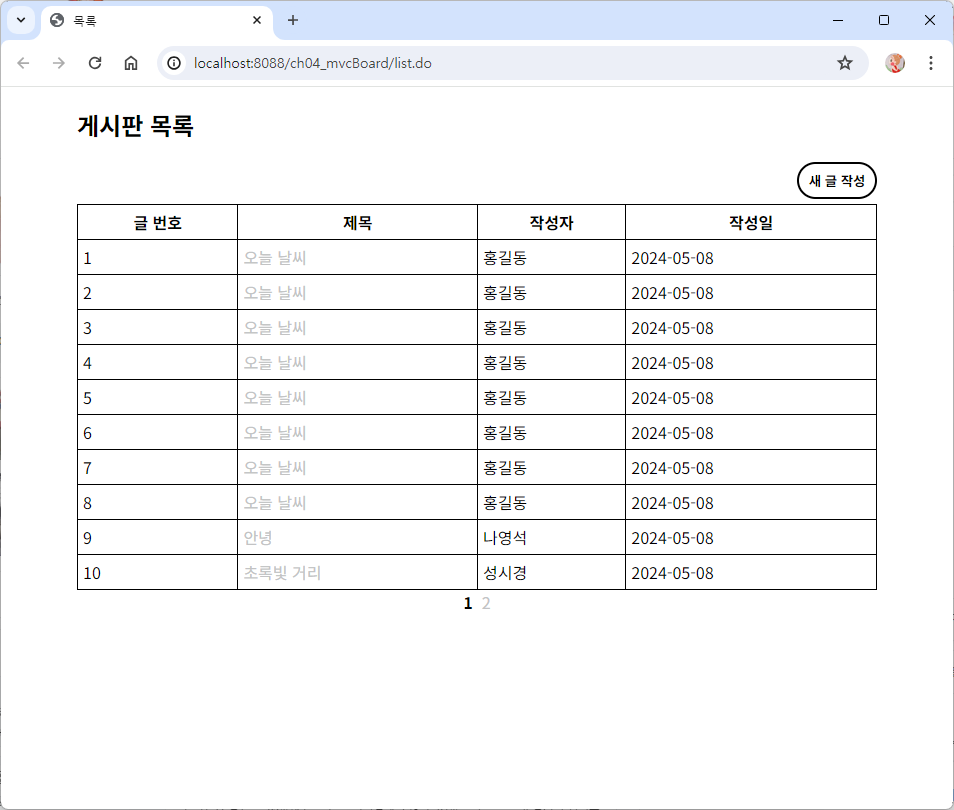
	<h2>게시판 목록</h2>
	<div class="align-right">
 		<input type="button" value="새 글 작성" onclick="location.href='writeForm.do'">
	</div>
</div>
</body>
</html>
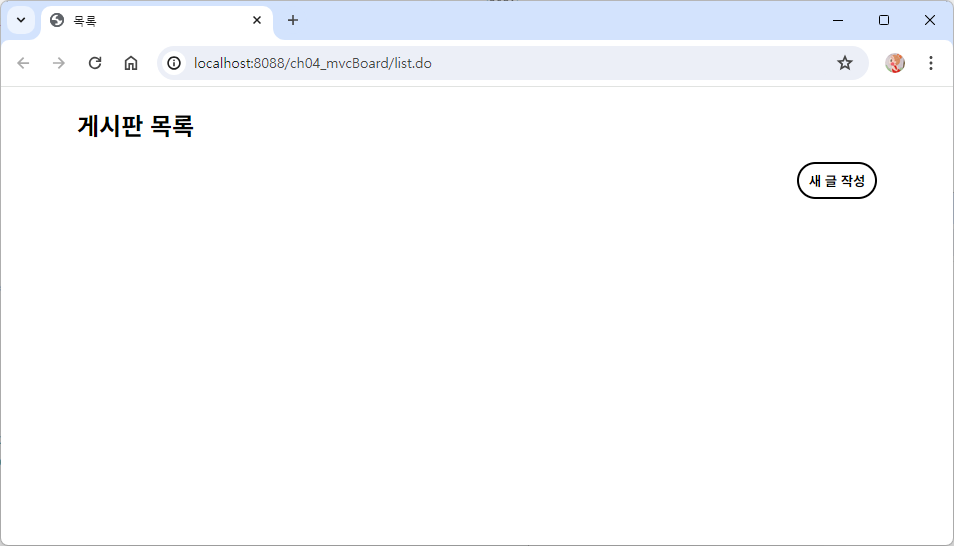
index 실행시켰을 때 뜨는 화면
Board VO
package kr.board.vo;

import java.sql.Date;

public class BoardVO {
	private int num;
	private String title;
	private String name;
	private String passwd;
	private String email;
	private String content;
	private String ip;
	private Date reg_date;

	// 비밀번호 일치 여부 체크
	public boolean isCheckedPassword(String userPasswd) {
		if(passwd.equals(userPasswd)) { // 비밀번호 일치
			return true;
		}
		// 비밀번호 불일치
		return false;
	}

	public int getNum() {
		return num;
	}
	public void setNum(int num) {
		this.num = num;
	}
	public String getTitle() {
		return title;
	}
	public void setTitle(String title) {
		this.title = title;
	}
	public String getName() {
		return name;
	}
	public void setName(String name) {
		this.name = name;
	}
	public String getPasswd() {
		return passwd;
	}
	public void setPasswd(String passwd) {
		this.passwd = passwd;
	}
	public String getEmail() {
		return email;
	}
	public void setEmail(String email) {
		this.email = email;
	}
	public String getContent() {
		return content;
	}
	public void setContent(String content) {
		this.content = content;
	}
	public String getIp() {
		return ip;
	}
	public void setIp(String ip) {
		this.ip = ip;
	}
	public Date getReg_date() {
		return reg_date;
	}
	public void setReg_date(Date reg_date) {
		this.reg_date = reg_date;
	}

}
Board DAO
글 상세, 글 수정, 글 삭제는 아직 명시하지 않았음
package kr.board.DAO;

import java.sql.Connection;
import java.sql.PreparedStatement;
import java.sql.ResultSet;
import java.util.ArrayList;
import java.util.List;

import kr.board.vo.BoardVO;
import kr.util.DBUtil;

public class BoardDAO {
	private static BoardDAO instance = new BoardDAO();

	public static BoardDAO getInstance() {
		return instance;
	}

	private BoardDAO() { }

	// 글 저장
	public void insert(BoardVO boardVO) throws Exception{
		Connection conn = null;
		PreparedStatement pstmt = null;
		String sql = null;
		try {
			conn = DBUtil.getConnection();
			sql = "INSERT INTO svboard(num,title,name,passwd,email,content,ip) "
					+ "VALUES(svboard_seq.nextval,?,?,?,?,?,?)";
			pstmt = conn.prepareStatement(sql);
			pstmt.setString(1, boardVO.getTitle());
			pstmt.setString(2, boardVO.getName());
			pstmt.setString(3, boardVO.getPasswd());
			pstmt.setString(4, boardVO.getEmail());
			pstmt.setString(5, boardVO.getContent());
			pstmt.setString(6, boardVO.getIp());
			pstmt.executeUpdate();
		} catch (Exception e) {
			throw new Exception(e);
		} finally {
			DBUtil.executeClose(null, pstmt, conn);
		}
	}

	// 글의 총 개수
	public int getCount() throws Exception{
		Connection conn = null;
		PreparedStatement pstmt = null;
		ResultSet rs = null;
		String sql = null;
		int count = 0;
		try {
			conn = DBUtil.getConnection();
			sql="SELECT COUNT(*) FROM svboard";
			pstmt = conn.prepareStatement(sql);
			rs = pstmt.executeQuery();
			if (rs.next()) {
				// 컬럼 인덱스를 사용하면 된다.하나만 있으면 어차피 1이기 때문에
				count = rs.getInt(1);
			}
		} catch (Exception e) {
			throw new Exception(e);
		}finally {
			DBUtil.executeClose(rs, pstmt, conn);
		}

		return count;
	}

	// 글 목록
	public List<BoardVO> getList(int startRow, int endRow) throws Exception{
		Connection conn = null;
		PreparedStatement pstmt = null;
		ResultSet rs = null;
		String sql = null;
		List<BoardVO> list = null;
		try {
			conn = DBUtil.getConnection();
			sql = "SELECT * FROM (SELECT ROWNUM rnum,a.* FROM (SELECT * FROM svboard order by num asc )a) WHERE rnum>=? and rnum<=?";
			pstmt = conn.prepareStatement(sql);
			pstmt.setInt(1, startRow);
			pstmt.setInt(2, endRow);
			rs = pstmt.executeQuery();
			list = new ArrayList<BoardVO>();
			while (rs.next()) {
				BoardVO boardVO = new BoardVO();
				boardVO.setNum(rs.getInt("num"));
				boardVO.setTitle(rs.getString("title"));
				boardVO.setName(rs.getString("name"));
				boardVO.setReg_date(rs.getDate("reg_date"));

				// 자바빈을 arraylist에 저장하는 작업이 필요함
				list.add(boardVO);
			}
		} catch (Exception e) {
			throw new Exception(e);
		}
		return list;
	}
WriteFormAction
JSP 경로 반환
package kr.board.action;

import javax.servlet.http.HttpServletRequest;
import javax.servlet.http.HttpServletResponse;

import kr.controller.Action;

public class WriteFormAction implements Action {

	@Override
	public String execute(HttpServletRequest request, HttpServletResponse response) throws Exception {
		return "/WEB-INF/views/writeForm.jsp";

	}
}
WriteForm - JSP
<%@ page language="java" contentType="text/html; charset=UTF-8"
    pageEncoding="UTF-8"%>
<!DOCTYPE html>
<html>
<head>
<meta charset="UTF-8">
<title>새 글 작성</title>
<link rel="stylesheet" href="${pageContext.request.contextPath}/css/style.css" type="text/css">
<link href="https://fonts.googleapis.com/css2?family=Noto+Sans+KR:wght@100..900&display=swap" rel="stylesheet">
<script type="text/javascript">
	window.onload = function() {
		const myForm = document.getElementById('register_form')
		myForm.onsubmit = function() {
			const items = document
					.querySelectorAll('input[type="text"],input[type="password"],input[type="email"],textarea')
			for (let i = 0; i < items.length; i++) {
				if (items[i].value.trim() == '') {
					const label = document.querySelector('label[for="'+ items[i].id + '"]');
					alert(label.textContent + ' 항목은 필수 입력하셔야 합니다.');
					items[i].value = '';
					items[i].focus();
					return false;
				} // end of if
			} // end of for
		};
	};
</script>

</head>
<body>
<div class="page-main">
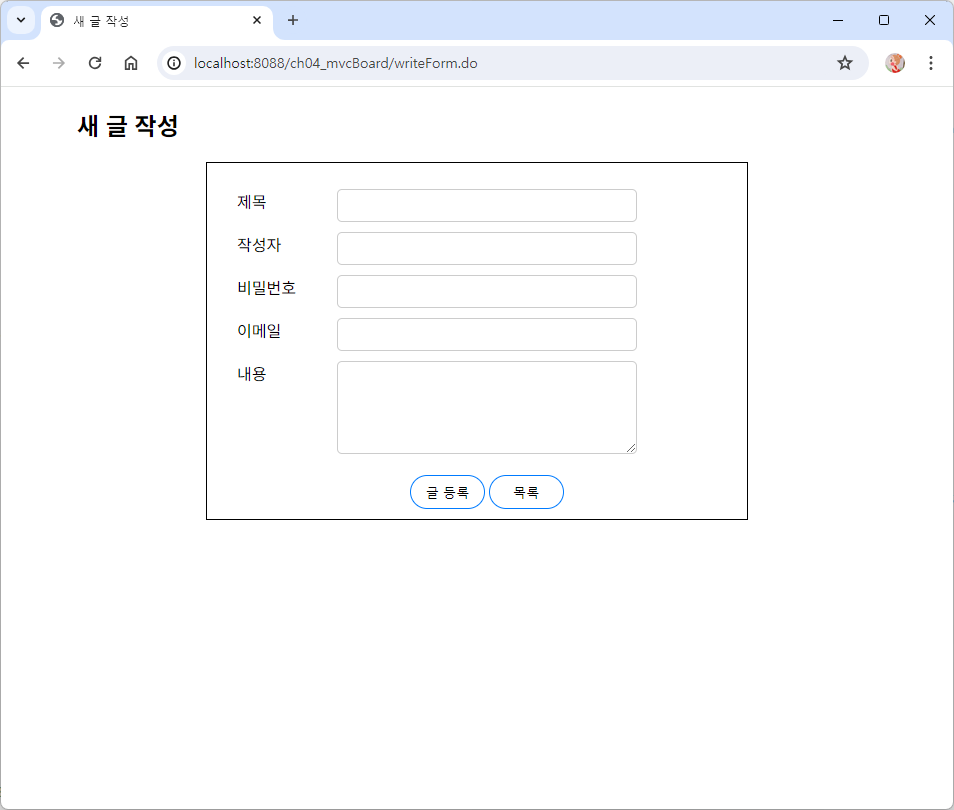
<h2>새 글 작성</h2>
<form action="write.do" id="register_form" method="post">
<ul>
	<li>
		<label for="title">제목</label>
		<input type="text" id="title" name="title" size="10" maxlength="50">
	</li>
	<li>
		<label for="name">작성자</label>
		<input type="text" id="name" name="name" size="10" maxlength="10">
	</li>
	<li>
		<label for="passwd">비밀번호</label>
		<input type="password" id="passwd" name="passwd" size="12" maxlength="12">
	</li>
	<li>
		<label for="email">이메일</label>
		<input type="email" id="email" name="email" size="20" maxlength="50">
	</li>
	<li>
		<label for="content">내용</label>
		<textarea rows="5" cols="40" id="content" name="content"></textarea>
	</li>
</ul>
	<div class="align-center">
		<input type="submit" value="글 등록">
		<input type="button" value="목록" onclick="location.href='list.do'">
	</div>
</form>
</div>
</body>
</html>
WriteAction
여기서는 자바빈 액션태그를 사용하지 못하기 때문에 직접 다 입력해줘야 한다.
객체 생성하고, parameter의 값을 가져와 boardVO에 넣어주고, insert 메서드를 실행시키고, JSP 경로를 반환한다.
package kr.board.action;

import javax.servlet.http.HttpServletRequest;
import javax.servlet.http.HttpServletResponse;

import kr.board.DAO.BoardDAO;
import kr.board.vo.BoardVO;
import kr.controller.Action;

public class WriteAction implements Action {

	@Override
	public String execute(HttpServletRequest request, HttpServletResponse response) throws Exception {
		// 전송된 데이터 인코딩 타입 지정
		request.setCharacterEncoding("utf-8");

		// 자바빈 VO  객체 생성
		BoardVO boardVO = new BoardVO();

		boardVO.setTitle(request.getParameter("title"));
		boardVO.setName(request.getParameter("name"));
		boardVO.setPasswd(request.getParameter("passwd"));
		boardVO.setEmail(request.getParameter("email"));
		boardVO.setContent(request.getParameter("content"));
		boardVO.setIp(request.getRemoteAddr());

		BoardDAO dao = BoardDAO.getInstance();
		dao.insert(boardVO);

		// JSP 경로 반환
		return "/WEB-INF/views/write.jsp";
	}

}
Write - JSP
<%@ page language="java" contentType="text/html; charset=UTF-8"
    pageEncoding="UTF-8"%>
<!DOCTYPE html>
<html>
<head>
<meta charset="UTF-8">
<title>글 작성 완료</title>
<link rel="stylesheet" href="<%= request.getContextPath() %>/css/style.css">
<link href="https://fonts.googleapis.com/css2?family=Noto+Sans+KR:wght@100..900&display=swap" rel="stylesheet">
</head>
<body>
	<div class="page-main">
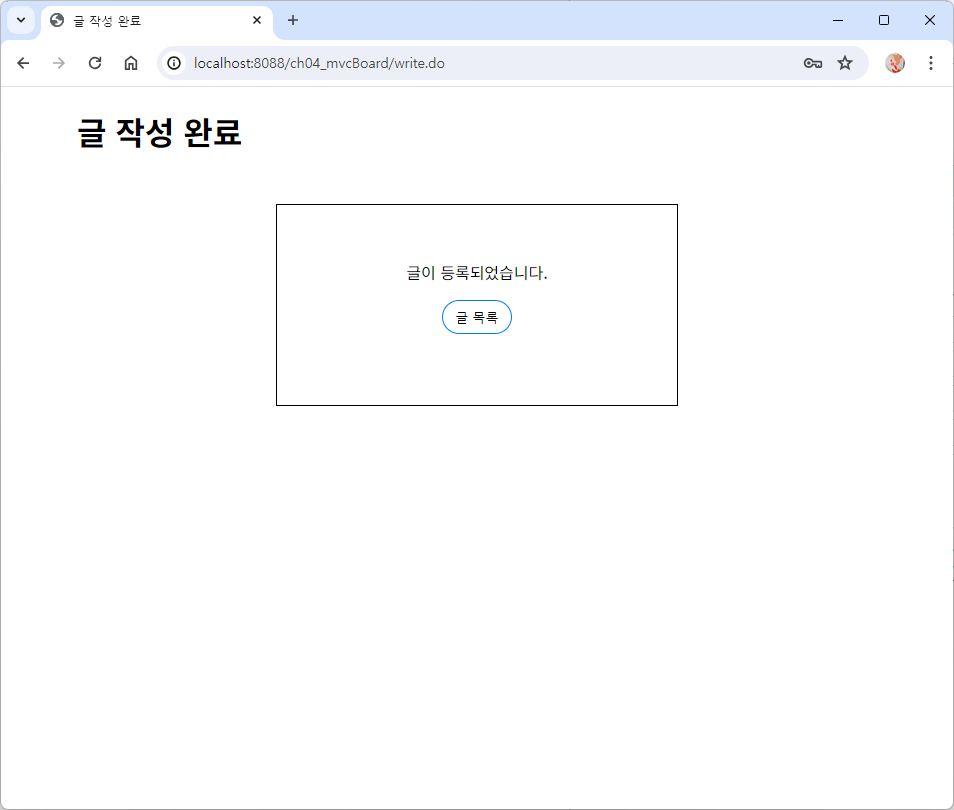
		<h1>글 작성 완료</h1>
		<div class="result-display">
			<div class="align-center">
				글이 등록되었습니다.
				<p>
				<button onclick="location.href='list.do'">글 목록</button>
			</div>
		</div>
	</div>
</body>
</html>
ListAction
JSP 경로 반환
package kr.board.action;

import java.util.List;

import javax.servlet.http.HttpServletRequest;
import javax.servlet.http.HttpServletResponse;

import kr.board.dao.BoardDAO;
import kr.board.vo.BoardVO;
import kr.controller.Action;
import kr.util.PagingUtil;

public class ListAction implements Action{

	@Override
	public String execute(HttpServletRequest request, HttpServletResponse response) throws Exception {
		//선택한 페이지 반환
		String pageNum = request.getParameter("pageNum");
		if(pageNum==null) pageNum = "1";

		BoardDAO dao = BoardDAO.getInstance();
		int count = dao.getCount();

		PagingUtil page = new PagingUtil(
				  Integer.parseInt(pageNum),count,1,10,"list.do");

		List<BoardVO> list = null;
		if(count > 0) {
			list = dao.getList(page.getStartRow(), page.getEndRow());
		}

		request.setAttribute("count", count);
		request.setAttribute("list", list);
		request.setAttribute("page", page.getPage());

		//JSP 경로 반환
		return "/WEB-INF/views/list.jsp";
	}
}
List - JSP
<%@ page language="java" contentType="text/html; charset=UTF-8"
    pageEncoding="UTF-8"%>
<%@ taglib prefix="c" uri="http://java.sun.com/jsp/jstl/core" %>
<!DOCTYPE html>
<html>
<head>
<meta charset="UTF-8">
<title>목록</title>
<link rel="stylesheet" href="${pageContext.request.contextPath}/css/style.css" type="text/css">
</head>
<body>
<div class="page-main">
	<h2>게시판 목록</h2>
	<div class="align-right">
		<input type="button" value="글쓰기"
		        onclick="location.href='writeForm.do'">
	</div>
	<c:if test="${count == 0}">
	<div class="result-display">
		표시할 게시물이 없습니다.
	</div>
	</c:if>
	<c:if test="${count > 0}">
	<table>
		<tr>
			<th>글번호</th>
			<th>제목</th>
			<th>작성자</th>
			<th>작성일</th>
		</tr>
		<c:forEach var="board" items="${list}">
		<tr>
			<td>${board.num}</td>
			<td><a href="detail.do?num=${board.num}">${board.title}</a></td>
			<td>${board.name}</td>
			<td>${board.reg_date}</td>
		</tr>
		</c:forEach>
	</table>
	<div class="align-center">
		${page}
	</div>
	</c:if>
</div>
</body>
</html>