Springboot 환경 별 파일(application.yml, secret) 분리하는법
스프링부트에서 개발계/테스트계/운영계에 맞게 환경분리를 하고싶으면
Dev, Stg, Prd 별로 application.yml와 secret이 분리가 필요함.
하나의 application.yml에서 나눠서 작성할수도있지만 모든 파일을 나눠서 작성해보겠음.
(참고) 프로파일 우선순위
1️⃣ JVM 옵션
-Dspring.profiles.active=prd
2️⃣ 명령줄 인자 (--spring.profiles.active)
spring.profiles.active=prd
3️⃣ 환경 변수
SPRING_PROFILES_ACTIVE=prd
4️⃣ application.yml / application.properties
spring.profiles.active: dev
파일분리
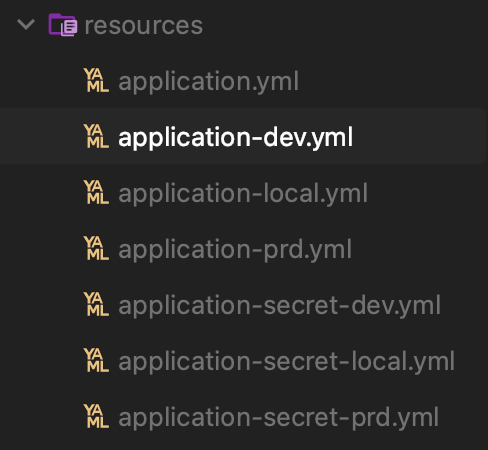
classpath가 resources 하위로 읽도록 되어있으니 resources 폴더 하위에서 파일을 분리해서 작성함
application.yml (공통 설정파일)
spring:
  profiles:
    active: local # defalut 프로파일 설정
  config:
    import:
      - optional:application-secret-${spring.profiles.active}.yml

app:
  name: common-app
application-local.yml
spring:
  profiles: local

server:
  port: 8082

app:
  env: local
application-dev.yml
spring:
  profiles: dev

server:
  port: 8083

app:
  env: dev
application-prd.yml
spring:
  profiles: prd

server:
  port: 8084

app:
  env: prd
application-secret-dev.yml
secret:
  db-password: dev-password
  api-key: dev-api-key
ProfileTestController
package com.example.profiletest;

import lombok.RequiredArgsConstructor;
import org.springframework.beans.factory.annotation.Value;
import org.springframework.web.bind.annotation.GetMapping;
import org.springframework.web.bind.annotation.RestController;

import java.util.LinkedHashMap;
import java.util.Map;

@RestController
@RequiredArgsConstructor
public class ProfileTestController {

    @Value("${app.name}")
    private String appName;

    @Value("${app.env}")
    private String env;

    @Value("${secret.db-password}")
    private String dbPassword;

    @Value("${secret.api-key}")
    private String apiKey;

    @GetMapping("/profile")
    public Map<String, String> getProfileInfo() {
        Map<String, String> map = new LinkedHashMap<>();
        map.put("appName", appName);
        map.put("env", env);
        map.put("dbPassword", dbPassword);
        map.put("apiKey", apiKey);
        return map;
    }
}
실행
JVM active profiles 설정 옵션
인텔리제이
- Run >
edit Configurations에서 active profiles 설정가능
sts 이클립스
Open Config에서-Dspring.profiles.active=local
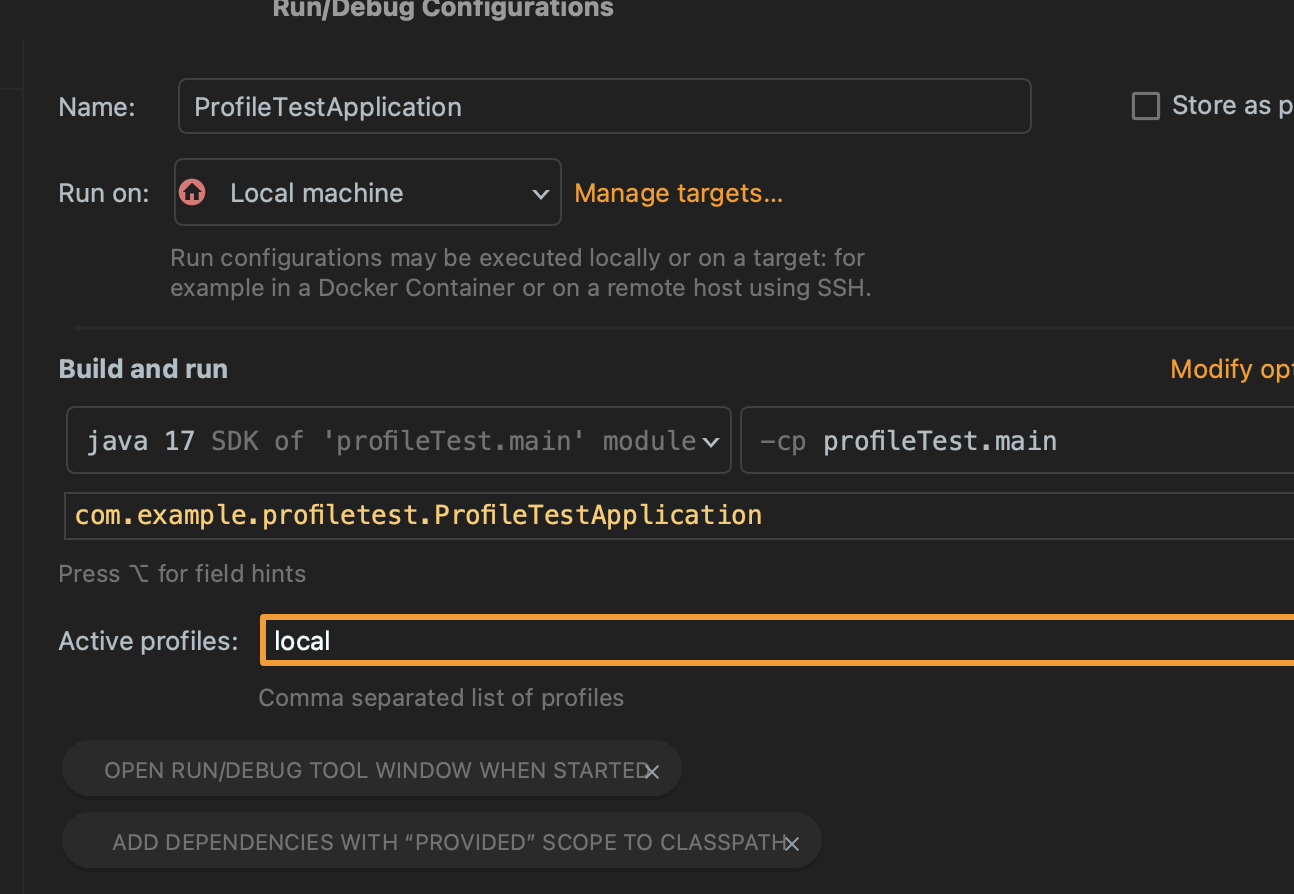
실행하면 로그에 활성화된 구동중인 프로파일이 뜸.

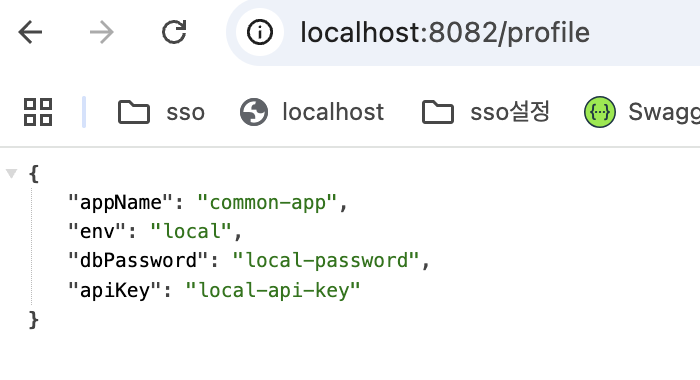
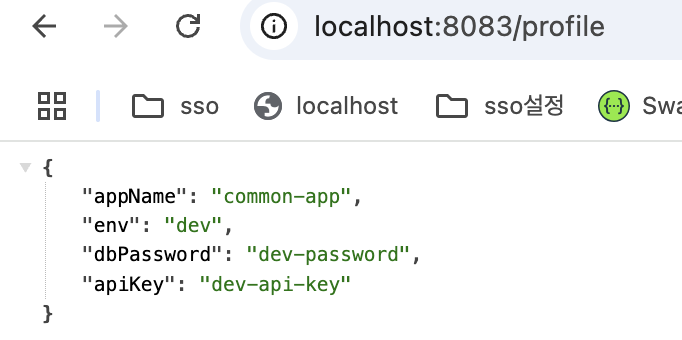
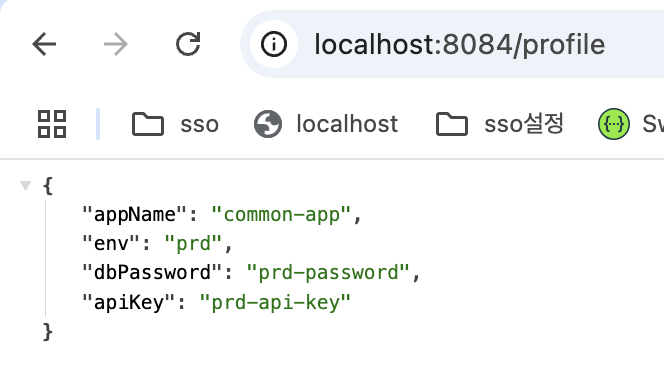
각 local, dev, prd마다 시크릿에 맞게 잘 뜨는 것을 확인

𝐃𝐨𝐧'𝐭 𝐛𝐞 𝐚 𝐩𝐫𝐨𝐜𝐫𝐚𝐬𝐭𝐢𝐧𝐚𝐭𝐨𝐫💫