Task
- 내 위치 정보 불러와서 지도에 마크업
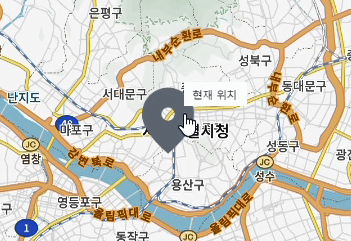
- hover 시 어떤 마크업인지 알 수 있도록 표시
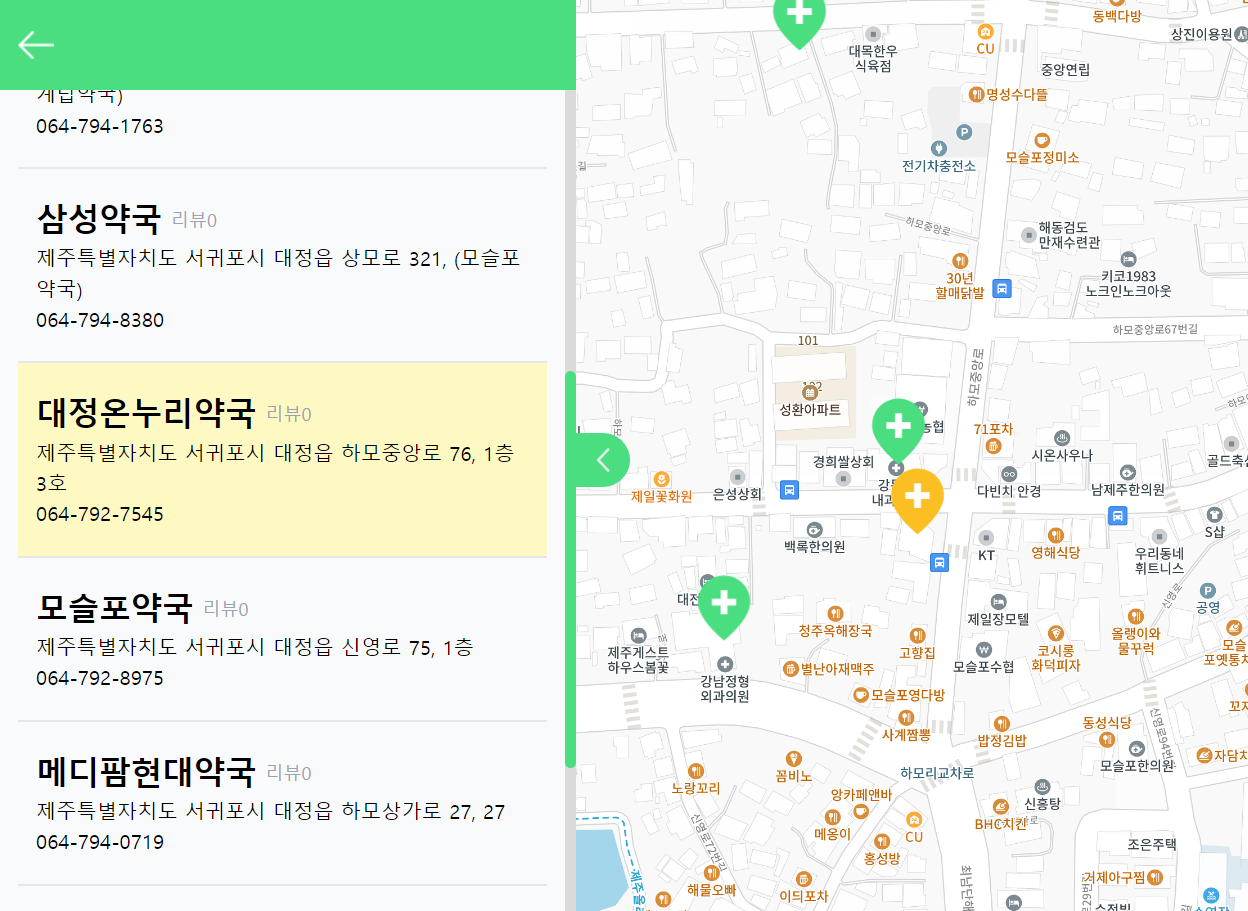
- 마커 누르면 색 바뀌는 상태 변경 주기
- 마커 누르면 리스트에 포커스 된 항목으로 스크롤 되도록 구현
- 로딩 화면 UI 예쁘게 바꾸기
- 튜터님 피드백) 마커 클러스터러 활용
참고: 우리 프로젝트에선 react-kakao-map-sdk 라이브러리를 사용함
1. 내 위치 정보 불러와서 지도에 마크업
1) GeoLocation 사용 - 코드 분리 전
// src/components/List/ListPageMap.jsx

import { useEffect, useState } from "react";
import { Map, MapMarker } from "react-kakao-maps-sdk";

function ListPageMap({ pharmacies }) {
	const centerLatLon = { lat: Number(pharmacies[0].lat), lng: Number(pharmacies[0].lon - 0.06) };

	const locations = pharmacies.map((pharmacy) => ({
		id: pharmacy.id,
		placeName: pharmacy["place-name"],
		latlng: { lat: pharmacy.lat, lng: pharmacy.lon }
	}));

	const [myLocation, setMyLocation] = useState(null);
	useEffect(() => {
		navigator.geolocation.getCurrentPosition(handleSuccess, handleError);
	}, []);

	const handleSuccess = (response) => {
		const { latitude, longitude } = response.coords;
		setMyLocation({ latitude, longitude });
	};

	const handleError = (error) => {
		console.log(error);
	};

	return (
		<div>
			<Map
				center={centerLatLon}
				style={{
					width: "100%",
					height: "100vh"
				}}
				level={7}
			>
				{myLocation && (
					<MapMarker
						position={{ lat: myLocation.latitude, lng: myLocation.longitude }}
						image={{ src: "/img/icon-marker-mylocation.png", size: { width: 70, height: 70 }
					/>
				)}
				// 중간 생략
			</Map>
		</div>
	);
}

export default ListPageMap;
2) Issue
이전에는 GeoLocation 코드가 다른 컴퍼넌트에서는 안 쓰여서 재사용의 필요는 아직 없었다. 그래서 분리를 꼭 할 필요는 없었다. 하지만 컴퍼넌트에 새로운 기능(2번)을 추가하려니 코드가 쓸데없이 길어질 것 같아서, 분리를 진행했다.
3) Custom Hook 만든 완성 코드
// src/components/List/ListPageMap.jsx

import { Map, MapMarker } from "react-kakao-maps-sdk";
import useGeoLocation from "./GeoLocation.js";

function ListPageMap({ pharmacies }) {
	const centerLatLon = { lat: Number(pharmacies[0].lat), lng: Number(pharmacies[0].lon - 0.06) };
	const myLocation = useGeoLocation();

	const locations = pharmacies.map((pharmacy) => ({
		id: pharmacy.id,
		placeName: pharmacy["place-name"],
		latlng: { lat: pharmacy.lat, lng: pharmacy.lon }
	}));

	return (
		<div>
			<Map
				center={centerLatLon}
				style={{
					width: "100%",
					height: "100vh"
				}}
				level={7}
			>
				{myLocation && (
					<MapMarker
						position={{ lat: myLocation.latitude, lng: myLocation.longitude }}
						image={{ src: "/img/icon-marker-mylocation.png", size: { width: 70, height: 70 }
					/>
				)}
                // 중간 생략
			</Map>
		</div>
	);
}

export default ListPageMap;
// src/components/List/GeoLocation.js
import { useEffect, useState } from "react";
function useGeoLocation() {
const [myLocation, setMyLocation] = useState(null);
useEffect(() => {
navigator.geolocation.getCurrentPosition(handleSuccess, handleError);
}, []);
const handleSuccess = (response) => {
const { latitude, longitude } = response.coords;
setMyLocation({ latitude, longitude });
};
const handleError = (error) => {
console.log(error);
};
return myLocation;
}
export default useGeoLocation;- 완성
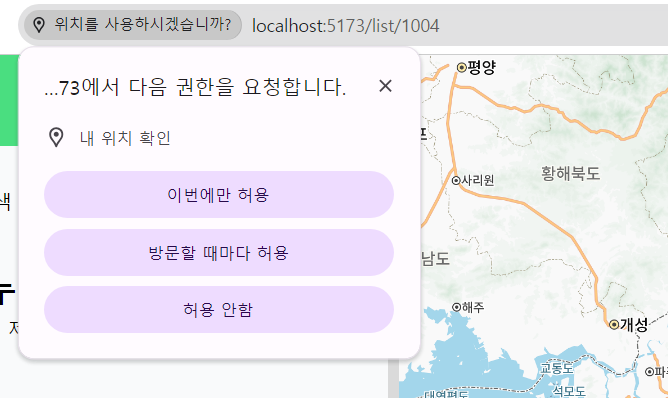
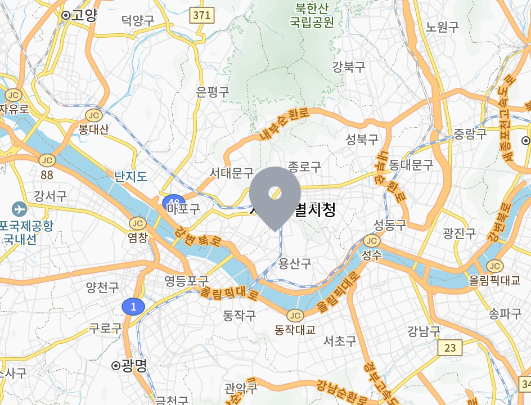
2. hover 시 어떤 마크업인지 알 수 있도록 표시
title 활용
{myLocation && (
  <MapMarker
    position={{ lat: myLocation.latitude, lng: myLocation.longitude }}
    image={{ src: "/img/icon-marker-mylocation.png", size: { width: 70, height: 70 } }}
    title: "현재 위치"
  />
)}
3. 마커 누르면 색 바뀌는 상태 변경 주기
- useState, props 활용
- onClick 시 일치하는 id를 selectedMarkerId에 넣어준다
// src/pages/ListPage.jsx
import { useQuery } from "@tanstack/react-query";
import { useState } from "react";
import { useLocation } from "react-router-dom";
import { fetchMenuItems } from "../api/pharmacy";

import ListPageMap from "../components/List/ListPageMap";
import ListPageToggle from "../components/List/ListPageToggle";
import Loading from "../components/Loading/Loading";

function ListPage() {
	const location = useLocation();
	const lastFourDigits = location.pathname.slice(-4);
	const [selectedMarkerId, setSelectedMarkerId] = useState(null); // useState 사용

	const {
		data: menuItems,
		error,
		isPending
	} = useQuery({
		queryKey: ["menuItems", lastFourDigits],
		queryFn: () => fetchMenuItems(lastFourDigits)
	});

	if (isPending) return <Loading />;

	if (error) return <div>Error fetching pharmacies</div>;

	return (
		<>
			<ListPageToggle menuItems={menuItems} selectedMarkerId={selectedMarkerId} />
			<ListPageMap
				pharmacies={menuItems}
				selectedMarkerId={selectedMarkerId}
				setSelectedMarkerId={setSelectedMarkerId}
			/>
		</>
	);
}

export default ListPage;
// src/components/List/ListPageMap.jsx
import { Map, MapMarker, MarkerClusterer } from "react-kakao-maps-sdk";
import useGeoLocation from "./GeoLocation.js";

function ListPageMap({ pharmacies, selectedMarkerId, setSelectedMarkerId }) {
	const myLocation = useGeoLocation();

	const locations = pharmacies.map((pharmacy) => ({
		id: pharmacy.id,
		placeName: pharmacy["place-name"],
		latlng: { lat: pharmacy.lat, lng: pharmacy.lon }
	}));

	const averageLatLng = () => {
		let lats = 0;
		let lngs = 0;

		locations.forEach((location) => {
			lats += Number(location.latlng.lat);
			lngs += Number(location.latlng.lng);
		});

		const averageLat = (lats / locations.length).toFixed(5);
		const averageLng = (lngs / locations.length).toFixed(5) - 0.04;

		return { lat: averageLat, lng: averageLng };
	};

	const centerLatLng = averageLatLng();

	const handleSelectMarkerId = (id) => {
		setSelectedMarkerId(id);
	};

	return (
		<div>
			<Map
				center={centerLatLng}
				style={{
					width: "100%",
					height: "100vh"
				}}
				level={7}
			>
				{myLocation && (
					<MapMarker
						position={{ lat: myLocation.latitude, lng: myLocation.longitude }}
						image={{ src: "/img/icon-marker-mylocation.png", size: { width: 70, height: 70 } }}
						title="현재 위치"
					/>
				)}
				<MarkerClusterer averageCenter={true} minLevel={6}>
					{locations.map((location) => (
						<MapMarker
							onClick={() => handleSelectMarkerId(location.id)}
							key={`${location.placeName}-${location.latlng}`}
							position={location.latlng}
							image={{
								src: selectedMarkerId === location.id ? "/img/icon-marker-selected.png" : "/img/icon-marker.png",
								size: { width: 70, height: 70 }
							}}
							placeName={location.placeName}
						></MapMarker>
					))}
				</MarkerClusterer>
			</Map>
		</div>
	);
}

export default ListPageMap;
4. 마커 누르면 리스트에 포커스 된 항목으로 스크롤 되도록 구현
// src/components/List/ListPageToggle.jsx
const refs = useRef([]);

useEffect(() => {
	if (selectedMarkerId && refs.current[selectedMarkerId]) {
		refs.current[selectedMarkerId].scrollIntoView({ behavior: "smooth", block: "center" });
	}
}, [selectedMarkerId]);

return (
  // 중략
	{pharmacies.map((pharmacy) => (
		<li key={pharmacy.id} className="px-4">
			<div
				ref={(el) => (refs.current[pharmacy.id] = el)}
				className={`block px-4 py-6 border-b-2 border-gray-200 ${
					selectedMarkerId === pharmacy.id
						? "bg-yellow-100 hover:bg-yellow-200"
						: "bg-gray-50 hover:bg-gray-100"
				}`}
			>
				<PharmacyItem pharmacy={pharmacy} />
			</div>
		</li>
    ))}
  // 중략
)
5. 로딩 화면 UI 예쁘게 바꾸기
예전에 다른 팀원이 쓴 걸 한 번 경험해보니, 로딩 화면 UI 변경은 필수라고 생각하게 되었다. 이거 하나 있고 없고의 차이로 사용자 측면 UI/UX에 신경을 썼다는 게 보여지는 것 같다.
여러 방법이 있지만, 나는 이번에 https://loading.io/ 에서 gif 파일을 커스텀하여 다운받아 사용하는 방법을 썼다.
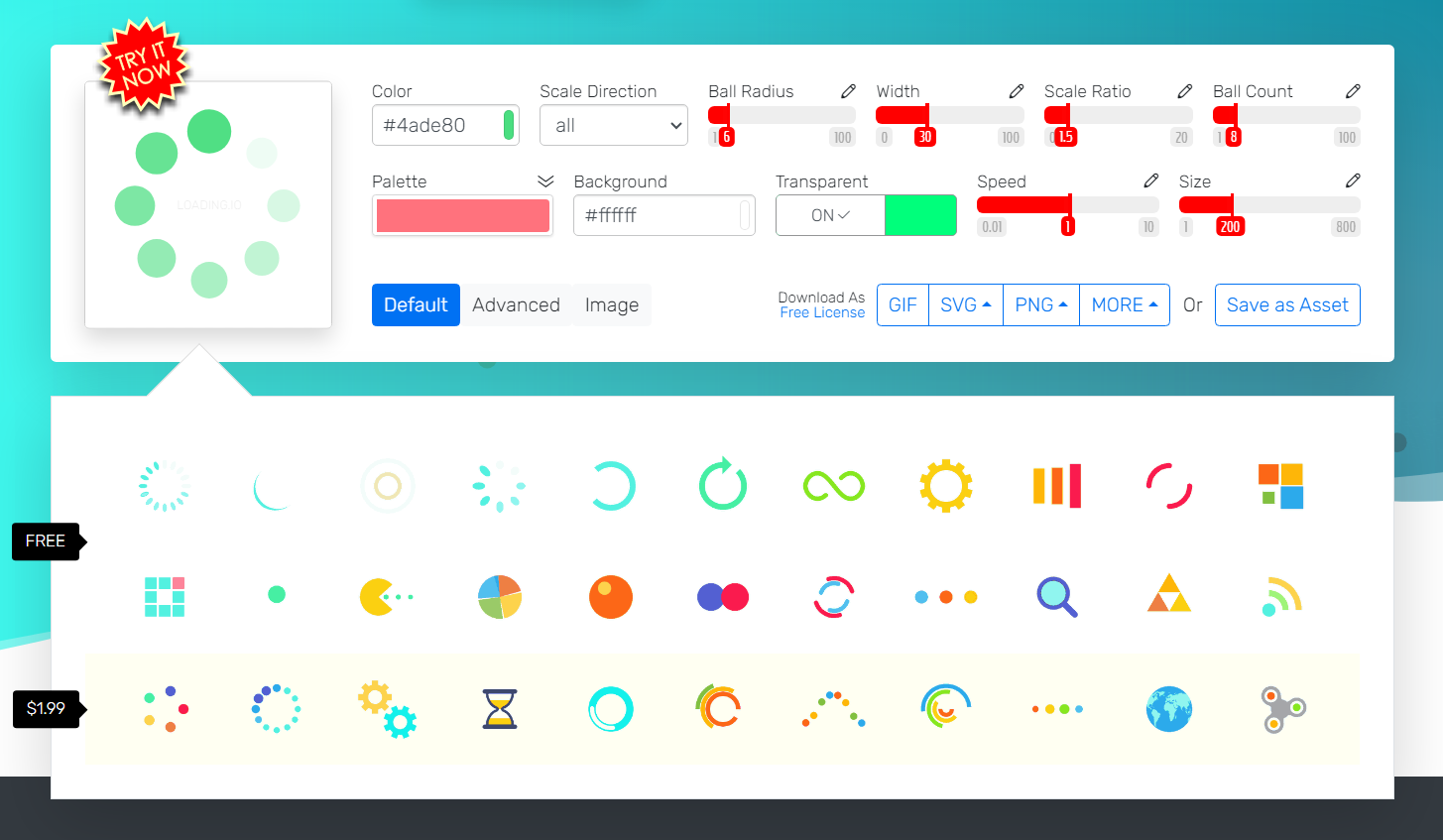
우리의 메인 컬러로 바꿔주고 배경을 불투명하게 해서 git 다운.
다운 받으려면 가입을 해야 하고, 무료 아이템만 써도 충분히 만족스럽지만 밑의 이미지를 사용하려면 구매해야 하는 것 같다.
import Spinner from "/img/loading-spinner.gif";

const Loading = () => {
	return (
		<div className="h-screen flex flex-col justify-center items-center">
			<p className="text-green-400 font-bold text-[26px]">하꼼만 이십서</p>
			<img src={Spinner} alt="로딩" width="10%" />
		</div>
	);
};

export default Loading;
// Listage.jsx
const {
data: menuItems,
isPending,
error
} = useQuery({
queryKey: ["menuItems", lastFourDigits],
queryFn: () => getPharmacies(lastFourDigits)
});
if (isPending) return <Loading />; // 컴퍼넌트 사용
if (error) return <div>Error fetching pharmacies</div>;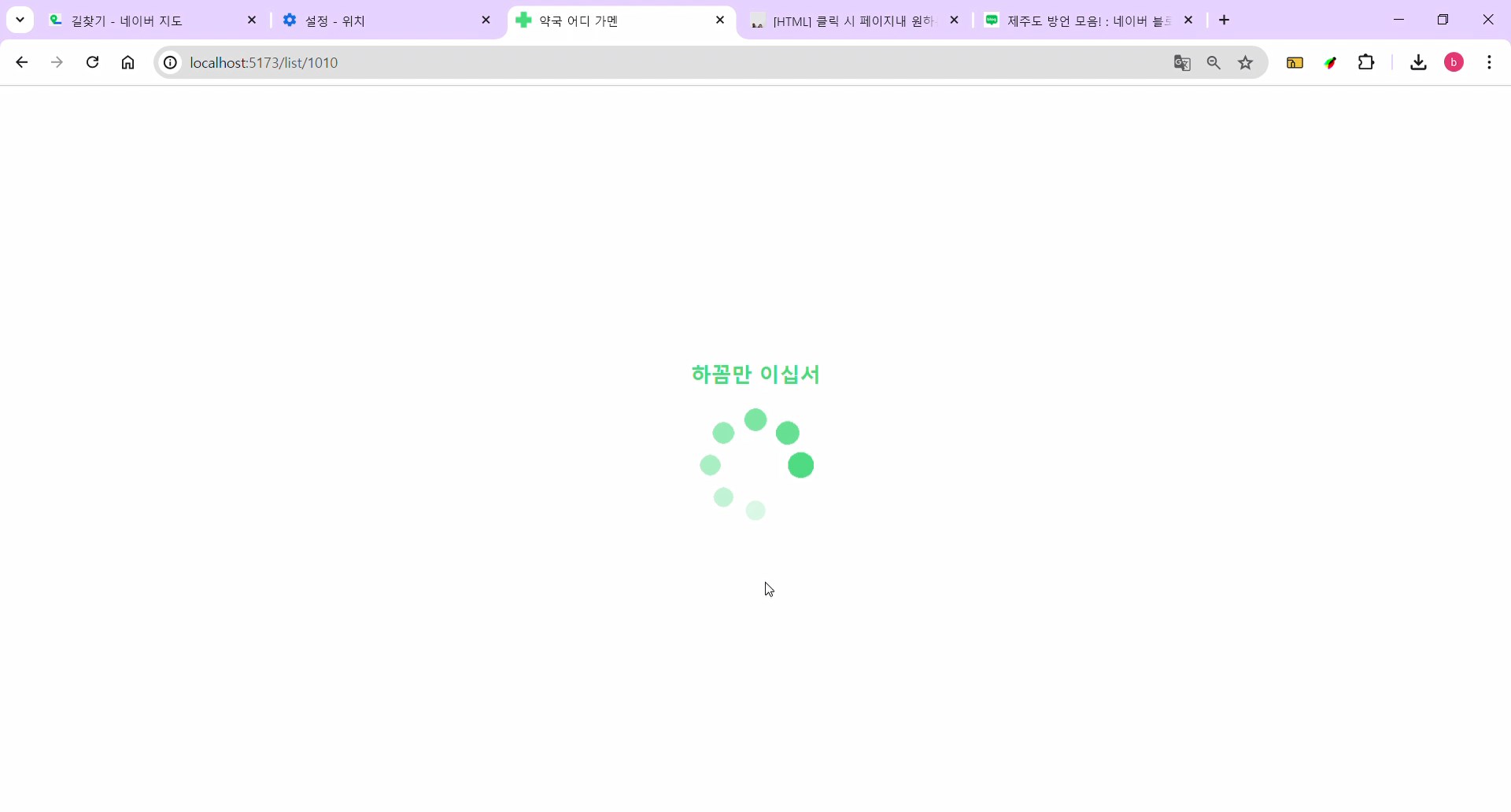
"하꼼만 이십서" = "조금만 기다려 주세요"라는 뜻의 제주 방언!
