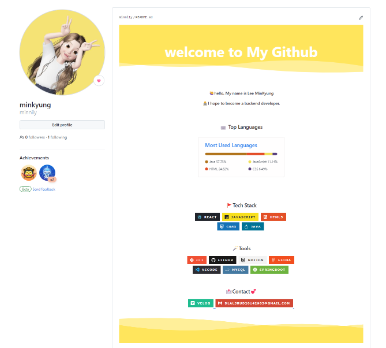
git 꾸며보기는 생각보다 간단하지않아보이는데 생각보다 간단하다!
잘모르겠으면 복붙하세요 :)
- 프로필 이미지 만들기
나는 프로필 이미지를 아이폰 미모티콘으로도 만들었고, ZEPETO 어플로도 만들었다.
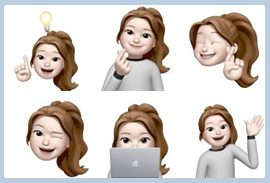
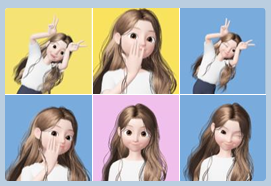
좀 더 밝고 예쁜걸로 선택했다 🫡
각자 취향에 맞게 프로필을 선택하면 될 것 같다!
- repository만들기

여기서 new 클릭!
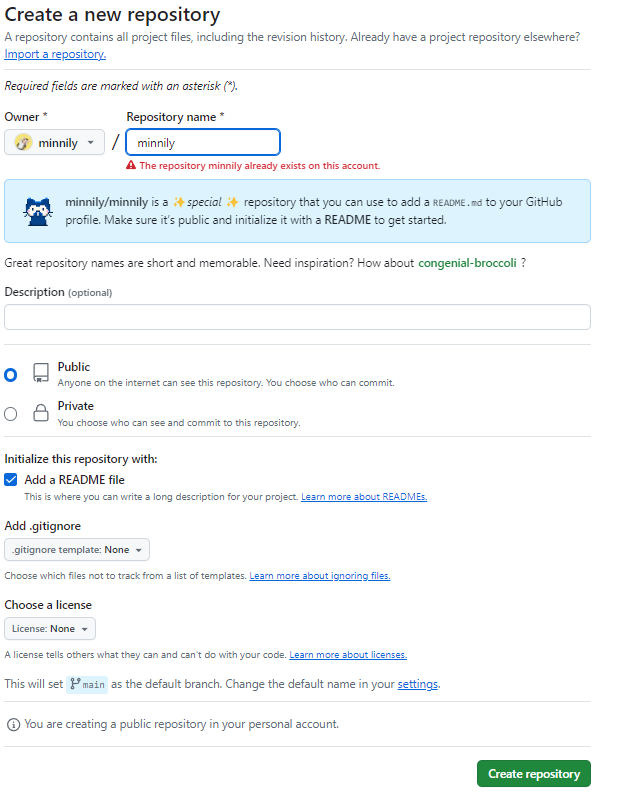
나는 이미 만들었기에 존재한다고 뜨지만 처음 생성하면 아마 가능할 것이다.
여기서 생성하기 누르기!
- README 작성하기
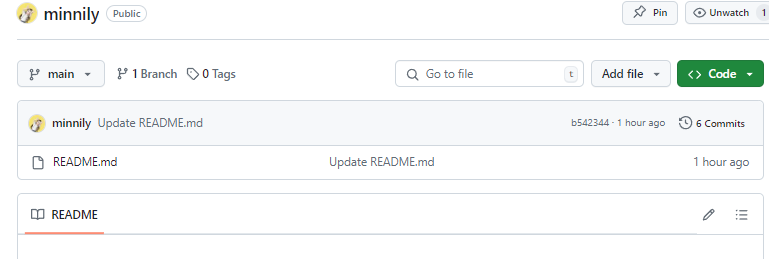
저기 연필 아이콘 눌러서 내용을 추가하면 된다. 참고하면 좋을 오픈소스,사이트 공유합니다.
- 헤더 오픈소스
https://github.com/kyechan99/capsule-render - 기술 뱃지 제작 사이트
https://shields.io/
-로고 제작 사이트
https://simpleicons.org/
-기술뱃지 오픈소스?
https://github.com/rzashakeri/beautify-github-profile
-git state 오픈소스
https://github.com/anuraghazra/github-readme-stats
-방문자수 확인 사이트
https://hits.seeyoufarm.com
참고하여 내용 작성해주면 된다!
내가 작성한 코드는?
<!--헤더 부분-->

<!--내용 부분-->
<h4 align="center">🙋♀️hello, My name is Lee MinKyung <br><br> 👩💻I hope to become a backend developer.</h4>
<br>
<h3 align="center">
⌨️ Top Languages </h3>
<h3 align="center">

</h3>
<br>
<br>
<!--내용 부분-->
<h3 align="center">🚩Tech Stack </h3>
<div align="center">
<img src="https://img.shields.io/badge/react-20232a.svg?style=for-the-badge&logo=react&logoColor=61DAFB" /> 
<img src="https://img.shields.io/badge/javascript-F7DF1E.svg?style=for-the-badge&logo=javascript&logoColor=20232a" /> 
<img src="https://img.shields.io/badge/html5-E34F26.svg?style=for-the-badge&logo=html5&logoColor=white" /> 
</div>
<div align="center">
<img src="https://img.shields.io/badge/css3-1572B6.svg?style=for-the-badge&logo=css3&logoColor=white" /> 
<img src="https://img.shields.io/badge/java-007396?style=for-the-badge&logo=OpenJDK&logoColor=white"/> 
</div>
<br>
<h3 align="center">🪄Tools </h3>
<div align="center">
<img src="https://img.shields.io/badge/git-F05033.svg?style=for-the-badge&logo=git&logoColor=white" /> 
<img src="https://img.shields.io/badge/github-181717.svg?style=for-the-badge&logo=github&logoColor=white" /> 
<img src="https://img.shields.io/badge/Notion-F3F3F3.svg?style=for-the-badge&logo=notion&logoColor=black" /> 
<img src="https://img.shields.io/badge/figma-F24E1E.svg?style=for-the-badge&logo=figma&logoColor=white" /> 
</div>
<div align="center">
<img src="https://img.shields.io/badge/VSCode-2C2C32.svg?style=for-the-badge&logo=visual-studio-code&logoColor=22ABF3" /> 
<img src="https://img.shields.io/badge/MySQL-4479A1?style=for-the-badge&logo=MySQL&logoColor=white"/> 
<img src="https://img.shields.io/badge/springboot-6DB33F?style=for-the-badge&logo=springboot&logoColor=white"/> 
</div>
<br>
<h3 align="center">📩Contact💕</h3>
<div align="center">
<a href="https://velog.io/@minni_">
<img src="https://img.shields.io/badge/Velog-1EBC8F?style=for-the-badge&logo=velog&logoColor=white" /> 
</a>
<a href="mailto:dlalsrud20142905@gmail.com">
<img
src="https://img.shields.io/badge/dlalsrud20142905@gmail.com-D14836?style=for-the-badge&logo=gmail&logoColor=white"/> 
</a>
</div>
<!--footer 부분-->
그래서 완성은?
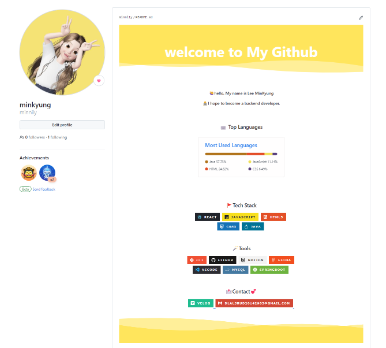
정말 쉽죠? 😎 너도 할 수 있어요!

풀스택 개발자