요약
- Apple Developer 사이트에 app bundle 추가 (개발자 계정이 있어야만 가능!)
- Xcode 프로젝트 내에서 capability 추가
- Sign in with Apple
- 로그인 버튼 UI 생성
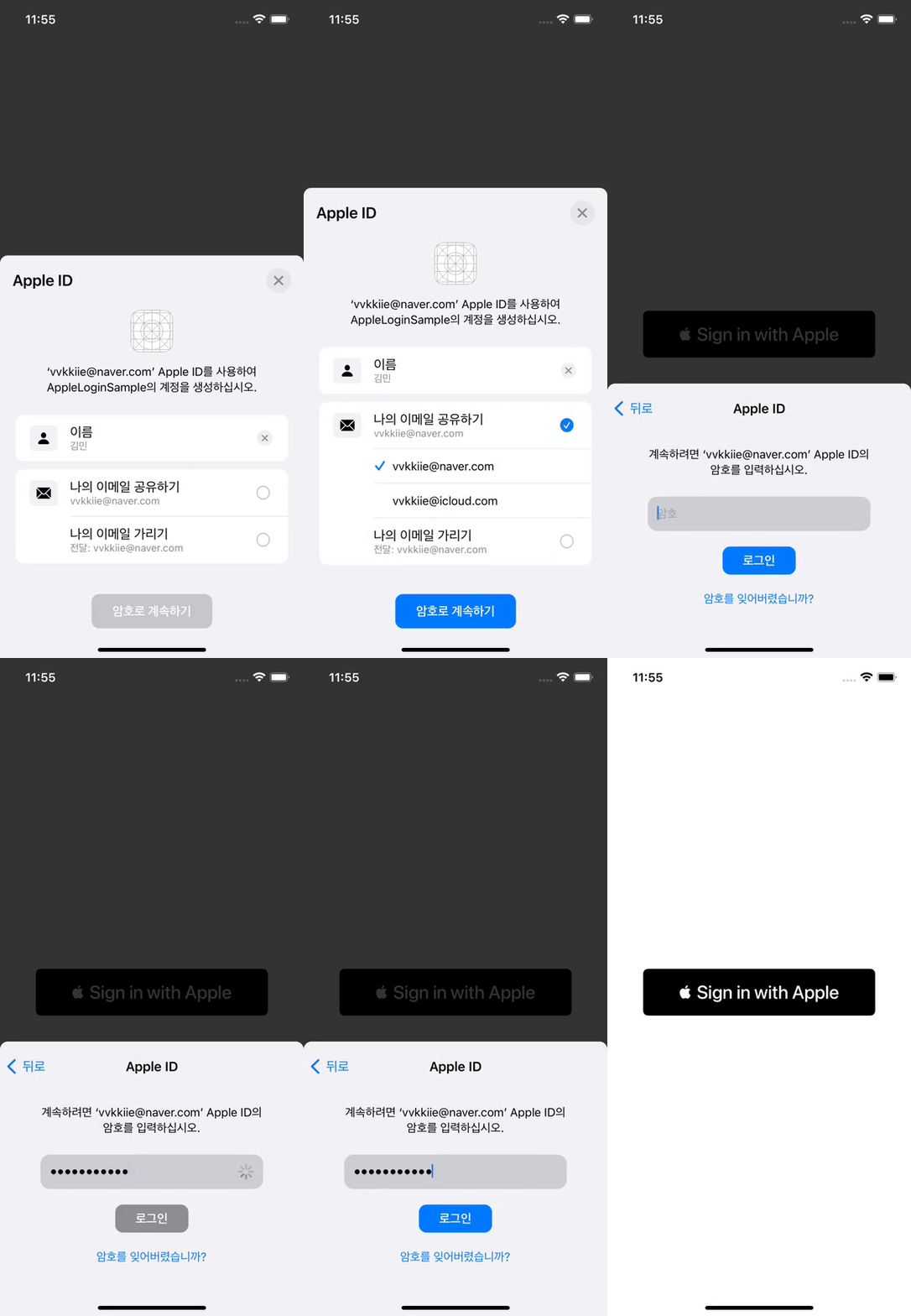
- 애플 로그인 진행
- 필요한 contact(연락처) 정보 scope 정의하여 요청
- 로그인 성공 시 credential에서 필요한 정보 추출
- 서비스 서버와 통신
- 필요한 request를 보내고 응답 받음
구현
Base
SwiftUI, MVVM
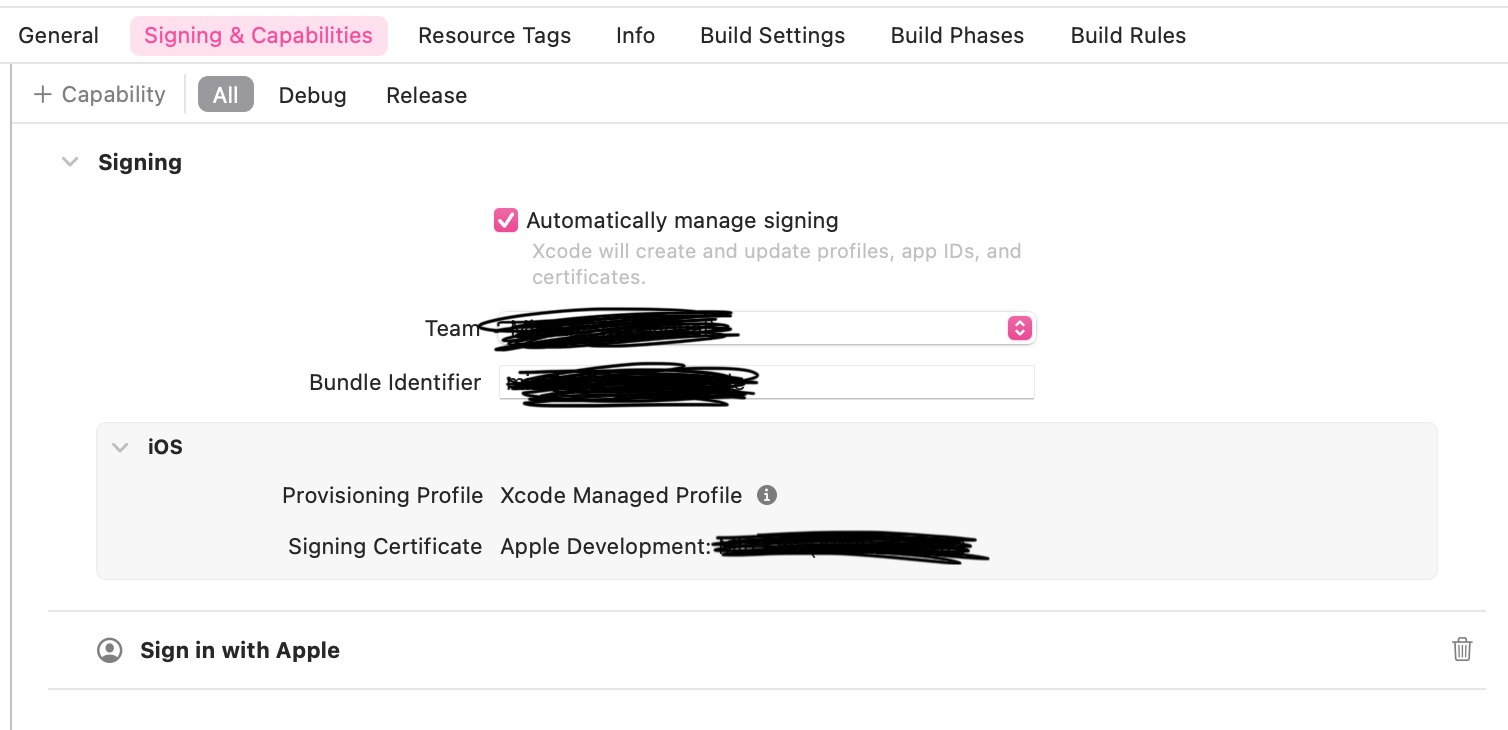
Apple Developer Program 사이트 & Xcode 설정
로그인 버튼 UI 생성
SignInWithAppleButton 사용
// View
VStack {
    SignInWithAppleButton { request in
        viewModel.send(action: .appleLogin(request))
    } onCompletion: { result in
        viewModel.send(action: .appleLoginHandler(result))
    }
    .frame(maxWidth: .infinity)
    .frame(height: 60)
    .padding(.horizontal, 30)

}
onRequest
Apple ID에 대한 인증 요청
onCompletion
로그인 성공 시 호출되는 handler
애플 로그인 진행
// ViewModel

func send(action: Action) {
    switch action {
    case let .appleLogin(request):
        // MARK: 필요한 정보 요청
        request.requestedScopes = [.email, .fullName]

    case let .appleLoginHandler(result):
        switch result {
            // MARK: - 로그인 성공 시 ASAuthorizationAppleIDCredential 객체 추출
        case let .success(authorization):
            guard let credential = authorization.credential as? ASAuthorizationAppleIDCredential else { return }
            print(credential.email)
            print(credential.fullName)
            // identityToken, authorizationCode 등등...

            // TODO: credential에서 필요한 정보를 사용하여 서비스 서버로 요청
        case let .failure(error):
            print(error.localizedDescription)
        }
    }
}
requestedScopes
인증 과정 중 사용자에게 요청할 contact 정보 - email, fullName
요청할 정보로 지정해 주지 않으면, 로그인 성공 시에 해당 프로퍼티에 nil 할당됨
ASAuthorizationAppleIDCredential
switch result {
    // MARK: - 로그인 성공 시 ASAuthorizationAppleIDCredential 객체 추출
case let .success(authorization):
    guard let credential = authorization.credential as? ASAuthorizationAppleIDCredential else { return }
    print(credential.email) // nil
    print(credential.fullName)
    // identityToken, authorizationCode 등등...

    // TODO: credential에서 필요한 정보를 사용하여 서비스 서버로 요청
case let .failure(error):
    print(error.localizedDescription)
Apple ID 인증 성공 시, 생성되는 credential
credential에서 identityToken, authorizationCode, fullName, email 등에 대한 정보를 얻을 수 있음.
필요한 정보를 추출하여 서비스 서버로 요청 보내기