아래와 같이 웹페이지에서 header 섹션에서 section1 (FEATURES) 섹션으로 스크롤할 때 상단의 navigation bar가 고정되도록 sticky navigation을 구현해 보자.
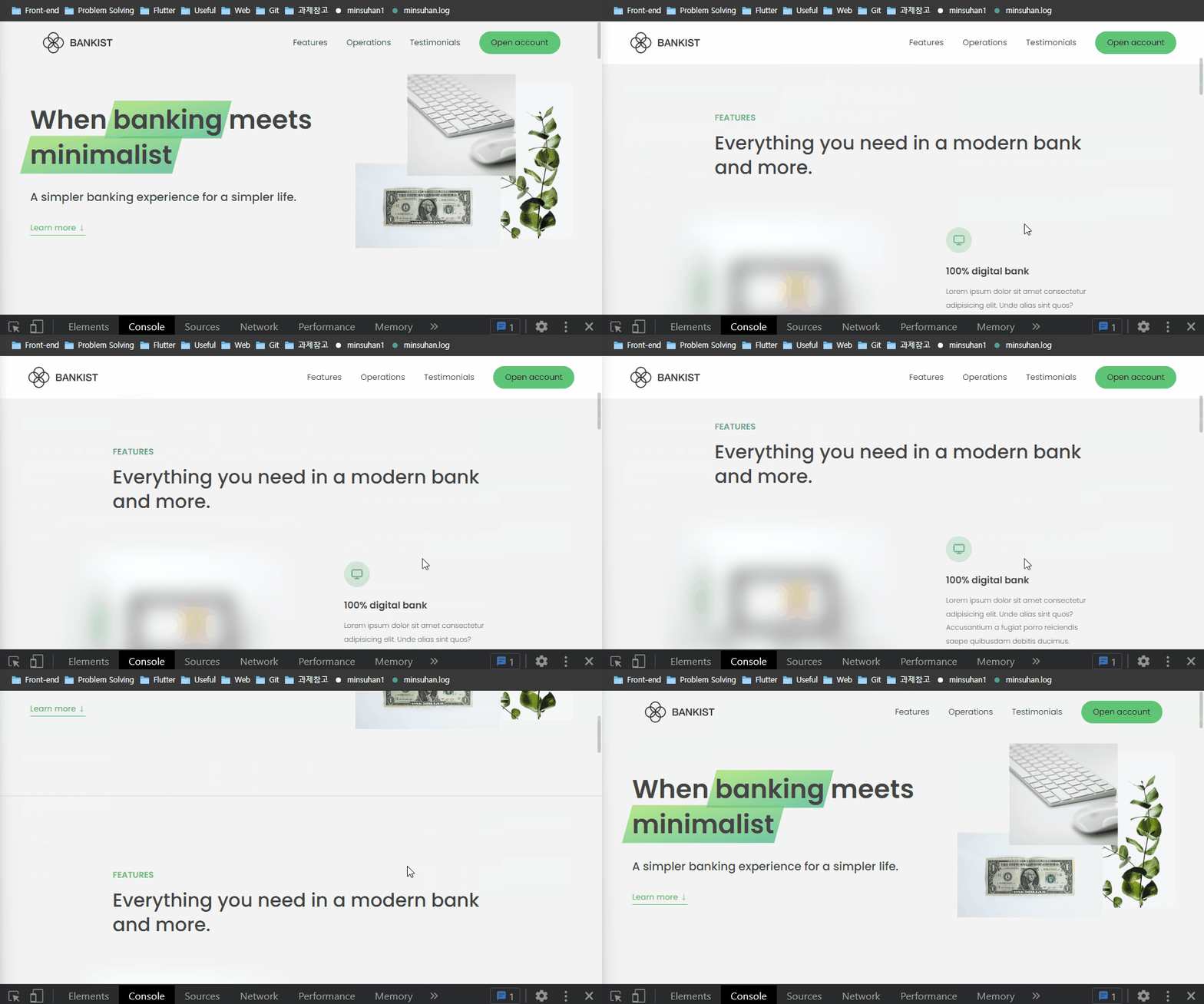
Intersection Observer API
이때 Intersection Observer API라는 것을 활용할 수 있는데, 이는 웹페이지의 viewport를 기준으로 어떤 요소가 일정 비율(threshold)로 보이게 되면 콜백 메서드를 호출하여 실행할 수 있는 API다.
IntersectionObserver 객체 생성자는 콜백 메서드(callback)와 옵션(option)을 인자로 받는다. 생성된 IntersectionObserver 객체의 observe() 메서드에 이벤트를 감지할 요소를 인자로 전달함으로써 해당 요소를 observe한다.
이벤트가 감지되면 콜백 메서드에 IntersectionObserverEntry 객체가 전달되는데, 이 객체는 이벤트가 감지된 시점에 뷰포트 기준으로 요소가 얼마나 보이는지(intersectionRatio), 요소가 뷰포트에서 보이기 시작하는건지 사라지기 시작하는건지 boolean값을 갖는 isIntersecting 등의 여러 가지 속성들을 갖는다.
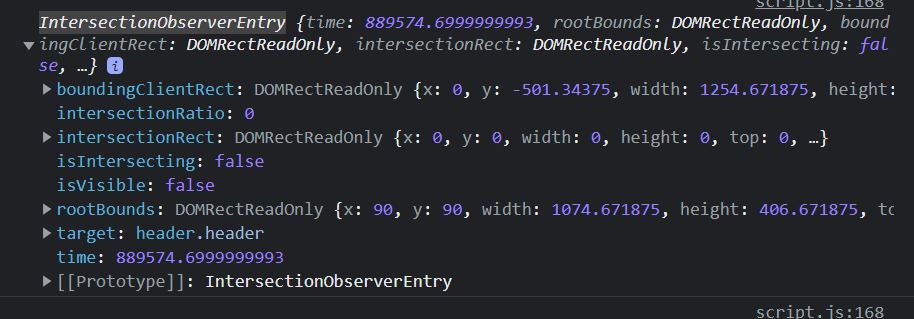
IntersectionObserver 생성자의 옵션(option)에는 root, threshold, rootMargin 등을 속성으로 갖는 객체를 전달한다.
root: null으로 설정하면 전체 viewport를 기준으로 요소를 observe한다는 의미이다.threshold: root(null로 설정했다면 viewport)의 몇 %만큼 타겟 요소가 intersect 될 때 콜백 메서드를 호출할지를 나타낸다.rootMargin: root의 여백을 나타낸다. sticky navigation의 예를 들어 설명하면 이 속성을 navigation bar 높이로 설정하여 header가 완전히 뷰포트에서 사라지는 시점 대신 navigation bar의 높이를 남기는 시점에서 콜백 메서드를 호출하도록 만들 수 있다.
const header = document.querySelector('.header');		// header 섹션
const navHeight = nav.getBoundingClientRect().height;	// navigation bar 높이

const stickyNav = function (entries) {
  const [entry] = entries;
  console.log(entry);

  // 뷰포트에서 header 섹션이 사라지는(isIntersecting: false) 시점에 네비게이션 바 요소에 sticky 클래스를 추가
  if (!entry.isIntersecting) nav.classList.add('sticky');
  // 다시 header 섹션이 보이는(isIntersecting: true) 시점에는 고정을 해제한다.
  else nav.classList.remove('sticky');
};

const headerObserver = new IntersectionObserver(stickyNav, {
  root: null, // entire viewport
  threshold: 0, // root의 0% 만큼 header가 보이거나(isIntersecting: true) 사라지면(isIntersecting: false) callback function을 실행
  rootMargin: `-${navHeight}px`,	// 뷰포트에서 네비게이션 바 높이만큼 보이거나 남긴 시점을 콜백 메서드 호출시점으로 설정함
});
headerObserver.observe(header);
다른 방법 (추천X)
Intersection Observer API를 사용하지 않고 전역객체 window의 scrollY 값을 사용하여 sticky navigation을 구현할 수도 있으나, 이 경우 스크롤하는 내내 이벤트 객체를 전달하기 때문에 성능이 저하되므로 지양하여야 하는 방법이다.
const initialCoords = section1.getBoundingClientRect();
console.log(initialCoords);

window.addEventListener('scroll', function () {
  console.log(window.scrollY);

  if (this.window.scrollY > initialCoords.top) nav.classList.add('sticky');
  else nav.classList.remove('sticky');
});
참고 자료
https://developer.mozilla.org/ko/docs/Web/API/Intersection_Observer_API